Tu veux apprendre le #NoCode ?
Il y a des tonnes de tutos en lignes
🤚 Mais le plus important c'est la pratique
👉Crée des apps
👉Automatiser des taches
👉Trouve des solutions à tes problèmes
@make_hq@stripe@webflow Using what's available saves time and lets you focus more on your customers
👉 Smarts devs knows how to pick and use the right tools for the job.💪🏻
What's about you ? Team "NoCode" or Team "DIY"?
🧵 A True devs does everything alone. No need for tools. No need for nocode 💪🏻
This is what I used to believe years ago... 🤦🏻♂️ Now, I'me a nocode developer...
Let me explain 👇
#DevJourney#NoCode
Why spend hours coding scripts and hosting them when @make_hq does it 10x better?
Why typ to reinvent payment when I can never outdo @stripe ?
Why build a site from scratch when @webflow makes it easy and quick? ?
#WebDesign#Webflow#Productivity
🧰 Easier to modify & reuse
Shorter and simpler scenarios are also scenarios that you can easily replace and reuse in other automations.
👉 You build and modify your scenarios more quickly and easily.
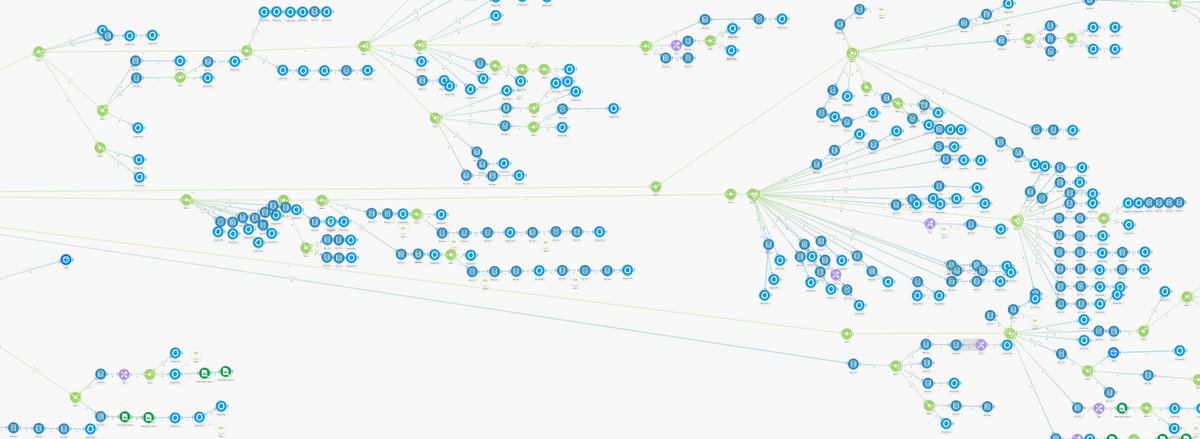
According to Make, the longest scenario created has over 800 modules 🤯 #NoCode
Please, don't do that 😭
Instead, break down your big scenarios into several mini-scenarios connected to each other with webhooks or data stores.
One scenario = One objective
Here's why 👇
⚙ Easier to debug
And when there's a bug?
Do you plan on navigating through the entire scenario to find what's not working?
If each scenario has just parameters, a few actions, and returns a result, it's much easier to understand what's happening.
Interfaces are not just pretty dashboards 😉
You can add buttons to change displayed data, trigger automations, activate webhooks...
There's incredible potential in combining @make_hq and @airtable 💪
@airtable Your dashboard is editable and synchronized with Airtable
👉 Convenient for making quick changes.
👉 Even those who know nothing about Airtable can easily modify your data.
In short, you keep all the power of a database but with a super simple display.
Everyone knows about @airtable, but too few people talk about interfaces. 😢 Yet, they are one of the most powerful features of Airtable.
They allow you to create dashboards and visualize your Airtable data super easily.
👇 5 reasons to use them
@airtable No need to understand databases
👉 Anyone can quickly create a completely customized dashboard without requiring technical skills.
👉 Your dashboards are built quickly, saving you hours of work
⌚ You have better things to do with your time
You have better things to do than redoing the same documents over and over again...
All the time you waste is time you could use to grow your business and earn more.
Devis, contrats, factures... Do you also spend hours creating documents? 😭 All that time wasted could be better used to provide value to your clients.
Let me explain why you should automate the creation of these documents and how to do it with #NoCode 😉
🔴 You avoid errors.
By repeatedly doing the same thing, you might lose concentration and make mistakes
But mistakes in a document you send to your client can have legal consequences and harm your credibility. 😢