@teneo_protocol@NousResearch Their desktop application was released recently, bringing a smoother and more direct experience for users. However, to get started, you must connect it through a Nous Portal subscription or provide an API key from services such as OpenRouter, Gemini, OpenAI, Anthropic
The Teneo CLI setup guide for Hermes is live.
Hermes is @NousResearch's AI Agent
They recently released their desktop app.
You either need a Nous Portal subscription or an API key: OpenRouter, Gemini, OpenAI, Anthropic or similar.
From there it's four steps:
1) Create a local folder
2) Paste the folder path into Hermes
3) send the one-line install prompt
4) Hermes runs the CLI and confirms when it's installed.
The exact command is in the tutorial.
Once installed, you can list and query 50+ Teneo agents in plain English: scrape social data, swap and bridge tokens, and pull on-chain data.
Some agents are free; paid queries settle per call in USDC via x402.
You can also connect Hermes to Telegram, Discord, or Slack and run those agents straight from chat.
Guide: https://t.co/g9A5HG89S3
@teneo_protocol Teneo continues to expand its agent ecosystem with a closer look at how each agent works in real-world workflows. The latest spotlight is on the Instagram Agent, a tool designed to collect public Instagram data in a structured and workflow-ready format.
New on the Teneo blog: the next in our series on how individual Teneo agents actually work.
This one: the Instagram agent.
Most tools that pull public Instagram data charge a flat monthly fee.
The Teneo Instagram agent charges per returned item.
Five operational commands: profile, posts, post, comments, and hashtag. Public profiles, recent posts, single-post metadata, comments, and hashtag feeds, returned as structured output you can route into the next step of a workflow.
It's online, and every command settles through x402. The catalog lists a $0.01 base price, with item-priced commands billed per returned item, and the signed total comes from a live quote before anything runs.
Two ways in:
1) Install the Teneo CLI in one command through Claude Code, Codex, or any AI coding agent. The exact npx command is in the blog post.
2) Or find the agent directly on the Agent Console at https://t.co/jqacFFCe6j.
The full post covers all five commands, the public-data limits (no private accounts, DMs, or login-walled content), and a CLI gotcha worth knowing before your first call:
Link in replies 👇
@teneo_protocol A clean dark-themed developer desk scene with VS Code open on a laptop, a glowing terminal window, small floating AI-agent icons around the screen, and a simple headline
The Teneo CLI now installs from inside VS Code.
No AI coding agent required. Just the integrated terminal.
Open a folder as a workspace.
Run the command!
What you get: 50+ Teneo agents callable from the terminal. Free agents respond immediately. Paid ones settle per query in USDC over x402. No API key. No monthly plan.
Same one-command install already works through Claude Code, Codex, and Anti Gravity.
Setup guide: https://t.co/7xnxHXDZHQ
What are you using the CLI with?
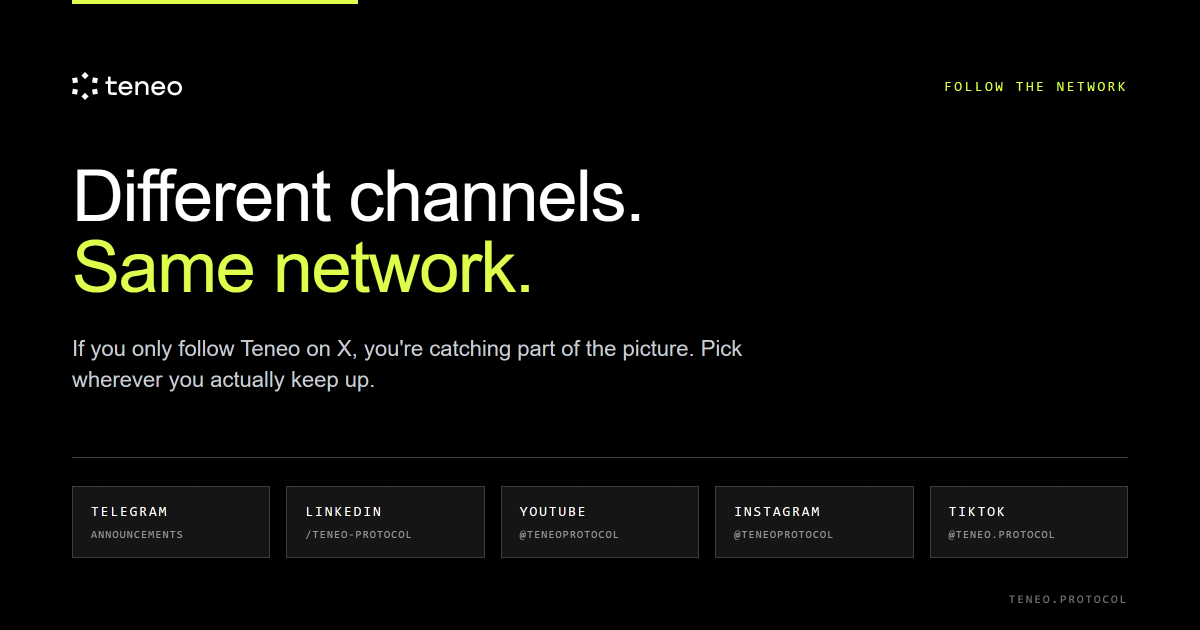
@teneo_protocol Teneo’s content is spread across multiple platforms.
Official updates, demos, and bite-sized visual content each have their own place depending on the format
Teneo runs on more feeds than this one.
Announcements, demos, and the shorter visual stuff land in different places depending on the format.
Follow whichever ones you'll actually open:
Telegram: https://t.co/70VCLVBznJ
LinkedIn: https://t.co/SJLvnmZTBP
YouTube: https://t.co/OZzPGGd8wv
Instagram: https://t.co/Ekjdr2Bfpp
TikTok: https://t.co/wWB8pqNzlK
We left X off. You're here already 🫡
@teneo_protocol The USDC reward pool is being prepared, and qualifying participants will receive funds through the wallet currently attached to their account
Season 1 winners have been drawn!
$2K in USDC rewards is now moving to distribution.
Rewards will be sent to the EVM wallet connected to your Teneo app or Expedition Hub account.
Before payouts go out, open the app or Expedition Hub and confirm your wallet is connected and correct.
Rewards are scheduled to be sent latest next week .
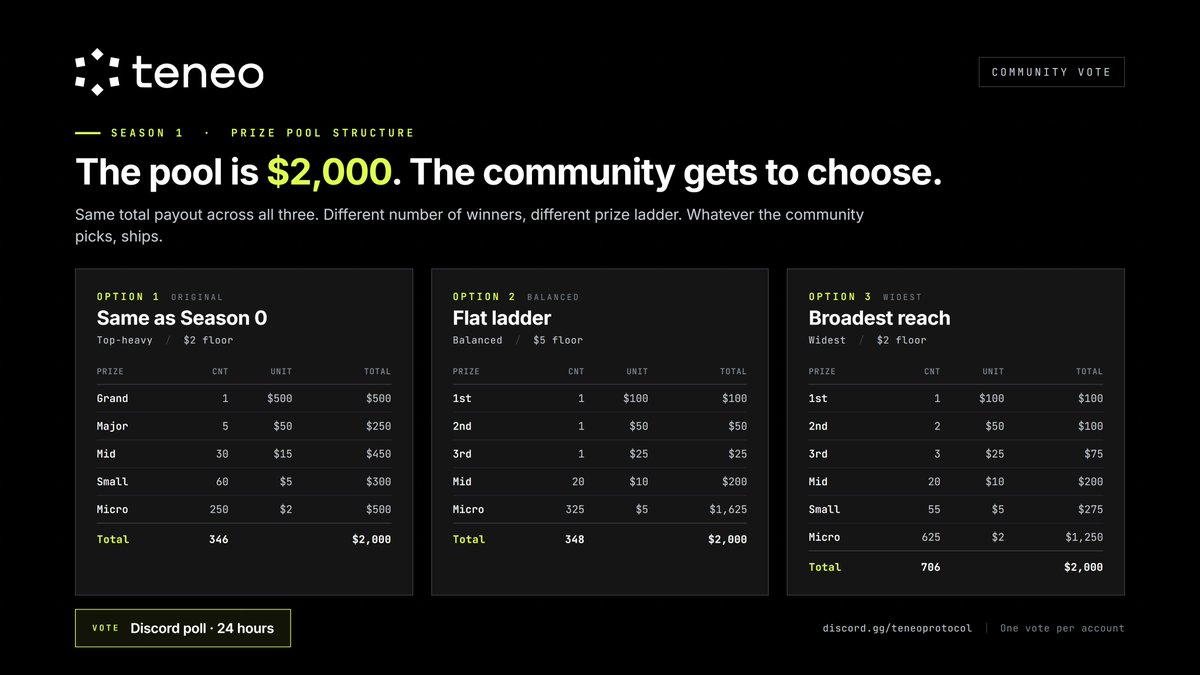
Season 1 prize pool: the community gets to choose.
Not the team.
Teneo paid out $2,000 in Season 0.
Season 1 has another $2,000 pool.
Three ways to split it, same total in every option, only the split changes:
1) Same as Season 0. 346 winners, $500 top prize
2) Flat ladder. 348 winners, $100 top, $5 floor
3) Broadest reach. 706 winners, $100 top, widest spread
Pick the option you think looks best. Closes in 24 hours. Whatever the community picks, ships.
Vote!: https://t.co/9br5WMFrWx
@teneo_protocol Running a Beacon is a patience game.
Power is not built in one burst.
It is built through quiet, repeated availability.
Every time your node answers, your reputation grows.
Every time it misses, your momentum resets
Quick note to anyone running a Beacon.
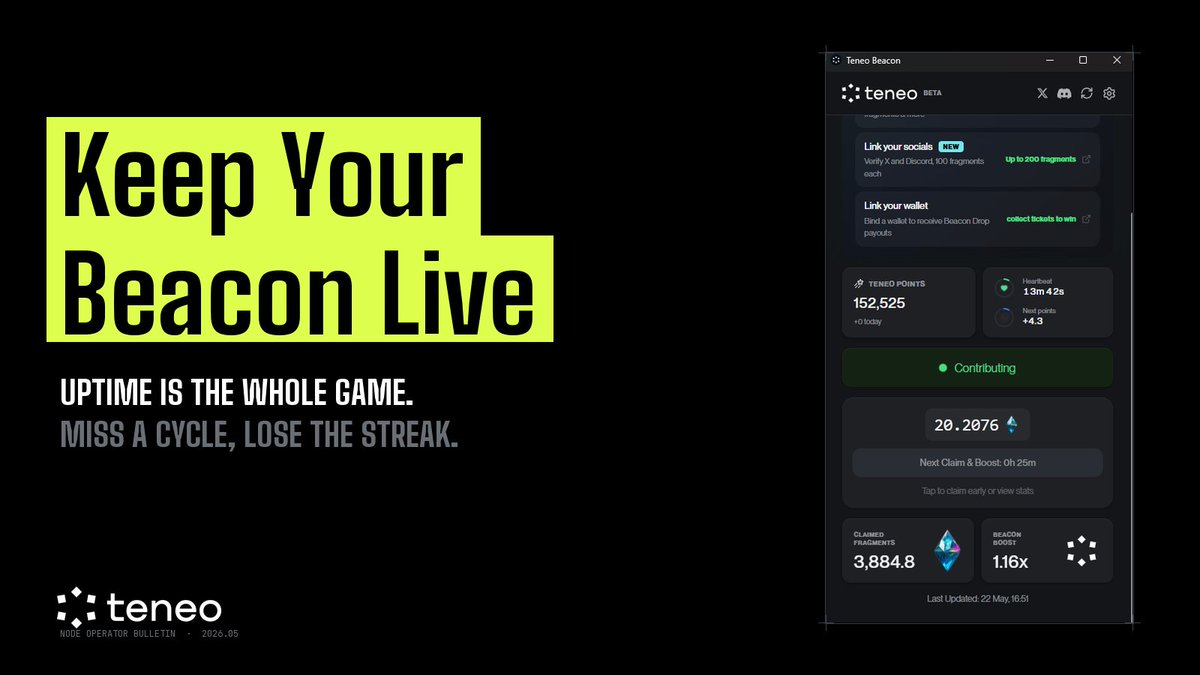
Uptime is the whole game!
Not bandwidth, not hardware, not which region you're in. Just whether your node is on when an agent asks.
Every 8 hours the Boost Cycle resolves. Miss it, you don't just lose that window. You lose the streak that pushes your Beacon Power from 1.00x toward 3.00x.
The operators sitting at 2.5x+ didn't get there by running hot weeks and cold weeks. They got there by not stopping.
It's the most boring rule in DePIN: the node that runs is the node that earns.
Leave it on, claim every 8 hours. That's the job.
Check your Beacon today.
If it's been idle, restart it before the next cycle.
@teneo_protocol Teneo Beacon is rewarding the people who help the network grow.
Bring in new node runners, keep activity strong, and move up the rankings. Each week, top contributors can earn cash prizes
Teneo Referral League starts Thursday 21 May 2026, 12:00 UTC 💰
Invite people to run a Teneo Beacon node.
The more who stay active, the higher you rank.
Top referrers win cash every week.
Best performers across 10 weeks get invited to become Teneo Ambassadors.
That is the competition.
@teneo_protocol This is part of the broader shift toward agentic developer environments where the AI operates the terminal/workspace directly instead of users memorizing CLI syntax
The Teneo CLI now installs from inside Google Anti Gravity. You don't run the command. You ask the agent to.
Open a folder as a workspace.
Tell the agent to install the Teneo CLI.
It runs the install, sets up a background daemon, and generates a wallet.
What you get: 50+ Teneo agents callable from the editor. Free agents respond immediately.
Paid ones settle per query in USDC over x402. No API key. No monthly plan.
Same one-command install already works through Claude Code and Codex, Cursor and VS Code are next.
Setup guide: https://t.co/e8vMwuuLUg
Running the CLI through a setup we haven't written up yet?
Tell us which one. That's how this list gets built.
New on the Teneo blog, and the first in a series breaking down how individual agents actually work.
This one: the @LayerZero_Core agent.
Most agents on Teneo return data.
The LayerZero agent executes transactions.
You write "bridge 25 USDC from Base to Avalanche" and the agent quotes the cost, then has you sign two source-chain transactions: an ERC-20 approval, then the bridge itself.
The agent is free to query. No x402 fee. You pay source-chain gas twice, plus LayerZero's protocol fees.
Two ways in:
1) Install the CLI in one command through Claude Code, Codex, or any AI coding agent.
2) Or find the agent directly on the Agent Console at https://t.co/jqacFFCe6j.
The full blog post covers the complete transaction flow, the quote-then-confirm step, and the edge cases worth knowing before your first bridge:
https://t.co/HMvvLsV87J