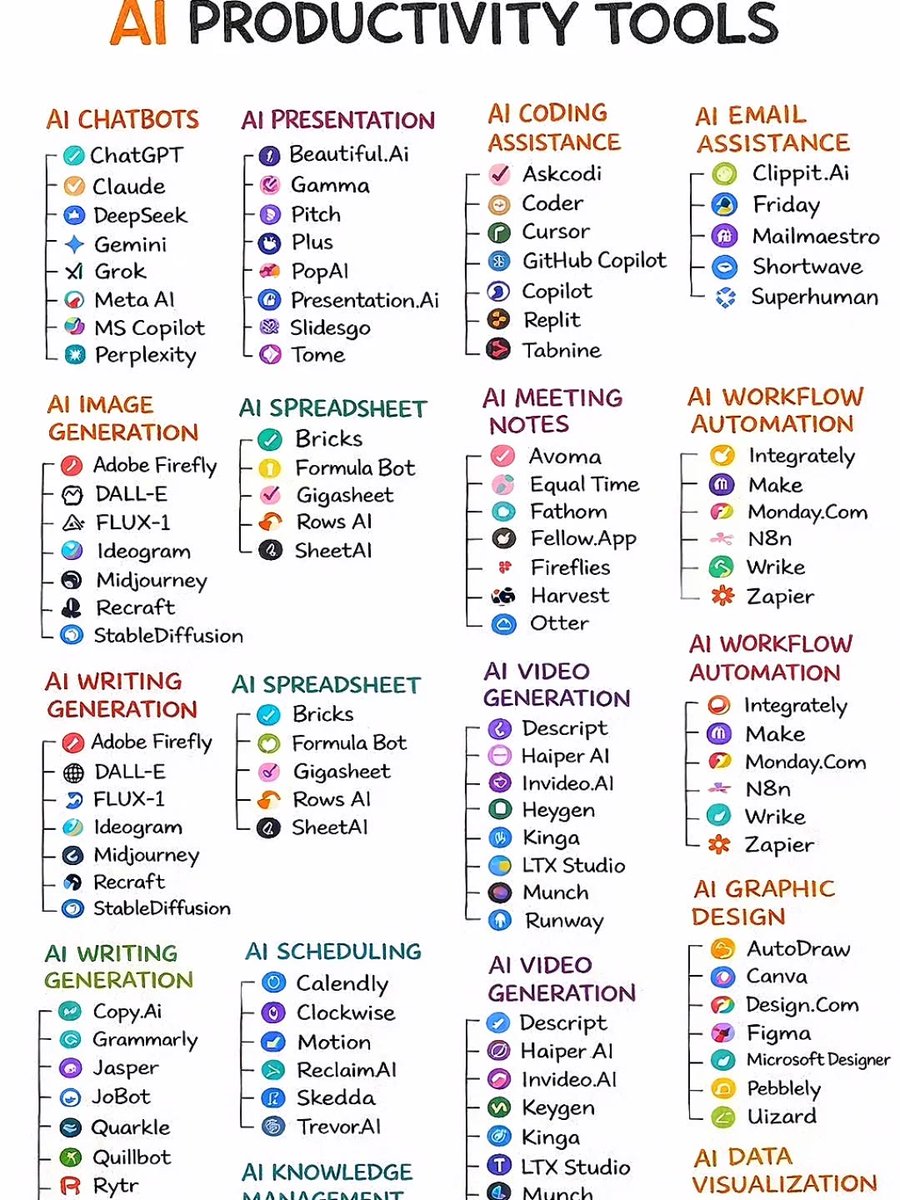
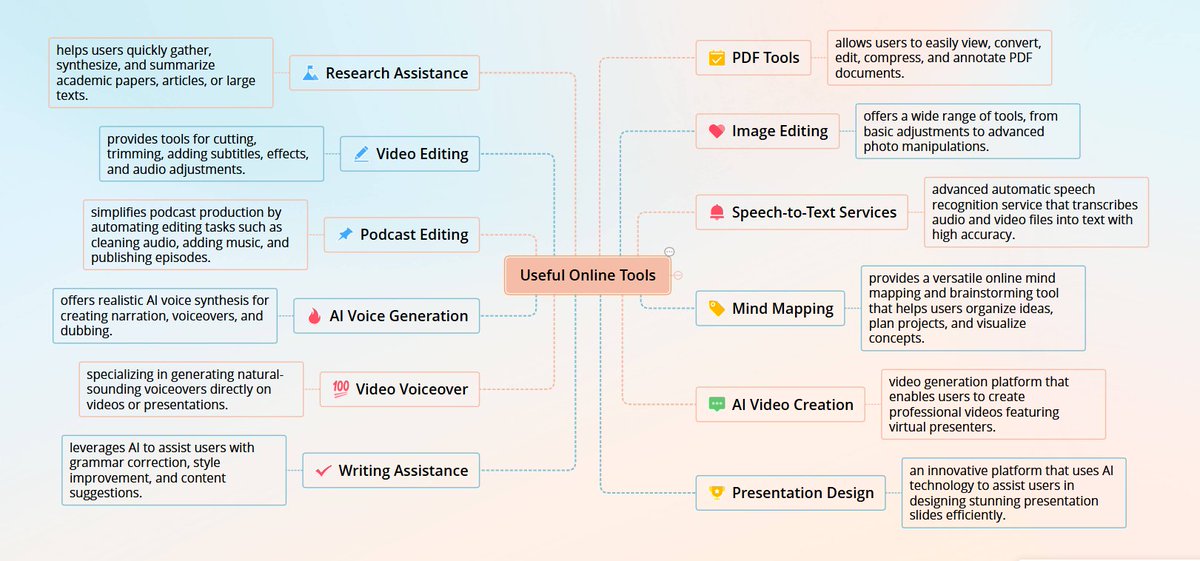
AI tools every student should know:
• https://t.co/QLxozmI5sX (make pdf clearer)
• NotebookLM (Learn from your sources)
• Recall (Knowledge management)
• Otter AI (Lecture transcription)
• Quizgecko (Generate quizzes)
• Study Fetch (AI tutor)
Life-saving YouTube feature.
https://t.co/fLZuYhG3qB
It’s made it way easier to get through videos. I just summarize the video first, see if anything interesting comes up, and skip or watch depending on that.
You can easily edit any kind of PDF in LightPDF by just uploading it. 👇 https://t.co/3PTlHcPros
Here's how:
1️⃣ Upload a PDF
2️⃣ Open it
3️⃣ Start editing
You can change the text or image, add elements, delete anything you want.
Save this for later, it could be very useful.
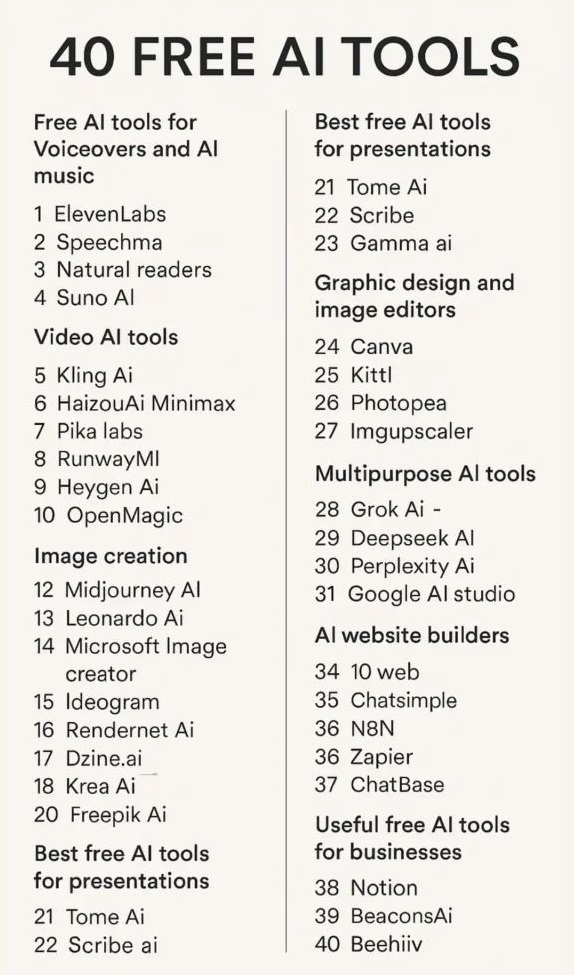
1. https://t.co/y4VOcESEF1 - AI agents
2. https://t.co/78g8TZSyud - AI PDF
3. https://t.co/NBGo2wdTJ2 - reasoning AI
4. Recraft - AI design
5. Ideogram - text images
6. Viggle - AI character motion
7. ElevenLabs - voice cloning
Most PDF compressors give fixed options.
LightPDF lets you control the result.
• Set custom file size (MB / KB)
• Adjust compression level
• Higher level = smaller file
Quick. Simple. Precise.
Try it here: https://t.co/y95JTHXtcd
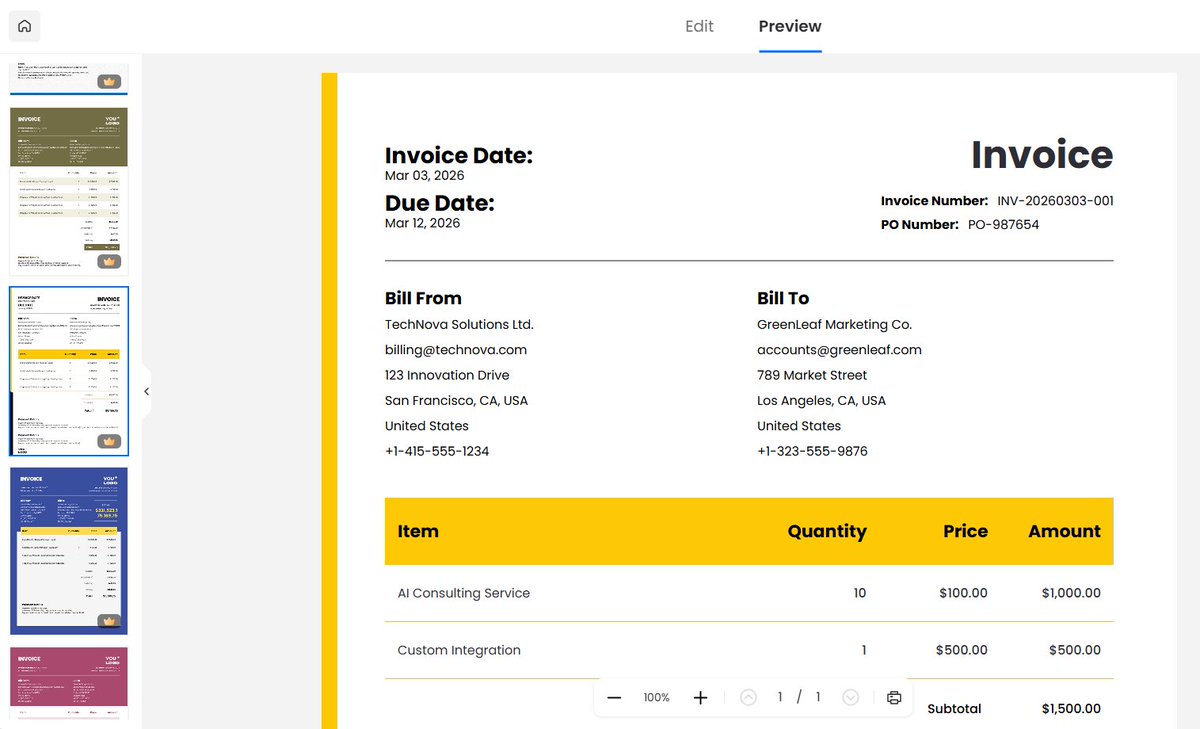
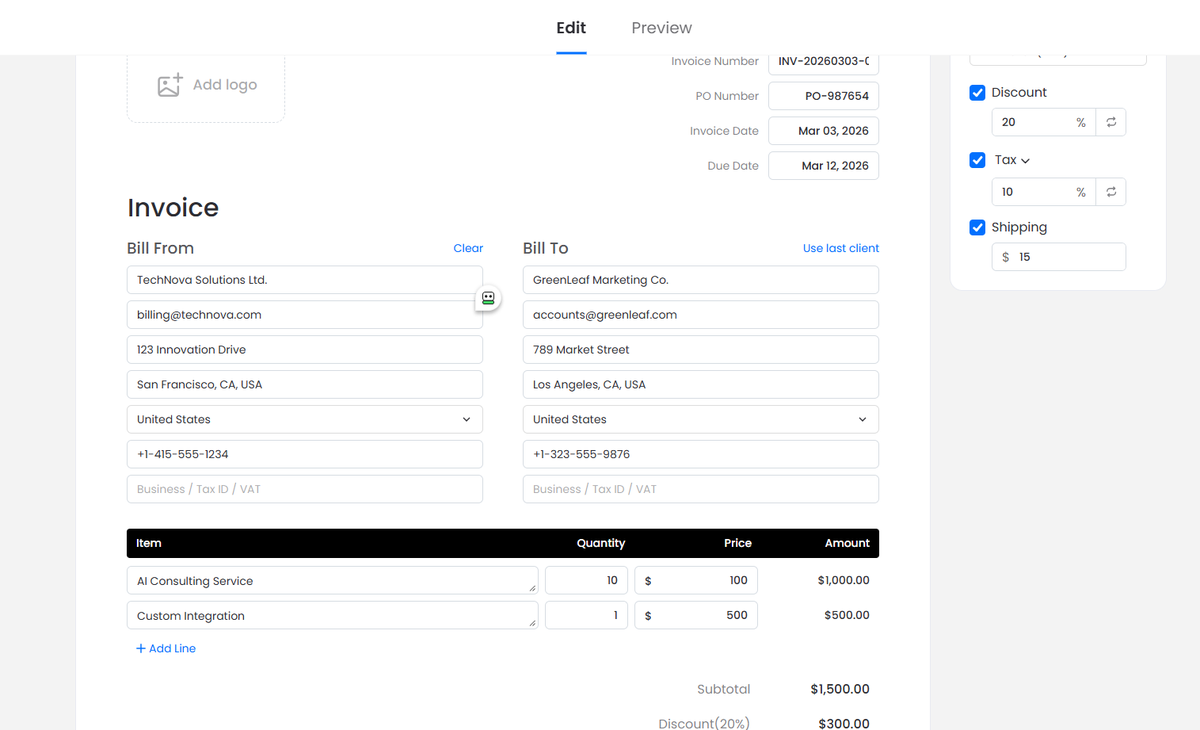
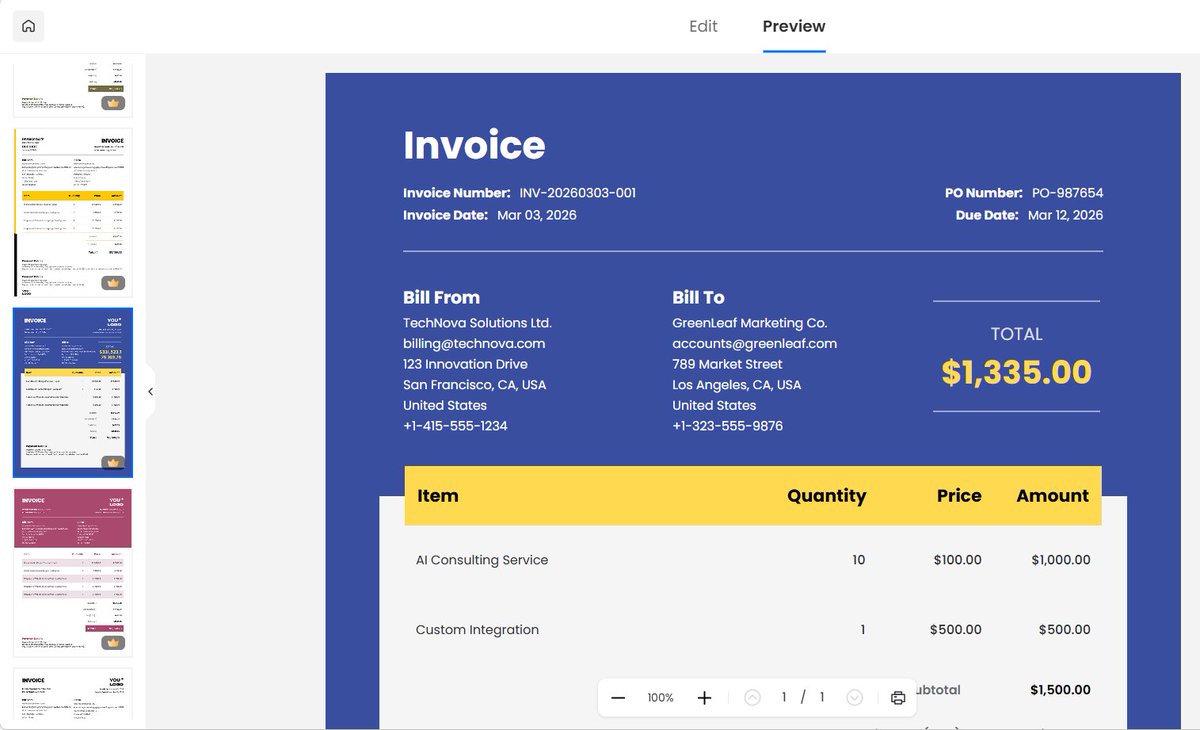
Who knows anyone who needs Invoice generator;
▪ 17 ready-made templates
▪ Auto-calculate totals, discounts & taxes
▪ Fill invoice no, PO, date, items & amounts
▪ Add payment details & notes
▪ Export as PDF, drag-drop logos
👉https://t.co/TPPM0LnDDw