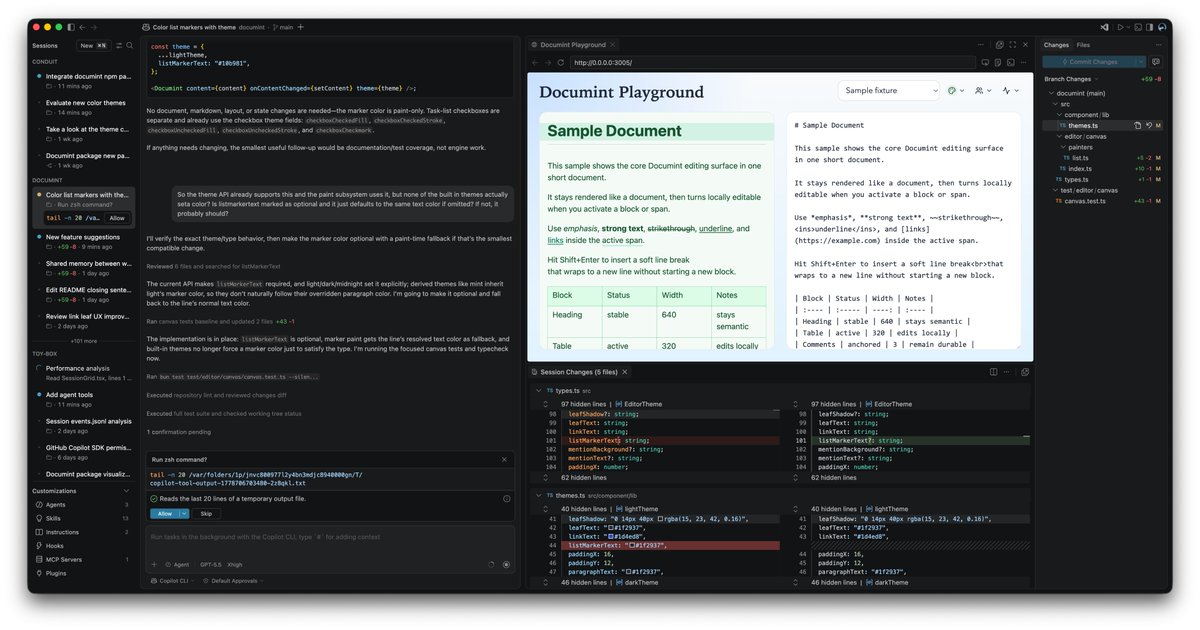
It's been a ton of fun building + using the new VS Code Agents window. I've always got a few projects going at once, and it's really nice to spin up tasks, context switch between them, and have everything I need to iterate/review in one place 😎
🪄 Your agent experience, refined.
The latest @code release brings better BYOK visibility and control, integrated browser improvements, and more.
It also introduces the new Agents window (preview), making it easier to explore, iterate on, and review tasks across multiple projects.
@DnuLkjkjh I typically use the mobile client to continue a thought, or kick off an idea while I’m AFK. For simple tasks (where I have a clear way of validating it via tests/headless playwright/etc.) I’ll finish them from mobile. But for the most part, mobile is a companion to deskto
It's been a ton of fun building + using the new VS Code Agents window. I've always got a few projects going at once, and it's really nice to spin up tasks, context switch between them, and have everything I need to iterate/review in one place 😎
🪄 Your agent experience, refined.
The latest @code release brings better BYOK visibility and control, integrated browser improvements, and more.
It also introduces the new Agents window (preview), making it easier to explore, iterate on, and review tasks across multiple projects.
@davidfowl Scratch is a good example of what can’t just be vibe coded away, since its community has always been the most valuable part. Without the intrinsic motivation to share and discover and remix, I doubt my kids would have gotten into it so much
@elmd_@code If you use the VS Code Insiders build, then the experience should be even better 😁 The team is shipping updates to the Claude integration pretty rapidly
🙌 You can now use @claudeai and @OpenAI’s Codex in GitHub and @code with your GitHub Copilot Pro+ or Copilot Enterprise subscription.
Define your intent, pick an agent, and they’ll get to work clearing backlogs and bottlenecks, all within your existing workflow.
https://t.co/J7yKLzijN8
VS Code just announced MCP Apps support! 🔥
Here's one I just made that visualizes git commit history. You can also multi-select commits and have Copilot generate release notes for you!
Check out how to get started with MCP Apps in VS Code here: https://t.co/Ak2couNgtd #vscode
Today we're open sourcing a technical preview of the GitHub Copilot CLI SDK. Build agents with custom tools in Go, Python, TypeScript, and C#.
Built on the same agent loop that powers the Copilot CLI and GitHub Coding Agent. Supports BYOK, and any model.
Here is the Copilot CLI driving Excel:
@NickADobos I’ve been pushing on the CLI tabs++ UX, since I think there’s still a lot of gains to be had with that foundation: https://t.co/MjNt1Hesqy. And it’s been really cool to see all the exploration in this space
@GeoffreyHuntley After building my own editor and terminal, I’ve been recently building my own terminal shell. The later feels totally superfluous, but it’s been a lot of fun 😁
@ishaansehgal@samuelcolvin@claudeai This looks really cool! One thing I noticed: is there a way to prevent the plan mode results from being automatically approved? I can appreciate why that’s useful for background jobs, but it’d be cool to try out ideas on the go, where I just want a plan first
We now support Agent Skills - the open standard created by @AnthropicAI for extending AI agents with specialized capabilities. Create skills once, use them everywhere.
🔗 https://t.co/4GomgRJ21O
A lot of critiques of vibe coding actually don't cut deep enough, imo
Sure, "the AI wrote bad code" may be true...but that is changing fast!
The deeper issue is that when you're designing a complex system, you need good mental models of how it works in order to invent great ideas for the next iteration.
Until now, if you built it by hand, that would guarantee some amount of understanding. But now the two have been decoupled, so we need to avoid the temptation of skipping understanding
Reminiscent of the debate around whether memory matters in the modern era. It turns out you can't "just Google facts" -- you actually need to have ideas represented in your head to work with them fluently.
The good news is AI can actually help us develop understanding faster and better, if used correctly! So the takeaway isn't to stop using AI for coding. It's to find ways to use it to develop understanding and move faster
Over the weekend, I nerd sniped myself into building a custom terminal shell (as a compliment to Conduit). That's turned out to be a really fun project, and I'm officially a big Zig fan now. But the rabbit hole of complexity is pretty deep 😅
@iamsahaj_xyz Yeah I love the low-ceremony feeling of terminal-centric agent flows. I’ve been playing around with a “workspace manager” to see how it can feel to compose and automate terminals/editors/browsers: https://t.co/i9oaWDpzfO
New release coming tomorrow and its getting late, but in the meantime this is your friendly reminder the Copilot CLI can help you submit GitHub issues on your way to bed.
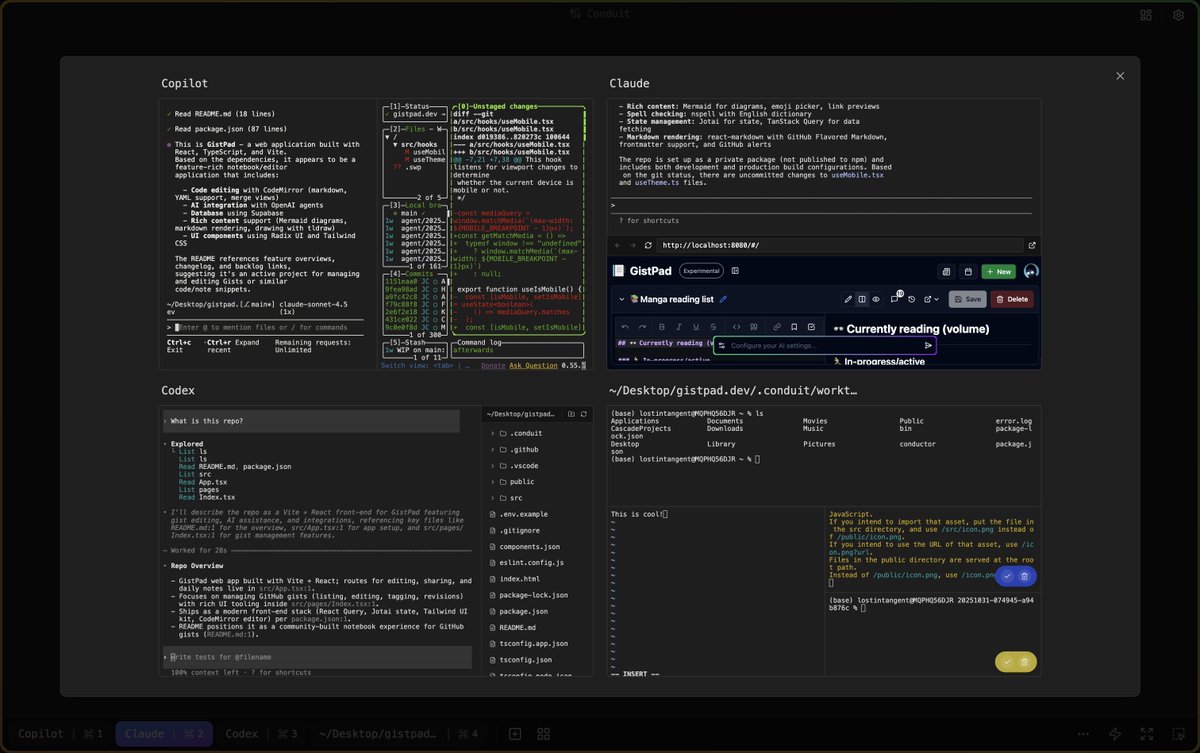
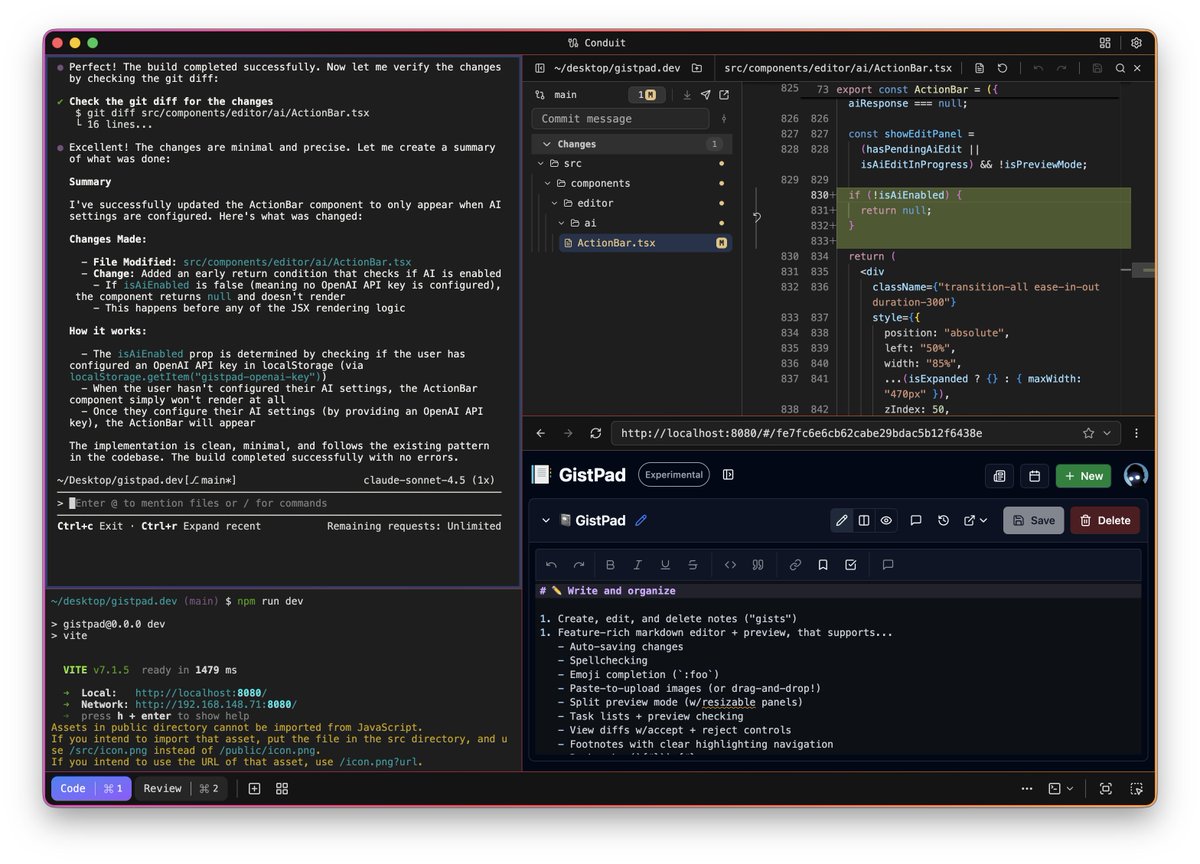
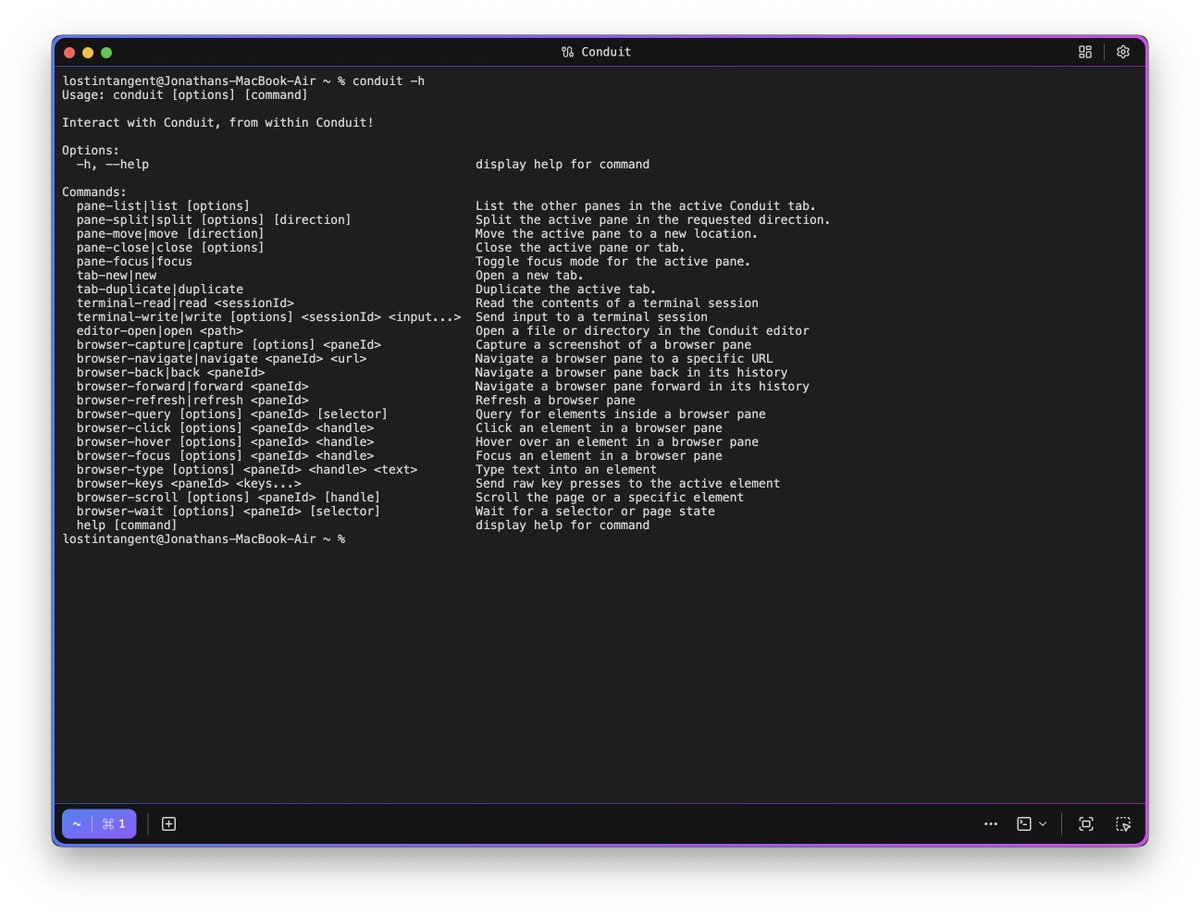
Over the last few weeks, I've been hacking on a tool to organize tasks with coding agents. It allows designing workspaces of terminals/editors/browsers, is automatable, and let's you zoom in/out/across work. As far as personal software goes, it's a fun example of what AI enables