@XakerNeo1@SuiPlay@PLAYTR0N You might be surprised to know that I agree! That's why I (unofficially) created the GameOS Unlock project to add a desktop mode.
I have nothing official to share right now but the team knows that there's demand and we're looking into a few different solutions.
Get more out of #Playtron#GameOS with GameOS Unlock!
https://t.co/tYno1HuxQT
Also learn more about the team and history of the project along the way with this awesome video.
Video #5: Advanced Usage of Playtron GameOS
In this episode, you’ll learn:
1️⃣how to install any Linux application on Playtron GameOS—so your device is no longer limited to the game store and can run any Linux app;📲📲📲
2️⃣how to add a Desktop Mode to Playtron GameOS, letting you switch between Game Mode and Desktop Mode at any time, turning Suiplay0x1 into a portable computer.���️🖥️
Even if you've never used command-line tools before🤔, you can follow the video steps to complete the installation step by step.
The script and methods in this video come from @PLAYTR0N and Playtron’s core development team. This is an early-access preview of features prepared for future versions of GameOS, and these capabilities may be gradually added to the GameOS update roadmap.
🔖
For the exact script text and commands, follow the steps shown in the video; see the video and this Twitter post for details:
https://t.co/aIbj8JIfTA
Please support Playtron and the veteran developers behind its Linux gaming open-source projects—who have contributed for decades—by giving them your follows🫡🫡🫡 and stars⭐️⭐️⭐️
● Playtron GameOS:https://t.co/8UMFfrO845
● Luke Short(@LukeShortCloud):https://t.co/SuqGncnssZ
● Alesh Slovak: https://t.co/JyaDW2sy8P
● William Edwards: https://t.co/jl5AKWb3tc
● Mathieu Comandon : https://t.co/aclW1LJCVd
● Paweł Lidwin (@ImLinguin) : https://t.co/Ifm6BjnUlq
● ptitSeb : https://t.co/3RVExxNkRy
● Brian Budge : https://t.co/GJwPn9svXv
@SuiNetwork @SuiPlay @PLAYTR0N @GiveRep @GiveRep_CN
#SuiPlay #SuiPlay0x1 #Playtron #PlaytronGameOS
Do NOT install the AYANEO 2S BIOS update on a SuiPlay0X1! That WILL brick your device. Despite looking similar, the SuiPlay0X1 has different internal hardware.
Other than that, I do not have any experience running Windows on this device. Only Linux. Good luck and have fun. :-)
@LukeShortCloud Hello Luke , could you take a look at this post? The person installed Windows 11 , but I don’t fully understand the guide written there. Could you make a video about it?
https://t.co/3qvEZLJcDf
#winesapOS is celebrating New Year's Eve with a new 4.5.0 release!
The big new highlight is Ventoy being fully supported now.
We've also received over 1,000 GitHub stars and addressed a lifetime of over 1,000 features and issues. A huge thanks to all!
https://t.co/DLFaS2nfa2
Happy Black Friday! Looking for good USB drives to run portable Linux distros? The winesapOS team put together some of our top recommendations:
https://t.co/9fD7eOFcXY
Our next update, shipping soon, will also take Ventoy from being partially supported to being fully supported!
@XakerNeo1@Player_Sui Sorry for the delay, I've been traveling for a few weeks now.
I want to make desktop mode easier to install but don't have anything to share right now.
@vinataba_nft It's a controller. Desktops (Linux, macOS, and Windows) don't support using it as a mouse and keyboard.
The primary use-case is to have it in a USB-C dock with a mouse and keyboard attached.
That being said, it's possible to map it. I'm looking into it.
https://t.co/fFSProIdtF
@vinataba_nft I added instructions on how to manually switch back to Game Mode at the the bottom of the "Install a Desktop Environment" section here:
https://t.co/HKdgspXytM
Or you can uninstall all GameOS Unlock modifications:
https://t.co/VhevyDUi68
@trevinvsgaming @BiasBoth@RaidenxOfficial@PLAYTR0N No problem, Windows should work on the device.
In the Mysten Labs Discord, there is a guide on how to do a dual-boot installation. The steps for installing Windows and wiping Playtron GameOS are similar.
#winesapOS 4.4.0 has been published late last night! This release helps to celebrate our 5-year anniversary this week.
Highlights include:
- Rolling updates
- Support for more devices
- Dual-boot support with Fedora and Ubuntu (semi-manual)
https://t.co/BxaNZsDpUk
@InterplanetaryG Thank you! I never thought winesapOS would grow into the project it is today. It's the community that drives the features and direction now which I think is the best part.
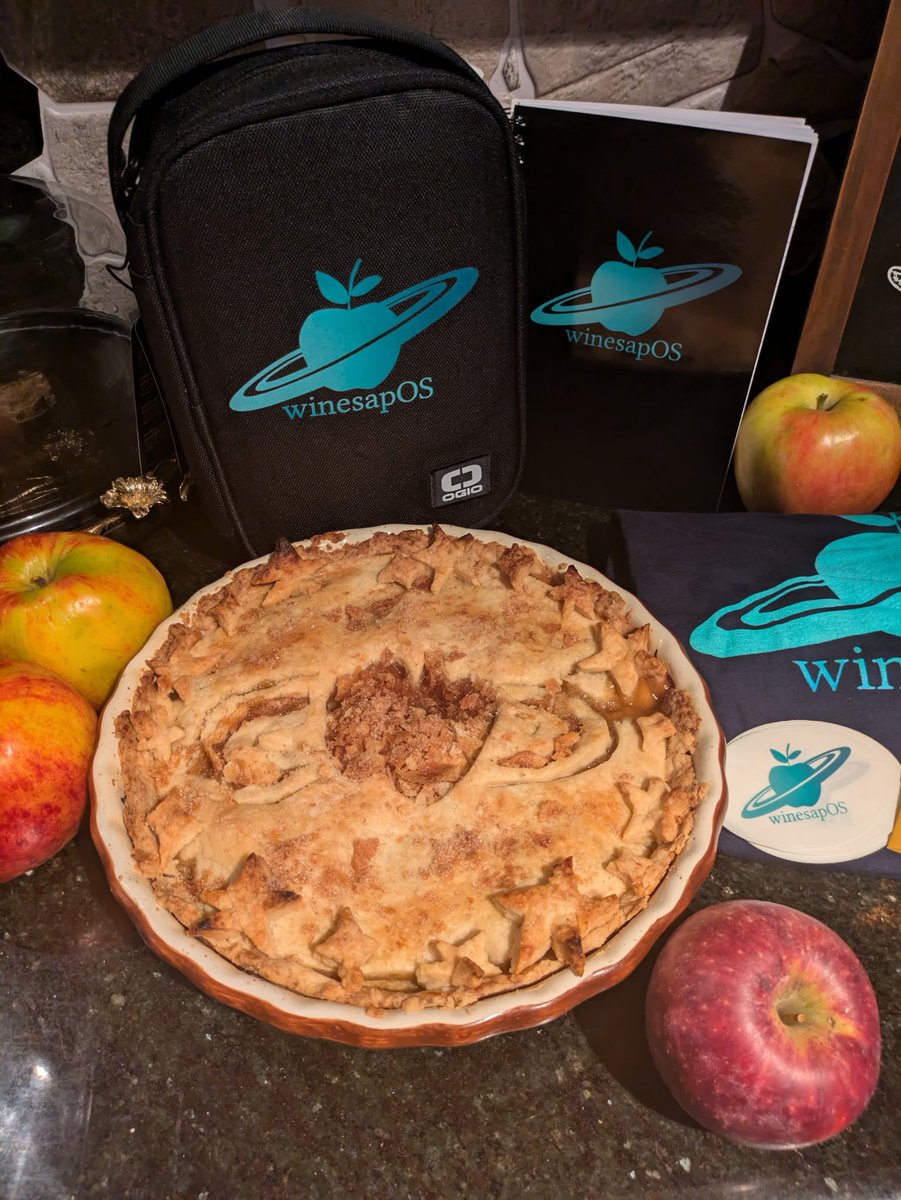
Today marks the 5-year anniversary of #winesapOS! My wife made me a pie and got a bunch of swag to celebrate.
The new winesapOS 4.4.0 Rolling Update builds will be available later this week. In the meantime, upgrades are available right now!
Thanks for everyone's support!