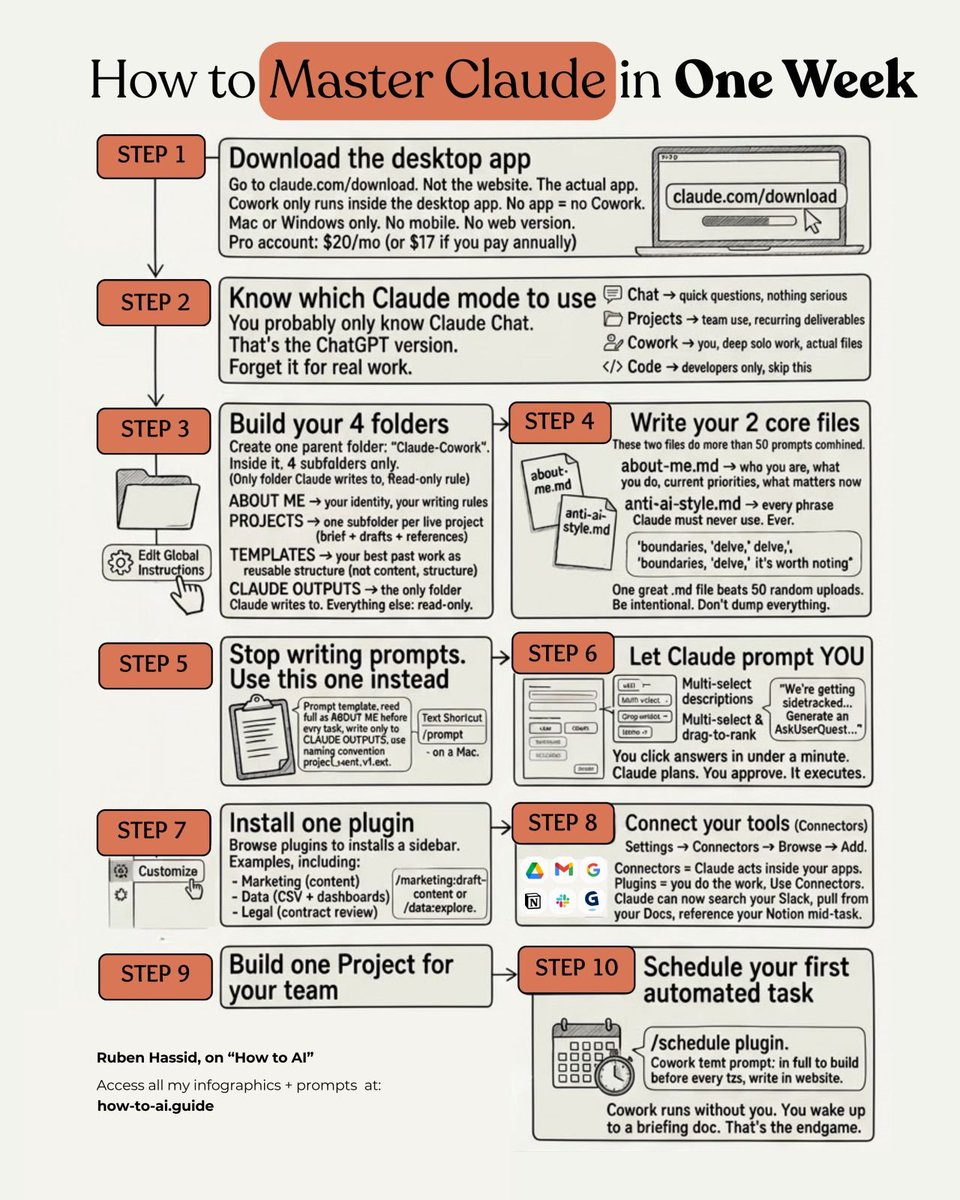
How to start using Claude Code in 30 min:
(even if you never wrote one line of code)
→ 0-5 min: Install Claude Code. Sign in.
→ 5-10 min: Build your context folder with an about-me.md file. (This is the step 90% of people skip. And it's the most important one.)
→ 10-15 min: Start your first conversation. Use Opus 4.6+. Let it ask you questions before it builds.
→ 15-20 min: Open the live preview. Be specific: "Make the headline bigger. Change the background to off-white."
→ 20-30 min: Give it a real project. A landing page. Something you've been putting off for months.
Pro tip: Always select "Bypass permissions." Claude Code will do the work without bothering you.
To download all of my other Claude infographics:
Step 1. Go to how-to-ai. guide.
Step 2. Subscribe for free. Don't pay anything.
Step 3. Open my welcome email (most skip this).
Step 4. Hit the automatic reply button inside.
Step 5. Download my infographics from my Notion.
Bonus. Enjoy my best copy-paste prompts, too.
@kyleanthony I like the fonts and colors (though I might opt for a lighter background). I'm curious about how it collapses and how it's displayed on smaller desktop sizes or tablets.
Social... Media... is... Dead....
The future influencers will be AI generated and ran by highly skilled agencies
Tired of the hot AI girl? Don't fret, these influencers will come in all shapes and forms
Best part you can make your own and start earning +$10k/mo
🧵 A thread
Runway Gen-2 can now transform images into videos.
And the results are mind-blowing!
Here are the best 10 creations I’ve found in the last 48h (ALL NEW):