Running a Shopify store? This account is for you. 👋
We're Mavon, a Shopify theme by Gloryio. Daily, we share:
💡 Shopify tips & updates
🛠️ Store fixes, checkout & discount gotchas
🎨 Theme setup tutorials
💬 Answers to your questions
Follow along. Questions welcome below.
Source, Shopify Changelog (Oct 2): https://t.co/oKGfWG3anl
Add the language in your admin. Display language follows the shopper's device settings, where available.
Mavon Shopify tip: selling to Urdu or Arabic speakers? Shopify now reads right to left.
Better RTL support for Arabic, Urdu, Hebrew:
1. Admin and storefronts
2. Checkout and customer accounts
3. Horizon themes
4. Product pages still need translating
Mavon supports RTL too.
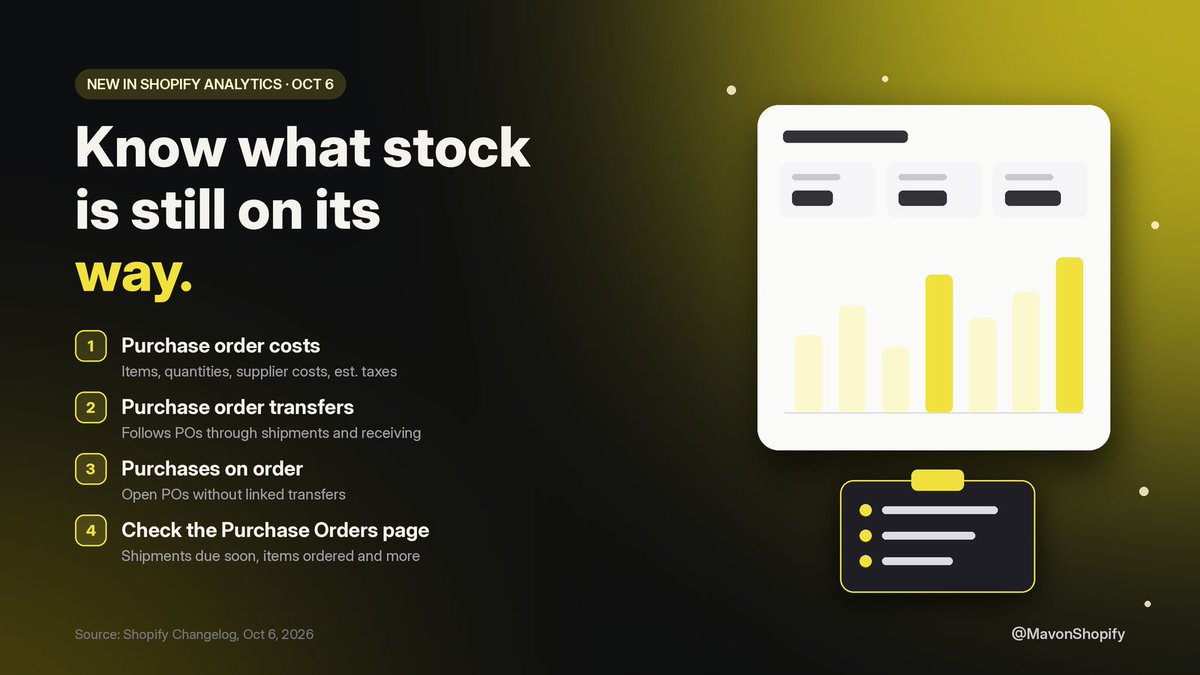
Restocking before BFCM? Know what's ordered and what's still on its way.
Shopify Analytics now has purchase order reports:
1. Purchase order costs
2. Transfers: shipments and receiving
3. Purchases on order: open POs with no transfer yet
4. Export them for your team
@MikeOxx20 Good catch, thanks. Right, PayPal Wallet runs through Shopify Payments, but you still link a US PayPal business account to it. So the order is: get Shopify Payments verified for the LLC, then connect the PayPal business account there.
@_davidecom A cheap one to learn early: test the whole buying path before spending on ads. Place a real order on your phone, check shipping shows up where you expect, and make sure the confirmation email arrives. Ad money spent on a broken checkout tells you nothing about the product.
@DylanJordanW@1tonyecom Before launching, place one real order on your own store from your phone so you know checkout works. Then set the kill rule in advance: work out your break-even cost per purchase (price minus product, shipping and fees) and cut an ad set once it spends past that with no sale.
@FahlyZakaria@KnckdEm Whether 1.7 is good depends on your margin. Break-even ROAS is 1 divided by your margin after product cost, shipping and fees, so at a 40% margin you'd need 2.5 just to break even. Work out your number first, then judge the ads and the store against it.
@MaxZ_ARTproc Worth testing: pitch creators who already film cleaning or home-fix videos, and lead with a specific idea, like a before and after on a slow drain, instead of the commission terms. Use the business email in their bio if there is one; DMs from strangers land in requests.
@Chilindrinna@Shopify Yes. In the Shopify Help Center there's a Chat with a human button at the bottom right. Log in and pick your store, and it puts you in the queue for a support advisor with the estimated wait shown. Screenshots of the problem in the chat help them get to it faster.
@divyecomm@AAARRR019@Shopify Shopify's ID page asks for a photo of the original ID (no scans or screen photos), all four corners visible, bright light without glare, then the selfie check. Finish it on your phone from the admin prompt. If it keeps failing, ask a human advisor in chat for a manual review.
@SageSEOMatic@bot@claudeai You're far from the only one. Google's own guidance is to leave GTIN blank when a product doesn't have one, which is normal for your own brand. Submit brand and MPN instead. The GTIN field is only for real GS1 barcodes, so clearing the made-up ones is the right move.
@JavafarX@briandecoded@sebrozga No special plan needed for the basics. On Basic and up, the checkout editor lets you add your logo, colors and fonts, plus apps on the thank you and order status pages. Apps on the info, shipping and payment steps are Shopify Plus only. Then run a test order on your phone.
Source, Shopify Changelog (Sep 8): https://t.co/9FVfMyrag2
Existing barcodes stay in place, nothing to migrate. Channels keep reading the first barcode, so labels and feeds keep working.
Same product, three barcodes? You no longer have to pick one.
A Shopify variant can now hold up to 20:
1. Add or scan them on the variant page
2. Pick a type: UPC, EAN, GTIN, ASIN...
3. Bulk edit, or use the Variant Barcodes CSV column
4. The first one stays primary
Source, Shopify Changelog (Oct 6): https://t.co/KKfuu36UhY
The Purchase Orders page also shows on-order POs, total items ordered, acceptance rate and shipments due soon.
Source, Shopify Changelog (May 3): https://t.co/1wrmjVOK8L
Works for shipping fulfillments without carrier tracking, e.g. carriers Shopify doesn't support.
Ship with a local courier that has no tracking? Your orders can still show Delivered.
Shopify lets you mark them manually:
1. Open the order's Fulfilled card
2. Click Mark as delivered
3. Many orders? Do it in bulk from the Orders page
4. Keep delivery status accurate
Source, Shopify Changelog (Oct 13): https://t.co/mLMmOhw63u
In Checkout Blocks, Sidekick can also review what's already configured and point you to the settings to change yourself.
Stuck on a checkout setting? Skip digging through the docs.
Sidekick is now in the checkout and accounts editor (desktop). Ask it to:
1. Explain checkout and account settings
2. Recommend apps for your needs
3. Search the Help Center
4. Help plan Checkout Blocks