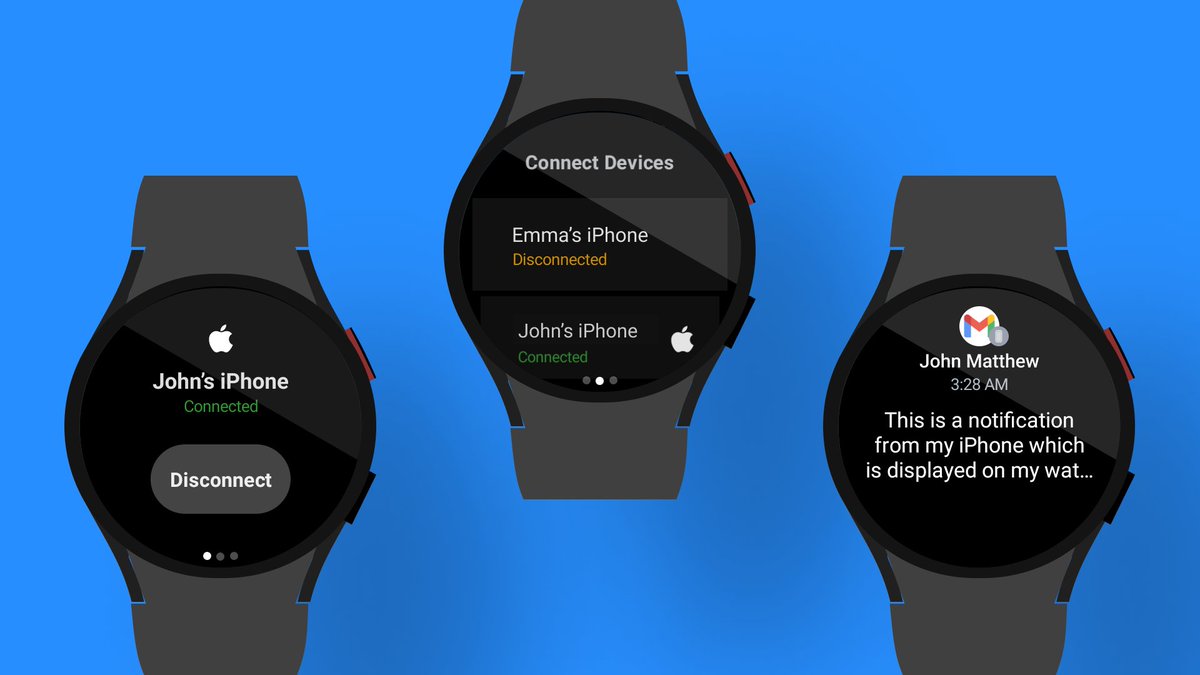
Today we're launching something big - Merge for Apple Watch, connecting it to Android phones. Live on Product Hunt below 👇 And WearOS users, we have big things coming for you too. Stay tuned!
https://t.co/M5XyjBMTJK
We just launched a new way to set up your Samsung Galaxy Watch if you don’t have access to an Android phone. If you were previously unable to activate your watch, check out the latest update!
We're happy to announce that the new Galaxy Watch 8 models are fully supported by Merge! Connect your latest Samsung smartwatch to your iPhone seamlessly. Download Merge from the App Store and Play Store today.
#GalaxyWatch8#WearOS#iPhone
We’re thrilled by the overwhelming response and feedback since launching the new version — thank you to everyone who subscribed and shared thoughts across all channels!
We’re actively fixing a few reported bugs, investigating OnePlus 2 watch issues, and thoughtfully considering all feedback as we move forward. Stay tuned!
Happy holidays! The new Merge is here 🎉 We’ve launched a significant upgrade, packed with exciting new features.
What’s new:
📱 All-new iPhone app
🏋️♂️ Health and workout sync
🔔 Advanced notification control
🎶 Music playback control
📇 Contacts sync
🔍 “Find My” feature
📞 Continued support for notification sync & phone calls
🚀 Stability improvements & bug fixes
To support ongoing development, we’re transitioning to a paid subscription model. As a holiday gift, enjoy 2 weeks of Pro for free 🎁
More features are already in the works. Join us on this exciting journey to make using Wear OS watches with iPhones seamless.
Update Merge on your watch and install Merge on your iPhone today to discover all the new features!
Merge on the Apple App Store
https://t.co/NXERtmt2WG
Merge on Google Play
https://t.co/54qA4gosbX
The new version of Merge is well underway. We’re working hard to kick off the new year with a fresh new Merge packed with exciting features and improved stability. Stay tuned!
We're happy to report that Samsung has started to roll out a fix for this issue, affecting Galaxy Watch 5 models, with the latest Wear OS update. Please check your Samsung watch for updates, and if one isn't available yet, it should be within the next few weeks.
‼️ We are aware of the issue affecting Galaxy Watch 5 models following the recent Wear OS update and are actively working to resolve it. The problem appears to be a bug in Wear OS, and we are in communication with Google to address the issue.
Good news! We've been in continuous communication with Samsung to pinpoint the error. They've addressed the issue and will include the fix in the upcoming Wear OS update for the Galaxy Watch 5.
@bernpton Hi @bernpton, could you please navigate to your watch's settings: Battery and device care -> Battery, and check what percentage it mentions for Merge?
@deoeven Hey @deoeven, we are working on a solution for this, but for the time being you do need an Android device on a one time basis to set up a Google account on the watch.
@ramuravella Apologies for the issues you're experiencing. Do you use a Galaxy Watch 5? We've received additional complaints for that model. Initial reviews suggest it's a system issue with that specific model, but we're actively investigating and seeking possible solutions.
���� Using Merge and wondering about its persistent notification? It's a WearOS requirement for our background service linking to your iPhone. But, there's a workaround to hide it! Follow the steps below 👇
Note: Adjusting notification settings on WearOS (unlike Android) requires enabling developer settings.
1. Turn on developer settings: Settings -> About watch -> Software info -> Tap "Software version" repeatedly until "Developer mode turned on" appears.
2. Return to general Settings -> Developer options.
3. Scroll to the bottom -> App notifications > All watch apps
4. Locate "Merge" on the list, tap it, and then toggle off "Background Service Notification".
That's it! Enjoy Merge without the permanent notification.
🔍 Important Tip: To ensure Wear OS doesn't put 'Merge' into sleep mode (which could delay notifications):
1️⃣ Go to Settings on your watch
2️⃣ Select 'Battery and device care'
3️⃣ Tap 'Battery'
4️⃣ Go to 'Sleeping apps'
5️⃣ Long press 'Merge'
6️⃣ Click 'Remove from list'
@LaurenceMackie The current version is only about notifications, but we’re working on integrating health data as well. We’ll add a features overview to our website at some point, but currently we still don’t have one.
Finally! We just launched Merge to connect Galaxy Watch 4+ and Pixel Watches to iPhones.
Check us out on our website and the Google Play store for your watch.
https://t.co/1Wn6vwetxp
#ios#wearos#galaxywatch6classic#galaxywatch#pixelwatch#iPhone