The official Twitter handle for the Microsoft Stream team. Enterprise video solution for Microsoft 365.Follow for news, updates, and much more. #MicrosoftStream
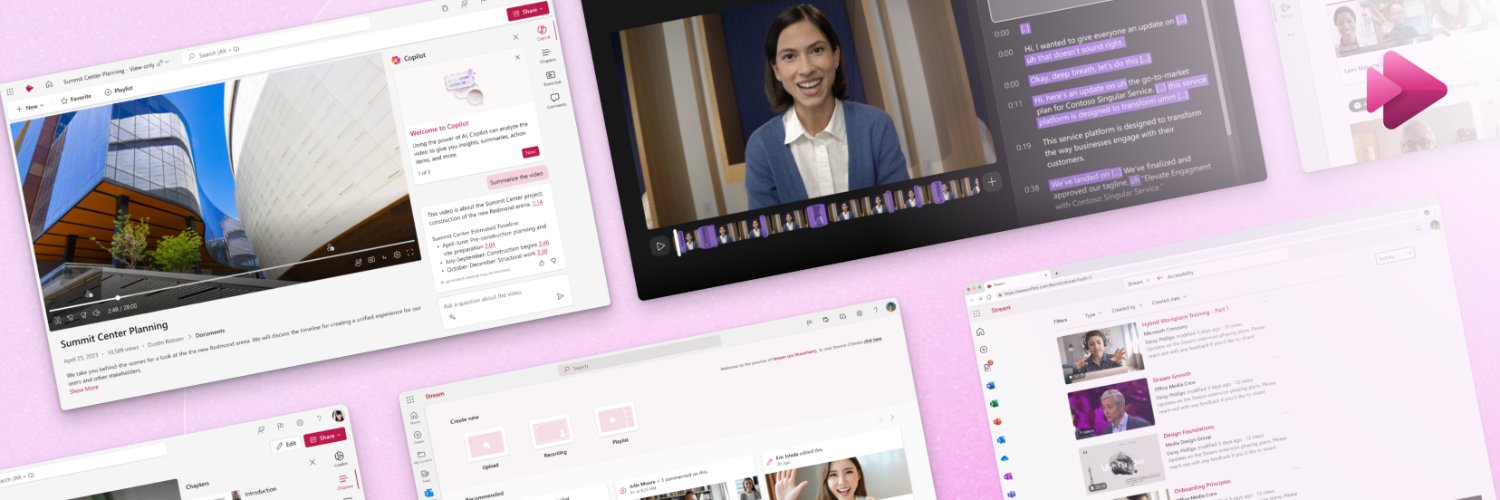
🎥 Creating and managing videos in Microsoft 365 is getting simpler and more powerful. Learn more about the latest progress toward a unified video experience 👇
https://t.co/gc82ogeMQY
#Microsoft365#Video#MicrosoftClipchamp#Clipchamp
@wingmanpr Hello again, Carlos. Just to confirm, do you still need assistance with this? If so, please send a DM, so we can gather more info about it. https://t.co/Roa5HeStvi
@wingmanpr We're here for you, Carlos. Can you provide us with more details about your situation? Feel free to send us a DM, and we'll be happy to assist you. https://t.co/Roa5HeStvi
In today’s fast-paced world, visual content is essential. We’re here to help streamline video creation for your business. With our video skill in @Microsoft365 Copilot, you can quickly draft your first video and customize it in Clipchamp. Read more 👇
https://t.co/PUW3ihwTtQ
Discover how we’re developing a cohesive Microsoft video experience, by evolving @clipchamp and @MicrosoftStream into a single, streamlined video solution that harnesses the strength and usage of both platforms. Read more below.
We’ve heard your feedback on navigating video tools within @Microsoft365. See how we’re addressing the overlap between our video editor, Clipchamp, and @MicrosoftStream, our enterprise video solution, to make your video enterprise experience seamless:
https://t.co/DCmYU94xFY
@steviefrank23 Hello again, Stevie. Our apologies for the delay in sending out the survey; we had an issue that was fixed afterwards. Can you still complete it? We'd truly appreciate it 🙂
Outlook now lets you embed Microsoft Stream videos directly into your emails, enabling recipients to watch your videos without leaving their inbox. Learn more: https://t.co/I22M4haEzJ
#microsoftstream#m365#video
@hishambin7a Yes, you can present your video using Microsoft Stream instead of YouTube. But to better assist you with your concern and to maximize the character usage, send us a direct message.
@hishambin7a This feature is more seamless for recipients within the same organization, who can watch the video directly in their email.
If you need help adjusting the sharing settings or have any other questions, feel free to ask!
(2/2)
@hishambin7a Hi. Recipients outside your organization will see a link to the video instead of an embedded player. They can watch the video in the Stream web app, depending on your organization’s file-sharing settings.
(1/2)
@steviefrank23 Sure! You can always count on us 🙂 BTW, would it be possible for you to help us by filling out a short survey about only your experience with us here on social media? Your input is truly valuable to us.
@steviefrank23 We're sorry to hear you haven't received this feature yet. It should be fully released to all applicable customers soon. However, you could try sharing your valuable feedback here: https://t.co/3gcDW9Drsn.
@FeHa Understood. Please consider sharing your valuable suggestions via our feedback portal so that our product team can keep it in mind for future updates. You can do so by clicking on the "Send feedback" button located in the top-right corner of the page: https://t.co/hcwEfk6KAT.
@steviefrank23 This guide will help you learn more about trimming your video in MS Stream: https://t.co/ZlKlLuG0EG. Please try it out and let us know if this solution works out for you. (2/2)
@steviefrank23 We fully understand the situation. According to our tech community experts, you should be able to trim the video within MS Stream and then download it, as it seems that the format would be MP4: https://t.co/Uo1Xel18ZM. (1/2)
@FeHa Hi there, Ferry. We comprehend your situation. Please consider checking out the suggestions available in our forum to reduce video size: https://t.co/8li5jKvEnA. You can also trim your videos in MS Stream: https://t.co/ZtFtk8wjqo. Please let us know how it goes.