Optimization, acceleration, volume reduction for Microsoft SharePoint, OneDrive, Exchange, Outlook…, IBM Verse, Connections, Notes, Domino, Box…, Google Drive…
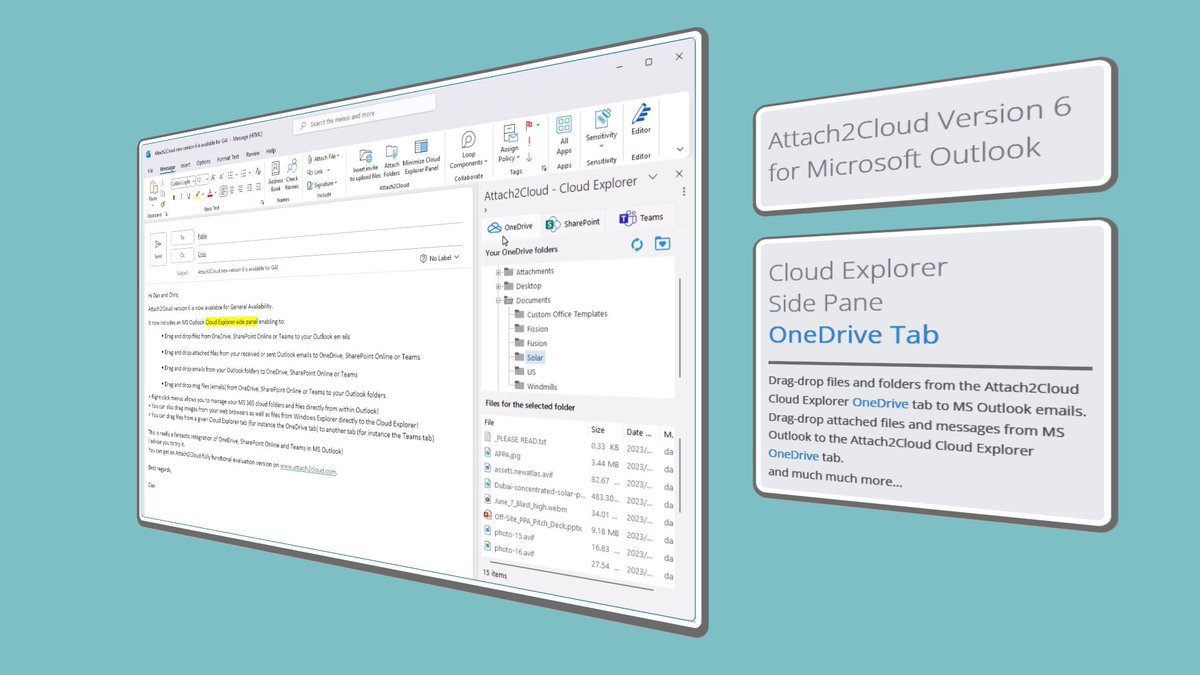
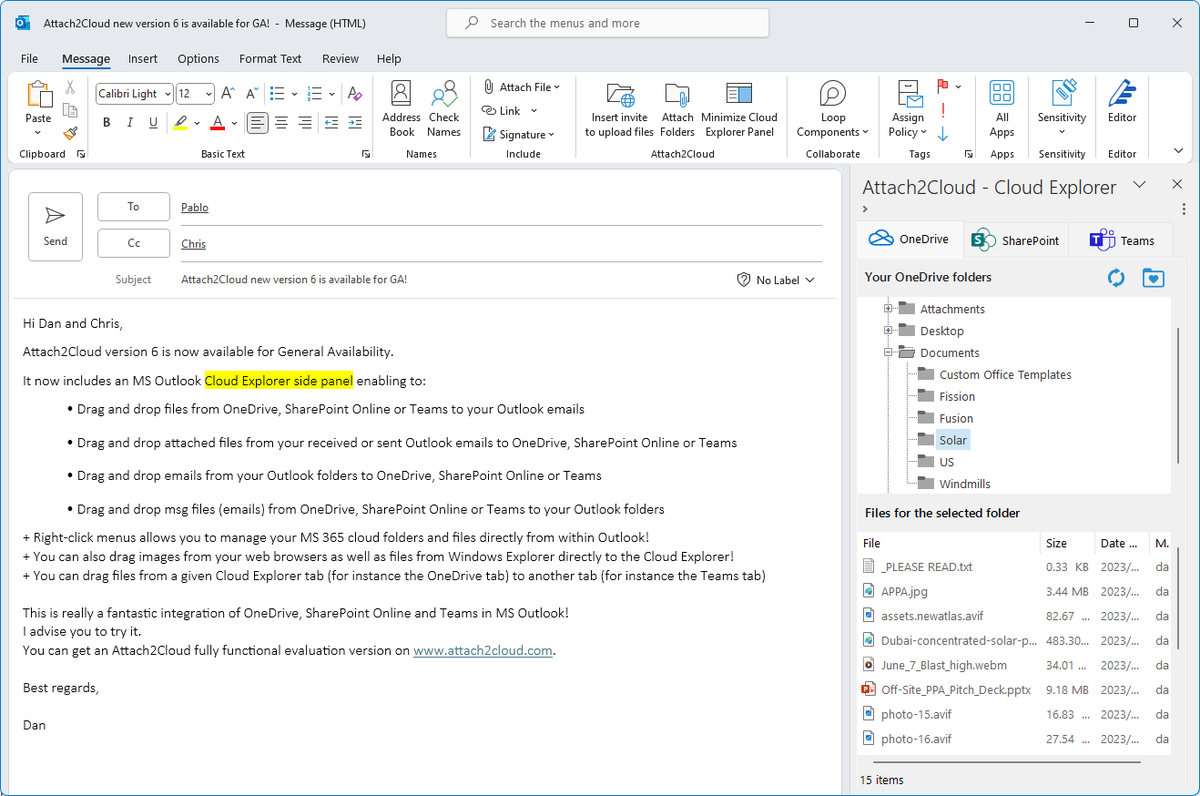
Have you ever dreamed of an #MS365#CloudExplorer integrated into #MicrosoftOutlook?
One that lets you drag and drop files between your #OneDrive, #SharePoint Online and #MSTeams storage spaces and your MS Outlook emails (both ways)...
We have it: https://t.co/wYKXFKYO6u
📢 Attach2Cloud New version 6 is available!
Now includes a Cloud Explorer for Microsoft Outlook supporting bi-directional drag&drop between your #OneDrive, #SPOnline and Teams storage spaces, and MS Outlook.
https://t.co/CQOSHyM3f9
#Microsoft365#MicrosoftTeams#MicrosoftOutlook
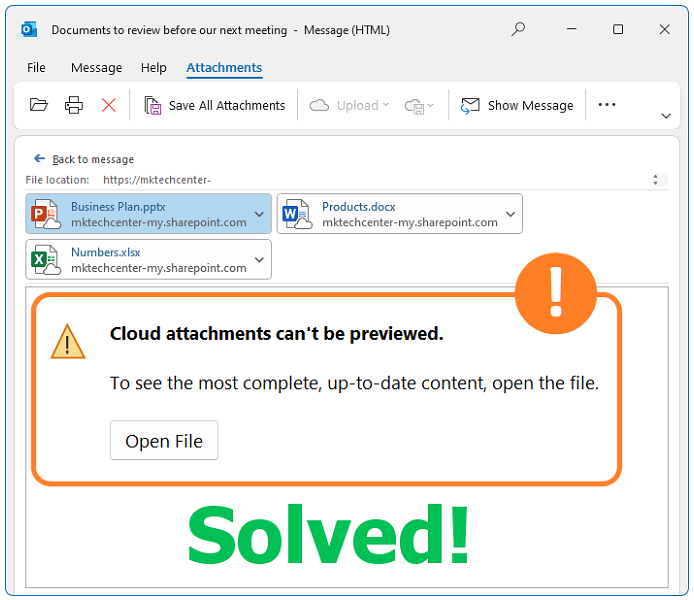
In MS Outlook for Windows, you can now preview online and edit online your Modern Attachments, directly from within your emails.
#outlook#onedrive#sponline#msteams#ms365
https://t.co/kqbuamtqXE
https://t.co/6A37jN9OKf
Global energy crisis, energy sobriety and #CO2 emissions reductions are topics of major interest these days. Production and business units, as well as internal services, including IT, are all being called upon to provide solutions...
#energyefficiency#IT
MS #Outlook “Cloud Attachments can��t be previewed” issue?
Never again!
https://t.co/kqbuamtqXE
Preview (and edit) your #OneDrive, #SharePoint Online and #Teams cloud attachments in MS Outlook for Windows.
Did you know that you can now preview online (and edit online!) Modern Attachments in MS Outlook for Windows?
Yes, in one click, directly from within your MS Outlook emails!
https://t.co/kGgi4KU92d
#outlook#onedrive#sponline#msteams#ms365
Attach files of any size (up to 250 GB) to your #Outlook emails, and share them automatically in #OneDrive, #SharePoint Online and #Teams.
Insert Invitations to share files with you in OneDrive, while redacting your Outlook emails.
and more... https://t.co/o0A0BgqIRC
You need to urgently share very large files? (like several Gigabytes).
Simply attach them to an Outlook email and click on Send.
That’s it!
Attach2Cloud shares them automatically with your email recipients on:
✅OneDrive, ��SharePoint Online or ✅Teams.
👇
https://t.co/OMmQ8PPX5a
Have you already tried attaching very large files to some #Outlook emails?#Attach2Cloud allows you to attach files up to 250 GB unit size to your Outlook emails. Simply attach your very large files as any other file.
👉 https://t.co/pMG4idb1Sn
#OneDrive#filetransfer#sharefiles
When writing your #emails, insert, in one click, invitations to upload files to #OneDrive. Very convenient to receive large files (too large to be sent by email) from other people, even if they don’t have OneDrive.
👉 https://t.co/n2pGJI3pe8
#Outlook#MS365#sharefiles
Outlook OneDrive Integration - Outlook OneDrive Rules
#Outlook#OneDriveForBusiness#Attach2Cloud#MS365#O365
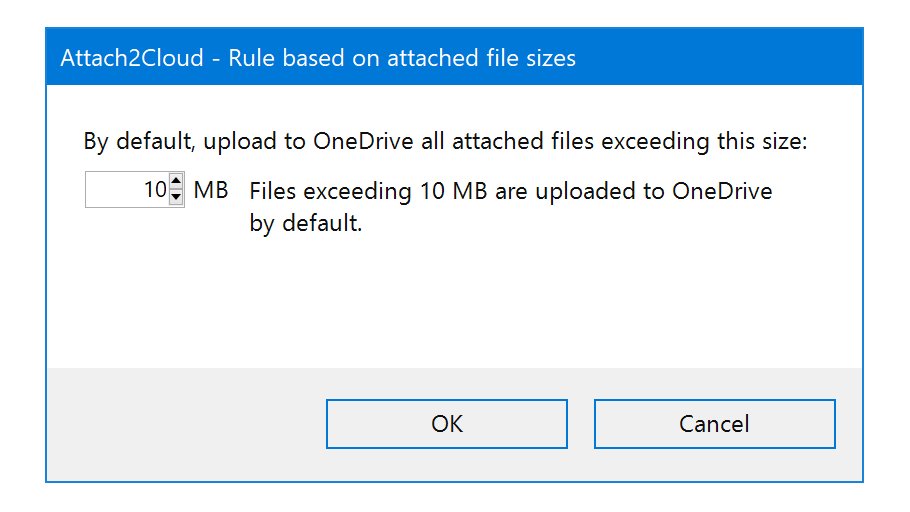
Automatically upload Outlook attached files exceeding a given size to OneDrive:
https://t.co/MV6lf6mi65
Yes, it is as easy as that: