How I set up Active Directory using Server Core (No GUI)
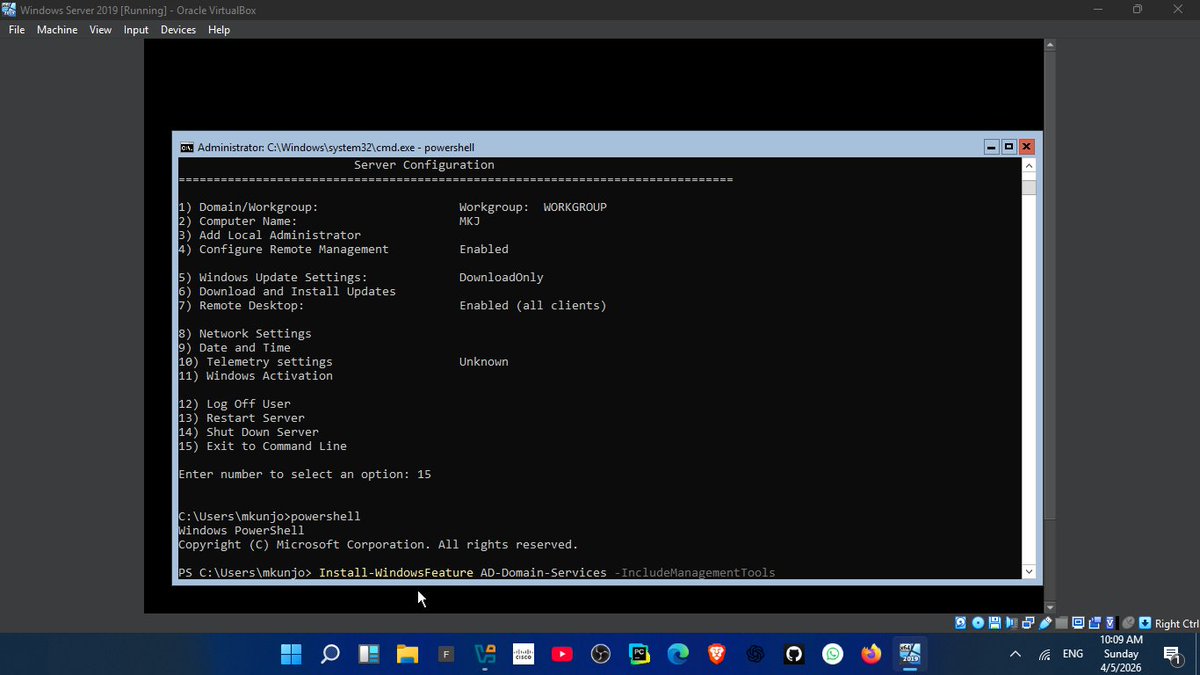
1. Installed Windows Server Core on a VM (no GUI, only command line)
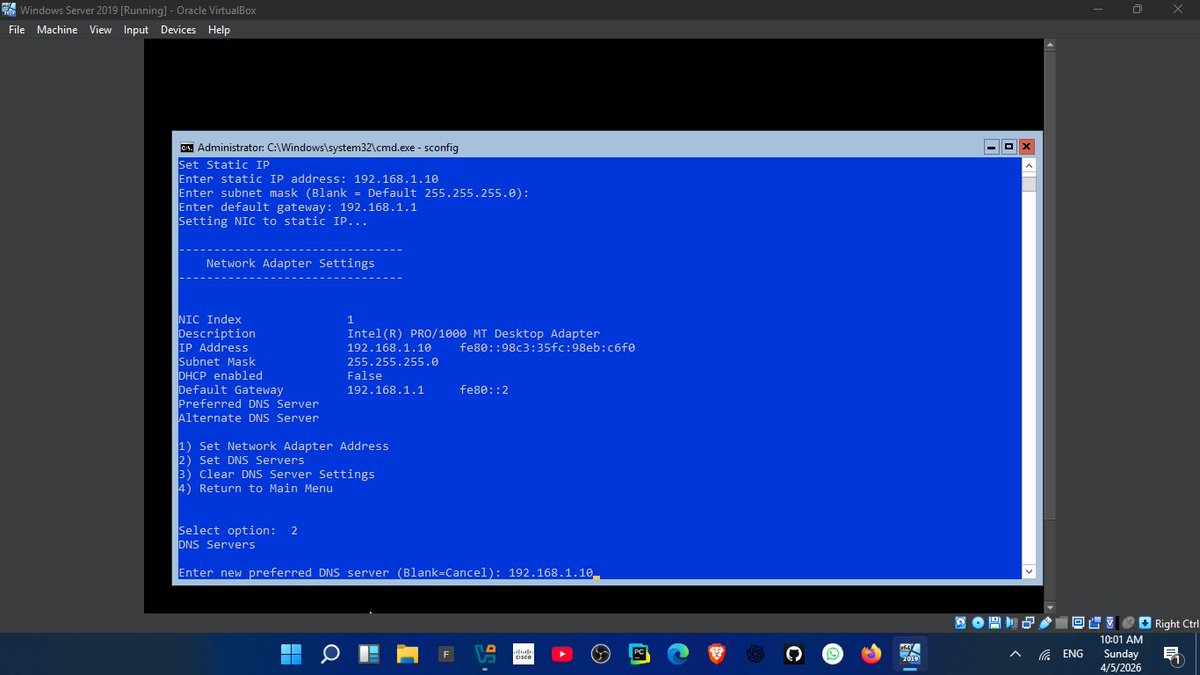
2. Used sconfig to configure:
-Server name
-Network settings
-Remote access
3. Assigned a static IP (192.168.1.1)
4. configured DNS which is very important for Domain controller
5. Installed Active Directory using PowerShell:
Command: Install-WindowsFeature AD-Domain-Services
6. Promoted server to Domain Controller:
ICommand: nstall-ADDSForest
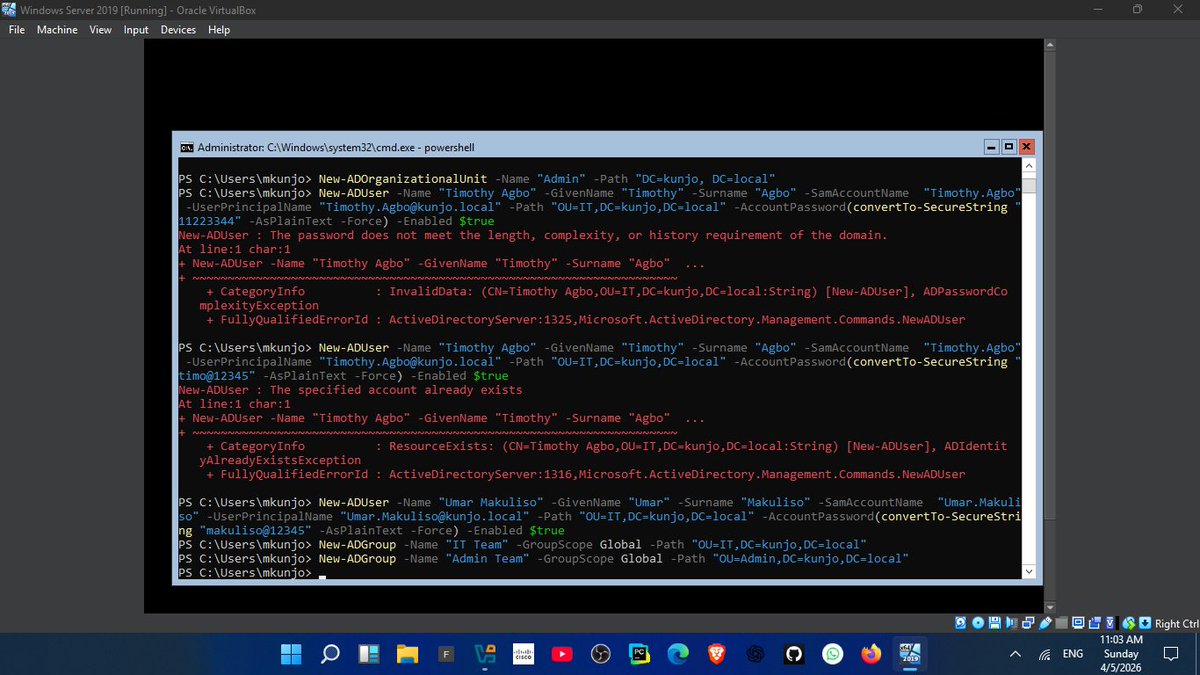
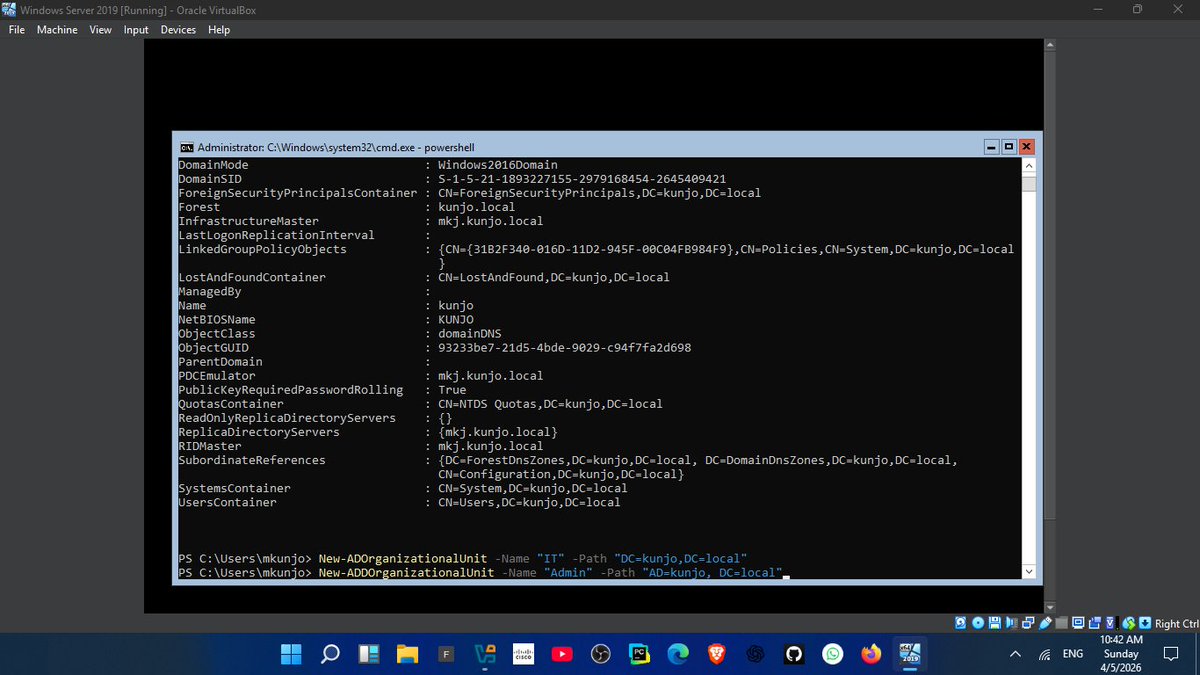
7. Created structure:
-OUs (HR, IT, Admin)
- Users & Groups
lesson:
👉 DNS is EVERYTHING in Active Directory
If DNS fails, the domain becomes unreachable
This setup reflects real enterprise environments where GUI is minimal and control is done via CLI
Next: Joining client machines + applying GPOs
#100DaysOfCode #CyberSecurity #WindowsServer #ActiveDirectory
@ireteeh Thank Mam for always being there for the cyber security community. Your mentorship and dedication means a lot to us.
We are patiently waiting for this opportunity since and now it's here. I can't wait to be the one among the two of the next month that are to be Selected
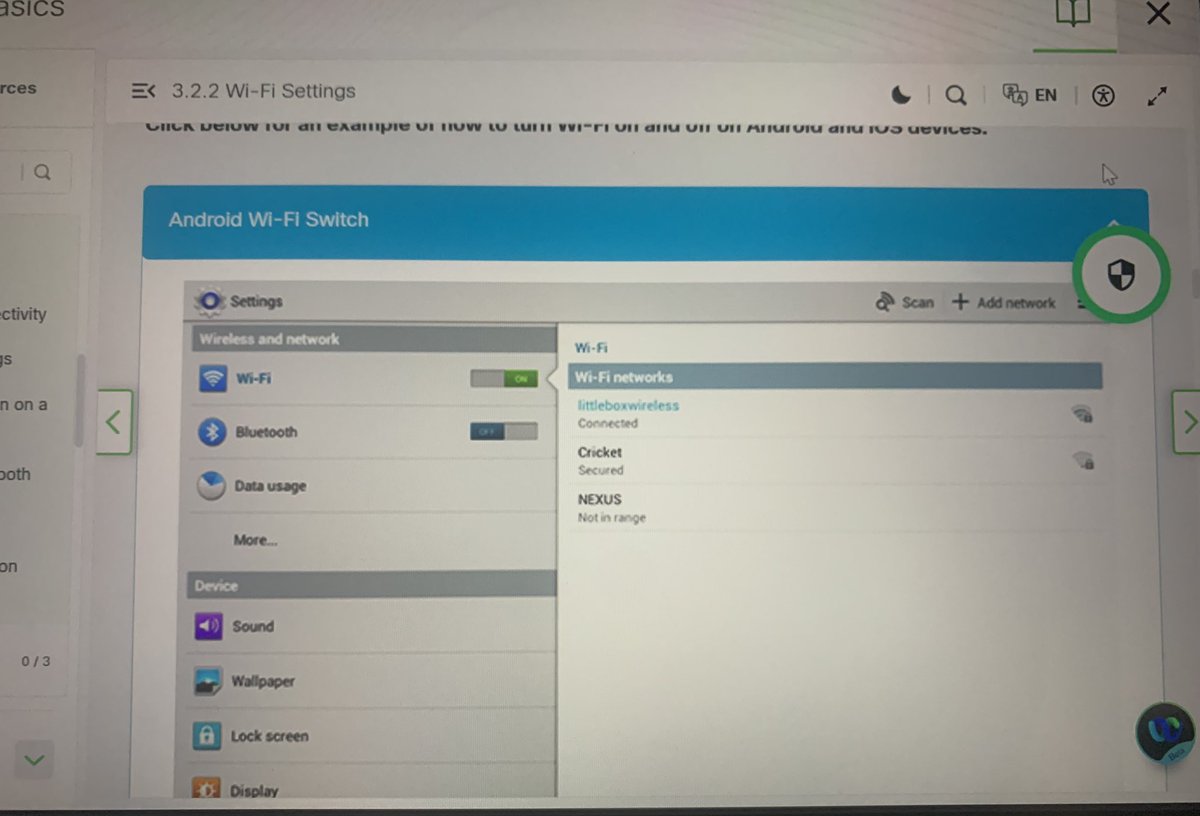
Module 3 @CiscoNetAcad Done☑️
Just wrapped up Wireless Networks and Mobile Connectivity. It's fascinating to see how the settings we use every day on our phones actually bridge into the wider network infrastructure
#CyberSecurity#Cisco#LearningInPublic#Networking
Got suspended for no freaking reason at 43.5k followers
I’ll be here till I get the account back or whatever
If you love my content… please do well to shoot me a follow again ❤️
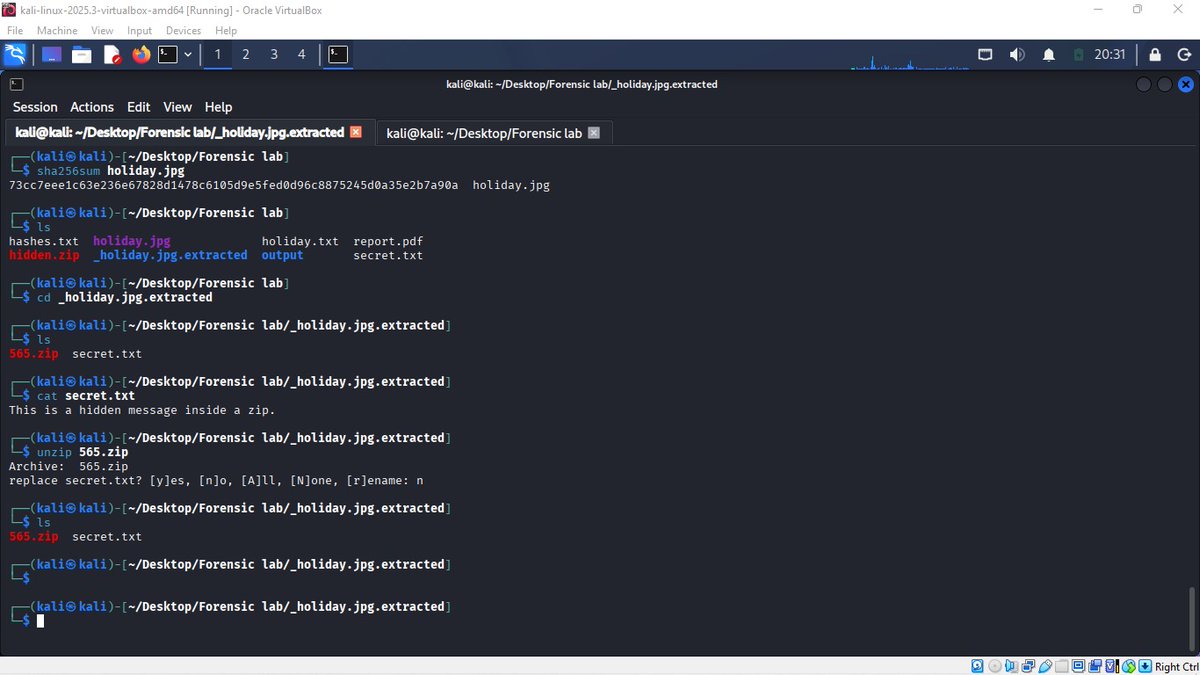
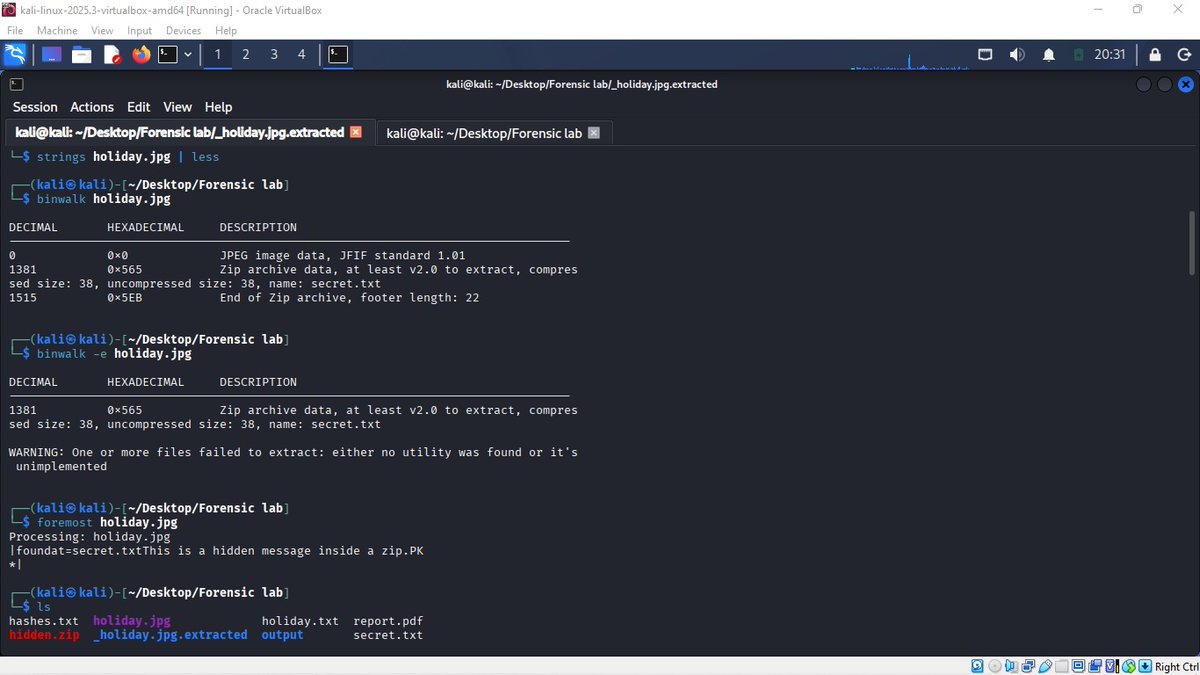
Digital Forensics Case Study: Hidden Data Inside an Image
As part of my cybersecurity learning journey, I conducted a hands-on digital forensics investigation on a suspicious image file.
What I did:
- Verified file type using Linux CLI tools
- Analyzed metadata with ExifTool
- Inspected image structure using ImageMagick
- Detected hidden content using Binwalk
- Extracted embedded files and analyzed their contents
Key Findings:
- The image appeared normal but contained an embedded ZIP archive
- The file had no meaningful metadata, indicating possible tampering
- Image analysis showed zero entropy (completely white), suggesting it was artificially created
- Hidden data was successfully extracted from within the file
Conclusion:
This case demonstrated how attackers can hide data inside seemingly harmless files to bypass detection systems.
Lesson Learned:
Never trust file extensions. Always verify, analyze, and investigate deeply.
Tools Used:
Linux CLI, ExifTool, Binwalk, Strings, ImageMagick
This is part of my journey toward becoming a cybersecurity professional.
@_DeejustDee@ireteeh@segoslavia@cyberjeremiah@jay_hunts
#Cybersecurity #DigitalForensics #Linux #EthicalHacking #BlueTeam #LearningInPublic