One line keeps falling flat and you can't tell which.
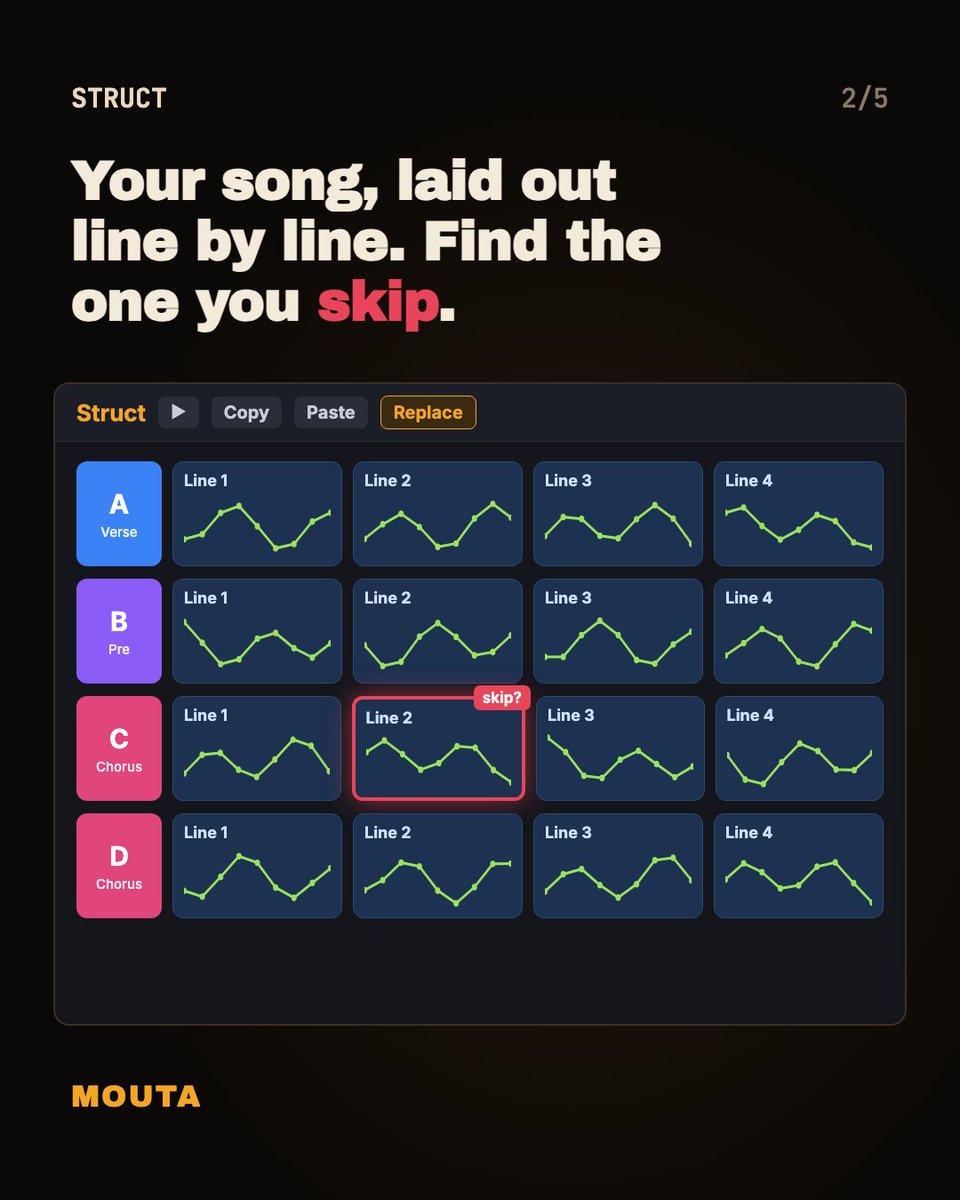
Hook Score rates each line. Song Structure lays out the whole song. Ledger keeps every edit in your own file.
Make it better. Show how you made it. Get paid for it.
https://t.co/aN99FlOHXT
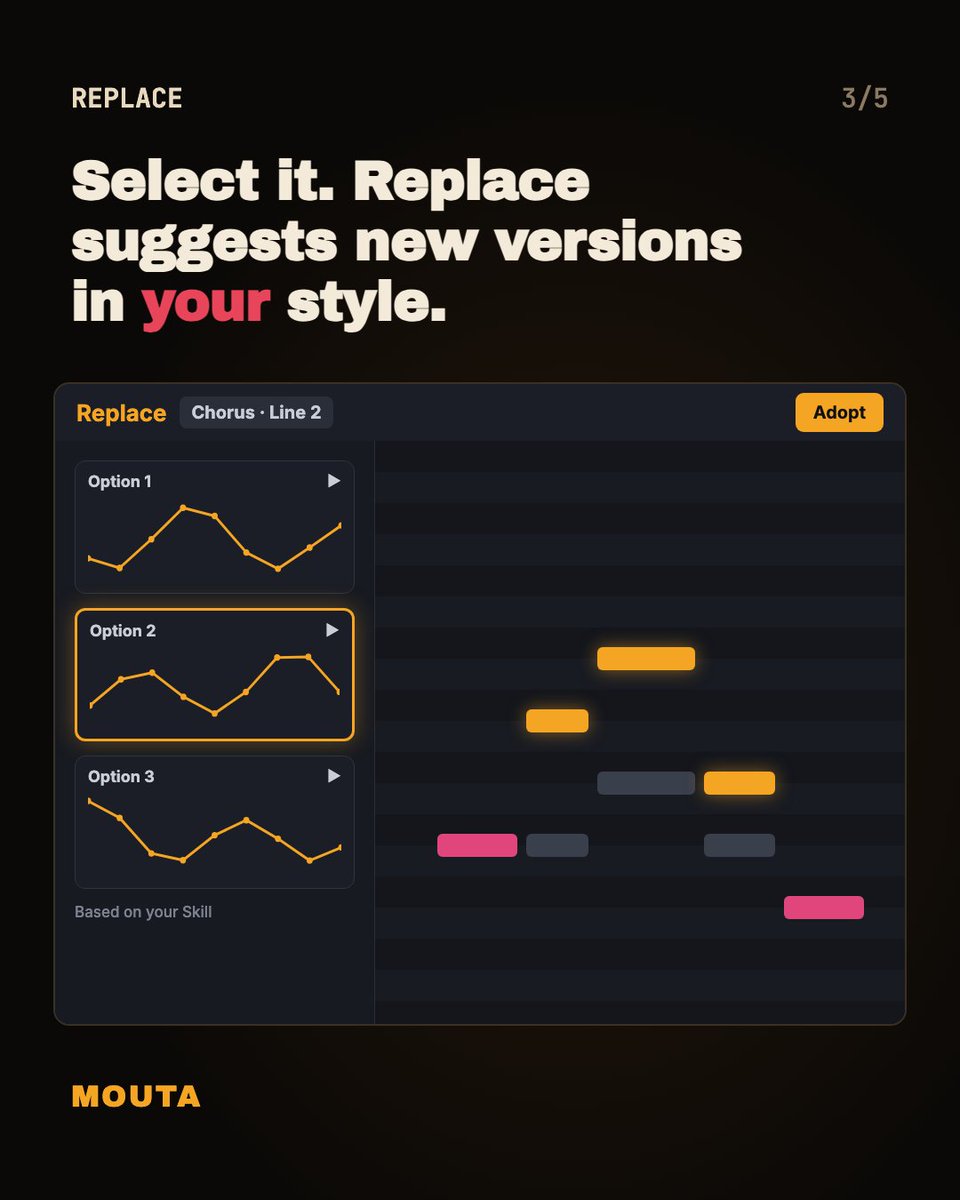
Rewriting a whole song to fix one weak line usually wrecks the parts that worked. If it's chorus line two, select only that line in Mouta and swap it with Replace. What did your last full rewrite cost you?
@hypebot The hard cases are the hybrids. A songwriter who wrote every note but used an AI vocal, or someone who generated a track and rewrote half of it. A single badge can't really say which parts a person made.
@lockydify Keep that original humming file somewhere safe. It's the one piece that's fully yours, and it's a nice record of where the song started if anyone ever asks how you made it.
@MalteseKid@Infearnoir Those gibberish demos are useful. Count the syllables in each line and note which ones you stretch, then write words that fit that count with open vowels on the long notes. It's way easier than starting from a blank page.
@Temimusiconnect I'd study it before pushing harder. Listen back a week later and find where your own attention drifts. If the hook shows up late, fix that on the next one and keep this one out there.
@The1_Ozi It's common with title lines since they tend to land on the same few notes. Try moving where the title starts in the bar, or start it a step higher. The rhythm change alone usually makes it yours.
@lumigeee I start with the chorus melody and write the verse to climb toward it. When I'm stuck mid-song I sing the chorus and ask what has to come right before it. We're building Mouta for moments like this, it flags the line that sounds flat.
Can't tell what your unfinished song is missing? Rewriting the whole thing hides the answer. Change three melody lines and compare.
1. Hum it into Mouta, or add a vocal stem with lyrics.
2. Mark the three lines you skip on playback.
3. Select one. Replace suggests new lines in your own style.
4. Same line in every chorus? Copy and paste it in Struct.
5. Play the export right after the original.
6. Keep what you can hear. Ledger logs every edit.
Then release it and write the next one.
If your AI song disappeared tomorrow, which part could you rebuild? The lyrics, sure, you can retype those. The melody only lives in the audio until you turn the vocal into MIDI notes in Mouta.
How do you back up an AI song so you can still edit it? Some songs have vanished from AI libraries, and an MP3 can't be edited.
1. Download the vocal stem of the song you want to keep.
2. Save the lyrics in your own doc.
3. Import the stem and lyrics into Mouta. Vocal to MIDI turns it into notes.
4. Edit the notes. Ledger logs which ones you changed.
5. Export MIDI, a guide WAV and the Ledger file to one folder.
A platform can remove a song. It can't reach your drive.
You fixed an AI melody last month. Can you still say which notes were yours? In Mouta, Ledger marks the vocal-to-MIDI notes as imported and logs every note you change after that, so you don't have to remember.
Out of credits on an AI song? The vocal stem is the fastest way back into the melody.
1. Export the vocal stem from your AI tool.
2. Import it into Mouta and paste the full lyrics, so each word lands on a note.
3. Vocal to MIDI turns the vocal into notes you can see.
4. Fix the notes you don't like, one at a time. If a whole line is off, try Replace.
5. Export MIDI or a guide WAV and generate once more.
Ten rerolls is luck. One edit is yours.