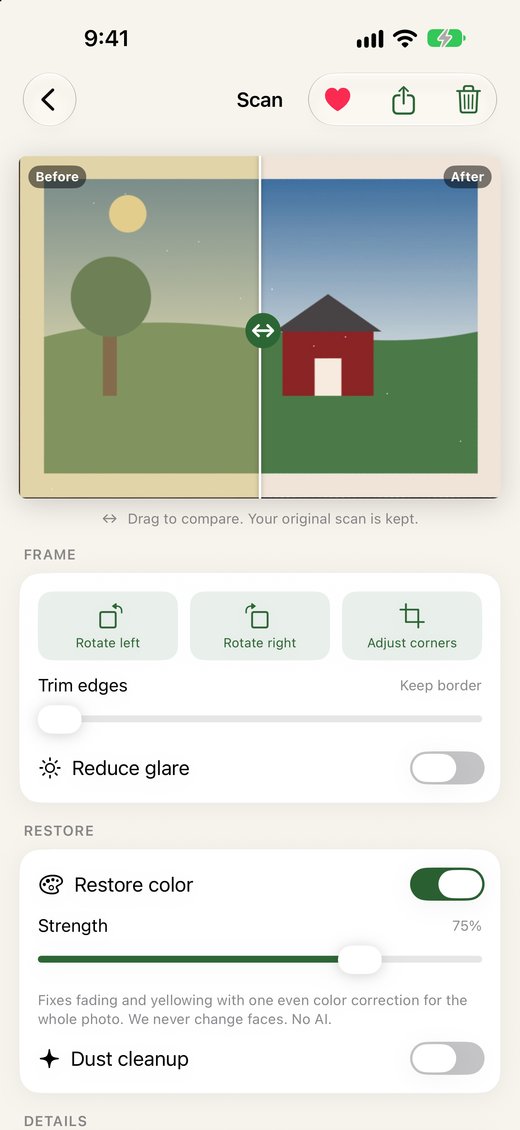
@awraynor@isee_colors Phone apps work well for paper prints (indirect light, phone held parallel, wipe dust first), but 35mm slides need a lightbox or a slide scanner. For prints, Scanplicity on iPhone straightens, restores faded color, and saves them to Photos on the date taken.
@shrivardhan7 128 GB is tight with 20,000 photos. Photos > Collections > Utilities > Duplicates, then empty Recently Deleted. Settings > Photos > Optimize iPhone Storage keeps smaller versions on the phone if iCloud has room. Messages attachments are another quiet space hog.
@keresuki_@keresuki_ Two things that usually free space fast: empty Photos > Recently Deleted (it holds files for 30 days), and Settings > General > iPhone Storage > Messages, where old videos and attachments pile up. Offloading a big app you rarely use also helps without losing its data.
Thanksgiving tip: scan old family prints while relatives can still tell you who's who.
Write the names and year into each scan before people leave. Save it on the date it was taken so the album sorts in order.
Scanplicity on iPhone does the straighten, color restore, and date.
@Kicksbuttson That's a great trade. Tip for hardware drawers: put the size on the label and tape one sample screw or bolt to the drawer front. You grab the right one without reading a thing.
@mentnelson Been there. Your phone can be the backup remote: on the same Wi-Fi, a phone remote app runs the TV with no searching. Roku's own app works, and we make one too, Oak Remote (free for one TV). The couch cushions are still suspect #1.
@YeJoonist Two safe ways: turn on Settings > Photos > Optimize iPhone Storage (needs iCloud space), or copy the videos to a computer or drive, check they play, then delete. And empty Recently Deleted in Photos, or the space never comes back.
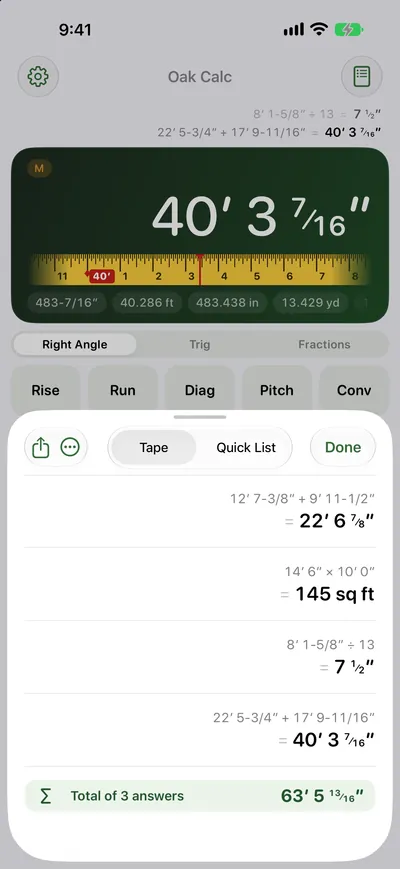
Quick shop math: 5' 7 3/8" + 2' 9 5/8" = 8' 5".
Add the fractions first (3/8 + 5/8 = 1"), then inches (7 + 9 + 1 = 17" = 1' 5"), then feet (5 + 2 + 1 = 8').
Doing it in that order keeps the carry straight. Or let a feet-inch calculator do it.
Oak Remote is on the App Store. A TV remote for Roku on iPhone and iPad, free for one TV. Pro $4.99 once, not a subscription. Not affiliated with or endorsed by Roku, Inc. Roku is a trademark of Roku, Inc.
https://t.co/9peIJl4ZaG
Oak Invoice is on the App Store. Make invoices, estimates and receipts as PDFs on iPhone and iPad. First 5 free; Pro is $19.99 once, not a subscription. It does not process payments. Reports are not tax advice.
https://t.co/3xFwG6R4z8
@moonjinsan Quick one that usually works: Settings > General > iPhone Storage, tap a big app you rarely use and pick Offload App. It keeps your data but frees the space. Then empty Photos > Recently Deleted.
@_UnrulyHoney The sneaky ones: Photos keeps deleted pictures in Recently Deleted for 30 days, so empty that album. Then check Settings > General > iPhone Storage > Messages, where old videos and attachments pile up. That usually frees more than deleting apps.
Cable label tip: make a flag label. Print the name twice side by side, wrap the middle around the cord and press the halves back to back.
It reads from both sides and won't unpeel like a wrap. Label both ends and you'll never trace a cord behind the desk again.
Question for label printer owners: what do you label most?
Pantry jars, cables, storage bins, kids' stuff, files, something else? We make a label app and want to build the templates people actually use.
Two more iPhone apps from our small Missouri shop went live this week.
Oak Calc: a construction calculator for feet, inches and fractions. Every answer is drawn on a tape measure.
Oak Print: prints photos, PDFs and docs to any AirPrint printer. Printing is never paywalled.
If you own a Phomemo D30 or NIIMBOT thermal label printer and just want to print without creating an account, we built Oak Label for iPhone.
Printing is always free. No login, no subscription.
https://t.co/bDytOTUxr4 #iPhoneApps
@Gwen_Bayliss@bobconfer What a treasure to inherit. Even daylight with no direct glare and the phone held parallel to the print works well, and wipe off dust first. If it helps, our free iPhone app Scanplicity straightens and restores faded prints and saves them to Photos on the photo's date.
Small kitchen habit that saves us food every November: put a "use by" date on every leftovers container the day it goes in the fridge. USDA says most leftovers are good 3 to 4 days.
A strip of masking tape and a marker works fine. So does a label maker. Just date it.
Thanksgiving's next week. Pull out that shoebox of old prints while everyone can tell you who's who.
Scanplicity turns your iPhone into a photo scanner: finds edges, straightens, fixes faded color, saves to Photos on the real date. Free, no account.
https://t.co/rAdZ2EDpcp