$OMNIWM is now live on @ponsdotfamily
CA : 0x4b3a5695a470e1ddc3988d5c8adf2030e4f99ddb
A powerful, open-source tiling window manager for macOS, designed to make multitasking smoother with intelligent layouts, workspace management and built-in automation
https://t.co/bCIlFglRuI
This is OmniWM at work.
Five windows, one shortcut — everything snaps into place: scrolling columns for flow, splits for structure, and a focused window expands when you need the room.
No dragging. No resizing. Your windows, arranged.
Three monitors, one brain.
OmniWM treats every display as its own set of workspaces — columns on one screen, splits on another — and your keyboard shortcuts work the same on all of them.
Your desk grew. Your window manager should keep up.
Your windows should answer to your keyboard, not your mouse.
OmniWM is fully keyboard-driven — move, resize, swap and summon windows without leaving the home row, across every workspace and monitor.
The mouse is for guests.
A cleaner desktop starts with better window organization.
OmniWM makes it easier to arrange multiple windows into structured layouts, helping you multitask without constantly resizing and moving applications.
More control over your workspace. Less distraction.
Take control of your desktop.
OmniWM helps macOS users organize windows, manage workspaces, and automate everyday tasks with intelligent tiling.
Less manual work. More productive workflows.
Another step forward for $OMNIWM.
A token burn has been successfully executed on Robinhood Chain.
Continuing our commitment to the OmniWM ecosystem.
https://t.co/LAO5h8tWQ6
Another milestone for OmniWM.
The token burn is complete. I'll stay focused on growing the project, improving the product, and building something valuable for the long term.
One step at a time.
https://t.co/pXqP012nIX
Your windows, in columns that scroll.
OmniWM borrows Niri's scrolling layout: a new window pushes the row sideways instead of shrinking everything you already had open.
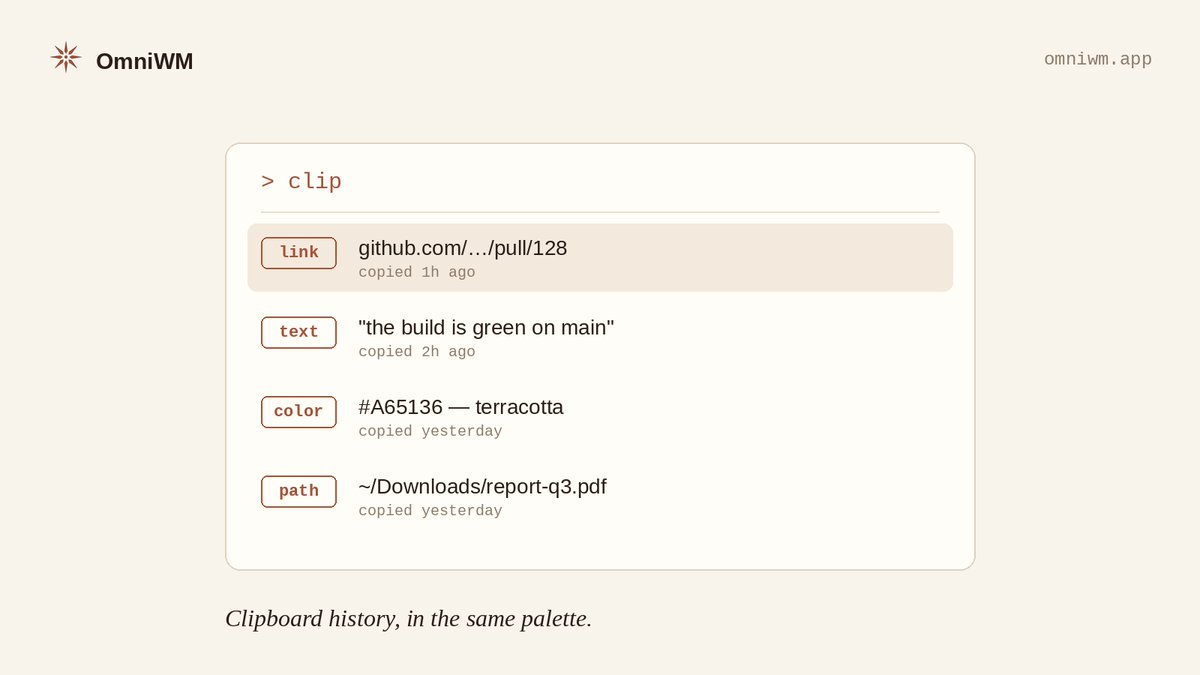
Your clipboard, searchable from the same palette.
OmniWM's command palette holds more than windows — clipboard history lives there too. The link you copied an hour ago is two keystrokes away.
Sixty seconds to a tiled Mac.
brew install --cask omniwm — that is the whole setup. OmniWM arranges your windows from the first launch.
Free, open source, Apple Silicon.
A window manager runs all day, every day. It should earn that trust.
OmniWM is free and open source — signed, notarized, and installed with a single brew command.
No accounts. No surprises.
A terminal should be one keystroke away — and gone just as fast.
OmniWM's quake terminal drops from the top of your screen, powered by Ghostty, and slides away when you're done.
Always there. Never in the way.
Your windows, arranged before you ask.
OmniWM tiles macOS your way — Niri-style scrolling on one workspace, Hyprland-style Dwindle splits on the next. A Ghostty quake terminal, one palette for everything, every display routed.
Free & open source.