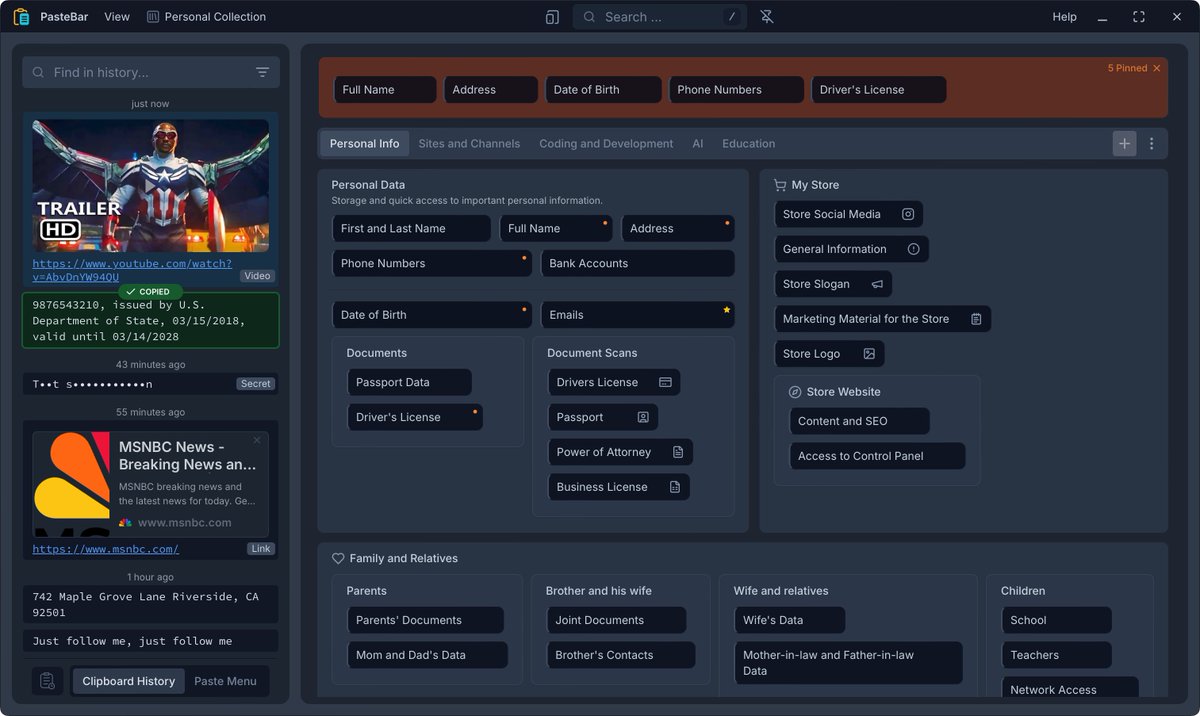
PasteBar App Release 0.7.0
What's New:
🔐 Protected Collections
Secure your sensitive clips with PIN-protected collections. Keep confidential information safe while maintaining quick access.
📁 Custom Data Location
Choose where to store your clipboard data. Perfect for syncing across devices using cloud storage or shared network drives.
⌨️ Advanced Keyboard Shortcuts
Navigate faster with enhanced keyboard shortcuts and support for up to 3-key combinations. Streamline your workflow without touching the mouse.
�� Backup & Restore
Export and import your entire clipboard database and images. Never lose your valuable clips again with comprehensive backup functionality.
🎯 Special Copy/Paste Operations for Different Workflows
Over 30 specialized copy/paste operations for different workflows. Enhanced clipboard operations with context-aware options.
🔍 Smart Auto-Search
Quick Paste window automatically activates search when you start typing. Find what you need instantly without manual search activation.
View Complete Release Notes
https://t.co/hoawLopn5y
PasteBar App Release 0.6.0
New Features:
- Quick copy/paste access to using keyboard, press Ctrl + [number] (copy) or Ctrl + Alt (Cmd) + [number] (paste)
- PasteBar Quick Paste window with keyboard navigation and global hotkeys, Enter or Ctrl + [number] to paste, Ctrl + F to search
- Global hotkeys for show/hide the main app window option
- Global hotkeys for show/hide Quick Paste window
- New option Hide the app dock icon (macOS)
- New option The app starts with main window hidden
- New option Show navbar elements on hover only
- New option Hide collections name on the navbar
Enhancements:
- Support for zhCN Simplified Chinese language translation (thanks to @katelya77)
- Support for UK Ukrainian language with auto-generated translation (seeking help to improve)
- Support for esES Spanish language with auto-generated translation (seeking help to improve)
- Support for IT Italian language with auto-generated translation (seeking help to improve)
- History items multi select/deselect using Ctrl + click or Cmd + click
Bug Fixes:
- Fixed a bug where the contact form used an invalid link on Windows (#125)
- Fixed a bug causing a markdown undefined error on window
🚀 Wow! PasteBar has hit 1K users in just the last few days! 🎉 Join them if you need a limitless, free clipboard manager that saves you time, eliminates repetitive tasks, and boosts your productivity. Streamline your digital life with PasteBar! Thank you for all your support! 🙏✨ #Productivity #ClipboardManager #PasteBar Thank you, @elonmusk!
PasteBar app is now available for FREE on Apple and Microsoft Store! 🥳
Apple Mac App Store
https://t.co/aH7ttGQzEc
Microsoft Windows Store
https://t.co/PiAEwWvX4E
#PasteBar#FreeApp#MacOS#Windows
@PasteBar_App is free and open source clipboard manager for Mac and Windows with saved clips and quick paste actions from native menus.
(Built with: @TauriApps 🙏, @rustlang and @reactjs)
PasteBar 0.5.1 Release and Website Launch! Visit https://t.co/2FDcVWE0YP to explore our website and PasteBar features!
PasteBar App is now open source! You can find the full source code on GitHub: https://t.co/a7utQLRBa4