So much of the work involved in creating a great presentation happens after the first draft: gathering input from the team, getting reviewers aligned, and addressing feedback.
Copilot in PowerPoint can now write and manage comments across your deck, working more like a coworker right inside your presentation, where collaboration already happens.
One use case I’m excited about: ask Copilot to review a deck and flag what needs polish directly in the comments.
Give it a try in PowerPoint and let us know what you think!
Today, we're rolling out GPT 5.6 in Copilot in PowerPoint. GPT 5.6 is OpenAI's latest and most powerful model, and when used in PowerPoint, I find it faster than other models, designs better looking slides than GPT 5.5, and creates great structured presentations that closely adhere to your branded templates.
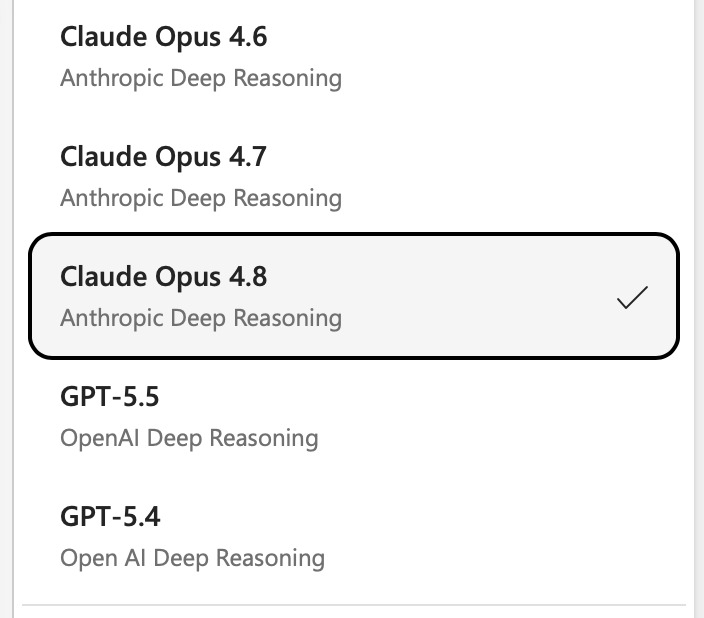
Give it a try now and let me know what you think. I'd love to hear from you on how it compares with other models we have in PowerPoint, like Claude Opus 4.8.
From rough ideas to quality work.
OpenAl's GPT-5.6 is rolling out across Microsoft 365 Copilot in Word, Excel, PowerPoint, Chat, and Copilot Cowork.
Optimized with OpenAl for knowledge work, GPT-5.6 is the preferred model for Microsoft 365 Copilot.
Now available in Copilot Cowork and PowerPoint, Claude Sonnet 5 helps tackle complex, multi-step work by planning, reasoning, and creating across documents, spreadsheets, and presentations. Combined with Work IQ, Microsoft 365 Copilot delivers results grounded in your organization's context.
Everyone's optimizing how they create content with AI. Almost no one's rethinking how they share it. PowerPoint Live in Teams is a glimpse of the other half: every participant gets their own high-quality, navigable copy of the slides, not a laggy screen-share of someone else's cursor.
We're shipping 2 new experiences on top of PowerPoint Live now:
1. Highlight things on the slide (privately!) to have Copilot explain them to you in a click.
2. Presenters can quickly refresh the deck so everyone sees the latest version. Incredibly useful for those last minute edits that always come in right as the meeting is starting.
https://t.co/hLBeF0Lihl
Claude Fable 5 is now available for Copilot in PowerPoint through a private preview.
I'm finding it to be incredibly capable with building presentations, particularly with strong narratives and instruction following.
https://t.co/doCCP23SfU
The suite of MAI models will start rolling out to Word, Excel, PowerPoint & Outlook soon alongside the other foundation models. Giving customers more choices between capabilities, performance and efficiency for the job that need to be done. (@mustafasuleyman - Great job MAI team)
https://t.co/bGA4YA0Tbp
Microsoft PowerPoint has enabled Claude Opus 4.8, on the very same day it became available. We are committed to bringing the best and latest models directly to our customers.
We're rolling out Opus 4.8 in Copilot for PowerPoint now, joining other world-class models to best serve your needs in PowerPoint. Give it a try and let us know what you think!
If you haven't tried Copilot in PowerPoint in the last couple weeks, you need to take a second look today.
It is saving myself and my team a ton of time, but more importantly, leading to better slides and better meetings.
You can ask it to summarize emails, chats and meetings into slides, like this: "Summarize the action items from the Leadership Team Offsite in two slides with owners and suggested next steps."
You don't need to be an expert with AI to make the most of it. "Make this slide look great" is surprisingly effective!
To get started, just open up PowerPoint, click the Copilot icon and ask for what you want. I'd love to know what you think, and how we can continue to make it better for you.
We're making a big change to the Copilot experience.
Agent Mode is generally available and now the default across Copilot in Word, Excel, and PowerPoint.
As models become more capable, we’re bringing that power to where real work happens, right in the canvas.
The power of a spreadsheet as an example is its spatial representation of information. What sits next to what, what feeds what. Give an agent that canvas to reason over, and a single prompt can reshape the model, the bridge, and the narrative at once.
Read more: https://t.co/73zVIFWnuI
If you work in decks, there are always changes. With Microsoft 365 Copilot in PowerPoint, you can restructure, reformat, and build new slides directly within branded templates. So you can get to final, and stay on brand, faster.