New Changes Alert: Revamped PSiRA Mobile App
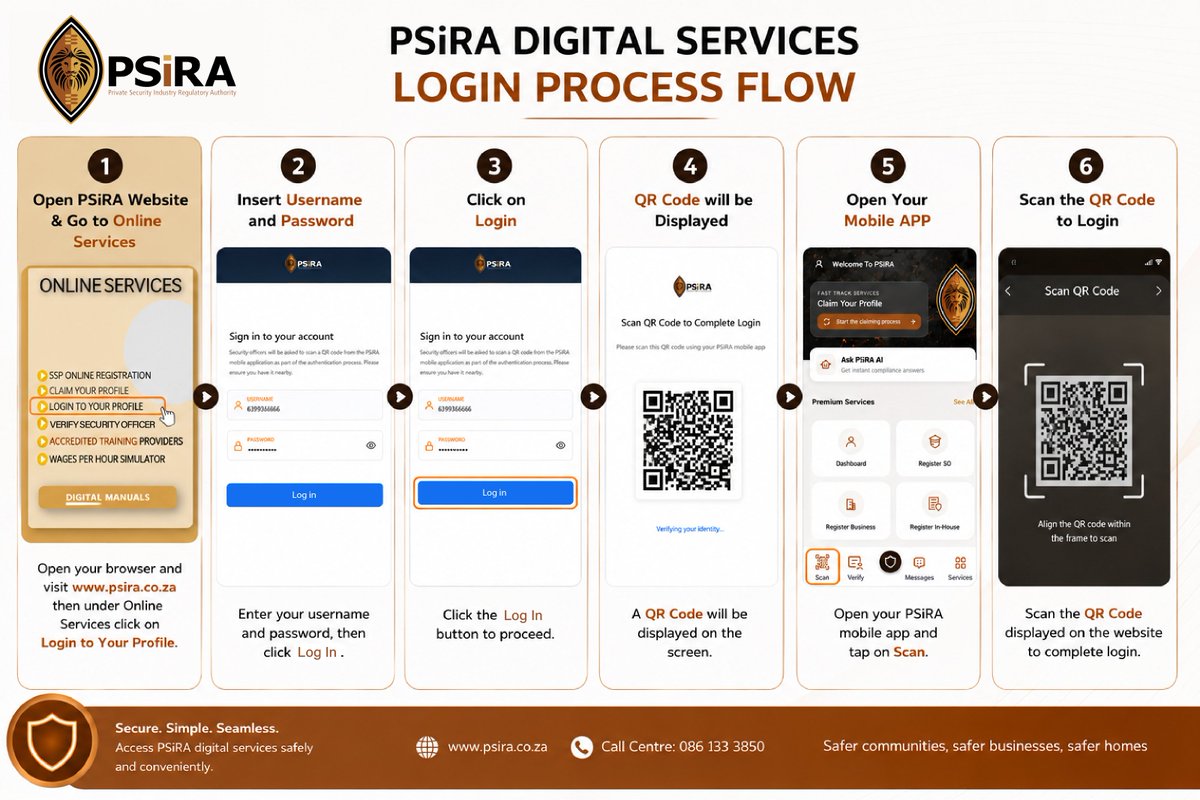
The new PSiRA Mobile App introduces a more secure login process. Please take note of the following changes:
Username
Your username is your PSiRA-registered mobile number.
Password Reset
Forgot your password? Simply click "Forgot Password" on the login page and enter your current username, an email containing a password reset link will be sent to your registered email address. Click the link to create a new password.
Need to Update Your Mobile Number?
If your registered mobile number has changed, update it here:
https://t.co/1TP6Solvy5
- Once your mobile number has been successfully updated, your new PSiRA-registered mobile number will automatically become your username for logging into the app.
Stay prepared by ensuring your mobile number is up to date, and you remember your login details (Username and Password before using the revamped PSiRA Mobile App.
North West Operation Feedback
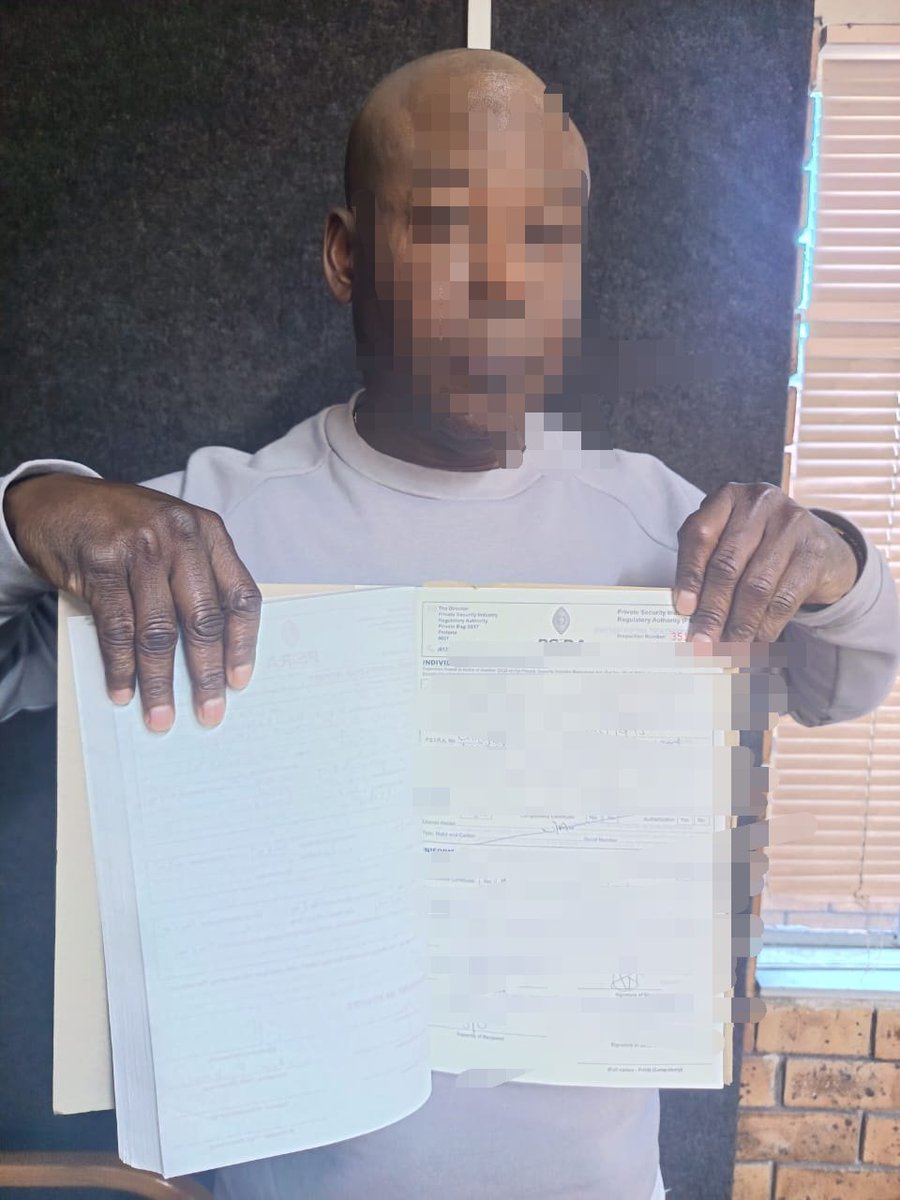
22x Arrests
8x Foreign Nationals
14x South Africans
31x Case dockets opened
09x Code of Conduct dockets to be opened
#Security#LawEnforcement#Compliance#PSiRALive
Operation feedback Western Cape
Phillipi
10x Security officers arrested
1x Congolese 🇨🇩
9 x South Africans 🇿🇦
10x Criminal Cases against the Security Officers.
1 x Criminal case against the Security Service Provider
Complaint driver operation (Philippi East & Bellville) Grocery Store
4x Security
3x Congolese 🇨🇩
1 x Zimbabwean 🇿🇼
4x Criminal Cases against the Security Officers.
2x Criminal cases against the Security Service Provider.
1 x Code of Conduct docket
#Compliance #PSiRALive #Security #LawEnforcement
@MichaelMolomo@ECSecurity Unfortunately we are unable to follow up on your complaint as you do not want to provide the complaint number for reference purpose.
@funkygeesmo@JacintaNgobese@SAPoliceService Good day, please note that client met registration requirements by having a permanent resident status in South Africa. Any complaints related to the code of conduct of the Director or Company employees may be reported to [email protected]
Good day,
Thank you for bringing this matter to our attention.
We have recently introduced a device management system specifically aimed at preventing internet cafés and other third parties from accessing and misusing applicants’ profiles.
Internet cafés will no longer be able to access users’ profiles without authentication from the user’s registered device through the PSiRA Mobile App.
Please note that if a user provides authentication to an internet café or any third party, the device being used to access the profile will be flagged by the system.
We encourage users to keep their login credentials and authentication details secure and not share them with any third party.
[VIDEO]
PSiRA Director, Mr Manabela Chauke, speaks about the vital role of the private security industry in crime prevention on the sidelines of a stakeholder engagement session on the Integrated Crime and Violence Prevention Strategy in Inanda, KwaZulu-Natal.
#PSiRALive #CrimePrevention #PrivateSecurity #SaferCommunities #Security
Dear Clients,
PSiRA is pleased to announce that the newly revamped PSiRA Mobile App is now available for download on all major App Stores.
The upgraded App provides clients with a more convenient and secure way to access PSiRA digital services from their mobile devices.
When logging in, please note the following:
· Your username is your PSiRA-registered mobile number or email address.
· If you are using your mobile number to log in, please enter the number without spaces or special characters or without the starting zero. For example, the number must be 721234567
Clients who need to update their registered mobile number can do so through the PSiRA Digital Services platform using the link below and follow the instructions provided to complete the process:
https://t.co/1TP6Solvy5
New Biometric Login
For added convenience and security, the PSiRA Mobile App allows clients to activate biometric login using their fingerprint.
To activate this feature:
1. Open the PSiRA Mobile App.
2. Go to Settings.
3. Select Login.
4. Switch on Biometric Login.
5. Follow the prompts to complete the activation.
For more information, access the Frequently Asked Questions (FAQs) related to the PSiRA Mobile App by clicking on the link below
https://t.co/1rfatGwceU
If you are not sure of your username, please contact us on 086 10 77472 for assistance.
We encourage all clients to download and make use of the revamped PSiRA Mobile App to enjoy easier and more convenient access to PSiRA digital services.








![PSiRALive's tweet photo. [NOTICE]
Immediate Discontinuation of Bulk Printing of Registration Certificates for Training Providers https://t.co/KeKwXHXpUK](https://pbs.twimg.com/media/HQOnCIyXsAAbom1.jpg)


