@officialvegod Shit, I also forgot, after go back into the Local AppData folder and into Riot Games. Rename Valorant and Riot Client in there both with .old also.
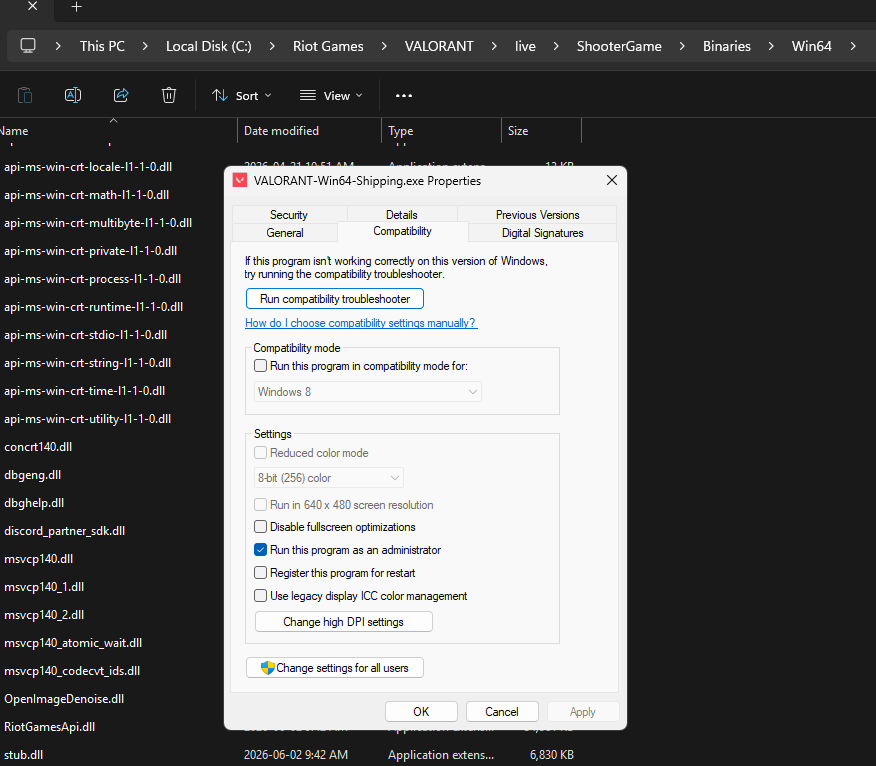
Do you have the VALORANT-Win64-Shipping.exe set to run as administrator? As well as your Riot client?
Also, open services.msc, scroll down to vgc and make sure the service is running and set to automatic. After this, win + R and open %localappdata%, then find the Valorant folder. In there, renamed the Saved folder to saved.old.
Sometime if my loading screen stops, I hit the windows key and go back in and that fixes the hiccup.
Good luck amigo!