🚨 WANT TO LEARN MORE? 🔐
Join RabiXSecurity on Telegram for more cybersecurity tutorials, awareness, and free learning content. 💻🔥
👇 JOIN HERE:
https://t.co/8xR4Jf6Qhx
RabiXSecurity on Telegram
Learn • Practice • Stay Secure
Testing Web Application Vulnerabilities Locally 💻🛡️
How do security researchers identify command injection vulnerabilities? 🔍 Explore Commix in a controlled local lab and learn why web app
Educational purposes only. Test authorized lab environments.
#CyberSecurityAwareness
Master cybersecurity from scratch with Coddy! 🔐
Explore hands-on training in security fundamentals, network reconnaissance, and ethical hacking.
Start learning today 👇
https://t.co/Mv7A1DqNki
#ad#Coddy#Cybersecurity#EthicalHacking#InfoSec
🛡️ Exploring SearchSploit on Kali Linux!
Discover how to search known vulnerabilities using the offline Exploit-DB database.
💬 Have you used SearchSploit before?
#SearchSploit#KaliLinux#CyberSecurity
🕵️♂️ Exploring Darkdump OSINT on Kali Linux!
Discover how this Python-based tool interacts with supported dark web search engines and publicly indexed resources.
🔍 Learn the tool. Understand OSINT. Explore responsibly.
#Darkdump#OSINT#KaliLinux#CyberSecurity
@iamTiresias Great first project, since writing your own checker teaches you what a port scan actually does before you lean on Nmap. One step up: add timeouts and check ports in parallel, and you’ll see quickly why real scanners are built the way they are. And yes, only on systems you own
🐍 Can Python Detect Open Ports? 🔍⚡
Discover how to build a simple Python Port Checker using the Socket Library on Kali Linux!
🔹 Check TCP ports
🔹 Identify open and closed ports
🔹 Understand basic network security
🛡️ Educational purposes only. Test only your own systems or authorized lab environments.
👉 Follow RabiX Security for more Linux and cybersecurity tutorials!
#Python #PortScanning #KaliLinux #CyberSecurity
@euxeniumartinez Great question! 👏 ICMP is different from TCP and UDP. You can monitor ICMP traffic in real time, but identifying which application is responsible may depend on the operating system and monitoring tools being used. Thanks for the interesting suggestion! 🔐
🛡️ Building My Own CTI Lab on Kali Linux!
Exploring OSINT tools, threat intelligence frameworks, system checks, and monitoring workflows to build a practical defensive security environment.
Hands-on learning. Real-world security awareness. 🚀
#CyberSecurity#KaliLinux
🚀 PYTHON PORT SCANNER | FIND OPEN PORTS!
Did you know a simple Python script can check whether TCP ports are open or closed?
In this short demonstration, see how Python's Socket library checks port connectivity
Educational purposes only
#Python#PortScanning#Networking
🚀 Watch the FULL Traccar GPS Tracking Server tutorial on YouTube!
Learn how to build your own private GPS tracking server using Kali Linux.
▶️ Watch the full tutorial here: https://t.co/3teOwu2C8S
Don't forget to LIKE, COMMENT, and SUBSCRIBE to RabiXSecurity! 🔐
How to Build Your Own GPS Tracking Server to Track Your Stolen Device (Traccar Tutorial)
What if you could manage your own GPS tracking server?
In this tutorial, discover how to set up Traccar GPS Tracking Server on Kali Linux and connect your Android device.
Learn about GPS location monitoring, route history, and last reported locations.
🎥 Want the full step-by-step tutorial?
👇 Check the FIRST COMMENT for the full YouTube video link!
⚠️ Educational purposes only. Track only devices you own or have explicit permission to monitor. Respect privacy.
Follow RabiXSecurity for more cybersecurity and Linux tutorials.
#RabiXSecurity #Traccar #KaliLinux #GPSTracking #CyberSecurity
🛡️ Exploring the L0p4 Toolkit: OSINT & Web Security Framework
In this 4-minute educational walkthrough, we explore the L0p4 Toolkit, an open-source framework that combines multiple security and information-gathering utilities into a single terminal interface for learning and research.
Throughout this tutorial, we cover:
✅ Installing the toolkit in Termux/Linux. ✅ Understanding the project structure and interface. ✅ Exploring its modular components for OSINT, website analysis, and network information gathering. ✅ Discussing how security professionals use these concepts to improve security awareness and defensive assessments.
This video focuses on understanding how security frameworks are organized and how open-source tools can support cybersecurity education, Linux learning, and authorized security research.
📥 Resources The official project link and additional learning resources are available in the first pinned comment and on our Telegram community.
⚠️ Disclaimer: This video is provided strictly for educational purposes, cybersecurity awareness, defensive security research, and authorized security assessments only. Always obtain explicit permission before testing any network, website, or system that you do not own.
👍 If you enjoy Linux, Termux, OSINT, and cybersecurity tutorials, consider subscribing for more educational content every week.
#CyberSecurity #OSINT #Linux #Termux #NetworkSecurity #InformationSecurity #OpenSource #TechEducation #CyberGuruNG #InfoSec
⚠️ ONE CLICK CAN EXPOSE YOUR PRIVACY! | R4VEN Explained
👀 Would you grant camera and location access to a random website?
This cybersecurity awareness video explores R4VEN, a project that demonstrates the privacy risks associated with browser permissions and suspicious links.
🔹 Understand browser permission risks
🔹 Learn why location privacy matters
🔹 Protect your camera and personal information
🔹 Think twice before opening unfamiliar links
🛡️ Never grant unnecessary permissions to unfamiliar websites. Review your browser settings and protect your digital privacy.
⚠️ Educational awareness only. Respect privacy and never collect anyone's personal information without consent.
👉 Follow RabiX Security for more cybersecurity awareness and Linux tutorials.
#R4VEN #OnlinePrivacy #CyberSecurity #PrivacyAwareness
🔍 BLACKBIRD OSINT: Explore Public Username Footprints Across 700+ Platforms
How much information can a single username reveal about your digital footprint? 🌐
In this tutorial, we explore Blackbird OSINT, an open-source tool designed to search for publicly available username profiles across hundreds of online platforms.
🎯 What You'll Discover:
- What Blackbird OSINT does.
- How the tool works.
- Understanding username search results.
- How public information contributes to your digital footprint.
- Why online privacy awareness matters.
⚠️ Responsible OSINT Reminder:
Use OSINT tools ethically and respect people's privacy. This demonstration focuses on educational learning and understanding publicly available information. Never use these tools for stalking, harassment, impersonation, or unauthorized profiling.
💬 Question: Have you explored your own public digital footprint before?
👍 Like | 💬 Comment | 🔄 Share
Follow RabiXSecurity for more OSINT, Linux, privacy, and cybersecurity awareness tutorials.
Learn • Analyze • Stay Secure
#BlackbirdOSINT #OSINT #Cybersecurity #DigitalFootprint
🚨 WANT TO LEARN MORE? 🔐
Join RabiXSecurity on Telegram for more cybersecurity tutorials, awareness, and free learning content. 💻🔥
👇 JOIN HERE:
https://t.co/8xR4Jf6irZ
RabiXSecurity on Telegram
Learn • Practice • Stay Secure
📱 Can a Phone Number Reveal a Telegram Account? 👀 | OSINT Tool
🔍 What can OSINT reveal about a phone number on Telegram?
Take a quick look at Telegram Phone Number Checker, an open-source OSINT project by Bellingcat.
🛡️ Learn about digital privacy, phone-number exposure, and responsible OSINT research.
⚠️ Educational purposes only. Respect people's privacy and use only your own number or numbers you have permission to check.
👉 Follow RabiX Security for more OSINT tools and cybersecurity tutorials!
#Telegram #OSINT #DigitalPrivacy #cybersecurity
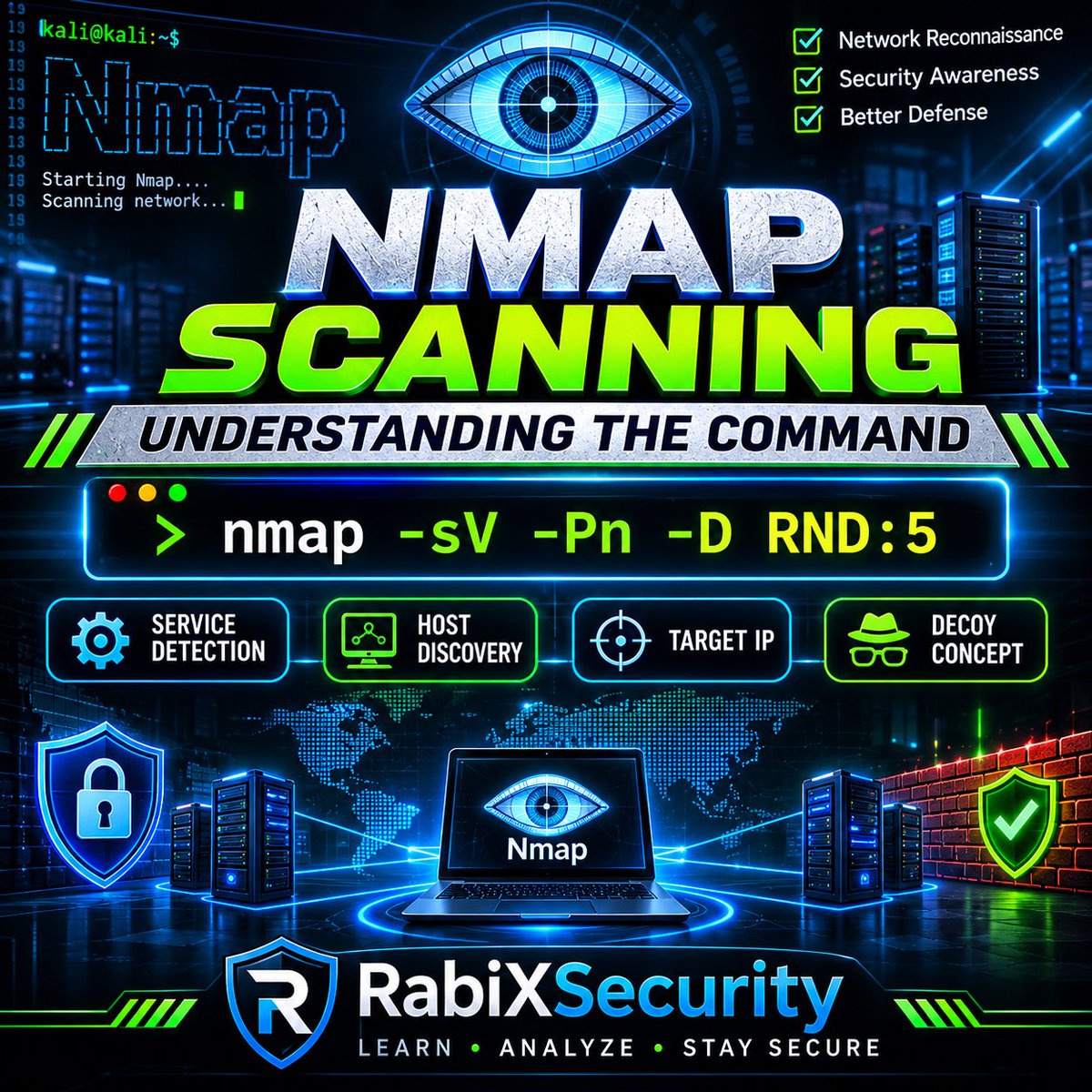
🔍 UNDERSTANDING NMAP SCANNING OPTIONS �� COMMAND BREAKDOWN
Nmap is more than just a network scanning tool. Understanding its options helps security learners interpret network services and recognize scanning techniques.
Let's break down this command:
nmap -sV -Pn 127.0.0.1 -D RND:5
🧩 What does each option mean?
🔹 1. "nmap"
A network exploration and security auditing tool used to discover network services.
🔹 2. "-sV" — Service Version Detection
Attempts to identify the services and software versions running on discovered ports.
🔹 3. "-Pn" — Skip Host Discovery
Tells Nmap to skip its usual host-discovery process and treat the target as available.
🔹 4. "127.0.0.1" — Target IP
Specifies the IP address being assessed. In this example, it represents a private network address.
🔹 5. "-D RND:5" — Decoy Option
Introduces five randomly generated decoy addresses into the scan technique. This is an advanced Nmap concept that security professionals should understand when studying scan attribution and network monitoring.
🛡️ WHY SHOULD YOU LEARN THIS?
Understanding Nmap options helps cybersecurity learners:
- Interpret network scanning activity.
- Understand exposed network services.
- Recognize suspicious scanning patterns.
- Improve defensive network monitoring.
⚠️ Security Reminder: Only scan systems you own or have explicit permission to assess. This post is for educational and defensive security awareness.
💬 Which Nmap option would you like us to explain next?
Follow RabiXSecurity for more practical cybersecurity knowledge.
#Nmap #NetworkSecurity #KaliLinux #Cybersecurity
Nmap Advanced Scanning Explained 🔍 | Understanding -sV, -Pn & Decoy Concepts
How much can Nmap reveal about a network? 🌐
In this short demonstration, we explore useful Nmap scanning options and understand what each command parameter means.
🔹 "-sV" — Service and version detection
🔹 "-Pn" — Skips host discovery
🔹 "-D RND:5" — Introduces the concept of random decoy addresses
Understanding network scanning techniques is an important part of cybersecurity and defensive security research.
⚠️ Educational purposes only. Perform network assessments only on systems you own or have explicit authorization to test.
Follow RabiXSecurity for more Linux, Nmap, OSINT, and cybersecurity tutorials.
#Nmap #KaliLinux #Cybersecurity #NetworkSecurity