We break down what’s new, what’s next, and what’s actually worth your time in the evolving React Native ecosystem. Expect a dose of humour and plenty of memes.
React Summit by GitNation is around the corner, and this one is looking dangerously packed.
React Server Components, React Compiler, TanStack, AI tooling, Claude Code, Cursor, Expo, React Query, Redux… and a whole lot of beer!
The kind of lineup where you open the schedule “just to check one talk” and somehow lose 40 minutes.
Some names worth watching:
Scott Tolinski
Kadi Kraman
Dominik Dorfmeister
Mark Erikson
Manuel Schiller
Aleksei Petrov
Mike Grabowski
And a lot more people with dangerously strong opinions about how we should build frontends in 2026.
React Summit is happening June 12 & 16, in Amsterdam and online.
If you subscribe to The React Native Rewind, we'll be dropping a 15% latecomers discount code in Tuesday's newsletter.
Or, if you're feeling impatient, just reply to the latest newsletter email with "I Want It", and we'll send it over early, just for you 😉
So, if you're in the React ecosystem and needed a suspiciously convenient excuse to subscribe to The React Native Rewind before conference season gets weird...
This is probably it.
👉 https://t.co/uJAf8nxntC
#ReactSummit #ReactJS #ReactNative #JavaScript #WebDevelopment #FrontendDevelopment #ExpoDev #SoftwareEngineering
Getting The Collapse onto Amazon Fire TV meant using a single @collapse/app package to run the same story branches on iOS, Android, and Fire TV. Then a scene loads, the voice narration plays on mobile, and on Fire TV that same line plays to a silent room.
What we'd forgotten to tell the OS, and how we found it, is in the write-up.
https://t.co/2J0ynYuh0J
#ReactNative #FireTV #VegaOS #AmazonDevices #MobileDev #AppDev #JavaScript #DevCommunity
A scene loads in our game.
A line of narration is supposed to play.
The Fire TV sits there in silence.
No exception. No warning. Just nothing.
We were porting The Collapse, our narrative decision game, from Expo to Amazon Fire TV. Audio on mobile runs through expo-audio. The instinct was to find the Vega equivalent.
On mobile, audio is handled by expo-audio.
Reaching for the Vega OS equivalent, we found something more interesting.
𝗩𝗲𝗴𝗮 𝗢𝗦 𝗮𝘂𝗱𝗶𝗼 𝗶𝘀 𝗮 𝗯𝗿𝗼𝘄𝘀𝗲𝗿 𝗔𝗣𝗜
The package is 𝗮𝗺𝗮𝘇𝗼𝗻-𝗱𝗲𝘃𝗶𝗰𝗲𝘀/𝗿𝗲𝗮𝗰𝘁-𝗻𝗮𝘁𝗶𝘃𝗲-𝘄𝟯𝗰𝗺𝗲𝗱𝗶𝗮, a native implementation of the W3C HTMLMediaElement spec. The same model that runs (audio) and (video) tags in every browser since the HTML5 era, only it runs natively on a TV.
𝗪𝗵𝗮𝘁'𝘀 𝗶𝗻𝘀𝗶𝗱𝗲?
➡️ 𝗛𝗧𝗠𝗟𝗔𝘂𝗱𝗶𝗼𝗘𝗹𝗲𝗺𝗲𝗻𝘁 𝗮𝘀 𝗮 𝗰𝗹𝗮𝘀𝘀: AudioPlayer is a TypeScript class, not a React component. You call new AudioPlayer(), initialize(), set src, listen for 'ended'. Anyone who has touched a browser (audio) tag will recognise every line.
➡️ 𝗠𝗦𝗘 𝗮𝗻𝗱 𝗘𝗠𝗘 𝗽𝗼𝗹𝘆𝗳𝗶𝗹𝗹𝘀: Media Source Extensions and Encrypted Media Extensions ship with the package, which is the spec stack behind HLS, DASH, and DRM in every modern browser.
➡️ 𝗦𝗵𝗮𝗸𝗮 𝗣𝗹𝗮𝘆𝗲𝗿 𝗿𝘂𝗻𝘀 𝗼𝗻 𝘁𝗼𝗽 𝗼𝗳 𝗶𝘁: Vega OS ships a Shaka build that uses this module as its media layer, the same Shaka that powers half the streaming apps on the web.
➡️ 𝗢𝗻𝗲 𝗲𝘅𝘁𝗿𝗮 𝗰𝗮𝗹𝗹 𝘃𝘀 𝘁𝗵𝗲 𝗯𝗿𝗼𝘄𝘀𝗲𝗿: An explicit await player.initialize is required before assigning src, because the native session underneath needs to be set up before the device will make a sound.
𝗪𝗵𝘆 𝗶𝘁 𝗺𝗮𝘁𝘁𝗲𝗿𝘀
Long-running media sessions are the actual job of a TV runtime. Browsers spent fifteen years working out streaming buffers, gapless playback, ad insertion, captions, and DRM. Vega OS borrowed the model from the web rather than inventing a new one.
We didn't arrive at the package name by guessing. We asked 𝗔𝗺𝗮𝘇𝗼𝗻 𝗗𝗲𝘃𝗶𝗰𝗲𝘀 𝗕𝘂𝗶𝗹𝗱𝗲𝗿 𝗧𝗼𝗼𝗹𝘀, the MCP server that grounds AI coding agents in Vega OS's SDK-versioned docs, and it pointed straight at @amazon-devices/react-native-w3cmedia.
A native API built on a W3C spec, shipped under an @amazon-devices/ scope, is exactly the kind of thing an agent gets right with SDK context and guesses at without it. One conversation, working audio. That's the difference between an AI coding agent with Vega OS context and one without.
👉 https://t.co/fHja2tKPA1
#ReactNative #Expo #AmazonFireTV #VegaOS #MCP #AIAgents #MobileDev #JavaScript #WebAudio #OpenSource
This post was sponsored by Amazon. If you want to see how to actually monetise your existing code on their platform, check out Amazon Devices Builder Tools.
Jay Meistrich (@jmeistrich) has quietly built half of your app's performance layer. In this 7-minute interview, we ask him about life as a digital nomad after 15 years without a fixed address, Legend List 3.0, what's next for the Legend ecosystem, and how to orchestrate a swarm of AI agents.
#ReactNative #LegendList #DigitalNomad #AIAgents #MobileDev #LegendState #ReactNativePerformance
Caught up with Petr Chalupa and Zarif Abdalimov at App.js in Kraków to talk about @react_prague and the community they've built.
It was a pretty off-the-cuff chat, but a good one. Really interesting hearing how they got it off the ground and the energy they’re bringing to the React and React Native scene in Prague.
Worth a watch if you want to see what a local dev community can look like. And if you’re anywhere near Prague, definitely check them out; they’re also looking for speakers, so it’s a nice opportunity to get involved with the community, too.
#ReactNative #React #Expo #ReactPrague #JavaScript #MobileDev #DevCommunity #Meetup
If you have ever spent hours debugging a layout issue in React Native, you know that the standard inspector can sometimes feel like you are looking through a foggy window. You see the React components, but you cannot always see exactly how the underlying native views are behaving. 𝗥𝗮𝗱𝗼𝗻 𝗜𝗗𝗘 𝘃𝟭.𝟭𝟳.𝟬 just dropped, and it is designed to clear that window for good.
This release from 𝗦𝗼𝗳𝘁𝘄𝗮𝗿𝗲 𝗠𝗮𝗻𝘀𝗶𝗼𝗻 turns the IDE into an even more powerful command centre for React Native development by bridging the gap between the JavaScript layer and the native platform.
𝗪𝗵𝗮𝘁'𝘀 𝗻𝗲𝘄 𝗶𝗻 𝘁𝗵𝗶𝘀 𝘃𝗲𝗿𝘀𝗶𝗼𝗻?
➡️ 𝗡𝗮𝘁𝗶𝘃𝗲 𝗩𝗶𝗲𝘄 𝗛𝗶𝗲𝗿𝗮𝗿𝗰𝗵𝘆 𝗜𝗻𝘀𝗽𝗲𝗰𝘁𝗼𝗿 (𝗶𝗢𝗦) — You can now inspect the actual native view tree on iOS. This is a game-changer for debugging complex layouts, animations, or third-party libraries where the React hierarchy doesn't tell the full story.
➡️ 𝗘𝗻𝗵𝗮𝗻𝗰𝗲𝗱 𝗔𝗻𝗱𝗿𝗼𝗶𝗱 𝗡𝗲𝘁𝘄𝗼𝗿𝗸 𝗜𝗻𝘀𝗽𝗲𝗰𝘁𝗼𝗿 — The network inspector on Android has been upgraded to capture native traffic. It now monitors requests from 𝗢𝗸𝗛𝘁𝘁𝗽 and 𝗖𝗿𝗼𝗻𝗲𝘁, ensuring you see every byte leaving the device, even from native modules.
➡️ 𝗖𝗹𝗶𝗽𝗯𝗼𝗮𝗿𝗱 𝗦𝘆𝗻𝗰 — A small but massive quality-of-life improvement. You can now sync your computer's clipboard with your physical device or simulator, ending the era of manually typing long URLs or tokens.
➡️ 𝗥𝗲𝗮𝗰𝘁 𝗡𝗮𝘁𝗶𝘃𝗲 𝟬.𝟳𝟱 & 𝟬.𝟴𝟱 𝗦𝘂𝗽𝗽𝗼𝗿𝘁 — The IDE continues to stay ahead of the curve, adding official support for the latest React Native versions to ensure your environment stays stable as you upgrade.
𝗪𝗵𝘆 𝗶𝘁 𝗺𝗮𝘁𝘁𝗲𝗿𝘀?
The goal of 𝗥𝗮𝗱𝗼𝗻 𝗜𝗗𝗘 is to reduce the "context switching tax." Usually, to get this level of insight, you would have to jump between 𝗫𝗰𝗼𝗱𝗲, 𝗔𝗻𝗱𝗿𝗼𝗶𝗱 𝗦𝘁𝘂𝗱𝗶𝗼, and your code editor. By bringing native inspection and deep network monitoring directly into the IDE, you can identify performance bottlenecks and layout bugs without ever leaving your workflow.
Whether you are debugging a tricky native module or just trying to sync a login token to your test device, these updates make the development loop significantly tighter.
#ReactNative #RadonIDE #SoftwareMansion #MobileDev #iOSDev #AndroidDev #DeveloperExperience #OpenSource #JavaScript #TypeScript #DevTools #Debugging
If you’ve ever tried to scale an iOS CI/CD pipeline or build a remote device farm, you know how painful managing simulator instances can be. Usually, you’re stuck with laggy screen sharing or complex setups that break the moment you try to simulate a complex multi-finger gesture or a fast swipe.
𝗯𝗮𝗴𝘂𝗲𝘁𝘁𝗲 is a high-performance solution designed to solve this. It is a headless iOS Simulator manager and farm that brings host-side input injection and high-speed streaming directly to your web browser.
𝗪𝗵𝗮𝘁'𝘀 𝘂𝗻𝗱𝗲𝗿 𝘁𝗵𝗲 𝗵𝗼𝗼𝗱?
➡️ 𝗥𝗲𝗺𝗼𝘁𝗲 𝗜𝗻𝗽𝘂𝘁 𝗥𝗲𝗹𝗮𝘆: Unlike standard remote desktop tools, it uses a specialised host-side pipeline (SimInputBridge → GestureDispatcher → IndigoHIDInput) to inject native taps, swipes, and multi-finger gestures directly into the simulator with near-zero lag.
➡️ 𝟲𝟬 𝗙𝗣𝗦 𝗦𝘁𝗿𝗲𝗮𝗺𝗶𝗻𝗴: It leverages hardware-accelerated H.264 and H.265 encoding via 𝗩𝗶𝗱𝗲𝗼𝗧𝗼𝗼𝗹𝗯𝗼𝘅. It supports a hybrid streaming model (MJPEG for initial frames and AVCC/H.264 for high-speed delta updates), delivering a smooth 60 fps visual experience.
➡️ 𝗛𝗲𝗮𝗱𝗹𝗲𝘀𝘀 𝗙𝗮𝗿𝗺 𝗠𝗮𝗻𝗮𝗴𝗲𝗺𝗲𝗻𝘁: The CLI allows for full management (create, boot, shutdown) in a headless state. The /farm endpoint provides a grid/list view for managing multiple instances, making it the perfect backbone for automated testing.
➡️ 𝗪𝗲𝗯-𝗕𝗮𝘀𝗲𝗱 𝗜𝗻𝘁𝗲𝗿𝗳𝗮𝗰𝗲: Everything is accessible through a modern React-based dashboard (typically served at localhost:8421) including interactive device bezels, allowing you to interact with Mac-hosted simulators from any machine with a browser.
𝗪𝗵𝘆 𝗶𝘁 𝗺𝗮𝘁𝘁𝗲𝗿𝘀?
The biggest hurdle for remote mobile development has always been the latency. If the touch response is slow or gestures don't register correctly, you can’t effectively debug UI interactions or perform manual QA. By moving the input handling to the host side and optimising the video pipeline for Apple Silicon, 𝗯𝗮𝗴𝘂𝗲𝘁𝘁𝗲 makes "Simulators-as-a-Service" a high-fidelity reality.
Whether you’re building a centralised testing hub for your team or looking to optimise your automation infrastructure, this project provides the high-performance plumbing to bridge the gap between local development and remote scale.
#iOSDev #MobileTesting #OpenSource #Simulator #DevOps #Swift #Golang #SoftwareEngineering #CICD #AppleSilicon #DevTools #MobileDev
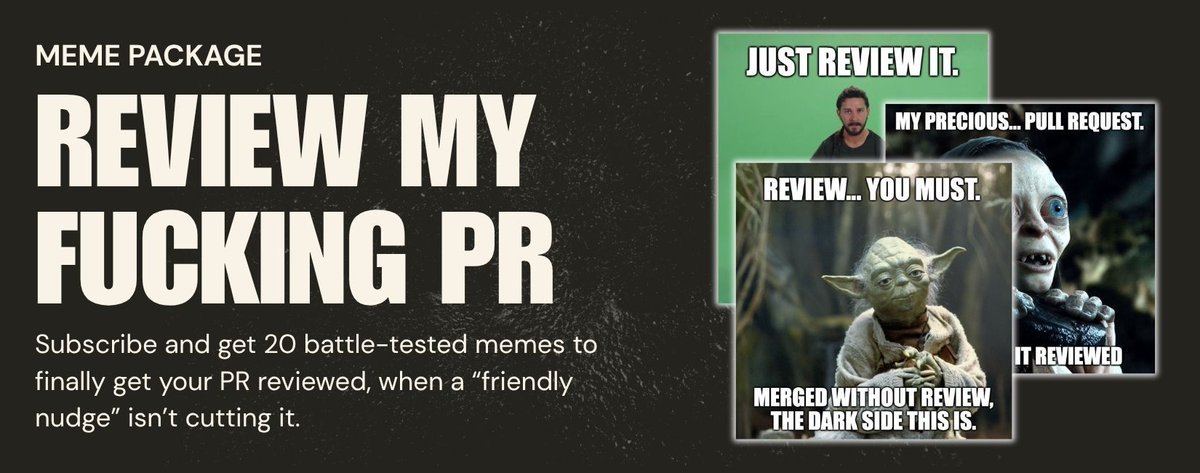
There are three hard things in computer science.
1️⃣ Cache invalidation
2️⃣ Naming things
3️⃣ Getting your PR reviewed before the heat death of the universe
We can't help with the first two.
But we made 20 memes for the third one.
They're in the latest issue of React Native Rewind, which landed in your inbox this morning.
If you're not subscribed yet, that's a you problem we can fix.
Sign up, and we'll send them over in your welcome email.
Never again will you stare at a "requested changes" notification from three days ago, wondering if you've been ghosted by your own team.
👉 https://t.co/L9GaQy4lMe
Software Mansion just shipped 𝗿𝗲𝗮𝗰𝘁-𝗻𝗮𝘁𝗶𝘃𝗲-𝗲𝗻𝗿𝗶𝗰𝗵𝗲𝗱 𝘃𝟬.𝟳.𝟬, and it closes a loop the library has been working toward for a while.
𝗘𝗻𝗿𝗶𝗰𝗵𝗲𝗱𝗧𝗲𝘅𝘁𝗜𝗻𝗽𝘂𝘁 lets users write rich text natively (bold, italics, lists, links, headings, checkboxes, images).
What was missing was a way to render that content back out, natively, without a WebView or a heavyweight parser. That's what 𝗘𝗻𝗿𝗶𝗰𝗵𝗲𝗱𝗧𝗲𝘅𝘁 brings in 0.7.0. Instead of "converting" HTML, it maps elements to native components. No browser engine, no parser quirks, and smooth scrolling on large blocks of content.
𝗪𝗵𝗮𝘁'𝘀 𝗶𝗻𝗰𝗹𝘂𝗱𝗲𝗱?
➡️ 𝗘𝗻𝗿𝗶𝗰𝗵𝗲𝗱𝗧𝗲𝘅𝘁 (𝗻𝗲𝘄) Same styling primitives as EnrichedTextInput, same native view hierarchy. Content authored in one renders cleanly in the other, end to end, inside the native runtime.
➡️ 𝗘𝘅𝗽𝗲𝗿𝗶𝗺𝗲𝗻𝘁𝗮𝗹 𝘄𝗲𝗯 𝘀𝘂𝗽𝗽𝗼𝗿𝘁 Headings, blockquotes, codeblocks, lists, links, checkbox lists, onLinkDetected, removeLink, all now working on react-native-web. Same logic across iOS, Android, and web.
➡️ 𝗤𝘂𝗶𝗲𝘁𝗲𝗿 𝗳𝗶𝘅𝗲𝘀 𝗼𝗻 𝘁𝗵𝗲 𝗶𝗻𝗽𝘂𝘁 𝘀𝗶𝗱𝗲 Pasting screenshots on iOS, autocorrect stripping formatting, onLinkDetected firing multiple times on multi-word links, Backspace on empty input.
𝗪𝗵𝘆 𝗶𝘁 𝗺𝗮𝘁𝘁𝗲𝗿𝘀?
If you're building anything with user-generated content, comments, notes, or CMS articles, the input and render paths usually live in different worlds. One is a native field, the other is a WebView or a parser that styles inconsistently. react-native-enriched is the first library we've seen seriously trying to make both halves the same system, with shared styling and native performance on both ends, now across platforms.
Worth a look if you've ever shipped a comment box and then fought your own renderer.
#ReactNative #SoftwareMansion #RichText #HTML #MobileDev #OpenSource #JavaScript #TypeScript #WebDev #CrossPlatform #SoftwareEngineering
We're live on Product Hunt today!
We just launched Studio - a visual editor for building AR/VR scenes in React Native. Design in the browser, generate 3D assets with AI, ship to phones and Meta Quest from one codebase.
No Unity. No C#. One component to integrate. Open source. MIT licensed. Free to try.
Would love your support.
Link in next post👇
If you have ever built a location-aware app with high-frequency tracking, you know that not all native modules are created equal. The standard 𝗿𝗲𝗮𝗰𝘁-𝗻𝗮𝘁𝗶𝘃𝗲-𝗰𝗼𝗺𝗺𝘂𝗻𝗶𝘁𝘆/𝗴𝗲𝗼𝗹𝗼𝗰𝗮𝘁𝗶𝗼𝗻 package is the industry standard, but with location updates firing constantly, every call counts.
A new library changes the game by rebuilding the geolocation engine on top of 𝗡𝗶𝘁𝗿𝗼 𝗠𝗼𝗱𝘂𝗹𝗲𝘀, the ultra-fast, next-generation native module framework. It offers a high-performance alternative without forcing you to rewrite your entire implementation.
𝗪𝗵𝗮𝘁 𝗺𝗮𝗸𝗲𝘀 𝗶𝘁 𝗱𝗶𝗳𝗳𝗲𝗿𝗲𝗻𝘁?
➡️ 𝗡𝗶𝘁𝗿𝗼-𝗣𝗼𝘄𝗲𝗿𝗲𝗱 𝗣𝗲𝗿𝗳𝗼𝗿𝗺𝗮𝗻𝗰𝗲: By leveraging Nitro, this library enables zero-copy data transfer between the native layer and JavaScript. This means lower latency and less CPU usage, which is critical for apps requiring high-frequency location tracking.
➡️ 𝗙𝘂𝗹𝗹 𝗖𝗼𝗺𝗽𝗮𝘁𝗶𝗯𝗶𝗹𝗶𝘁𝘆: It includes a compat API specifically designed to be a drop-in replacement for @𝗿𝗲𝗮𝗰𝘁-𝗻𝗮𝘁𝗶𝘃𝗲-𝗰𝗼𝗺𝗺𝘂𝗻𝗶𝘁𝘆/𝗴𝗲𝗼𝗹𝗼𝗰𝗮𝘁𝗶𝗼𝗻. You can keep your existing logic and hooks while reaping the performance benefits of a modern backend.
➡️ 𝗧𝘆𝗽𝗲 𝗦𝗮𝗳𝗲𝘁𝘆: Since Nitro generates its own glue code, you get highly accurate TypeScript definitions and a more robust connection to native iOS and Android location services.
𝗪𝗵𝘆 𝘀𝗵𝗼𝘂𝗹𝗱 𝘆𝗼𝘂 𝗰𝗮𝗿𝗲?
Geolocation is a "noisy" stream of data, and the cost of every update adds up fast. Nitro's zero-copy approach skips work that ordinary native modules still do on each call, so your app stays fluid even when processing constant GPS pings in the background.
We covered the library, the one-line migration, and where it fits in the wider Nitro story in React Native Rewind #41 👇
https://t.co/GeEf9MFl1Q