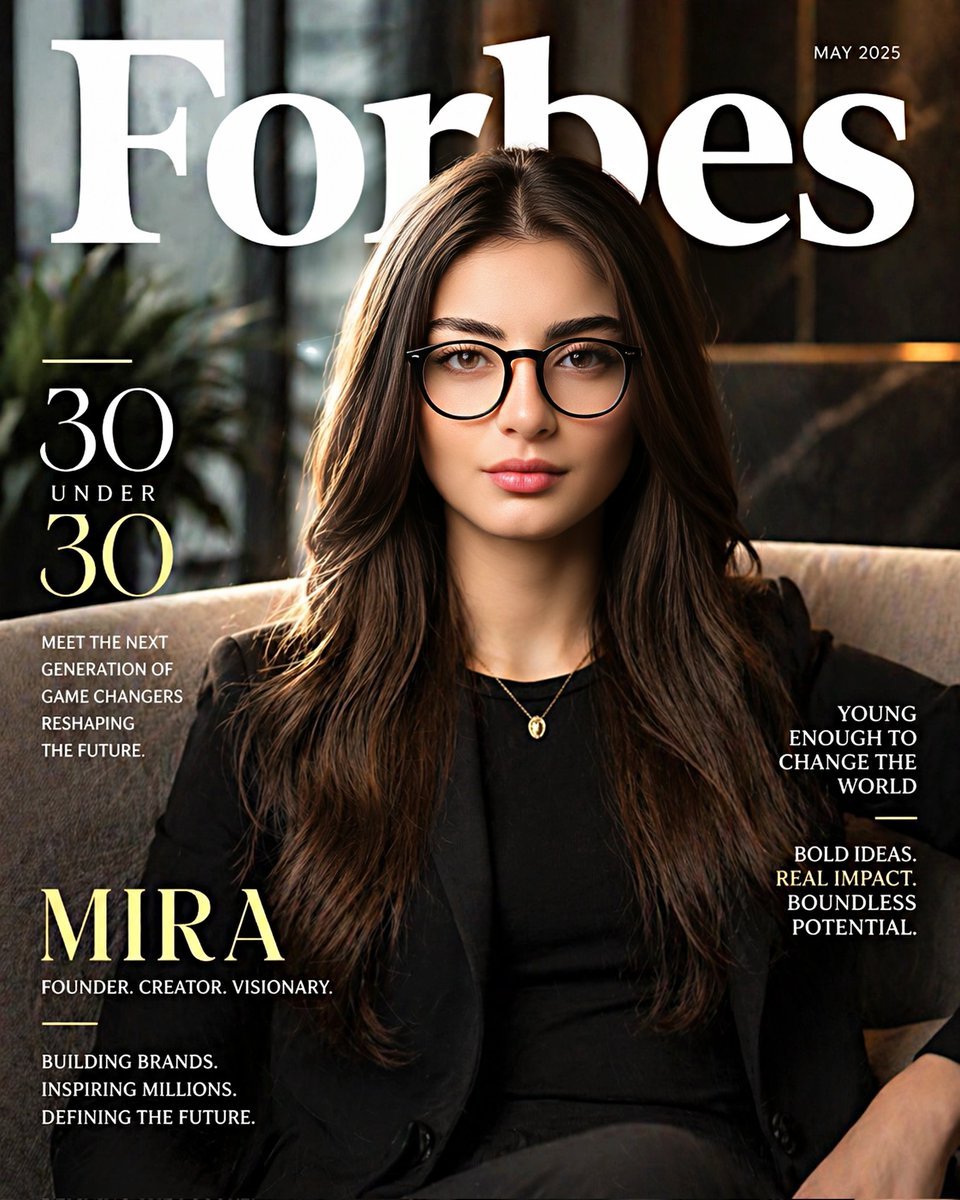
I wanted to see what old palm reading charts would look like with a modern editorial spin. Mixing crisp serif typography and minimal lines makes the whole concept feel so clean. The off-white background really nails the magazine vibe. #Palmistry#Design#Typography
Getting AI to nail typography on soft matte packaging is oddly satisfying. Really love the premium spa aesthetic here with the pale sage and subtle botanical lighting. Way easier than setting up a physical studio. #ProductDesign#Skincare#Typography
Blending a high-end fashion editorial look with a tech infographic is weirdly satisfying. That low camera angle really sells the premium vibe, making the layout feel like a real campaign instead of a boring spec sheet. #GraphicDesign#Infographic#Fashion
Nailing that classic shoujo manga tension is all about the screentones. I love generating these dramatic ink layouts, but adding just a tiny pop of muted lavender to the cherry blossoms really sells the reunion vibe. #MangaArt#ShoujoManga#ComicArt
Love how warm sunlight and soft shadows turn a basic infographic into a premium magazine spread. Experimenting with flat-lay scenes and typography for packing guides is super satisfying. #EditorialDesign#TravelPacking#Flatlay
I've always loved the chaotic energy of weekly manga covers. The explosive typography and dense layouts crammed with hype blurbs are totally an art form. Getting that glossy, over-the-top commercial feel to work is super satisfying. #MangaArt#Typography
Been messing around with full-page manga spreads and I'm kind of obsessed with the chaotic energy here. Getting the halftone textures and ink splatters to flow between dynamic panels just looks so good. #MangaArt#ComicStyle#AnimeAesthetic
Been trying to nail this soft, minimalist anime aesthetic. The muted colors and dreamy expression give it a really quiet, calming vibe. I love how the wispy bangs and black ribbon turned out. #AnimeArt#DigitalPortrait#AnimeStyle
Mixing high fantasy with modern military gear is such a fun aesthetic. I love the gritty contrast of elves trading traditional longbows for suppressed sniper rifles and ghillie suits out in the deep woods. #FantasyArt#TacticalGear#ConceptArt
6 months. Fewer than 30 people. $4.65 billion valuation. They have only one thing to do: Let AI research how to improve itself. Top researchers from OpenAI, DeepMind, and Meta collectively leave to start Recursive. The New York Times reported today. Why is this suddenly
2️⃣ Copy the video style you like Upload a reference video, which breaks down step by step how it's done, so you can recreate it in your own videos: 'As a visual style master editor, analyze my reference video, break down the core editing elements: pacing, transitions, shot length, color grading, sound design, background music, subtitles, and visual rhythm. Explain how these elements work together to drive engagement and narrative. Give me a clear step-by-step guide to recreate this style, including suggestions for transitions, timing, color grading, and audio design. My video concept: [Insert]. Reference video: [Upload].'
Goodbye, CapCut 👋����
I've been using Gemini to edit videos these past few weeks,
and honestly, there's no going back.
It's not just about helping you write scripts,
it also helps you break down shots, brainstorm editing ideas, tell you where to cut and where to add pacing.
What used to take half a day of tinkering,
now you can build a complete rough cut framework in just a few minutes.
Here are 7 Gemini editing prompts I've been using a lot lately, all sorted out 👇🏻
1️⃣ The one for editing from scratch Give it the material description, and it provides you with a complete editing roadmap—any editor can follow along and do it: 'As a senior video editor with 15 years of experience in YouTube and documentaries, analyze the material description I provide, and create a clear timeline editing plan. Accurately specify what to do at each moment, including cuts, pacing changes, B-roll replacements, and engagement adjustments. Add sound effect guidance, music, and transitions. Present it in a table format, including timecodes, editing actions, visual materials, audio, and editing notes. Material description: [Paste description].'
GPT Image 2 has only been out for a little over ten days. Step one: go to GitHub and copy a prompt that already matches what you need.
The internet is full of “how to write GPT Image 2 prompts” tutorials, and honestly, most of them are exhausting to read. But there’s one thing most people missed: a group of people on GitHub have already organized the good prompts for you, and they’re all public, free, and ready to use with simple copy-paste.
Over the past few days, I went through several “awesome” GitHub prompt repositories. In the end, only one was worth keeping (link at the bottom).
The Hangzhou spring poster above was adapted from a single prompt in that repo.
One minute. No Photoshop. No designer. Just copy, paste, and swap the landmarks.
Below, I’ll break down exactly why this repository is worth using, and give you 7 prompts that are genuinely worth stealing—all real, all tested, all usable immediately.
Why this repository is worth recommending
The repo has 1.8k stars. The star count itself isn’t the point. What matters is that almost every prompt inside is already at “client-deliverable” quality.
The repository is organized into 6 categories:
Portrait Photography
Poster Illustration
Game Screenshots
UI/UX Design
Character Design
Infographic Layout
Below are the 7 prompts I think are the most worth borrowing.
7 prompts worth stealing
1. Spring city poster (localized landmark version)
The most impressive prompt in the repo, for me, was Boston Spring.
Its composition is incredibly clever: in the lower corner, a small rowing boat glides across the water. The wake curves upward, gradually transforming into a flowing cityscape—blending skyline, streets, bridges, and landmarks into the shape of the river itself.
I turned it into a Hangzhou spring poster in one minute.
Charles River became West Lake. Beacon Hill became Leifeng Pagoda. Acorn Street became Broken Bridge.
That’s the beauty of this prompt: it’s not just a visual idea, it’s a reusable structure.
You could use the same template for:
Shanghai (Huangpu River + Bund + Wukang Building)
Suzhou (canals + gardens + Pingjiang Road)
Xi’an (moat + Terracotta Warriors + Bell Tower)
or your own hometown
This is the core strength of the repository: structured prompt templates you can adapt.
A good prompt is not something you copy blindly. It’s something you can dissect and rebuild.
2. Song Dynasty social media (historical meme format)
This one is brilliant.
The idea: what if people in the Song Dynasty had WeChat Moments?
Su Dongpo posts homemade Dongpo pork after being exiled to Huangzhou. Wang Anshi leaves a dry “hehe.” Sima Guang comments, “still has that familiar taste.”
This kind of historical crossover format is perfect for Chinese social media. It combines cultural references, humor, and modern interface familiarity in a way that’s naturally shareable.
The clever part is the structure.
The prompt recreates every recognizable UI element of WeChat Moments—avatar, username, likes, comments, timestamps—but replaces all the content with Song Dynasty context.
Once you understand the structure, you can reuse it for Tang Dynasty, Ming Dynasty, Republican China, or any historical period.
For history accounts, culture content, or educational storytelling, this one is gold.
3. Mountain River Tea poster (new Chinese brand aesthetic)
“New Chinese style” is already crowded, but this prompt actually produces usable work.
Its biggest strength is precise text hierarchy control.
A tea poster needs more than just a pretty image. It needs:
brand name
product name
series name
launch slogan
limited-time pricing (medium / large)
campaign dates
QR section
flavor notes
This prompt explicitly defines every layer of that hierarchy, so the model lays things out like a designer—not like a random AI collage.
The palette is restrained and effective:
dark green
off-white
gold
with rice paper texture, negative space, and subtle landscape elements.
Tea brands, liquor brands, skincare brands, cultural products—swap the name, colors, and product, and the layout is ready.
4. Museum artifact infographic (best format for educational visuals)
This is the format I’ve been using the most recently.
Because I live near the British Museum, I spend a lot of weekends there, and I’m very familiar with that polished exhibition-panel style.
This prompt generates museum-grade infographic boards.
Not posters.
Not ecommerce pages.
Not anime.
It creates the kind of visual you’d expect in a top museum exhibition:
hero artifact image
structural breakdown
materials and craftsmanship
decorative motifs
color analysis
feature summary
The most useful phrase in the prompt is:
“automatically determine the most appropriate subject structure”
Which means you only provide the subject, and the model handles the layout logic.
That single line makes it extremely flexible.
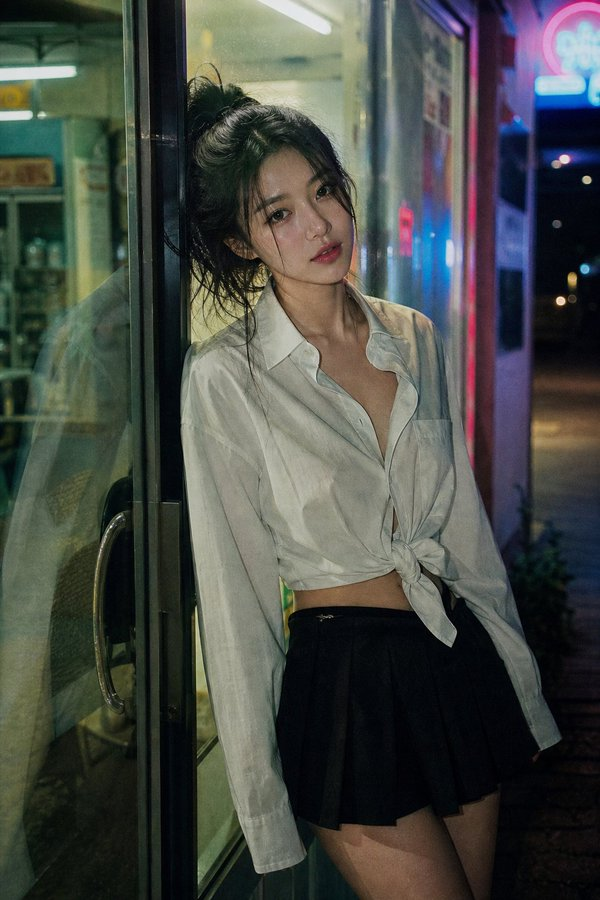
5. 35mm convenience store night portrait (long-form realism prompt)
This is the prompt that best demonstrates what GPT Image 2 is actually good at.
It’s absurdly long—but that’s the point.
It controls photographic detail with precision:
35mm film look
fluorescent convenience store lighting
exterior neon spill
glass reflections
realistic skin texture
visible micro-pores
film grain
cinematic color cast
This kind of prompt was almost impossible in the Midjourney era. Keyword stacking could never achieve this level of control.
GPT Image 2 handles long, highly specific visual instructions much better.
The repo has several of these “ultra-long realism prompts,” and they’re written more like photography briefs than prompt experiments.
For portrait creators, lifestyle bloggers, and editorial visuals, these are immediately useful.
6. Coffee origin infographic (best educational template)
If you make content, write newsletters, or run a public account, save this one.
It breaks down how a cup of coffee reaches you into five stages:
Planting
Processing
Roasting
Grinding
Extraction
Each step includes actual data, and the output becomes a complete long-form infographic with:
process arrows
data boxes
icons
modular sections
visual hierarchy
Designing this manually in Figma would take half a day.
AI can do it in 30 seconds.
And once you have the structure, coffee becomes:
milk tea
wine
chocolate
bread
sushi
Same template, endless reuse.
7. 16-panel expression grid (saves 80% of character design time)
This one is for anyone building IP, characters, comics, or stickers.
One image generates the same character across 16 different expressions:
happy
sad
angry
surprised
shy
speechless
evil grin
contemplative
curious
proud
wronged
disdainful
confused
scared
crying
heart expression
The key is consistency.
Face, hair, outfit, identity—all remain stable across every panel.
That’s where GPT Image 2 is significantly stronger than traditional diffusion workflows.
For character design, comics, avatars, or sticker packs, this can compress a week of work into one generation.
How to use it (3 steps)
Once you understand the repo, the workflow is almost stupidly simple.
Step 1: Copy a prompt that matches your goal.
Step 2: Replace the specifics—landmarks, brand names, slogans, colors—with your own.
For example:
Charles River → West Lake
SPRING 2026 → your campaign title
crimson and gold → your brand palette
Step 3: Drop it into ChatGPT or Codex and generate.
That’s it.
The whole process takes less than 10 minutes.
It’s at least 10x faster than writing from scratch, and usually produces better results.
At this point, most of my covers, hero images, and social visuals are made this way.
Is this “cheating”?
At this point, you might be thinking: isn’t this kind of cheating?
I’d argue the opposite.
In the AI era, the rarest skill is no longer “creating from zero.”
It’s knowing how to stand on someone else’s shoulders.
Before this, making a professional-quality poster meant either:
paying a designer $300+
or spending months learning Photoshop
Now you just need to know how to copy, paste, and replace the right words.
The barrier has collapsed.
But very few people are actually willing to use that advantage.
Most people still instinctively think:
“I need to learn prompt writing from scratch.”
“I should figure it all out myself.”
That’s leftover muscle memory from the previous generation of image models.
Meanwhile, there are already people online who spent hours writing great prompts and published them for free.
You can use them.
You can adapt them.
You can learn from them.
Knowing how to borrow well is not embarrassing.
In this era, it’s one of the rarest forms of clarity.
Repository:
That’s it. If you found this useful, give it a like, save, or repost.
And if you’d like the full 7 prompts in clean copy-paste format, I can help turn them into a ready-to-use prompt pack as well.
Top 10 Best GPT Image 2 Results of All Time with prompt.
I’ve been testing GPT Image 2 heavily.
Here are the 10 most impressive, creative, and technically perfect generations I’ve seen ranked. 🧵
GPT Image 2.0
Realistic Handwritten Study Notes
Generates a realistic photo of an open notebook with messy, casual handwriting in ballpoint pen under natural daylight.
A realistic photo of an open dotted notebook lying flat, filled with dense handwritten notes in {argument name="ink color" default="blue"} ballpoint pen. The handwriting is casual and slightly messy, like study notes, natural imperfections, crossed out words, underlined headings. Shot from slightly above, natural daylight from a window, no flash. {argument name="setting" default="Casual desk setting"}, shot on iPhone.
https://t.co/yFdw0XZ9iE
ChatGPT Image 2 Prompt
4-Panel Anime Romance Comic Strip
Generates a 4-panel anime-style comic strip featuring a couple walking and talking in a scenic setting, ideal for short storytelling.
https://t.co/t5bojznLJo
Computer Nerds/Sedentary Folks, Save This! 🤯ChatGPT-Image2's Generated "Posture Ratio Management Report" – Slouched Shoulders and Forward Head Tilt Can Be Saved! Upload a front + side full-body photo, and it precisely labels: Forward head posture, rounded shoulders and hunchback, anterior pelvic tilt, unstable center of gravity… GPT directly provides optimization comparisons + outfit suggestions + 7-day exercises 📷