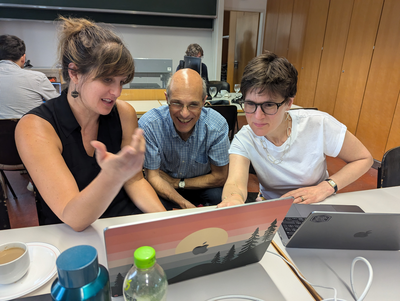
Free full workshop video now available.
Garrett Grolemund shows how to use AI + R with health data in Positron: Quarto reports, dashboards, Shiny apps, and QueryChat.
Watch here:
https://t.co/pOTLt4TH8K
#rstats#AI
Deadline to register for R Dev Day @ Cascadia R 2026 is June 12. Join new and experienced contributors working on base R code, documentation, and contribution infrastructure. Free!
https://t.co/SsYrZlNMbz
#rstats@cascadiarconf
📌📚What if you could quantify uncertainty instead of ignoring it?
Most statistical models give you a single answer. Bayesian statistics gives you a probability distribution of answers. https://t.co/tPv6dq9afQ
#DataScience#RStats#datascientists#machinelearning#dataviz#coding
Good R code should be readable, reusable, and reproducible. Here are 10 best practices that can help improve your R programming workflows:
1️⃣ Use R Projects to organize your work and manage file paths consistently.
2️⃣ Avoid hard-coded paths. Use file.path() for portable code.
3️⃣ Separate your code into logical sections such as data preparation, analysis, and visualization.
4️⃣ Load only the packages you actually need.
5️⃣ Use consistent commenting to improve readability.
6️⃣ Choose descriptive object names instead of overwriting original datasets.
7️⃣ Use set.seed() whenever randomness is involved to ensure reproducibility.
8️⃣ Prefer pipelines over deeply nested functions.
9️⃣ Use vectorized functions instead of unnecessary loops.
🔟 Write custom functions for repeated tasks to avoid duplicated code.
In a recent Statistics Globe Hub module, I covered practical best practices in R programming, including reproducibility, script organization, pipelines, vectorized programming, and writing reusable functions.
The Statistics Globe Hub is an ongoing learning program on statistics, data science, AI, and programming with R and Python. New hands-on modules are released every Monday.
More info: https://t.co/NA2b7UAXJ4
#rstats #datascience #programming #statistics #rprogramming #statisticsglobehub
📊 #SWDchallenge June 2026 | when normal is noteworthy
.
Air travel feels chaotic. Yet U.S. on-time arrivals trace nearly the same seasonal path every year
. 🔗 https://t.co/S8pKsj55Dh
.
#dataviz | #rstats | #DataStorytelling
We’ll dive deep into these concepts and learn how to implement them in R, one of the most widely used programming languages for statistical computing. https://t.co/kvNRF6PY9z
#RStats#DataScience#Statistics#MachineLearning#Analytics
[Tip de R] · [Paquete 📦] · gghighlight: Resaltá líneas y puntos en tus gráficos de ggplot2 para explorar mejor tus datos.
¿Se te mezclan las líneas o puntos en tus gráficos de ggplot2 cuando tenés muchas categorías? ¿Querés destacar solo una parte de tus datos sin crear un gráfico nuevo? El paquete gghighlight te permite resaltar geoms (líneas, puntos, etc.) directamente en tus gráficos de ggplot2 de forma condicional, haciendo que la exploración visual sea mucho más eficiente.
✔️ gghighlight(): Te permite definir una condición lógica (ej. variable > valor, nombre == "categoria") para resaltar automáticamente los elementos que la cumplen, haciendo que lo importante salte a la vista.
✔️ Funcionalidad de 'unhighlight': Los elementos no resaltados se atenúan (bajan la opacidad, cambian a gris), sin borrarlos, manteniendo el contexto general del gráfico.
✔️ Integración perfecta con ggplot2: Agregalo como una capa más (+ gghighlight(condicion)) y listo, sin complicaciones ni reescritura de tu código base.
💡 Tip
Usá gghighlight() después de tus capas de geom para aplicarlo fácilmente. Experimentá con los argumentos unhighlight_params para controlar cómo se ven los elementos no resaltados (color, alpha, size) y ajustá la estética a tus necesidades. Podés usarlo de forma interactiva en RStudio para explorar diferentes condiciones rápidamente.
🔗 https://t.co/lgIqTIB5y6
✍️ Hiroaki Yutani
#RStats #RStatsES #Rtips #DataScience
Upcoming free online R Consortium workshop on AI + R + health data
With Garrett Grolemund co-author of R for Data Science, creator of the Lubridate R package, and ASA award-winning educator
June 11, 12–3pm ET
https://t.co/pOTLt4TH8K
#rstats#healthdata
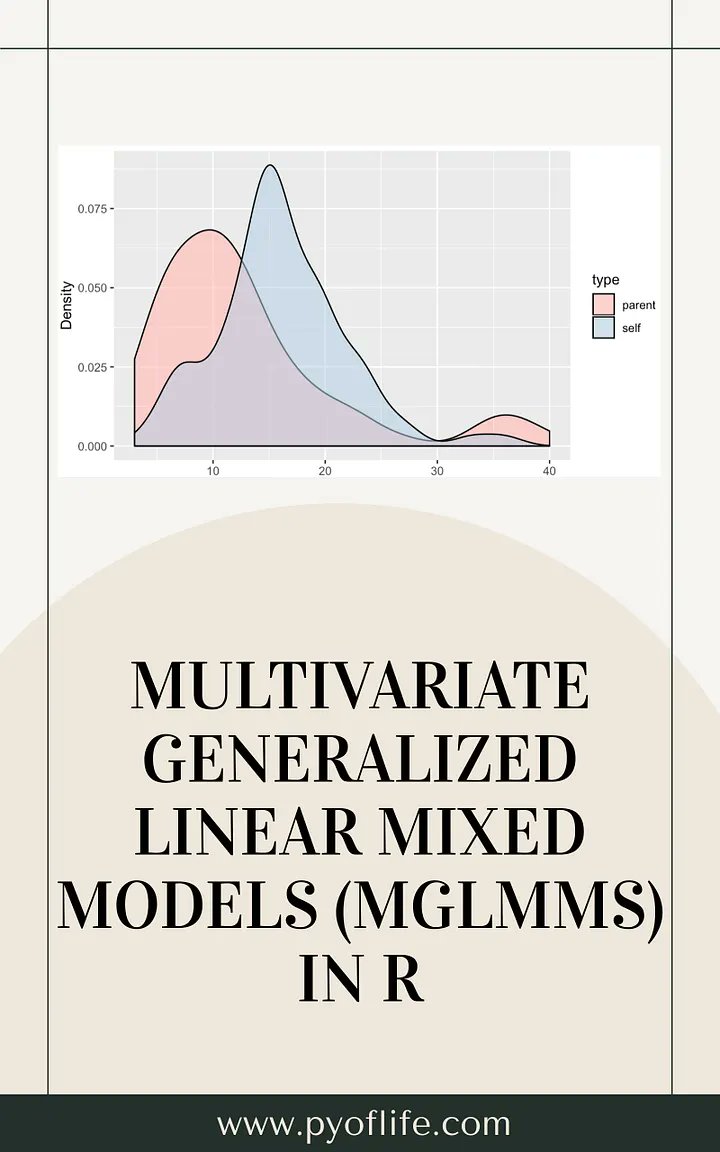
Ever tried modeling data that’s clustered, non-Gaussian, AND has multiple correlated outcomes? 🤯
Standard GLMMs won't cut it. Enter Multivariate Generalized Linear Mixed Models (MGLMMs).
Here’s how to master them in R 🧵👇 https://t.co/5iFHUfF8pr
#RStats#statistics#ML#AI
If you regularly create plots in R, the tidyplots package is definitely worth exploring.
tidyplots builds on ggplot2 and follows a tidyverse-style syntax. This means that plots are created through clear, step-by-step function calls that can be combined in a readable and consistent way. In many cases, these steps are connected using pipe operators, allowing the output of one function to be passed directly to the next.
Advantages of tidyplots:
🔹 Clear and readable syntax for building plots step by step
🔹 Seamless integration with the tidyverse workflow
🔹 Convenient helper functions for common visualization tasks
🔹 Less code required compared to complex ggplot2 calls
🔹 Makes it easier to create clean and publication-ready graphics
If you are interested in more topics like this, you can join my newsletter where I regularly share tips on statistical methods, data science, AI, and programming with R and Python.
Further details: https://t.co/ktUcWo9XpO
#ggplot2 #tidyverse #Rpackage #database #datastructure #R4DS #VisualAnalytics #DataViz #programmer #RStats #statisticsclass




![estacion_erre's tweet photo. [Tip de R] · [Paquete 📦] · gghighlight: Resaltá líneas y puntos en tus gráficos de ggplot2 para explorar mejor tus datos.
¿Se te mezclan las líneas o puntos en tus gráficos de ggplot2 cuando tenés muchas categorías? ¿Querés destacar solo una parte de tus datos sin crear un gráfico nuevo? El paquete gghighlight te permite resaltar geoms (líneas, puntos, etc.) directamente en tus gráficos de ggplot2 de forma condicional, haciendo que la exploración visual sea mucho más eficiente.
✔️ gghighlight(): Te permite definir una condición lógica (ej. variable > valor, nombre == "categoria") para resaltar automáticamente los elementos que la cumplen, haciendo que lo importante salte a la vista.
✔️ Funcionalidad de 'unhighlight': Los elementos no resaltados se atenúan (bajan la opacidad, cambian a gris), sin borrarlos, manteniendo el contexto general del gráfico.
✔️ Integración perfecta con ggplot2: Agregalo como una capa más (+ gghighlight(condicion)) y listo, sin complicaciones ni reescritura de tu código base.
💡 Tip
Usá gghighlight() después de tus capas de geom para aplicarlo fácilmente. Experimentá con los argumentos unhighlight_params para controlar cómo se ven los elementos no resaltados (color, alpha, size) y ajustá la estética a tus necesidades. Podés usarlo de forma interactiva en RStudio para explorar diferentes condiciones rápidamente.
🔗 https://t.co/lgIqTIB5y6
✍️ Hiroaki Yutani
#RStats #RStatsES #Rtips #DataScience](https://pbs.twimg.com/media/HJK0l36akAArpqn.jpg)
![estacion_erre's tweet photo. [Tip de R] · [Paquete 📦] · gghighlight: Resaltá líneas y puntos en tus gráficos de ggplot2 para explorar mejor tus datos.
¿Se te mezclan las líneas o puntos en tus gráficos de ggplot2 cuando tenés muchas categorías? ¿Querés destacar solo una parte de tus datos sin crear un gráfico nuevo? El paquete gghighlight te permite resaltar geoms (líneas, puntos, etc.) directamente en tus gráficos de ggplot2 de forma condicional, haciendo que la exploración visual sea mucho más eficiente.
✔️ gghighlight(): Te permite definir una condición lógica (ej. variable > valor, nombre == "categoria") para resaltar automáticamente los elementos que la cumplen, haciendo que lo importante salte a la vista.
✔️ Funcionalidad de 'unhighlight': Los elementos no resaltados se atenúan (bajan la opacidad, cambian a gris), sin borrarlos, manteniendo el contexto general del gráfico.
✔️ Integración perfecta con ggplot2: Agregalo como una capa más (+ gghighlight(condicion)) y listo, sin complicaciones ni reescritura de tu código base.
💡 Tip
Usá gghighlight() después de tus capas de geom para aplicarlo fácilmente. Experimentá con los argumentos unhighlight_params para controlar cómo se ven los elementos no resaltados (color, alpha, size) y ajustá la estética a tus necesidades. Podés usarlo de forma interactiva en RStudio para explorar diferentes condiciones rápidamente.
🔗 https://t.co/lgIqTIB5y6
✍️ Hiroaki Yutani
#RStats #RStatsES #Rtips #DataScience](https://pbs.twimg.com/media/HJK0l30bgAAS-mE.jpg)




![estacion_erre's tweet photo. [Tip de R] · [Paquete 📦] · gghighlight: Resaltá líneas y puntos en tus gráficos de ggplot2 para explorar mejor tus datos.
¿Se te mezclan las líneas o puntos en tus gráficos de ggplot2 cuando tenés muchas categorías? ¿Querés destacar solo una parte de tus datos sin crear un gráfico nuevo? El paquete gghighlight te permite resaltar geoms (líneas, puntos, etc.) directamente en tus gráficos de ggplot2 de forma condicional, haciendo que la exploración visual sea mucho más eficiente.
✔️ gghighlight(): Te permite definir una condición lógica (ej. variable > valor, nombre == "categoria") para resaltar automáticamente los elementos que la cumplen, haciendo que lo importante salte a la vista.
✔️ Funcionalidad de 'unhighlight': Los elementos no resaltados se atenúan (bajan la opacidad, cambian a gris), sin borrarlos, manteniendo el contexto general del gráfico.
✔️ Integración perfecta con ggplot2: Agregalo como una capa más (+ gghighlight(condicion)) y listo, sin complicaciones ni reescritura de tu código base.
💡 Tip
Usá gghighlight() después de tus capas de geom para aplicarlo fácilmente. Experimentá con los argumentos unhighlight_params para controlar cómo se ven los elementos no resaltados (color, alpha, size) y ajustá la estética a tus necesidades. Podés usarlo de forma interactiva en RStudio para explorar diferentes condiciones rápidamente.
🔗 https://t.co/lgIqTIB5y6
✍️ Hiroaki Yutani
#RStats #RStatsES #Rtips #DataScience](https://pbs.twimg.com/media/HJK0l4MbgAAyEKa.jpg)