Microsoft Desktop Optimization Pack (MDOP) reached the end of extended support on April 14, 2026.
Time to move to supported, cloud-native options! Most workloads: BitLocker, App-V, recovery & GPO control are covered by @MSIntune, @msftsecurity & @Windows 11. 🚀
➡️ New blog: https://t.co/9SJSsQufwv
#MSIntune #MicrosoftSecurity
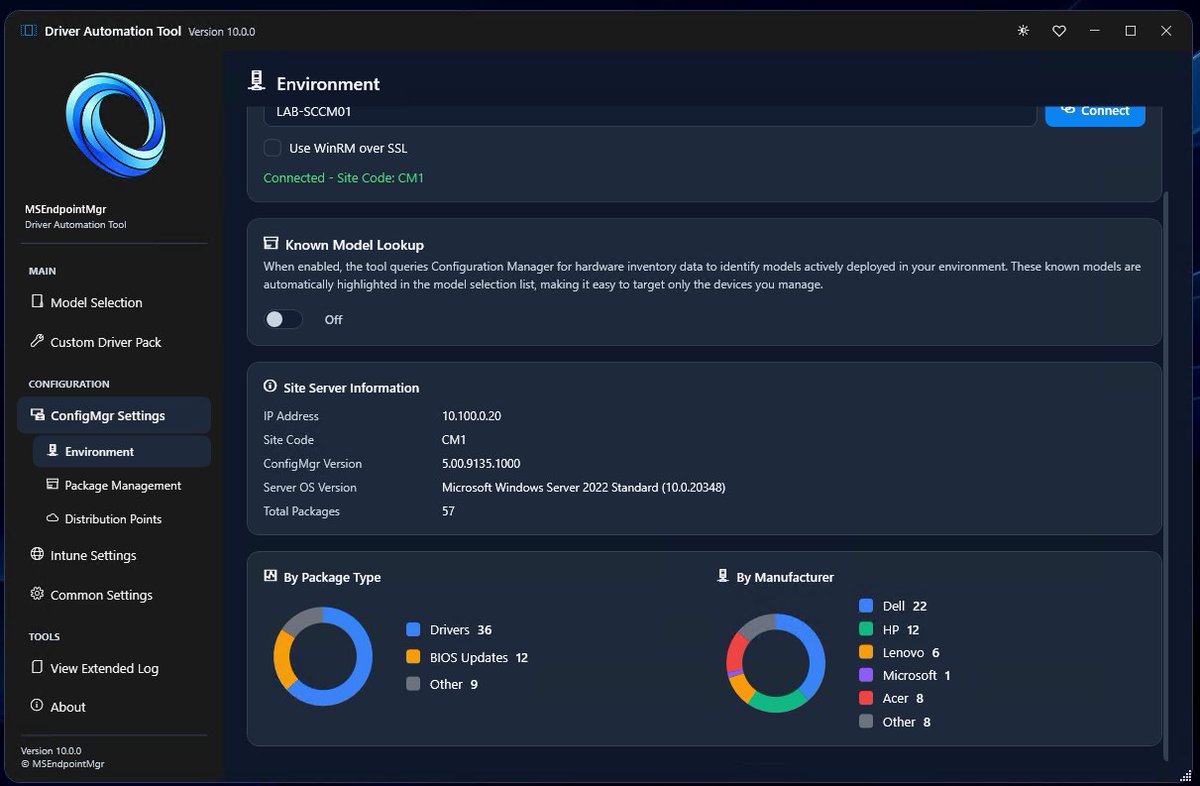
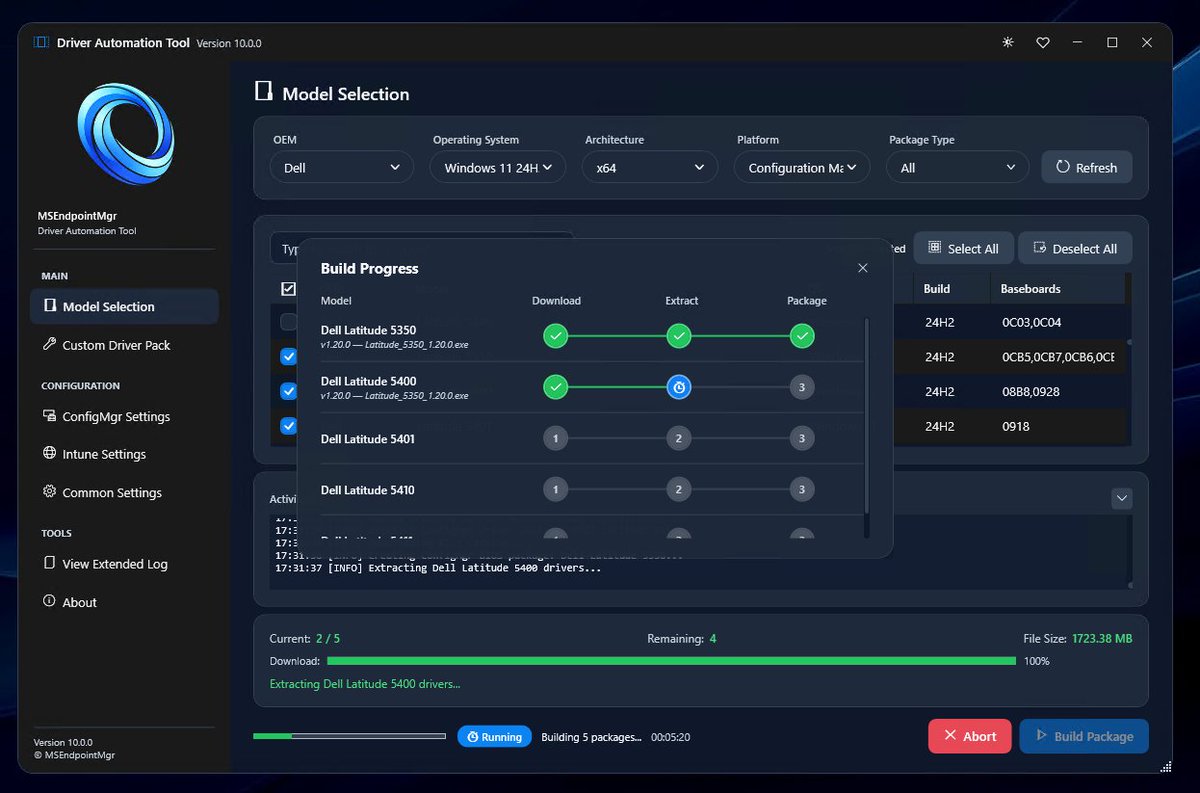
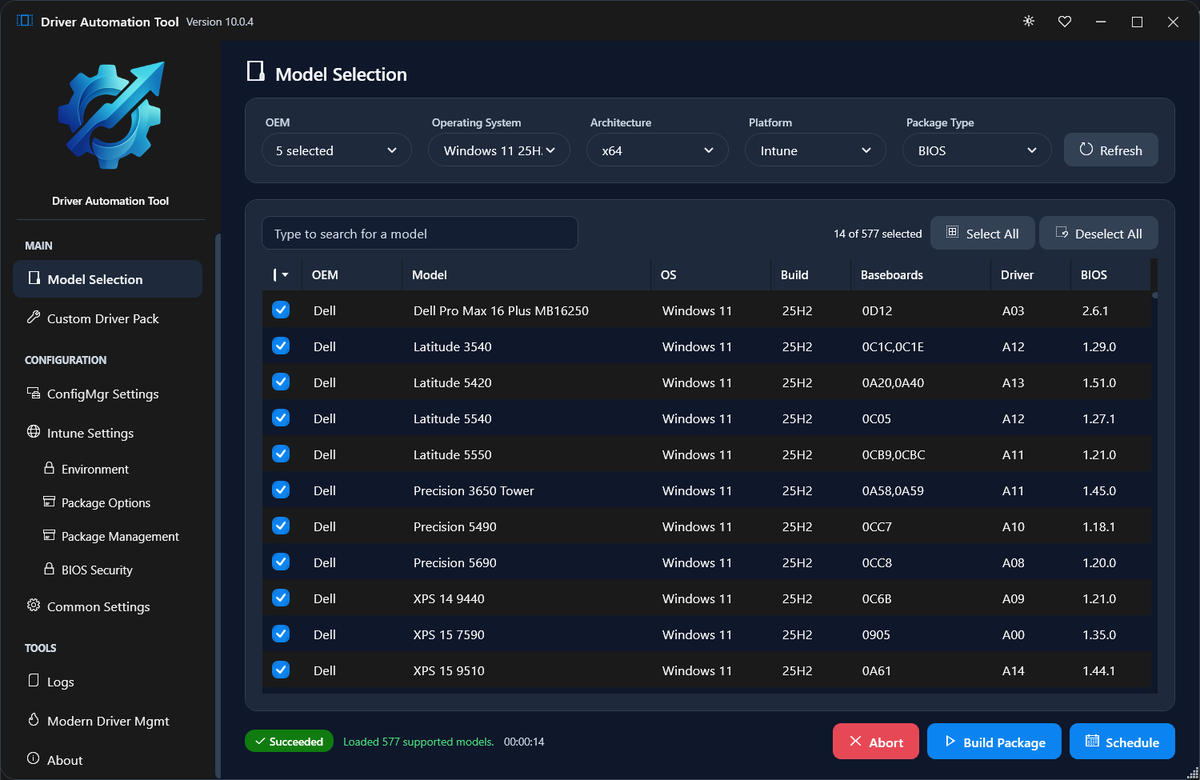
The Driver Automation Tool V10 is now live on GitHub. Automate your way to Driver and BIOS uin Configuration Manager and Intune. Go play - https://t.co/SI753B6Rdo
https://t.co/VqBsCrhTvi #MEMSummit26#MSIntune#ConfigMgr
Testing, testing, and testing some more. #DriverAutomationTool v10 is nearly ready.
✅ Unified BIOS Catalog created
✅ Intune driver testing done
✅ Proxy auth added
I'm looking for testers with varied makes/models and #MSIntune testers. Please drop me a DM.
#CloudPolicyPreferences is now open for anyone who wishes to test it. This community solution provides group policy-style configuration for #MSIntune managed devices.
✅ Settings
✅ RSOP
✅ Reporting
✅ Auditing
More information is available here - https://t.co/rynzaR47jR
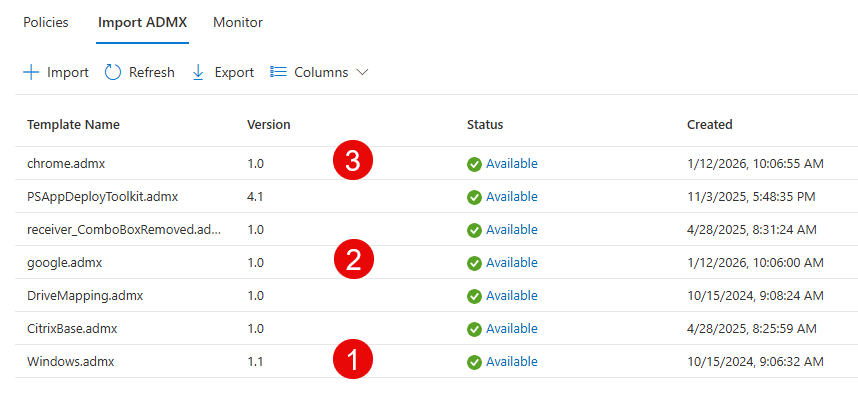
Lots of new @Google settings in the @MSIntune catalog, now including Generative AI. If you`re still importing ADMX, make sure to follow the correct order.
If you've ever struggled with getting the right settings and auditing for Microsoft Defender for Identity (MDI), you'll be pleased to know that @ThomasVrhydn wrote a nice graphical PowerShell wrapper called MDI Configurator. 🧑💻🥳 Check it out at https://t.co/bRyaJrNso6 👈
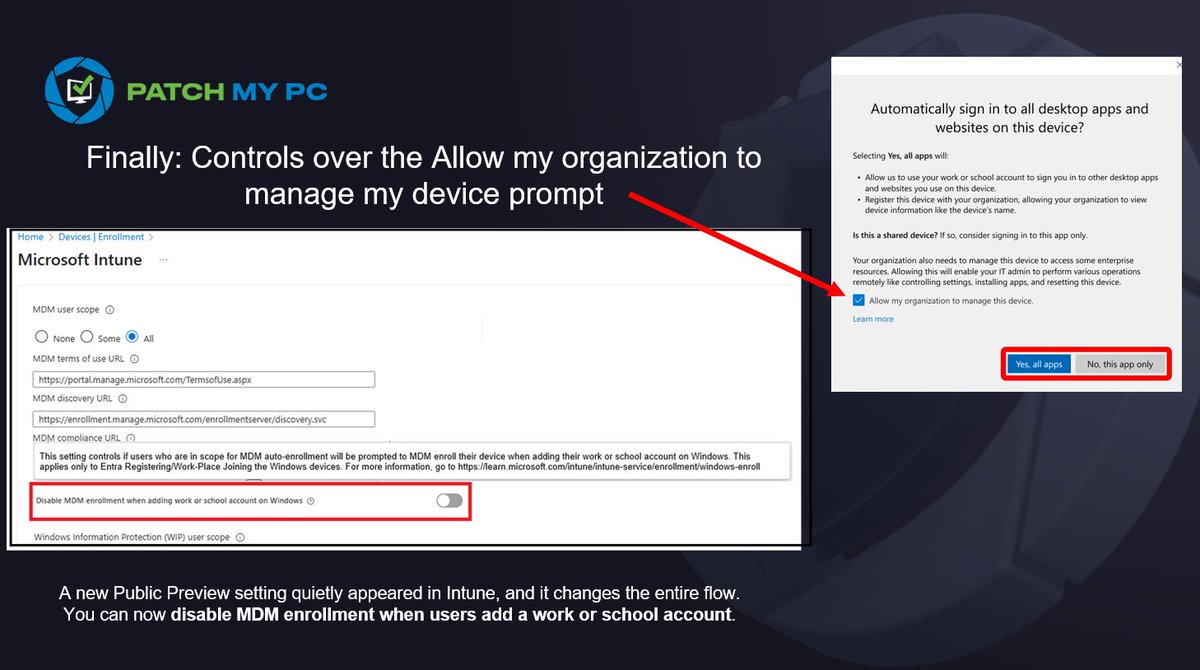
Microsoft finally added a new control in Intune that many of us have been waiting for.
That familiar prompt asking "Allow my organization to manage my device"??? It finally becomes something we can control service side!.
This prompt has been the source of a lot of unexpected enrollments and frustration. There is now an option (public preview?) to disable MDM enrollment when a user adds a work or school account. It looks small, but it solves a long-standing problem.
I wrote down what changes and why it matters.
https://t.co/SXGfmyzf5P
#Intune #MSIntune #Windows #Windows11 #Microsoft
After Months of Development, FINALLY ready to share: Harden System Security🎉
✅ Complete System Hardening
✅ Security Posture Analysis
✅ All-in-One Toolkit
✅ Built-in Intune support for Scalability
✅ Beautiful Modern UI
✅ CLI support
https://t.co/lfd3SaDvvM
#Cyber#Windows
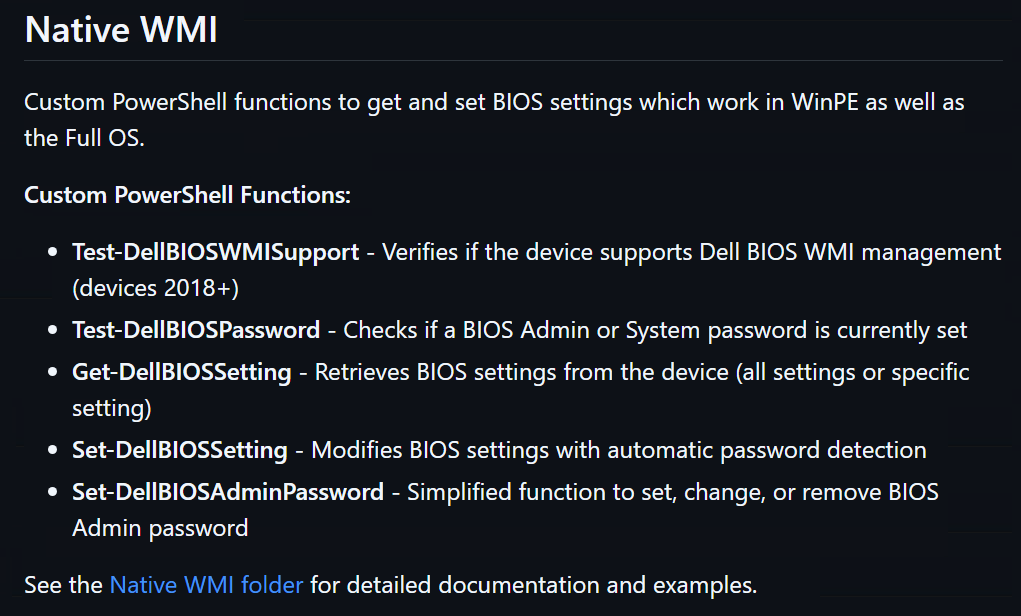
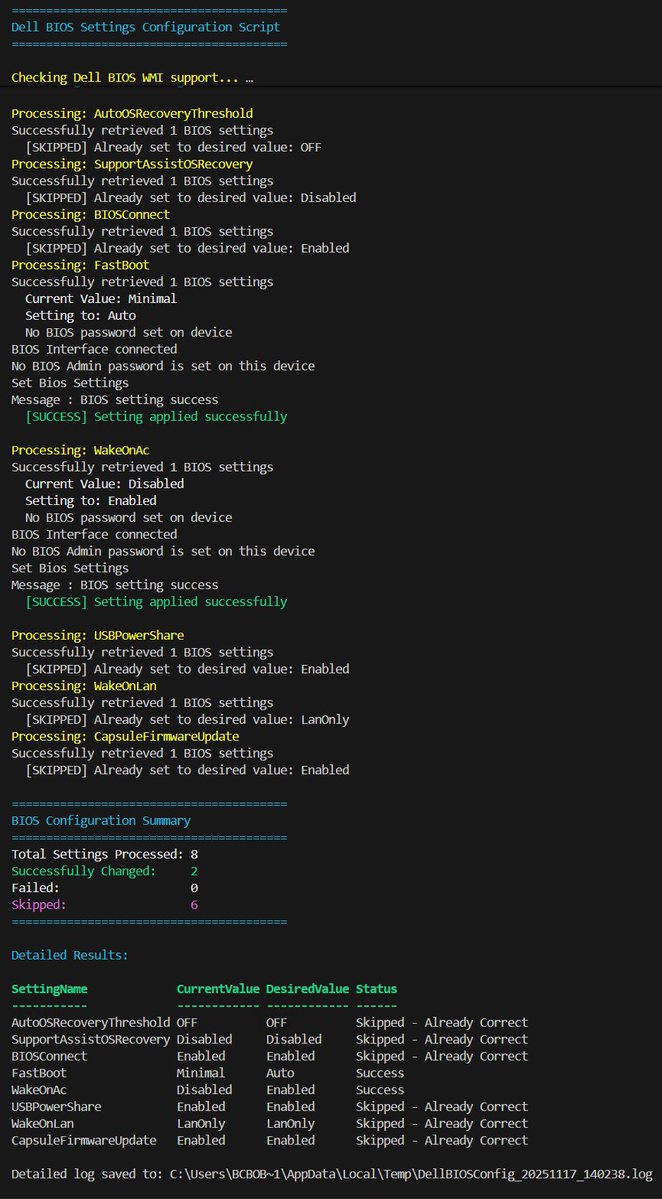
Back to Basics - Setting #Dell BIOS Settings with Native WMI.
Several custom Functions Created, along with documentation and an example for use in Task Sequence.
#PowerShell#SysAdmin#ConfigMgr@SvenRiebe
Tested with @2PintSoftware#DeployR on Dell 3420
https://t.co/RLSS8V0RVw
If you`re using @PatchMyPC PSADT, make sure to import the ADMX to @MSIntune and configure LogPath to get ALL installation logs to the proper location. Apples to new and existing packages.
https://t.co/tKHdF67Zjx
Beyond availability - toward verified recovery
Backups should do more than bring systems back online - they should bring them back clean.
Together with @Veeam, we’ve built an integration that adds forensic assurance to backup workflows.
THOR extends Veeam’s trusted recovery technology with deep detection capabilities, allowing organizations to scan restore points for hidden attacker artefacts before they return to production.
It’s a simple idea with a big impact: combining availability with assurance.
https://t.co/UkQy5kQJww
Heads up - if you are not currently enforcing attestation for passkeys in Entra, either reconsider or start allowlisting providers by AAGUID
If you don't do this by next month, your users will be able to use iCloud, Google, 1Password, Bitwarden, or whatever else they want ;)
Did you know @creativecloud GUI doesn`t update older versions of e.g. Photoshop and Illustrator? However RemoteUpdateManager.exe does. Use this remediation script in @MSIntune and keep an eye on #Defender
https://t.co/iY8weT4sm9