Apple Teacher Series - Session 1
Introduction to iPad and the Apple Teacher Programme
Thursday 18/06/26
4:00pm-4:45pm
Use teh QR Code below to register #applertc
Apple Teacher Series - Session 2, 3 & 4
Productivity with Pages, Keynote & Numbers
Thursday 25/06/26
4:00pm-5:30pm
Sign up using the QR code below #applertc
Apple Teacher Series - Extra Time
Small changes that make a big difference: Accessibility with iPad - Tuesday 16/06/26 at 4:00pm-4:45pm
(Use the QR code below to register) #applertc
Free Computing Curriculum Launch Event at Liverpool Apple Regional Training Centre (Barlows Primary School) led by @SelectTech_UK . Thursday 27/11/25. Book at : https://t.co/rXZG4qtsQG
Free Computing Curriculum Launch Event at Liverpool Apple Regional Training Centre (Barlows Primary School) led by @SelectTech_UK . Thursday 27/11/25. Book at : https://t.co/rXZG4qtsQG
Looking forward to welcoming AIR Education for a demo of their AI for Writing Assessment Tool at Liverpool Apple Regional Training Centre next week. Book your place at:
Monday 07/07/25 @ 1:30pm
https://t.co/nzNC5HGEeG
Thursday 10/07/25 @ 9:30am
https://t.co/qLQwDTuIgO
#AppleRTC
Looking forward to welcoming AIR Education for a demo of their AI for Writing Assessment Tool at Liverpool Apple Regional Training Centre next week. Book your place at:
Monday 07/07/25 @ 1:30pm
https://t.co/nzNC5HGEeG
Thursday 10/07/25 @ 9:30am
https://t.co/qLQwDTuIgO
#AppleRTC
It’s World Social Media Day! Our Wake Up Wednesday guides are packed with useful tips to help parents and educators understand social media better and support children in navigating it safely and confidently.
Explore our library of guides here 👉https://t.co/l2ez3jrW38
📘 Thinking about AI in your classroom?
💡 I’m sharing an excerpt from EdTech Essentials with four ways to introduce AI chatbots responsibly.
🔗 https://t.co/4nPmH6qej9
Friendly reminder that you can create padlets with AI. Whether you need a map of historical events, a discussion board, or a list of recommendations for your next vacation, we're here to help. Watch to learn more.
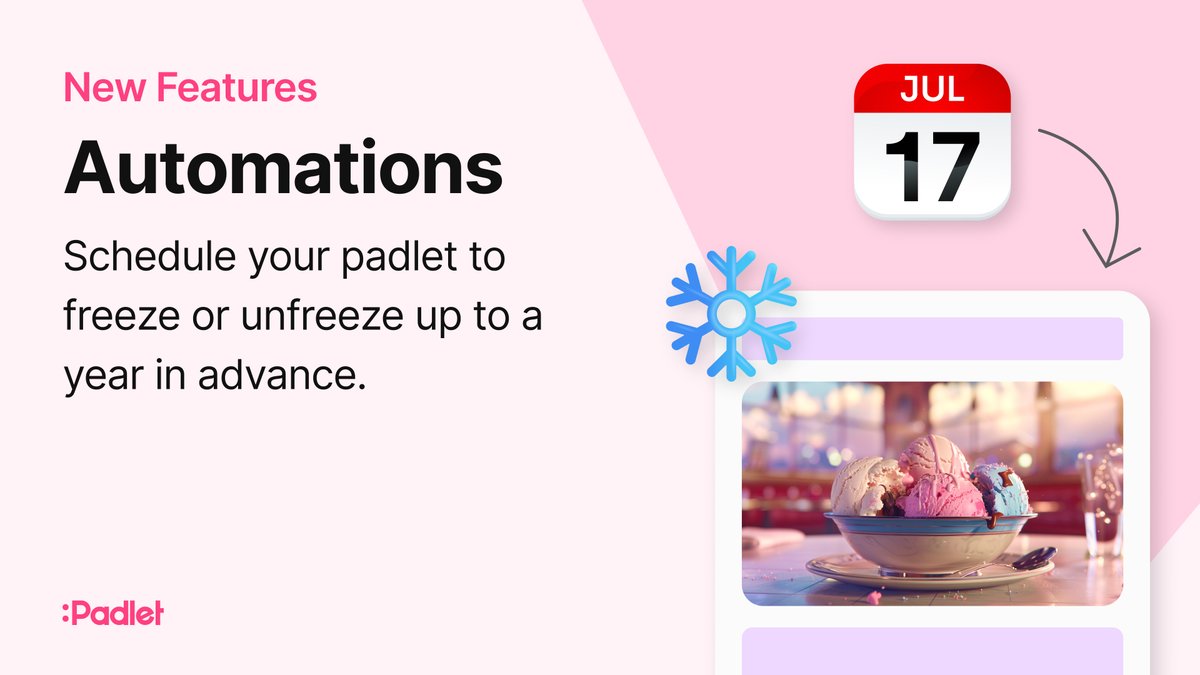
We've added automations to Padlet. You can schedule a padlet to freeze and unfreeze. When you freeze a padlet, no one can add, edit, or delete anything on it.
These simple automations lay the groundwork for more complex flows. Let us know what automations you want to see next!