We really enjoy hearing about how SecureMailMerge helps Outlook users send advanced mail merges in a easy and intuitive way. Thank you to all who have left a review!
Haven't yet, it makes our day: https://t.co/ODDVZfwsrM 💖
@ross_garrod@Headteacherchat We have a lot of schools using our free tier for this. It's just easier if you're on Microsoft 365 to do mail merges from within Outlook instead of setting up 90's Word mail merge.
SecureMailMerge offers real mail merge functionality for New (and Classic) Outlook across all platforms (Win, Web and Mac). And we support individual files for recipients!
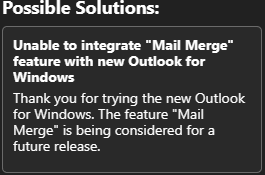
Outlook (new) has a button “Start Mail Merge” but don’t get too excited.
What #microsoft calls “Mail Merge” which could be useful but bears NO relation to the standard #microsoftword#outlook “Mail Merge” to send many emails. #microsoft365#sneaky https://t.co/FQ4GsXKJfH
@BunmiAkinnusotu @Outlook@Office Built-in would be great, until then there's our plugin you can find on the Office store by searching for SecureMailMerge. Attachments, individiual files, CC, BCC and all that good ness (and we have a free plan.)
@bigfoot780@alitajran If you don't want to run legacy software just for mail merge, we have a plugin that can do the same (also with a free plan) for New Outlook.
@KarenRCPA@seattle_tax If you're using Microsoft 365, we just added many-to-one to SecureMailMerge: https://t.co/PJhCFhuK6e - we hope it's the easiest way of doing it now without the technical hassle.
Excited to share a big update for SecureMailMerge: Many-To-One campaigns. That makes us the most feature complete modern mail merge toolkit for Outlook on Windows, Mac and Web. 🦚
Link to the guide and video below.
@gannet_guts We might be able to help. Our plugin is a bit simpler than "ye old way" of mail merge. Find us on the AppSource (Microsoft Store) by searching for SecureMailMerge - also our support is very nice ;)