@Standup_global Well real estate agents did sell the houses of people that were away on holiday..you break in, change the locks, put on the market, collect deposit, send over seas. Literally happens
@zoink This is what they teach in industrial desing. Design drawing is design thinking. Learn how to do it or CAD will force you down a pre determined path.
LLM Knowledge Bases
Something I'm finding very useful recently: using LLMs to build personal knowledge bases for various topics of research interest. In this way, a large fraction of my recent token throughput is going less into manipulating code, and more into manipulating knowledge (stored as markdown and images). The latest LLMs are quite good at it. So:
Data ingest:
I index source documents (articles, papers, repos, datasets, images, etc.) into a raw/ directory, then I use an LLM to incrementally "compile" a wiki, which is just a collection of .md files in a directory structure. The wiki includes summaries of all the data in raw/, backlinks, and then it categorizes data into concepts, writes articles for them, and links them all. To convert web articles into .md files I like to use the Obsidian Web Clipper extension, and then I also use a hotkey to download all the related images to local so that my LLM can easily reference them.
IDE:
I use Obsidian as the IDE "frontend" where I can view the raw data, the the compiled wiki, and the derived visualizations. Important to note that the LLM writes and maintains all of the data of the wiki, I rarely touch it directly. I've played with a few Obsidian plugins to render and view data in other ways (e.g. Marp for slides).
Q&A:
Where things get interesting is that once your wiki is big enough (e.g. mine on some recent research is ~100 articles and ~400K words), you can ask your LLM agent all kinds of complex questions against the wiki, and it will go off, research the answers, etc. I thought I had to reach for fancy RAG, but the LLM has been pretty good about auto-maintaining index files and brief summaries of all the documents and it reads all the important related data fairly easily at this ~small scale.
Output:
Instead of getting answers in text/terminal, I like to have it render markdown files for me, or slide shows (Marp format), or matplotlib images, all of which I then view again in Obsidian. You can imagine many other visual output formats depending on the query. Often, I end up "filing" the outputs back into the wiki to enhance it for further queries. So my own explorations and queries always "add up" in the knowledge base.
Linting:
I've run some LLM "health checks" over the wiki to e.g. find inconsistent data, impute missing data (with web searchers), find interesting connections for new article candidates, etc., to incrementally clean up the wiki and enhance its overall data integrity. The LLMs are quite good at suggesting further questions to ask and look into.
Extra tools:
I find myself developing additional tools to process the data, e.g. I vibe coded a small and naive search engine over the wiki, which I both use directly (in a web ui), but more often I want to hand it off to an LLM via CLI as a tool for larger queries.
Further explorations:
As the repo grows, the natural desire is to also think about synthetic data generation + finetuning to have your LLM "know" the data in its weights instead of just context windows.
TLDR: raw data from a given number of sources is collected, then compiled by an LLM into a .md wiki, then operated on by various CLIs by the LLM to do Q&A and to incrementally enhance the wiki, and all of it viewable in Obsidian. You rarely ever write or edit the wiki manually, it's the domain of the LLM. I think there is room here for an incredible new product instead of a hacky collection of scripts.
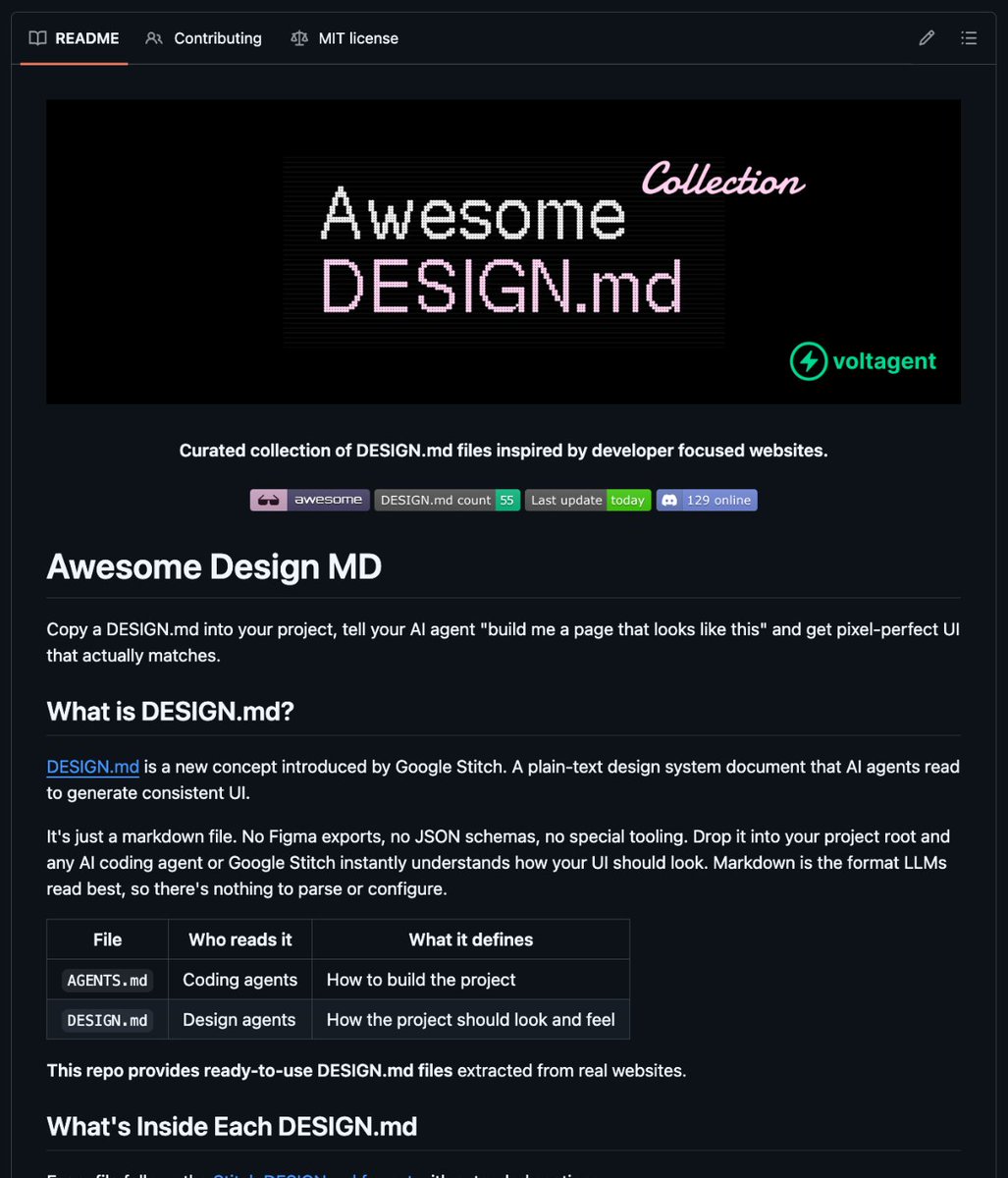
🚨 The "Figma for AI agents" just dropped.
It's called awesome-design-md and it's a curated collection of DESIGN .md files extracted from 31 real websites that coding agents can actually read.
No Figma exports. No JSON schemas. No special tooling.
Just drop a single markdown file into your project root and tell your agent "build me a page that looks like this."
Covers 31 design systems across every major category:
→ Claude, Vercel, Supabase, Linear, Stripe, Notion, Figma, Apple, NVIDIA, and more
→ Each file captures color palette, typography rules, component styling, layout principles, shadow system, responsive behavior, and anti-patterns
→ Includes preview.html and preview-dark.html so you can see the design before using it
→ Follows the Google Stitch DESIGN .md format the same spec LLMs read best
The wildest part? It even ships with an Agent Prompt Guide inside every file copy-paste prompts ready to feed directly to your coding agent.
Think of it like AGENTS .md for how your project should build, and DESIGN .md for how it should look. Two files, zero ambiguity, pixel-perfect output.
100% Opensource. MIT License.
Link in the first comment 👇
🚨 Screen Studio charges $89 for this. Someone open sourced the entire thing for free.
It's called OpenScreen. 8,400+ GitHub stars.
You record your screen. It automatically transforms it into a polished, professional demo video.
Auto-zoom into clicks. Smooth cursor animations. Motion blur. Custom backgrounds with wallpapers, gradients, and shadows. Webcam overlays. Annotations. Timeline editing. Export in any aspect ratio.
The exact workflow that Screen Studio sells for $89 and Loom sells as a subscription. Free. No watermarks. No accounts. No subscriptions.
Here's what you get out of the box:
→ Full screen or window capture with system audio and mic
→ Automatic zoom that follows your cursor and clicks
→ Manual zoom with customizable depth and timing
→ Smooth motion blur on pan and zoom transitions
→ Animated cursor rendering with motion effects
→ Webcam bubble overlay with drag-and-drop positioning
→ Wallpapers, solid colors, gradients, or custom backgrounds
→ Text and arrow annotations layered over recordings
→ Timeline trimming and variable speed segments
→ Crop, resize, and export in any resolution or aspect ratio
→ Save and reopen projects anytime
Here's the wildest part:
A developer forked it and built an even more advanced version called Recordly. Full cursor animation pipeline. Native macOS and Windows recording. Zoom behavior that mirrors Screen Studio frame-for-frame. Audio tracks. Webcam overlays with zoom-reactive scaling.
Both are free. Both are MIT licensed. Both work on Windows, macOS, and Linux.
Download. Record. Export. Done.
100% Open Source. MIT License.
(Link in the comments)
Just released heerich.js, a tiny voxel engine that renders 3D scenes to SVG 🎨
╬ Boolean ops
◮ Oblique & perspective
𝑥 Zero dependencies
◌ Pure vector output, infinite scaling
Named after Erwin Heerich's geometric cardboard sculptures.
@levelsio I remember figuring out the perfect time to go for a run in Bali was 545am. Late enough that dogs didn’t chase you but still early enough so no one was burning plastic.