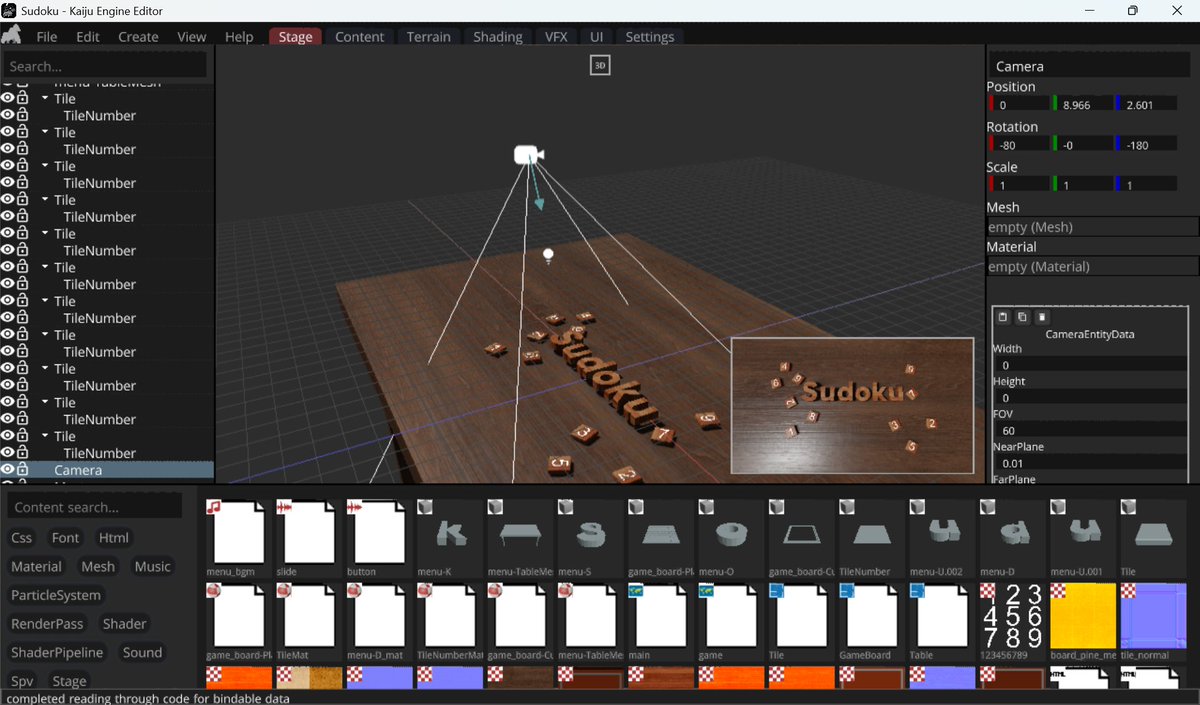
Something I threw together to test some of these Render Graph nodes for Kaiju. I am not an experienced shader artist, so this video is function over form to ensure various nodes are working properly.
A better model experience is coming to Kaiju (likely tonight). Composite meshes are going to be supported upon import now. Now when you import a model file with multiple meshes, they'll be logically grouped in the editor.
Actions in Kaiju Editor are becoming atomic and being associated with an ID. This will allow workspace-sensitive key-bindings, searchability, and the ability to call the actions without it needing to be bound to a key. This will open up for developers to mod the editor using a scripting language if they wish to. There are some future plans I have which will really open the door to new ways to work with a game engine editor in the future that will leverage this system, more on that soon.
It's hard to believe that Kaiju hasn't had actual "render targets" yet. In fact, any work that needed something similar, I've just been pulling straight from the render pass images to do it.
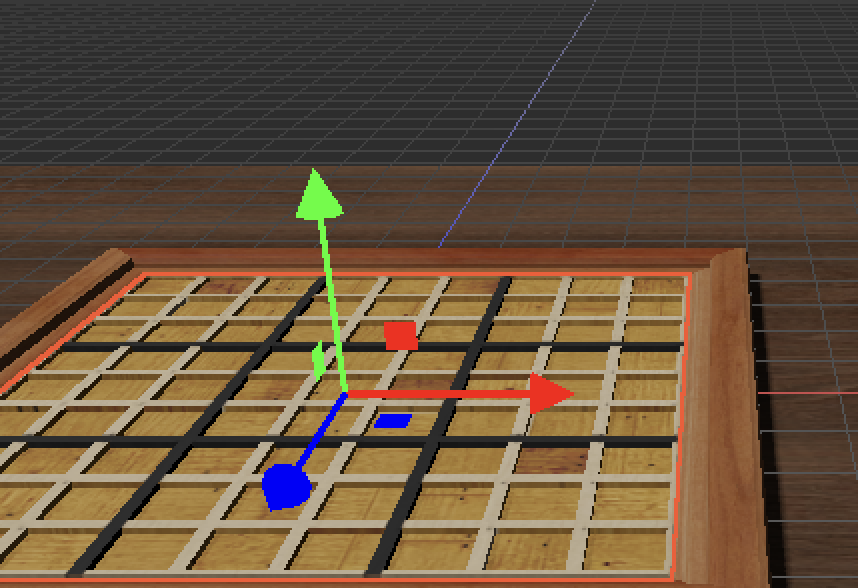
I decided that it's about time that we get render targets as a first class citizen in Kaiju. This will open up the door to using the renderer to create in-game effects and tools more convincingly. To present the possibilities of these new render targets, I've added a split-panel view to the Stage workspace in Kaiju Editor. You can press the "P" key to activate the split-panel mode. This mode will show you the perspective, top, side, and front views of your stage. By hovering your mouse over one of the panels, and pressing "P" again, it will present that view as the primary view (take up the full screen).
There are some tweaks and improvements I still need to do here to make things a little better. For one, the split view is rendering behind the hierarchy, content, and details panel (you can close them with "H", "C", and "D" respectively). I'd like to update this so that the views only take up the remaining area of the Stage window, as that feels more intuitive.
Expect some bumps, I had quite a few bugs to work out around transform gizmos, the F (focus selection) hotkey, and general interaction. I have solved all the bugs I ran into during testing, but there may be more. Please report any issues you may find.
Some stuff I've been working on. I had some terrain code in Kaiju for a while, but it kinda sucked, so I decided to upgrade it a bit.
Notice it works with Graviton physics as well.
Some stuff I've been working on. I had some terrain code in Kaiju for a while, but it kinda sucked, so I decided to upgrade it a bit.
Notice it works with Graviton physics as well.
Below is some progress on Graviton, Kaiju's custom multi-threaded physics engine, entirely written in Go. Bullet3 has been completely removed in this build of the engine.
note that I have a click-select bug in the video that I'm still working out
Windows just got a PR from the community to swap the title bar between light/dark mode. This will also open us up to being able to swap UI themes based on light/dark mode
https://t.co/EDs3rEjD25
I'm busy writing a new multi-threaded physics engine for Kaiju, so some other commits may be a bit slower for things in general. Feel free to ping me if you hit any really bad issues and I can jump on those.
We got quite a few fixes/improvements in today, for a Monday. Below is a summary of some things that went in:
- A contributor fixed a drag/drop issue
- Working console controllers (xbox) on Linux
- A visual improvement to transform details view
- Fixed a rare concurrent crash on concurrent map access for preview images
- Fixed the problem with clicking on gizmos in the stage view (like the light icon)
- Using 'F' to focus on something now extends the bounds with object scaling
- You can now drag/drop multiple selected entities to parent them in the hierarchy
https://t.co/8TlJjU9z9M
It's been a pretty great weekend for the engine/editor. Thank you everyone who contributed!
We had about 54 commits from 6 unique contributors with updates for controls/gizmos, performance, UI visuals, UI features, bug fixes, doc updates, cli commands, MacOS, DMA-like mesh updates, hierarchy updates, etc.
https://t.co/kyoEzajPmU