🎯 "Always disable V-Sync" is outdated advice — and it's costing you smoothness for zero benefit.
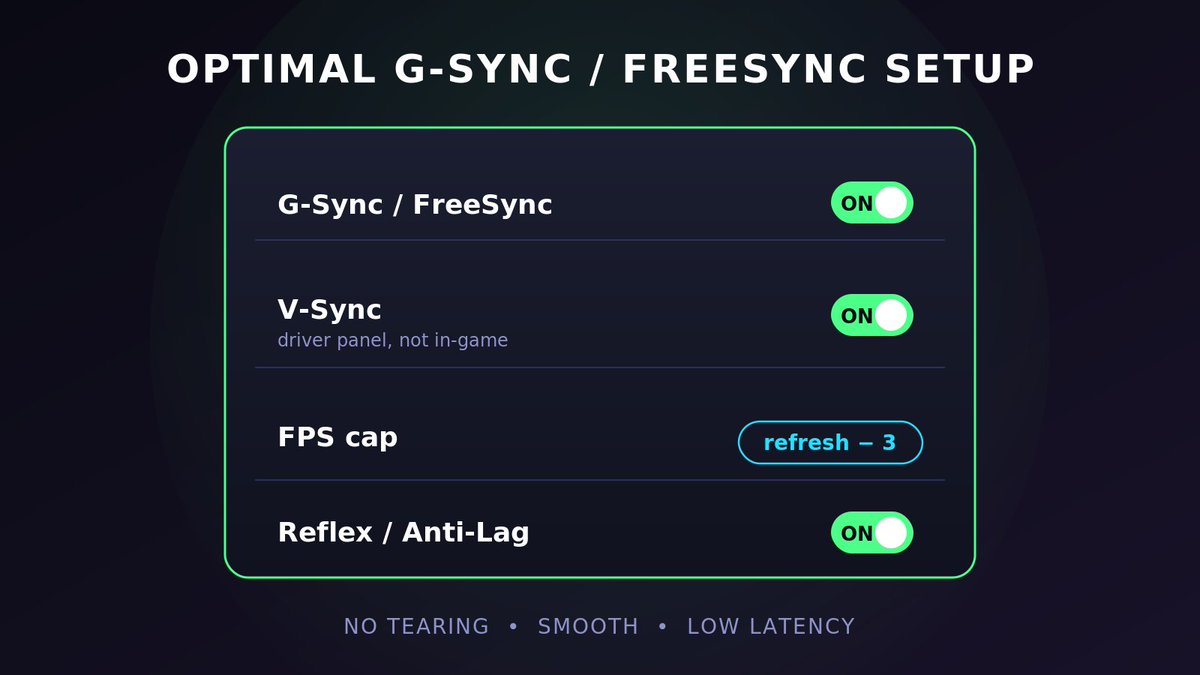
If you have a G-Sync or FreeSync monitor (most gaming monitors are), here's the optimal setup:
✅ G-Sync/FreeSync: ON
✅ V-Sync: ON — but in the driver panel (NVCP/Adrenalin), NOT in-game
✅ FPS cap: 3-4 below your refresh rate (141 on a 144Hz)
✅ Reflex (Nvidia) / Anti-Lag (AMD): ON
Why it works:
🔹 V-Sync alone adds input lag because finished frames wait in a queue for the next screen refresh. That's where its bad reputation comes from.
🔹 G-Sync does the opposite: the monitor syncs to YOUR framerate in real time. Frame's ready → screen refreshes. No queue, no waiting. Measured overhead: ~1ms (Blur Busters / Battle(non)sense data). Yes, even for competitive play.
🔹 The FPS cap is the key: it keeps you inside the VRR range at all times. Hit your monitor's max refresh and V-Sync takes over → lag spike. Cap 3-4 below and it never happens.
🔹 V-Sync here is just a safety net for frames that overshoot the range. It never queues frames as long as you stay under the cap.
Result: tear-free, buttery smooth, low latency. All three at once — the "pick two" era is over.
💬 Want more tips like this? Join the Discord in bio!
This playlist fails at its only goal - providing a foundation for smoothness in tracking.
To transfer your smoothness, a good foundation must develop through non deterministic scenarios that properly emphasise reading.
This playlist is much better: KovaaKsExitfraggingCeruleanAp