You can create Jobs in many ways in the system.
Here we are creating directly from our Home page:
Just find your Project card's "+" sign, click it, and a popup for job creation will open.
Fill in the mandatory fields and post it :)
Own your platform. Excite your agency.
Skills Workflow's branding service is available to all our clients! Own your platform with unlimited customization possibilities.
Did you know you can expand your notifications?
- Open notifications and click on View All.
- Then, select a notification and see the respective document opened on the right side.
Want to stay on top of the upcoming events of your company?
Check the new Upcoming Events workspace and stay on top of all of your coworkers Birthday's, Holidays, Workshops, Special events and more.
Want to send a quick note?
Open the chat in the top menu bar and send a message to a client or colleague.
Or simply create a group and start interacting instantly with your team.
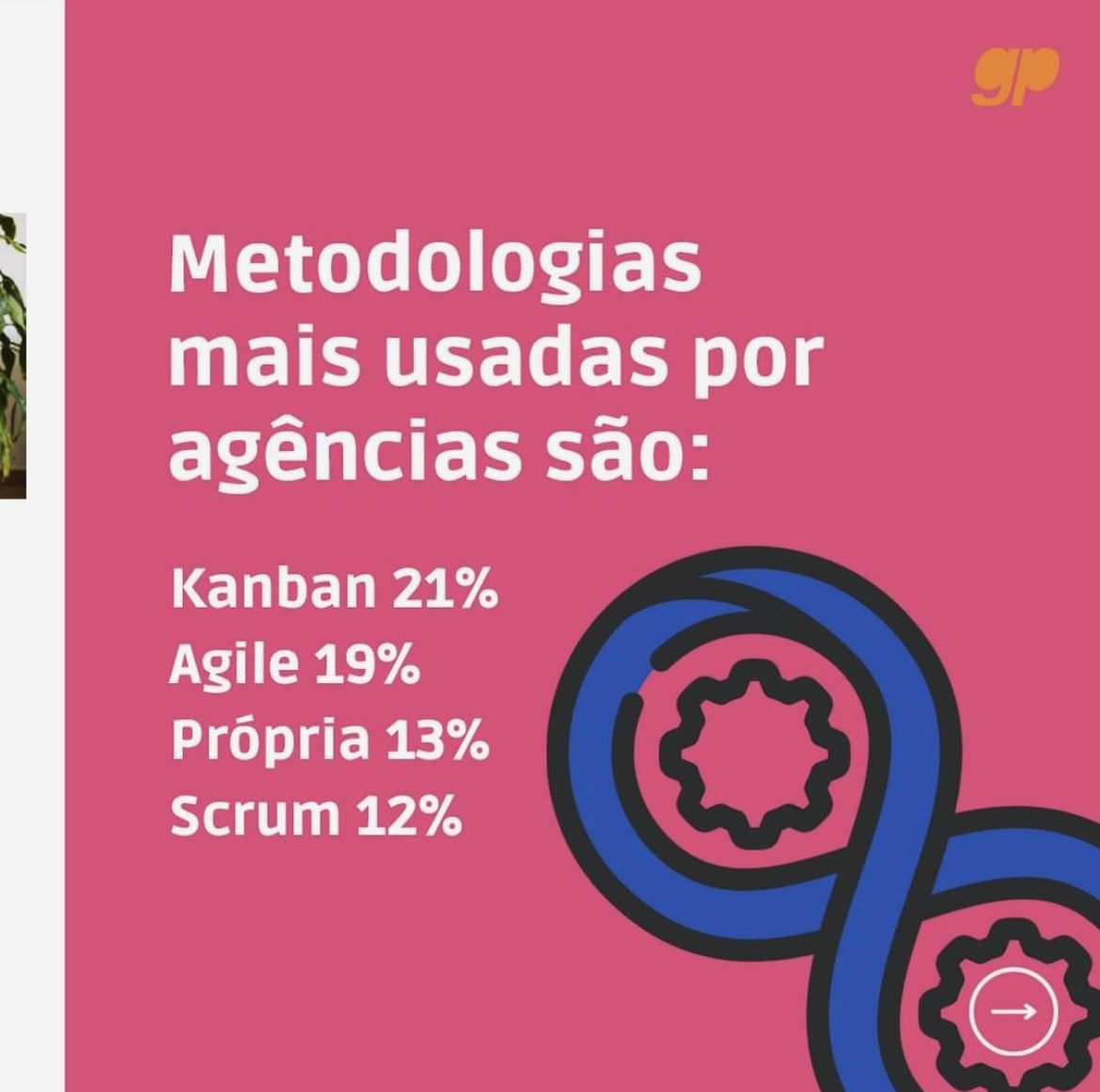
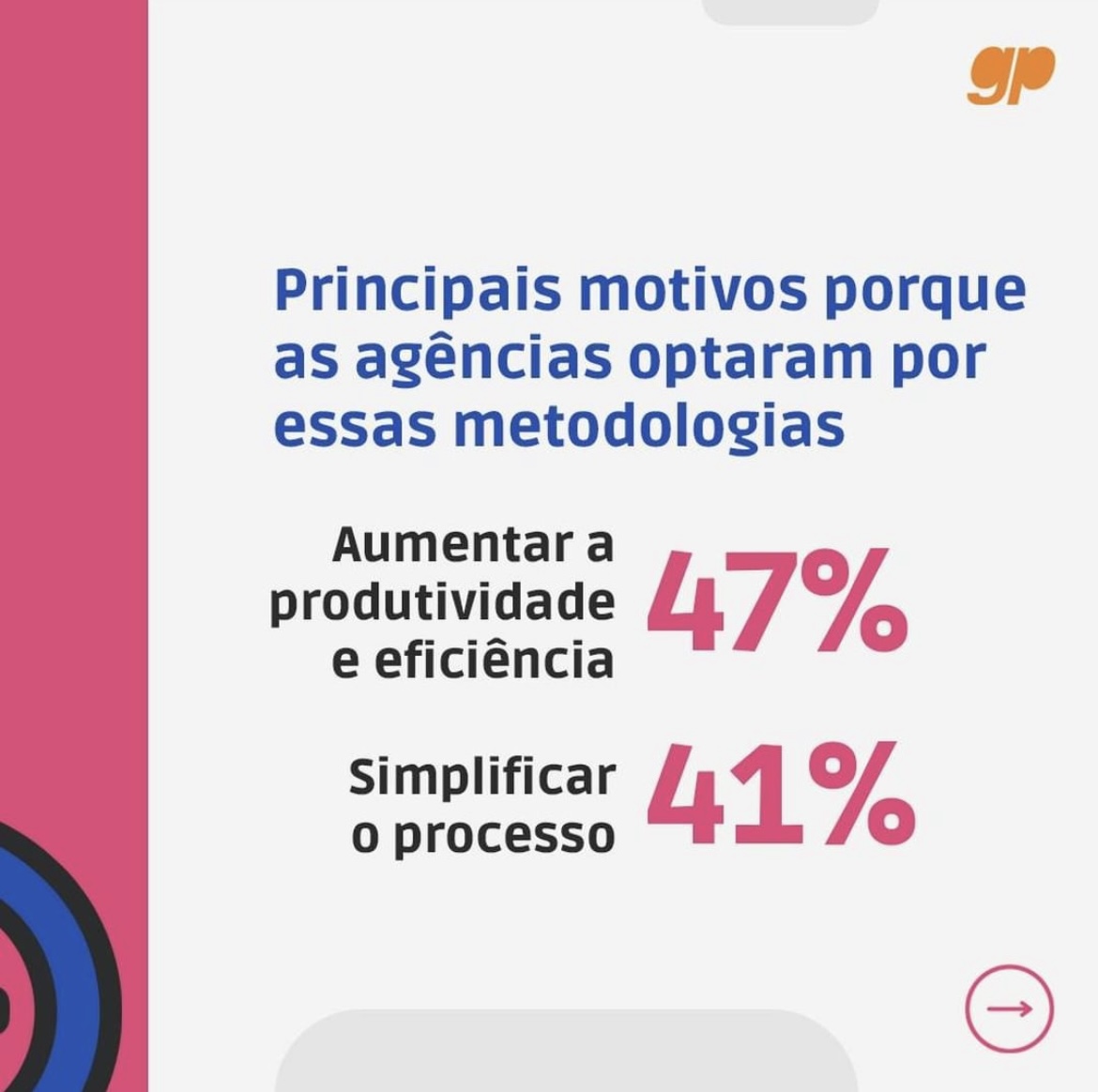
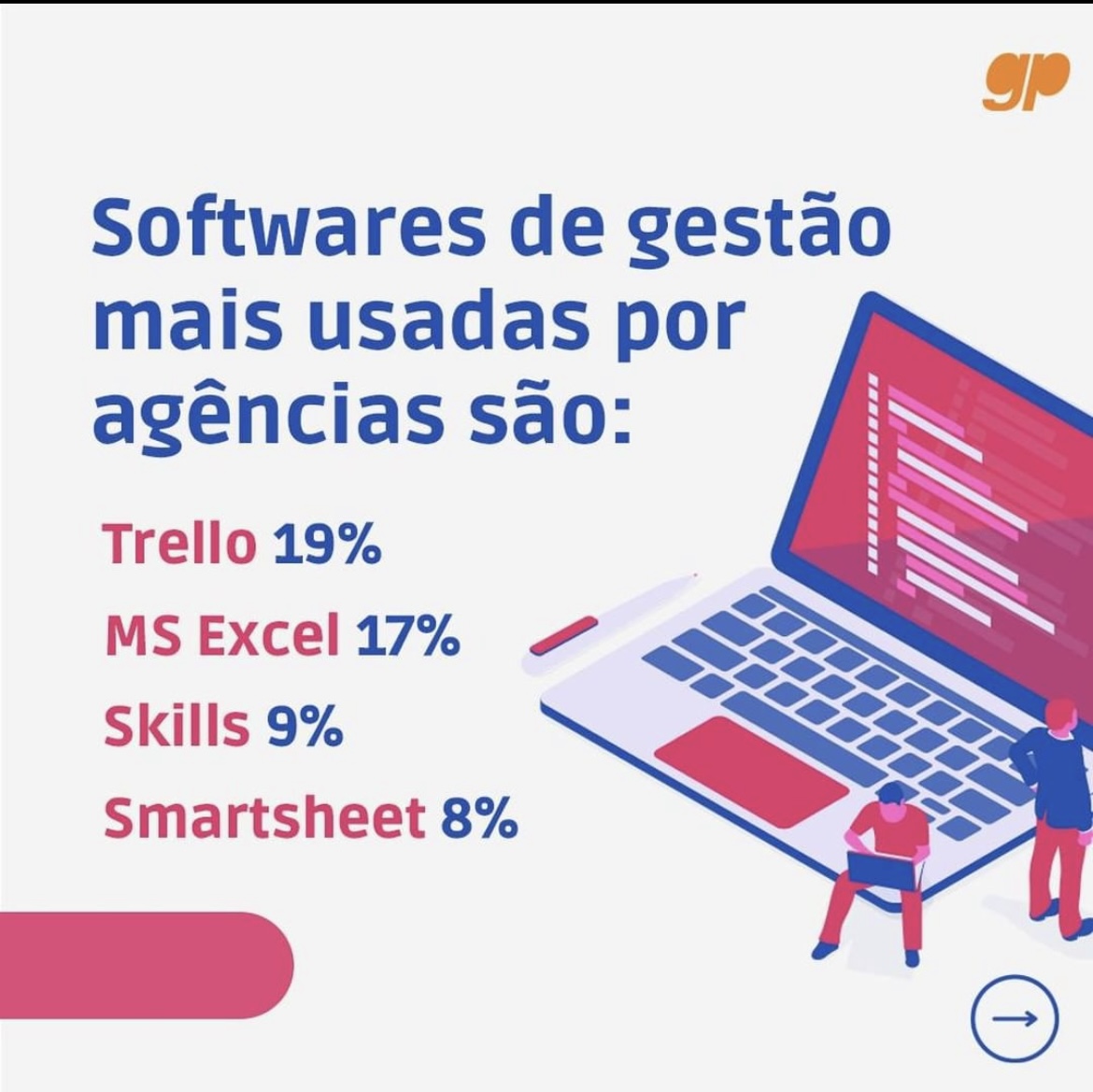
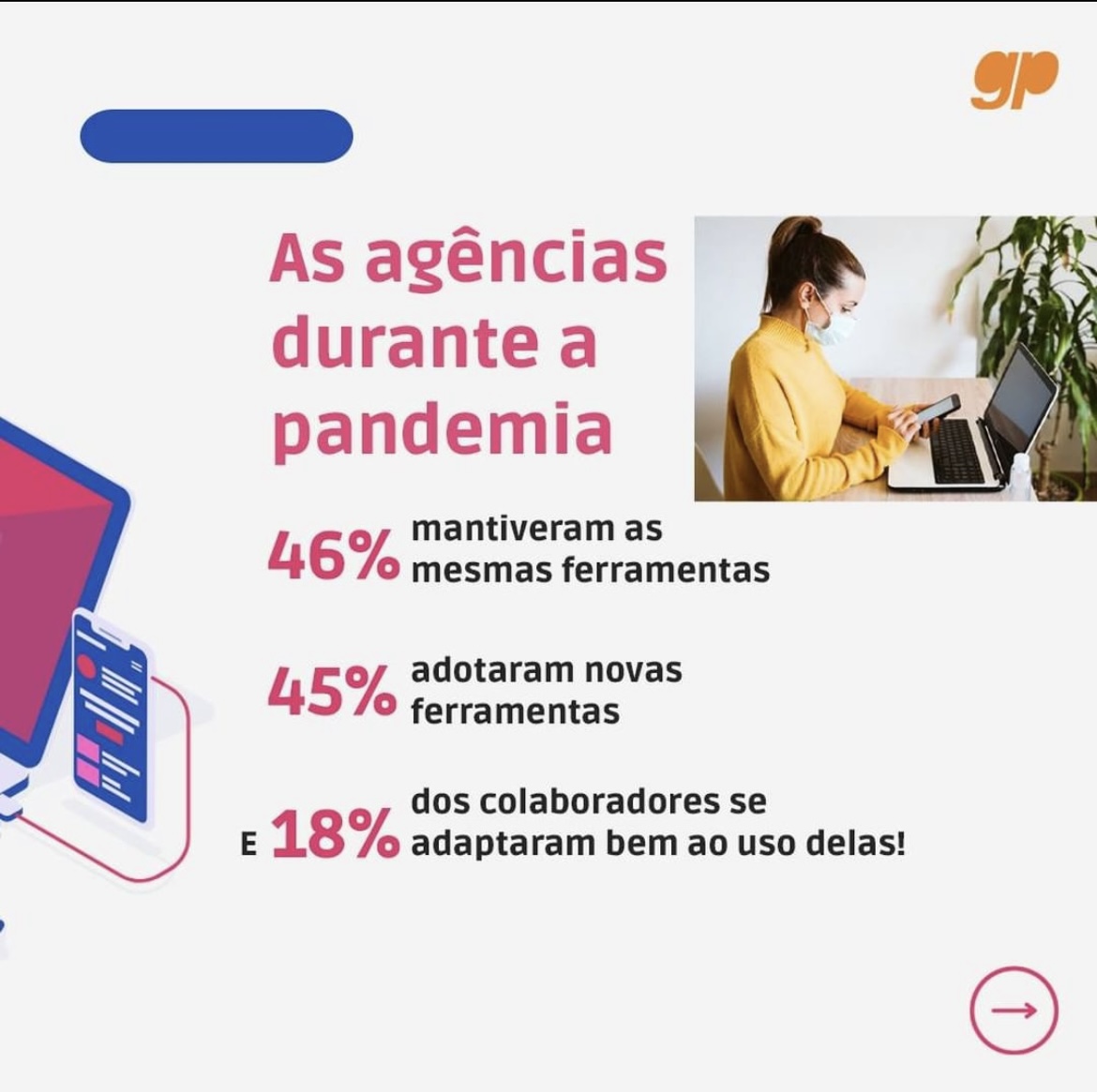
We have been featured by @mestregp Institute as top 3 most used software's in Brazil.
You can find more details and statistics on the ebook "Panorama de Gestão no mercado da comunicação e publicidade 2022/2023".
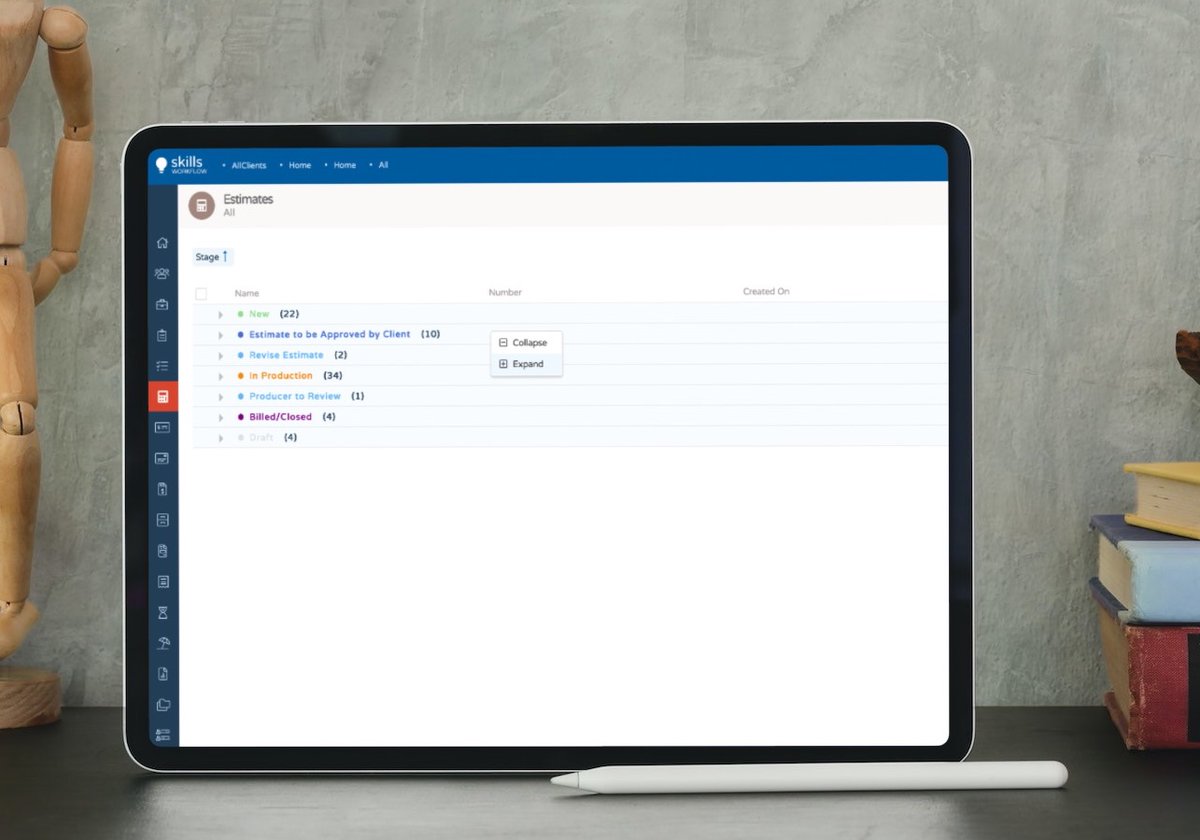
When going through the information in a list, you can collapse and expand the grouped columns.
You can either right-click on the grid, or press the plus and minus buttons in the grid or, even, click on the column group rows to expand or collapse.
Organize your expenses inside an expense sheet.
Here you add money advances, travel requests or actual costs (e.g., meals).
Attach them to projects, clients or just add individual expenses.
You can enable the lists column filter and search for any keyword on any column.
Press on the spy glass button in the grid and you'll see the column filter show up.