After careful consideration, we have decided to retire this account. This space will no longer be active moving forward. We are grateful for everyone who has engaged with us. We invite you to visit the SOLIDWORKS News & Info community for continued updates and tips. Thank you.
After careful consideration, we have decided to retire this account. This space will no longer be active moving forward. We are grateful for everyone who has engaged with us. We invite you to visit the SOLIDWORKS News & Info community for continued updates and tips. Thank you.
Did you know that SOLIDWORKS PDM leverages Windows Search for content searches? Windows Search can’t index remote network shares or mapped drives. Ensure archive folders are on locally attached or on a SAN storage for optimal performance.
The “Document in multiple projects” warning, appearing for specific files in SOLIDWORKS PDM® Check-Out dialog, means that these are shared files, and one of the shared file has been already checked out. This is expected, as you can only Check-Out a shared file in the vault.
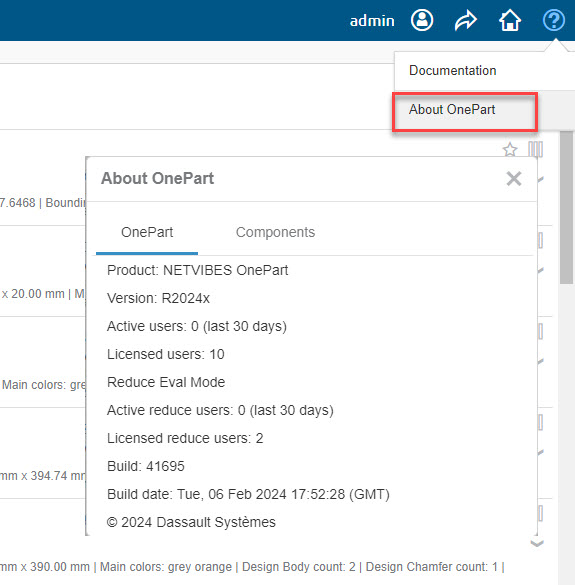
You can find details on the OnePart license by clicking the Help button > About OnePart. You previously had to log into the OnePart administration console to get this information.
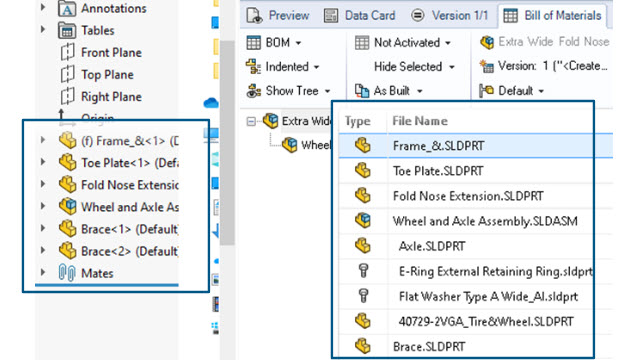
Did you know that starting SOLIDWORKS PDM 2025, the order of the assembly structure in the computed BOMs is matching the one in SOLIDWORKS Feature Manager tree? This is applicable for newly checked in files.
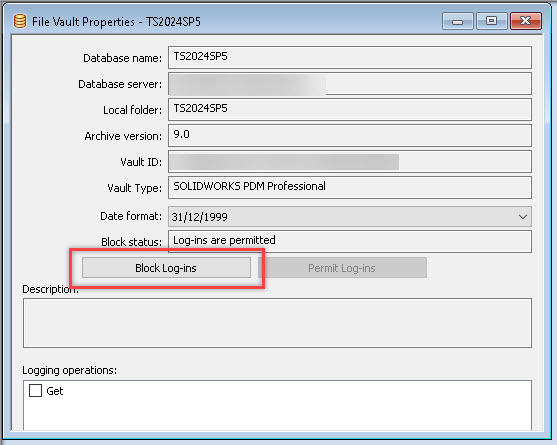
Don't forget to block SOLIDWORKS PDM® logins when starting a server upgrade. Open the SOLIDWORKS PDM Administration Tool, right-click on the vault name, choose Properties, then log in as Admin to block PDM vault logins. Click the Block Log-ins button in the Properties window.
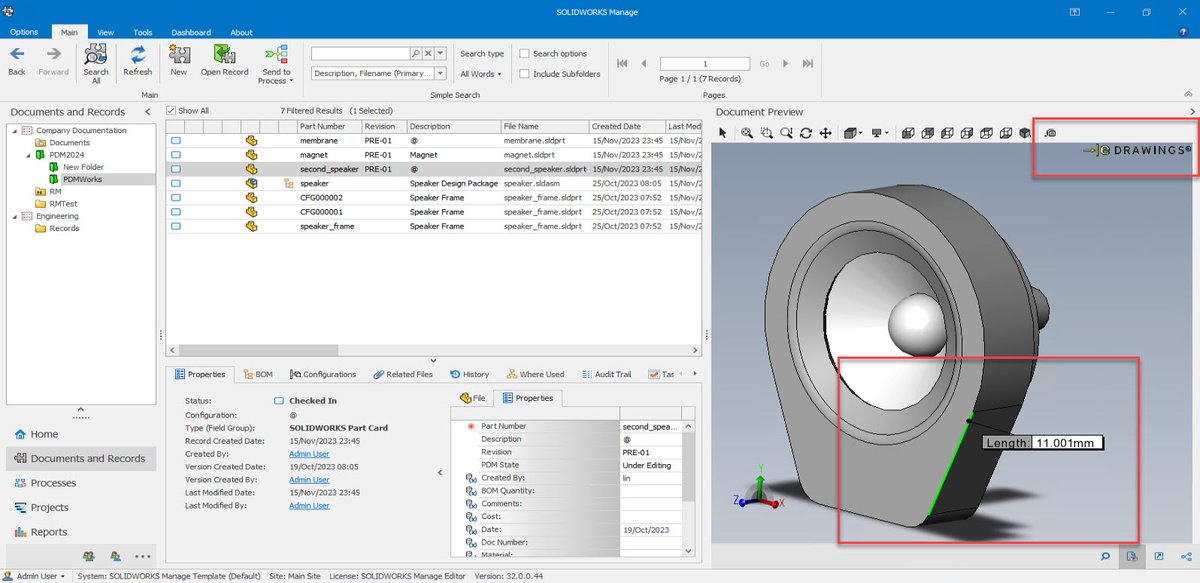
Did you know you can measure geometry directly in SOLIDWORKS Manage - Document Preview feature?
You can use the measure tool after previewing a document that the eDrawings Viewer supports.
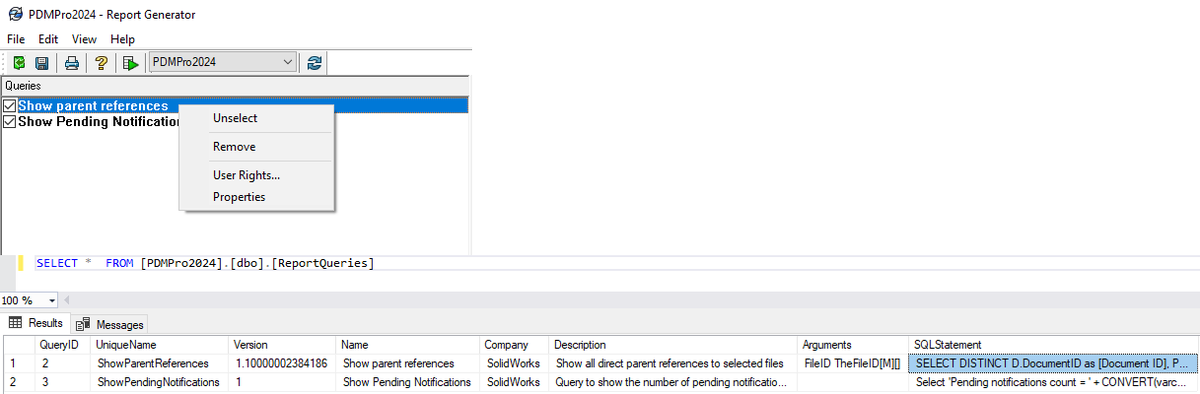
In a SOLIDWORKS PDM® replicated environment, how can I determine which SOLIDWORKS PDM Archive Server is the primary Server?
SOLIDWORKS PDM Archive Servers are in a peer-to-peer relationship in such case. There are no primary and secondary Archive Servers.
Want to use Gmail® or Microsoft 365® for SMTP email notifications in SOLIDWORKS PDM® Professional? Starting 2025 release, you can use SSL or TLS authentication in SMTP email notifications. Details in https://t.co/W472hwykHU
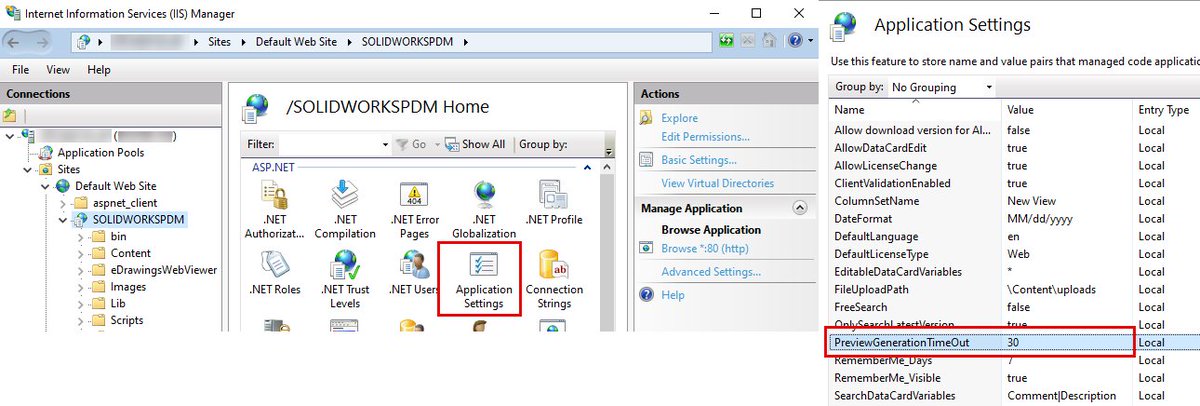
If SOLIDWORKS PDM ® Web2 is hitting the timeout when previewing files, remember you can always increase 'PreviewGenerationTimeOut' value in SOLIDWORKSPDM Application Settings.
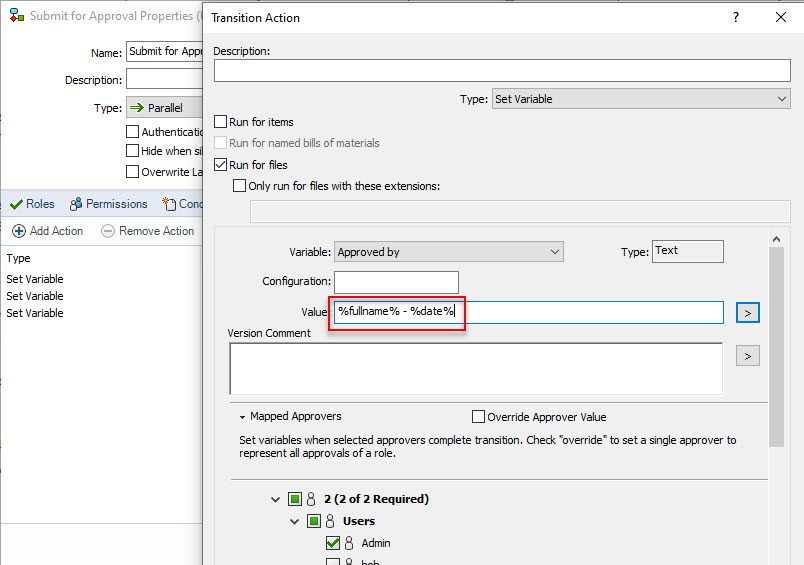
Keep in mind that the Mapped Approvers in a Parallel transition cannot handle multi variable values. You need to merge two variable values into one and transfer it as a single variable. See below example.
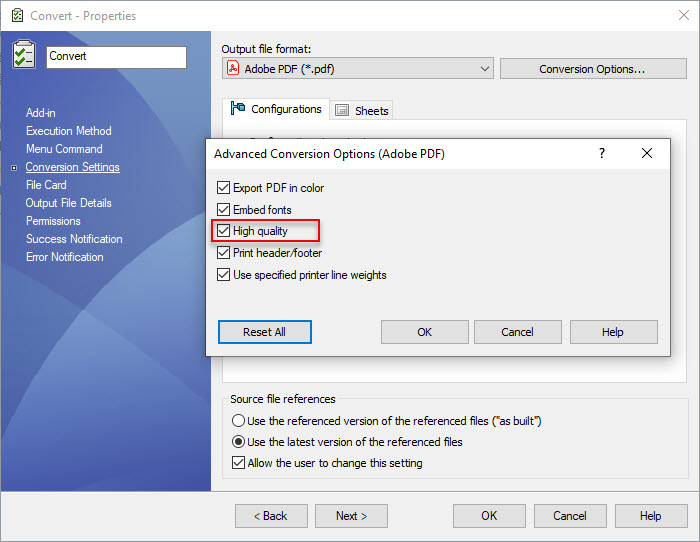
When converting SOLIDWORKS files to PDF using the SOLIDWORKS PDM® Convert Task, remember to enable the “High quality" option to have a better drawing. You can find this option in Task Properties > Conversion Settings > Conversion Options.
Browsing or Checking-In files into a 2024 or 2025 SP0 / SP1 SOLIDWORKS PDM® vault view or seems slow? Check Compatibility Level setting for the vault database in SQL Server® Management Studio. Refer QA00000418169 (https://t.co/IdvUbS90y2) for details.
Does SOLIDWORKS® PDM control which Windows® Domain Controller to use when authenticate users? PDM doesn't control which domain controller is using. Windows server gets bind to a domain controller during the Netlogon process.
Details in QA00000117747 (https://t.co/vReldzhsKV).
Here's one way to set certain bodies to transparent in a SOLIDWORKS Simulation result plot: 1. Hide those bodies in SOLIDWORKS 2. Right-click the plot > Hide, then Show the plot to "refresh" its data 3. Use the 'Show hidden bodies' option in the plot
Moving SOLIDWORKS PDM® server components to new machine? Have the checklist from QA00000120678 (https://t.co/efXEY1byz0) ready, to make sure you are not missing any step.