⚡ SoloFury Telegram bot just leveled up:
🎯 Block alerts straight to the winner
📊 /stats — hashrate, trend & luck bar
🔧 /workers — per-device region, hashrate & offline warnings
💰 Earnings tracker built in
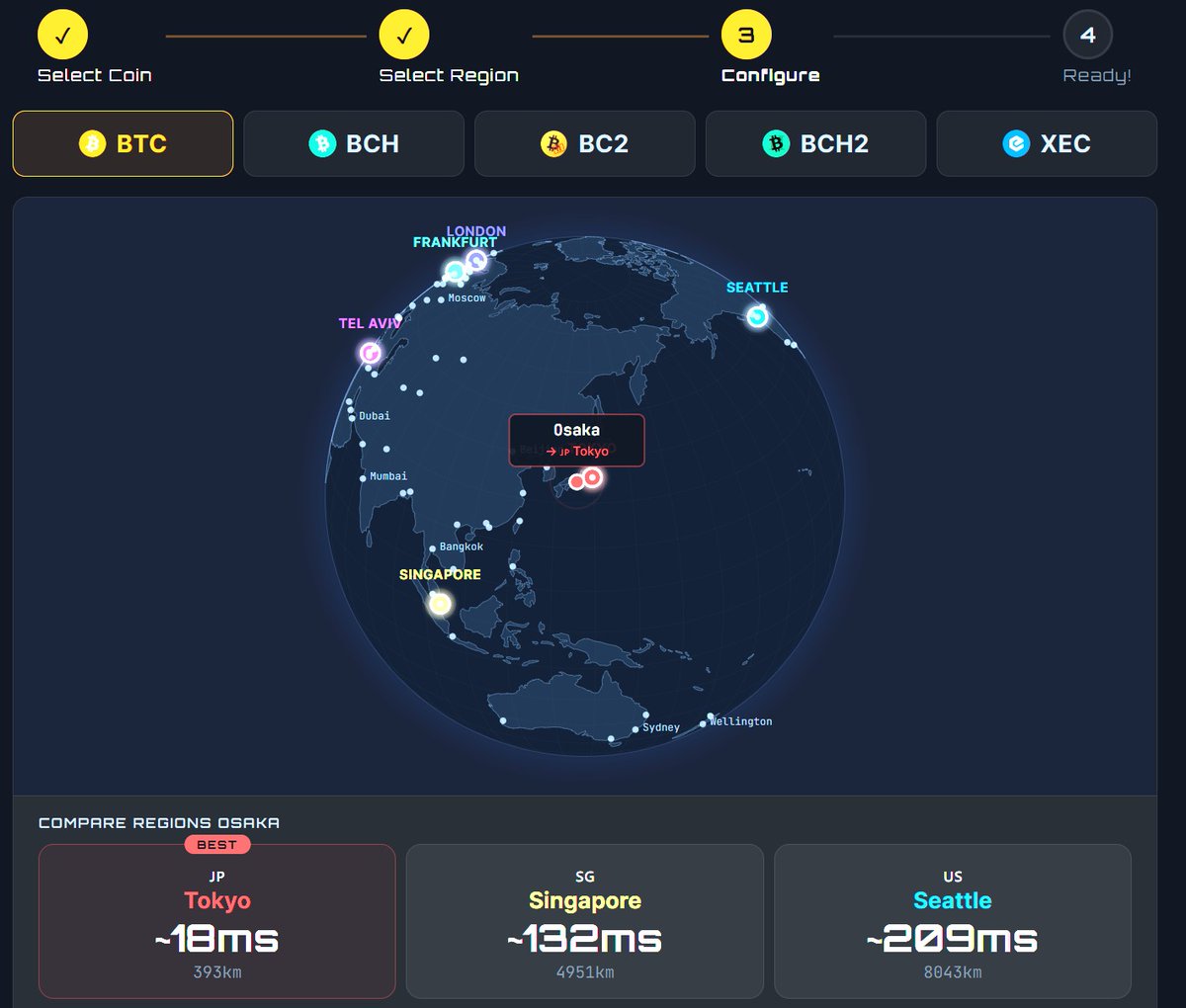
🌍 Multi-region
Solo mine BTC·BCH·BC2·BCH2·XEC
https://t.co/79tR7aJsq6
@RawMaterialNYC Tip: the password is just "x" — that lets our VarDiff auto-tune the difficulty for the GT 801's ~2.4 TH/s, which is ideal. You only ever set a manual difficulty (d=NNNN) if you're troubleshooting.
Welcome aboard, and good luck finding that block! 🎯
⚡ BLOCK FOUND! ⚡
SoloFury just solved a #BitcoinCash block — solo mined, non-custodial. 🟢
Block #[HEIGHT] · 99% to the solver · 1% pool fee
Just you vs the network — and today, we won. 🔥
Your rig could be next. 💪
👉 https://t.co/79tR7aJsq6
#BCH#solomining
@RawMaterialNYC That's it — save and your GT 801 will start hashing. It'll show as "pending" for 1–10 minutes until we detect your first shares, then it goes online.
Track it live here (bookmark it):
https://t.co/5VXZRXgLem
@RawMaterialNYC • Stratum URL / Pool: https://t.co/BwsRLCOC6S
• Stratum Port: 7070
• Worker / User: YOUR_BCH_ADDRESS.gt801
(your full BCH wallet address, a dot, then any name you like for this miner)
• Password: x
@RawMaterialNYC BCH solo from the US is easy to set up. Here's your config for your Bitaxe GT 801, using our Atlanta (US East) server:
In AxeOS (your Bitaxe web interface), go to Settings and enter:
@RawMaterialNYC The GT 801 is a solid one — ~2.4 TH/s. 🔥 Setup's the same across all Bitaxe (AxeOS).
Just need two things to give you the exact settings: which coin do you want to mine, and where are you connecting from (Europe / US / Asia)?Then I'll hand you the precise host + port to paste in
@RawMaterialNYC So I can give you the exact host/port and the fastest server for your location: which coin do you want to mine, and where are you connecting from? Once I know that I'll send you the precise config 👍
@RawMaterialNYC Hey! Glad to help 🔥
Step 3 is where you copy your config into the Bitaxe. On /start step 3 you paste your wallet + a worker name, and the page gives you the Pool URL, Worker and Password to enter in your Bitaxe's AxeOS settings (Stratum fields) — then save & restart.
SoloFury now speaks your language 🌍
New: 🇫🇷 Français · 🇮🇹 Italiano · 🇯🇵 日本語 · 🇰🇷 한국어 · 🇧🇷 Português
Now live in 10 languages. Solo mine BTC/BCH/BC2/BCH2/XEC across 9 regions — 1% fee, non-custodial, no signup.
https://t.co/79tR7aJsq6
#Bitcoin#solomining
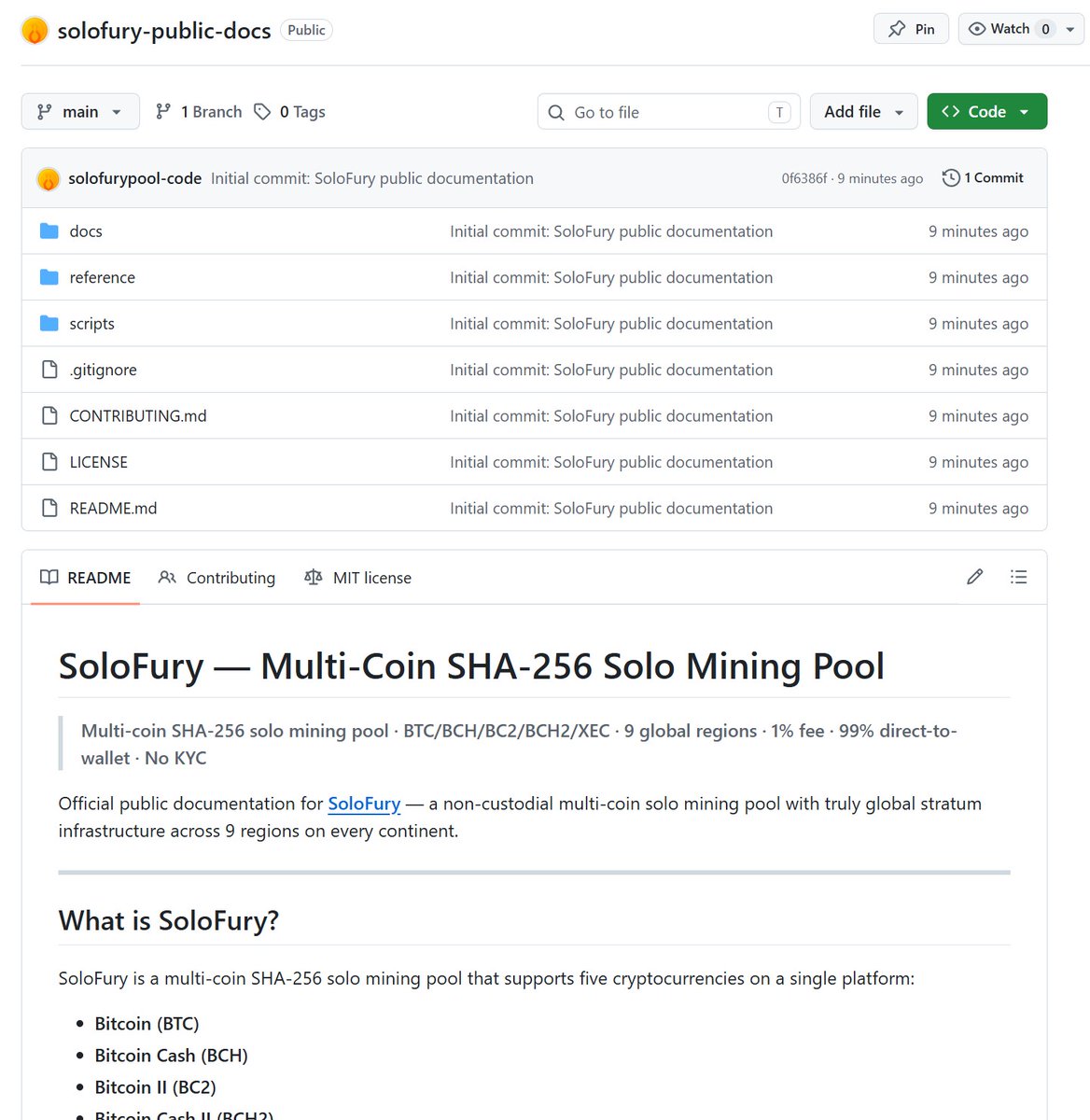
📖 SoloFury public docs are now on GitHub.
Setup guides, complete stratum endpoint reference (45 endpoints across 9 regions).
API reference. Technical FAQ.
All MIT licensed.
🔗 https://t.co/39k7MnG5zB
#solomining#BCH#Bitaxe#SHA256#BitcoinCash
A new extension for super-detailed information for each worker, including automatic miner location recognition. If you have a nerdqaxe at home, you might as well have an s21 miner hosted on the other side of the world!
@PineLineMining I'm glad you like it. I'm now adding the single-miner metrics package. Just click the + button. It still takes me some time to optimize. If you notice anything that isn't working, I'd be happy to hear from you.





![SoloFuryPool's tweet photo. ⚡ BLOCK FOUND! ⚡
SoloFury just solved a #BitcoinCash block — solo mined, non-custodial. 🟢
Block #[HEIGHT] · 99% to the solver · 1% pool fee
Just you vs the network — and today, we won. 🔥
Your rig could be next. 💪
👉 https://t.co/79tR7aJsq6
#BCH #solomining https://t.co/P55rS9EHSL](https://pbs.twimg.com/media/HJpNwkZXkAMTbZS.jpg)