We're giving away HUION(@HuionTab) products to 6 lucky people, with 1 winner each day!✨
Simply follow this account and repost this campaign post.
You can enter multiple times.
Runs from Oct 22 to Oct 28, 8:00 am UTC/GMT.
One winner will be selected daily at 8:00 am UTC/GMT.
Win a pen display✨
Tablet giveaway with 7 chances to win!
Just follow & repost this post to enter.
One person will win per day. Enter on other platforms for more chances to win!
Ends Oct. 15, 8:00 am (GMT)
https://t.co/is23VB3wfj
Win a pen display✨
Tablet giveaway starts today with 7 chances to win!
Just follow & repost this post to enter.
One person will win per day. Enter on other platforms for more chances to win!
Ends Oct. 15, 8:00 am (GMT)
https://t.co/is23VB3wfj
We deeply apologize for the recent increase in materials being set to private on Clip Studio Assets and for any concern caused by our lack of explanation. We are currently working on ways to continue hosting a wide spectrum of creative expression on the platform.
To address some common questions:
- Materials currently set to private will be reviewed and republished, starting with those affected by moderation errors and those that creators have updated to resolve issues. We deeply apologize to both creators and users for the inconvenience caused.
- We are working to update the service so that you can re-download materials you have already purchased or downloaded even if the original listing has been set to private. We appreciate your patience while these updates are underway.
- You can continue to use materials that you have already downloaded in personal and commercial artwork even if the listing is removed, unless it was removed for copyright issues or a serious rule violation.
Clip Studio Assets has a community of diverse users of many age groups, regions, and cultures, each with varying attitudes toward what is considered sensitive content. Increasingly, we must consider who is viewing such content and how it is presented. Moderation decisions are made on the basis of keeping the platform safe and universally accessible, with no intention to reject artists’ creative expression. However, as the Clip Studio Assets service currently operates on a binary choice between displaying content to all users or removing it entirely, there are cases where we are required to private materials or require modification before re-posting.
We recognize feedback from creators expressing that it is difficult to tell which specific elements are affected and how to modify materials for re-publication. We will provide clearer explanations in light of any changes to evaluation criteria, along with more concrete examples to make it easier for creators to check their materials before posting.
To support a wide range of creative expressions while ensuring user safety, we are working on ways to improve Clip Studio Assets. This includes plans to strengthen the system to include age restrictions, regional controls, and user preferences. Our goal is to enable creators to publish their materials to the appropriate audiences without needing to remove materials completely, so it can remain a safe and reliable service for both users and creators.
The Live2D Summer Sale has begun!🌅
Use the coupon code below to get 20% OFF a new annual or 3-year plan of Cubism PRO!
Get it while it’s hot!🔥
🎟️ Coupon Code: K21PVVVCEG
📆 Ends July 27th, 11:59 PM (EST)
https://t.co/53BmqLabGW
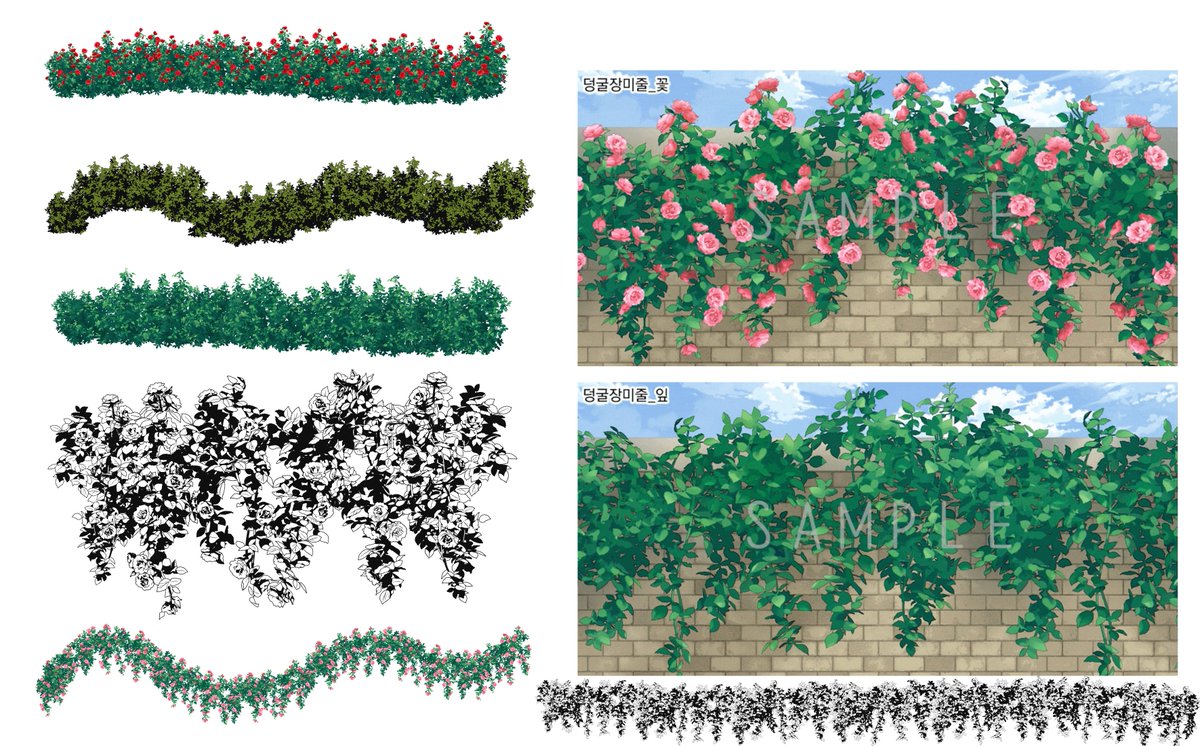
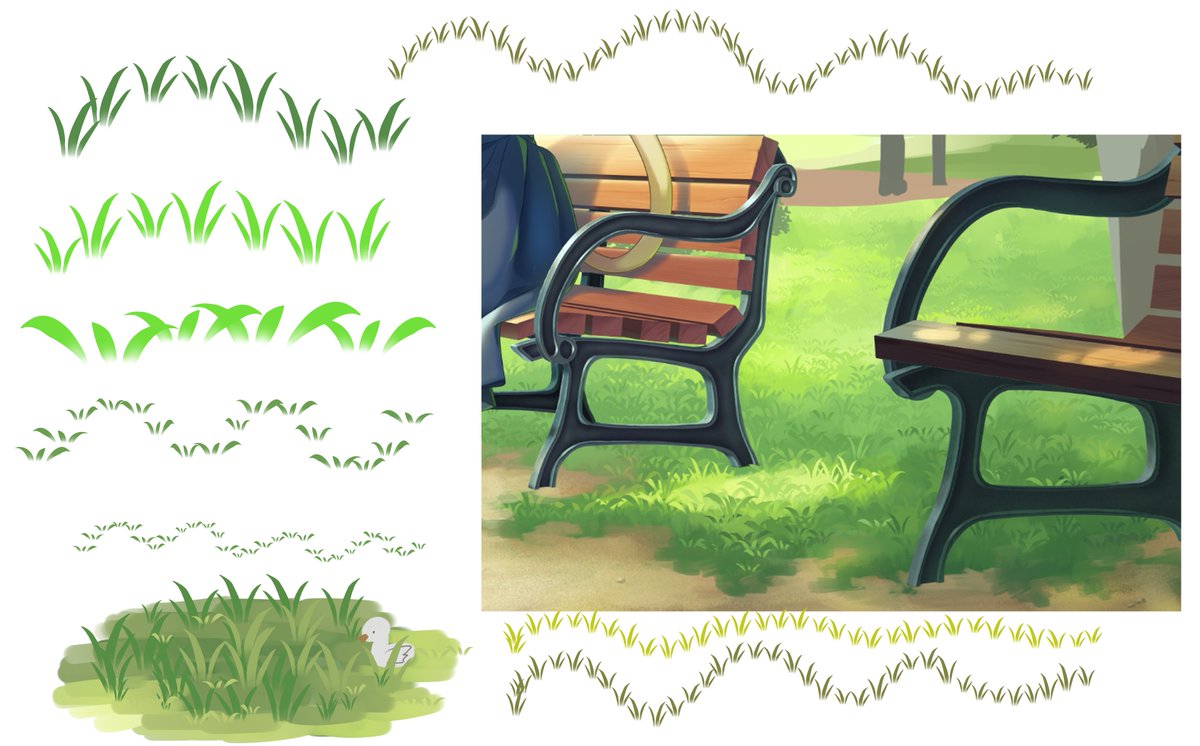
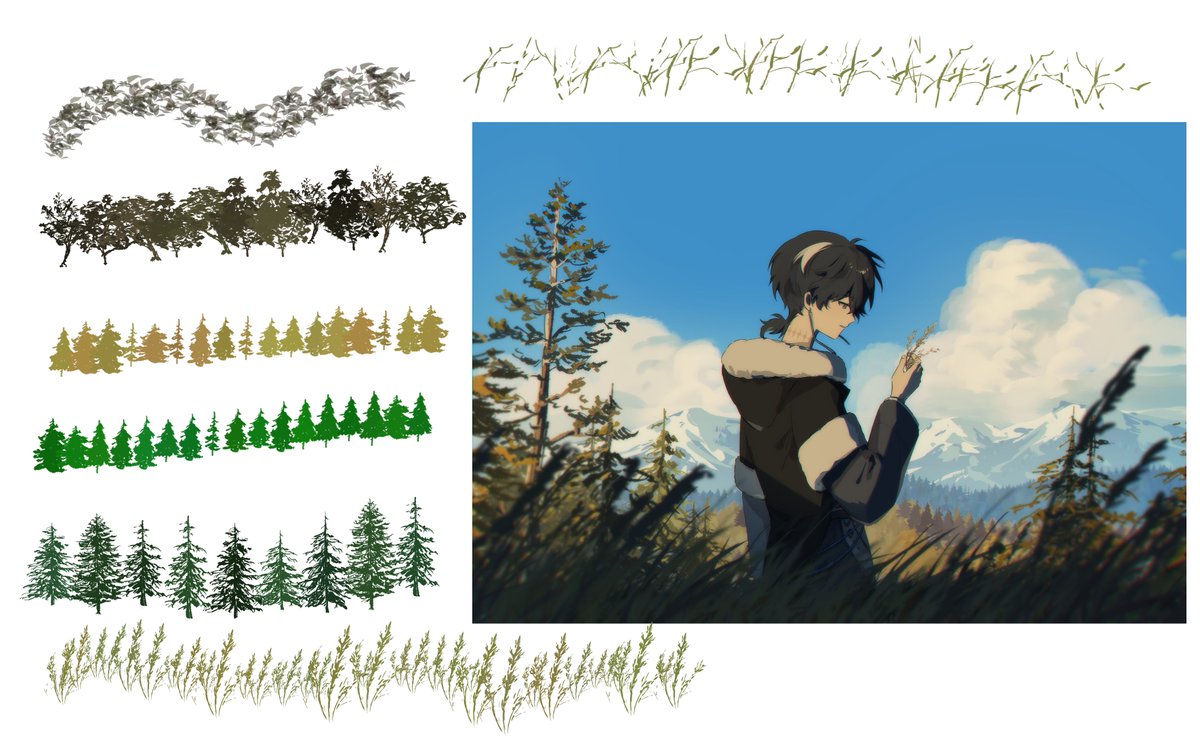
🎨클튜 에셋 추천 소재🎨
!추천! 풀 브러시 특집
터치 한 번으로 배경에 풀과 나무를 추가할 수 있는 브러시를 소개해 드립니다!✨
https://t.co/X5SpVvdNV7
https://t.co/1a7Y0xAUgv
https://t.co/b37Ey83BCQ
https://t.co/xSQq4LMeeO
Introducing the Assets "Simple Coffin"✨
Up your spookiness game and check out this 3D coffin material. Both open and closed caskets are available⚰️
🔽Details below:
https://t.co/VYDqoSjzI7
Did you know you can create backgrounds in a snap with Clip Studio Paint EX?
Extract tones and lines from imported photographs or 3D materials on the canvas.
Find out more about converting images to lines and tones here ↓
https://t.co/v8MZwXZYeJ
#clipstudio
\ ✏️Let's try using Smart Shape! /
"I want to draw straight and curved lines effortlessly...🥹"
In such cases, why not try using the new "Smart Shape" feature?
Just draw your line, then press and hold at the end...
→ It automatically turns into a straight line, curve, or shape!
No need to switch tools✨
For detailed info on how to set it up and more, please check the following FAQ👀👇
▶️https://t.co/wEfiYSWe3M
Our Support site features helpful info as well as known issues shared by our users, so please be sure to check it out!👍
#clipstudio