#GoogleCloudNext is just one week away! Make sure to stop by booth #1951 to chat with the StrataPrime team. Don't miss out on this opportunity to connect and learn more about how we can help your business thrive in the cloud. See you soon! #GoogleCloudNext#CloudInnovation
#Google Workspace admins can now turn on “Profile discovery” for their users. When turned on, users can customize how they appear across Google products to people who search for them by their phone number or email.
#Google is adding more ways to quickly find and insert relevant content directly into your document with an additional way to open the @-menu. This is another feature that boosts productivity and saves time by bringing smart canvas features to the forefront of your workflow.
New from #Google, Admins can now more seamlessly integrate their Google Workspace data with Chronicle (Google’s cloud-native Security Operations platform), to quickly detect, investigate and take action on risky activity and threats.
New from #Google, you can raise your hand and Meet will recognize it with gesture detection. As an active speaker, the gesture detection will not be triggered; when you’re no longer the active speaker, gesture detection will resume.
#Google is making several changes to make scheduling large scale meetings easier and guide schedulers through the process with more context. When you create and save a Calendar event which contains a large group of attendees, you can open the event to check on invitations.
Starting today, #Google is bringing GIFs and stickers directly into Google Slides. GIFs and stickers empower you to build visual, dynamic, and creative presentations that help you connect with your audience in Slides.
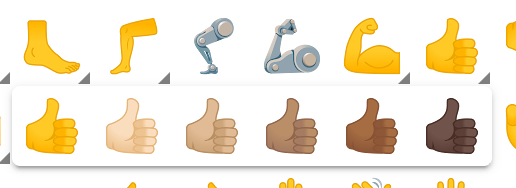
New from #Google, you can now access a more complete emoji selection and set emoji skin tone and gender preferences with the modernized emoji picker in the web version of Gmail.
This update enables users to express themselves more authentically using emoji variations in Gmail.
#Google is introducing portrait touch-up in Meet, a new feature on mobile that allows you to lightly change your appearance from the green room before joining or during the meeting.
There are two portrait touch-up modes, Subtle and Smoothing, to control the level of adjustment.
Admins can now use #Google Workspace Monitor Mode to understand the implications of a Context-Aware Access policy before deploying it to their end users. Monitor Mode will not block end users. Instead, it will show how the policy will block user access overtime.
This week, #Google expanded 1080p to meetings with three or more participants. This higher resolution is available on the web when using computers with a 1080p camera.
#Google Docs is introducing new buttons that enable you to insert building blocks for different types of content directly into your document.
This feature boosts productivity by helping you quickly access smart canvas features like email drafts, meeting notes, and more.
Last week, #Google introduced message bubbles to enable users to more easily differentiate between message types in the Google Chat.
Messages now feature unique colour backgrounds depending on whether they are incoming or outgoing, enhancing readability in busy chats.
Bard can find and show you relevant information from the #Google tools you use every day — like Gmail, Docs, Drive, Google Maps, YouTube, and Google Flights and hotels — even when the information you need is across multiple apps and services.
To boost collaboration in Google Slides, #Google is introducing live pointers, a feature that allows your team to see each other’s mouse pointers in real-time.
Co-creators can point out specific text or visual elements in order to highlight important information and content.
Last week, #Google announced the ability to lock Drive files by right-clicking the file, selecting “File information”, and clicking “Lock”. Locking a file makes sure reviewers can’t change a file. Edits, comments and suggestions can't be added to locked documents.
#Google is introducing a new ultra-low latency viewing experience for video meetings that are streamed within an organization.
You’ll see many improvements such as virtually lag-free streaming, better speaker video resolution, paired video feeds, and audience interaction.
#Google is introducing #AI powered writing features that help you quickly refine existing work or get you started with something new in Google Docs and Gmail using Duet AI.
These new features enable you to focus on bringing your ideas to life instead of conquering a blank page.
In the coming weeks, #Google is adding rich text formatting options to new notes on Keep. This highly requested feature enables you to customize and add emphasis to your text through bolding, underlining, italicizing, and heading styles.
Co-presenters are now able to view speaker notes in #GoogleSlides!
All presenters can read from the same notes while engaging with their audience during a presentation. This allows everyone to present with greater confidence and reduces context switching between Meet and Slides.