The longer an agent session runs, the dumber it gets.
You know /clear fixes it. But then you're back to zero - re-explaining what you were working on and copy/pasting chat history.
quality of results 👎
personal frustration 📈
Subspace fixes that.
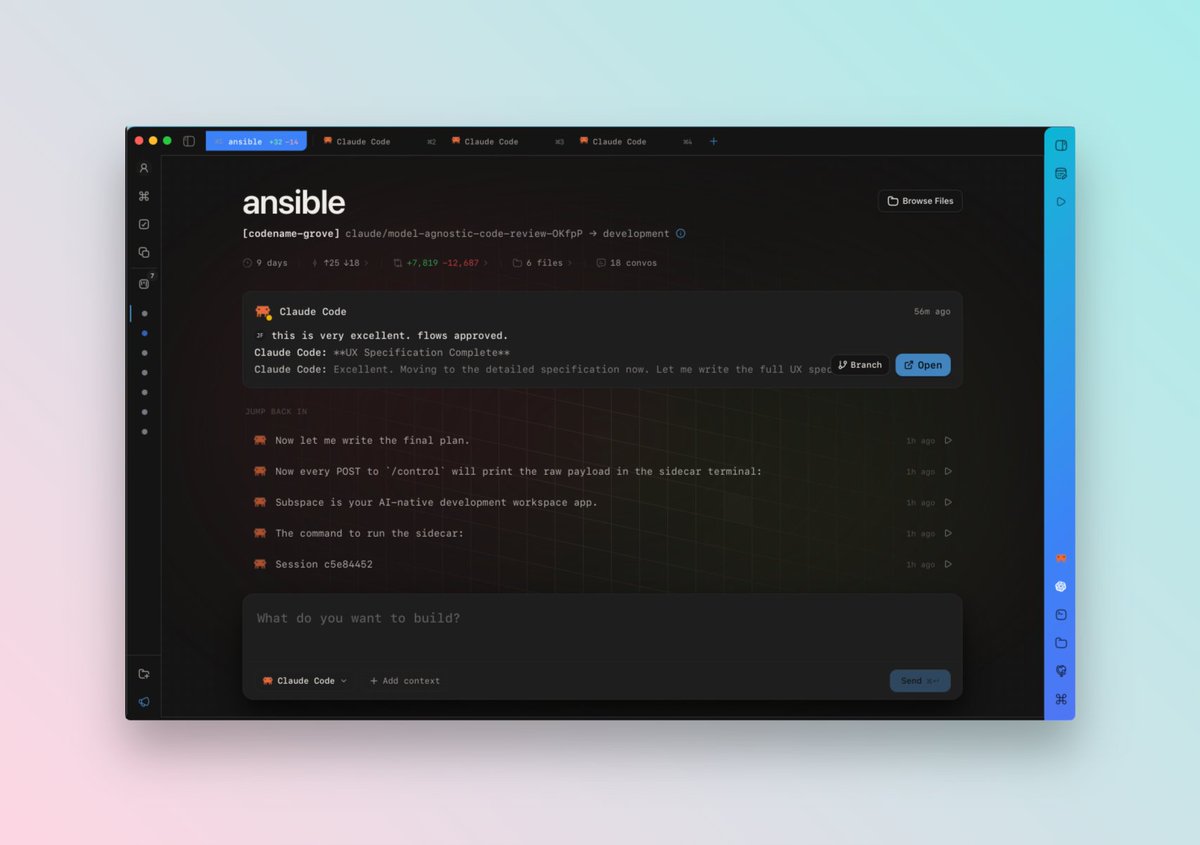
Subspace is an Agent Workspace that builds Memory across Claude Code, Codex, and OpenCode automatically, so every new session starts fully in the know.
Stop repeating yourself. Your agents already know.
Launch today. Mac · 14-days free · no cc req.
One of our customers wrote about why he upgraded 5 days into his 2wk @SubspaceHQ trial.
"Every conversation gets compressed into structured notes (decisions, blockers, progress), and that memory belongs to the workspace, not to any one agent. So when I'm working on Brefast and Claude Code gets stuck on something gnarly, I can spawn a fresh instance, or switch to Codex entirely, and the new agent already knows the context. No catch-up. No copy-pasting the last forty messages."
thx @tsamoudakis!
Supspace Update One (Subdate One? Upspace?) is out now!
- Better Agent/Terminal Autocomplete
- Browser UX Updates
- Lots of Bug Fixes
Almost all the bug fixes were from feedback directly from users -- keep the feedback coming! @SubspaceHQ
Reason #248 why I could never go back to a terminal or IDE
My entire command line history & aliases accessible from CMD+K from anywhere.
I don't have to remember the exact command anymore, I don't have to go open package.json to remember that script.
Once you CMD+K your life is changed forever.
Agent autocomplete in the terminal is just awful.
So we built a better one.
Files, directories, commands, skills, mcps, subagents.
double slash away //
(fun fact the original logo for subspace was a // because of this feature)
Agents work autonomously for longer than ever.
That means you can do more things in parallel while you wait.
So you can memorize the syntax to create git worktrees and then somehow keep track of which worktree is in which terminal pane.
OR you could press CMD+N in Subspace, and see all your Workspaces organized in the sidebar along with Agent Status.
5. That was about the # of Claude Codes I could run in Terminal before losing track of the work.
If you want to stay professionally relevant in the Agent Era, you need to learn how to sanely manage MANY parallel agents.
Step 1. Use the right tool.
In Subspace:
- run dozens of agents at the same time (Claude Code, Codex, Gemini, Factory, Cursor, and more)
- easily eyeball their status (green working, blue waiting, yellow waiting longer)
- easily switch between them w/keyboard shortcuts
- Decouple QuickSwitcher UI navigation from workspace loading — keyboard scrolling never blocked
- Cache user avatar load results to prevent repeated failed network requests
- Use file modification time as primary sort tiebreaker in file search
🚀 Huge update out!
This update focuses on simplifying the UI and making the core user journey more clear, including promoting Workspaces and new Tasks!
🔗 below for new users
⚙️ existing users -> Settings->Updates->Check Now
v0.4.1 Changelog
*takes deep breath*