Olvídate de pagar por CapCut.
Acabo de encontrar Clypra, el editor de video 100% open source que te da todas las funciones premium de CapCut… gratis, sin marcas de agua y con rendimiento nativo.
Construido con Tauri + React + TypeScript + FFmpeg, es rápido como un rayo y se siente como una app de escritorio real (macOS, Windows y Linux).
Lo que trae:
- Timeline profesional multi-pista
- Edición frame-accurate
- Visualización de audio en tiempo real
- Filmstrip + ruler
- Soporte MP4, MOV, WebM, MKV, etc.
- UI moderna y oscura
¿El mejor parte? Es totalmente gratis y open source.
REPOOO👇
In less than 24 hours, DOGE mining goes live on Qubic.
But it doesn't happen all at once. There's a 3-phase rollout designed to protect the network at every step:
Phase 1: Test mode. XMR revenue unchanged. DOGE runs in the background proving the pipeline.
Phase 2: Computors choose: XMR or DOGE. Incentives shift. Migration begins.
Phase 3: XMR off. ASICs mine DOGE 24/7. CPUs/GPUs train AI 24/7. Full capacity. Zero compromise.
This is a future-proof engineering plan.
Watch the Video to Understand the Full Transition Plan:
Last year, Qubic went from under 2% of Monero’s hashrate to demonstrating 51%+ dominance in a live takeover event that made headlines across CoinDesk, The Block, and Decrypt.
Along the way, the network earned $3.5M+ in total mining revenue, found over 26000 XMR blocks, and proved that a decentralized AI compute network could outcompete an established Proof of Work chain through better economic incentives.
Now we're doing it again…this time with Dogecoin.
But here’s what most people are missing.
DOGE produces roughly 14.4 million coins per day. At current prices, that’s approximately $1.44M in daily emission, roughly 10x what Monero was producing.
The same playbook. A much bigger target.
Today, we’re evolving @StitchbyGoogle from @GoogleLabs into an AI design canvas transforms natural language prompts into production-ready front-end code.
Some highlights from what’s new:
1. A complete redesign of the Stitch UI, which can now ingest multimodal references (text prompts, images, or code) as creative seeds for your design ideas
2. A brand new, context-aware design agent that can share feedback on builds, generate PRDs, and ask questions to better understand your vision. You can even talk to the agent if you prefer a verbal sounding board
3. A new agent-friendly markdown file, DESIGN.md, which you can use to export or import your design rules to or from other design and coding tools
Whether you’ve been designing for decades or you’re whiteboarding your first software idea, Stitch can help you turn concepts into prototypes in minutes rather than days ➡️ https://t.co/efI6cbjAhm
I'm obsessed with pushing local small models to their limits.
Qwen3.5:0.8b doing real-time video captioning on a Mac Studio M2 Ultra, streaming descriptions as the video plays. Under 1s per frame — 269 frames captured & described from a 3m49s video.
Pause anywhere and read the captions, it describes every frame surprisingly well.
This model is barely 1GB. Local AI is moving absurdly fast.
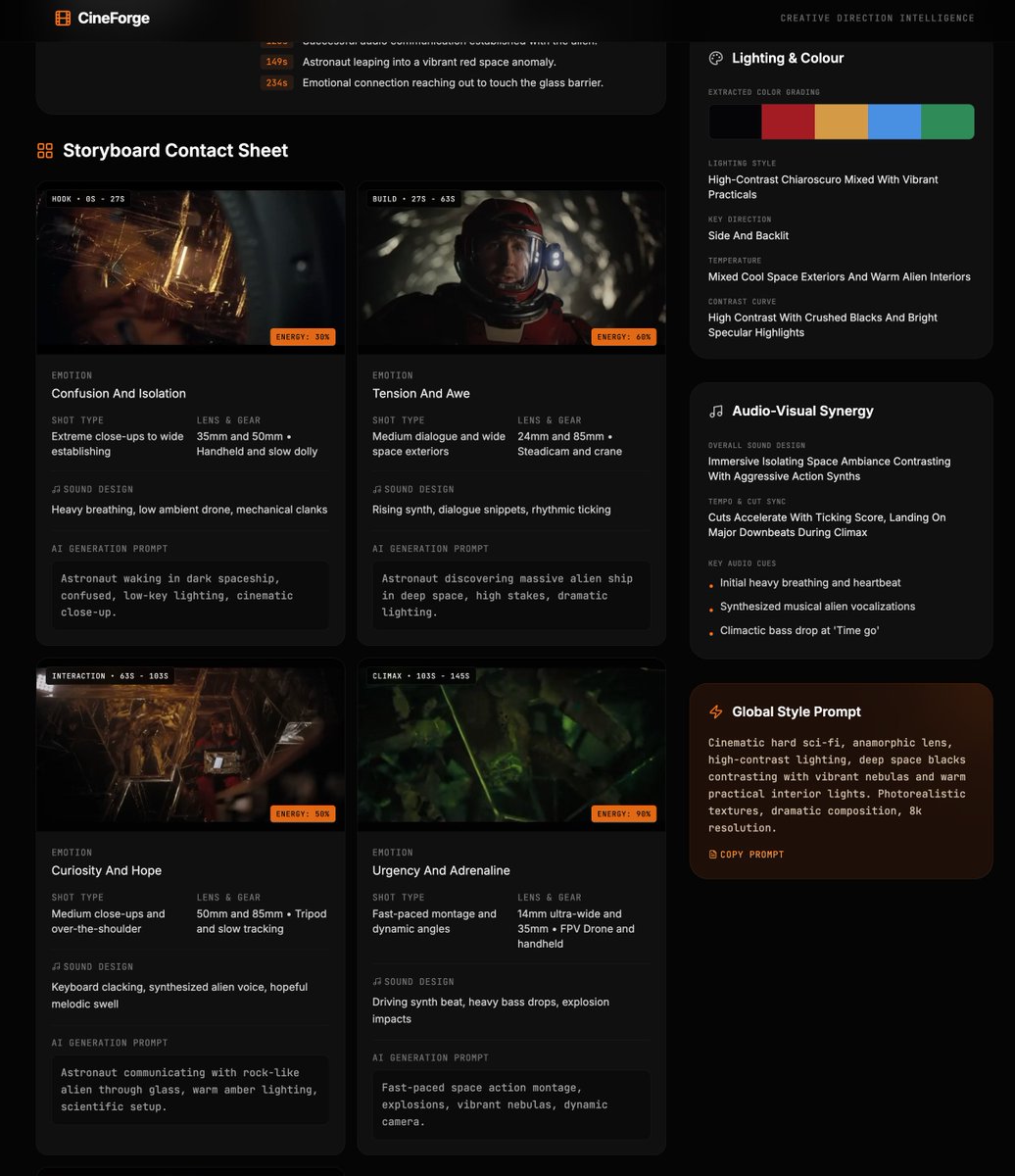
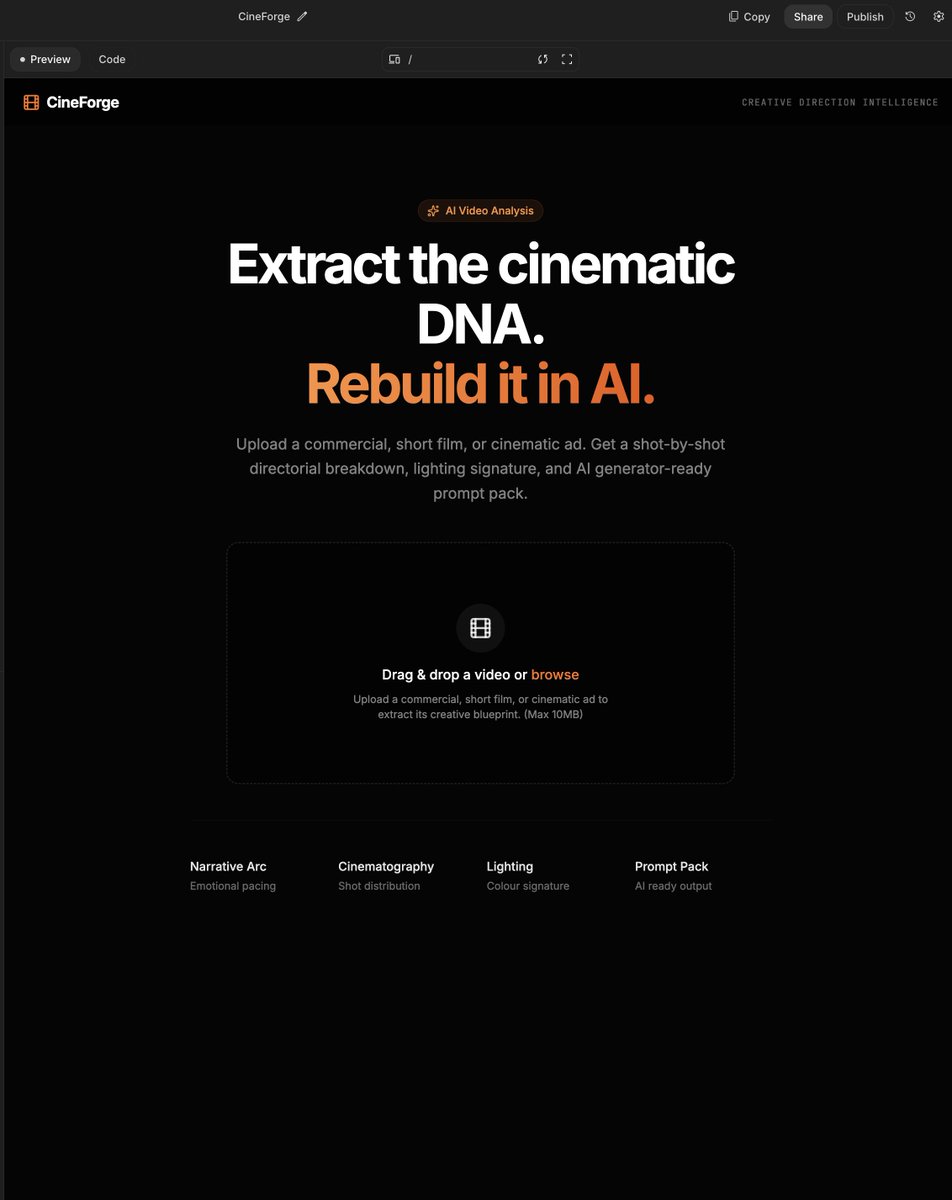
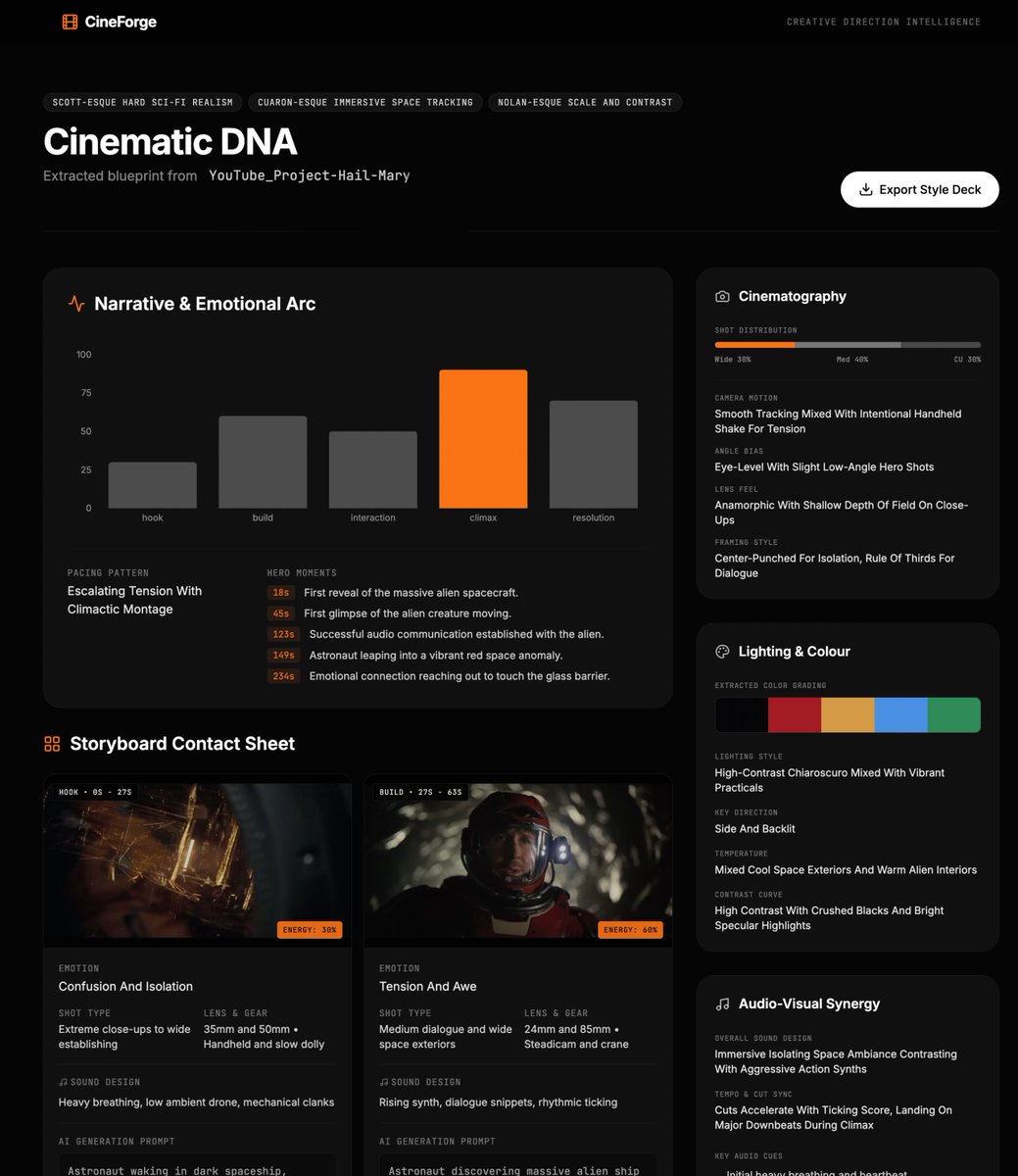
Building CineForge in Google AI Studio to help me with ideas for my own video gens.
Gemini 3.1 Pro is ridiculously good for this, upload a video and it pulls out the cinematic DNA into a structured style deck: narrative arc, storyboard frames, camera language, grading, sound cues, and recreation prompts.
Most people think using Claude Code is about writing better prompts.
It’s not.
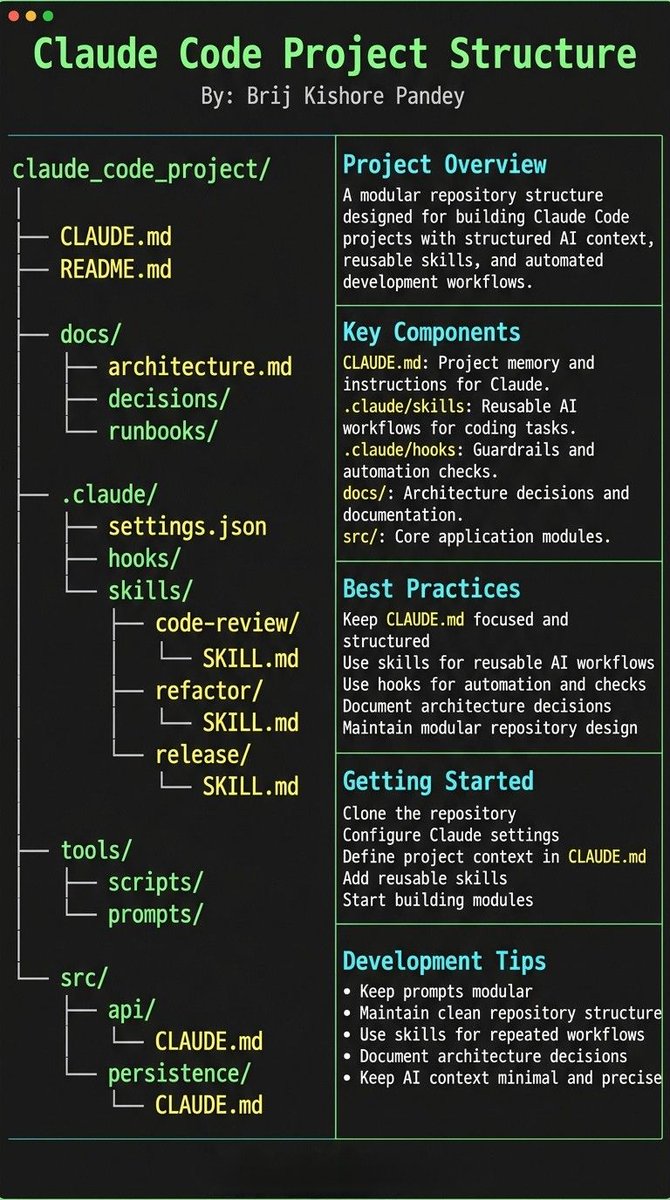
The real unlock is structuring your repository so Claude can think like an engineer.
If your repo is messy, Claude behaves like a chatbot.
If your repo is structured, Claude behaves like a developer living inside your codebase.
Your project only needs 4 things:
• the why → what the system does
• the map → where things live
• the rules → what’s allowed / forbidden
• the workflows → how work gets done
I call this:
The Anatomy of a Claude Code Project 👇
━━━━━━━━━━━━━━━
1️⃣ CLAUDE.md = Repo Memory (Keep it Short)
This file is the north star for Claude.
Not a massive document.
Just three things:
• Purpose → why the system exists
• Repo map → how the project is structured
• Rules + commands → how Claude should operate
If CLAUDE.md becomes too long, the model starts missing critical signals.
Clarity beats size.
━━━━━━━━━━━━━━━
2️⃣ .claude/skills/ = Reusable Expert Modes
Stop repeating instructions in prompts.
Turn common workflows into reusable skills.
Examples:
• code review checklist
• refactoring playbook
• debugging workflow
• release procedures
Now Claude can switch into specialized modes instantly.
Result:
More consistent outputs across sessions and teammates.
━━━━━━━━━━━━━━━
3️⃣ .claude/hooks/ = Guardrails
Models forget.
Hooks don’t.
Use hooks for things that must always happen automatically.
Examples:
• run formatters after edits
• trigger tests after core changes
• block sensitive directories (auth, billing, migrations)
Hooks turn AI workflows into reliable engineering systems.
━━━━━━━━━━━━━━━
4️⃣ docs/ = Progressive Context
Don’t overload prompts with information.
Instead, let Claude navigate your documentation.
Examples:
• architecture overview
• ADRs (engineering decisions)
• operational runbooks
Claude doesn’t need everything in memory.
It just needs to know where truth lives.
━━━━━━━━━━━━━━━
5️⃣ Local CLAUDE.md for Critical Modules
Some areas of your system have hidden complexity.
Add local context files there.
Example:
src/auth/CLAUDE.md
src/persistence/CLAUDE.md
infra/CLAUDE.md
Now Claude understands the danger zones exactly when it works in them.
This dramatically reduces mistakes.
━━━━━━━━━━━━━━━
Here’s the shift most people miss:
Prompting is temporary.
Structure is permanent.
Once your repository is designed for AI:
Claude stops acting like a chatbot...
…and starts behaving like a project-native engineer. 🚀
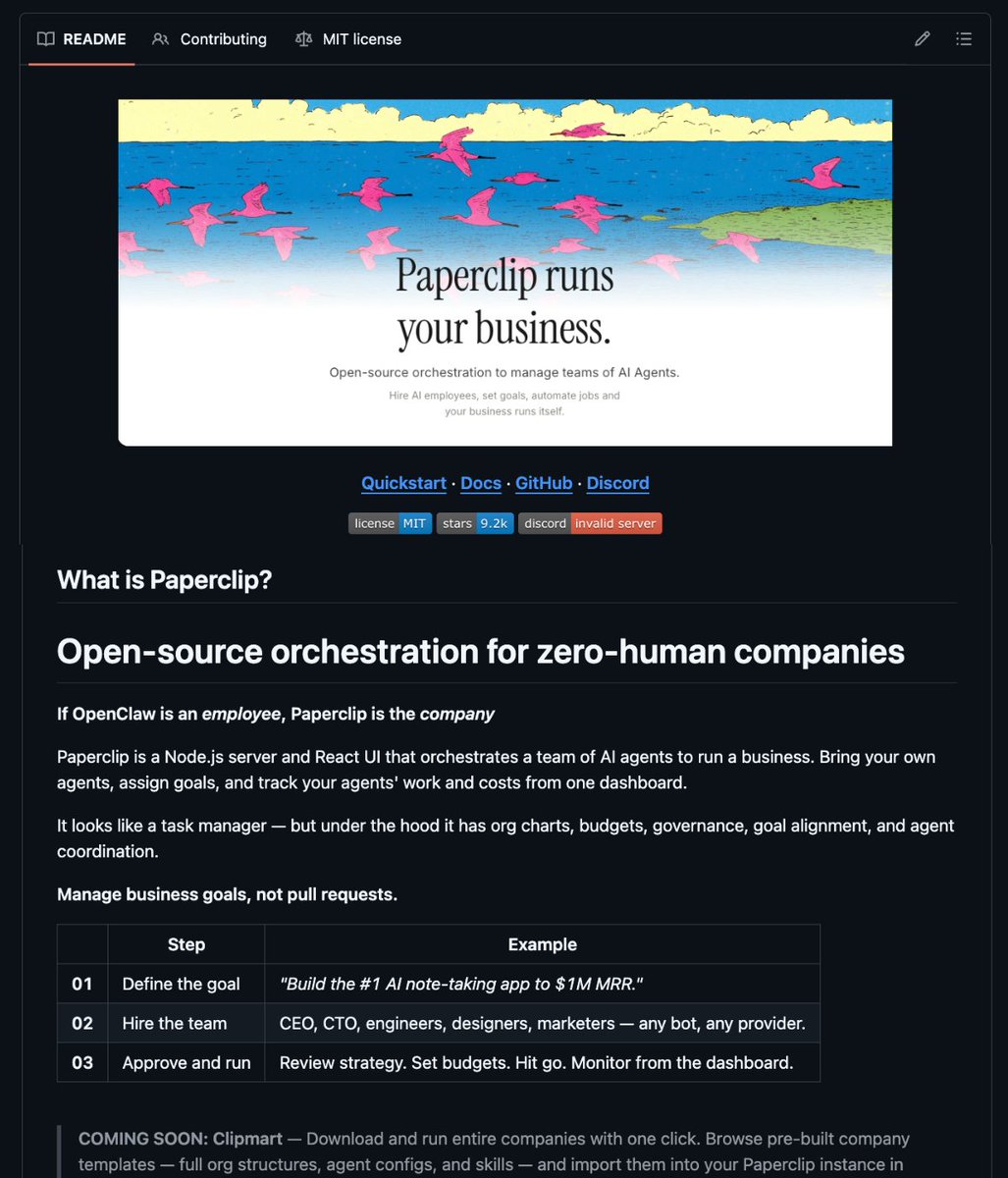
🚨 BREAKING: Someone just open-sourced the operating system for zero-human companies.
It's called Paperclip.
Think of it as the company layer on top of your AI agents.
If OpenClaw is an employee, Paperclip is the entire company.
What's inside:
→ Bring any agent (Claude Code, Codex, Cursor, OpenClaw) with real reporting lines
→ Give them org charts, titles, budgets, and goals
→ Monthly budgets per agent when they hit the limit, they stop. No runaway costs
→ Full ticket system with tool-call tracing and immutable audit logs
→ Agents run 24/7 on heartbeats while you monitor from your phone
Instead of having 20 Claude Code tabs open with no idea what's happening…
One deployment. One dashboard. Your agents run the company while you sleep.
1.4K stars. MIT License. 100% Opensource.
Someone built an AI-driven particle simulator that lets you generate and visualize complex particle systems with prompts,
then export them as HTML, React, or Three.js simulations.