🛍️ We gave our TikTok product videos a permanent home.
Timewaster Hicks Finds now brings together fashion, tech, gaming, gifts and trending discoveries in one growing collection.
Watch the videos → find something interesting → check it out on TikTok.
https://t.co/MSHZAxhVci
#TikTokShop #TikTokFinds #TechFinds #FashionFinds
From dial-up AOL and Pentium processors to liquid-cooled gaming PCs. 💻
How do computers actually work?
Explore CPUs, GPUs, RAM, motherboards, storage, USB ports and hardware upgrades.
https://t.co/Kn7HAAesgK
#PCGaming#ComputerHardware#Technology
X
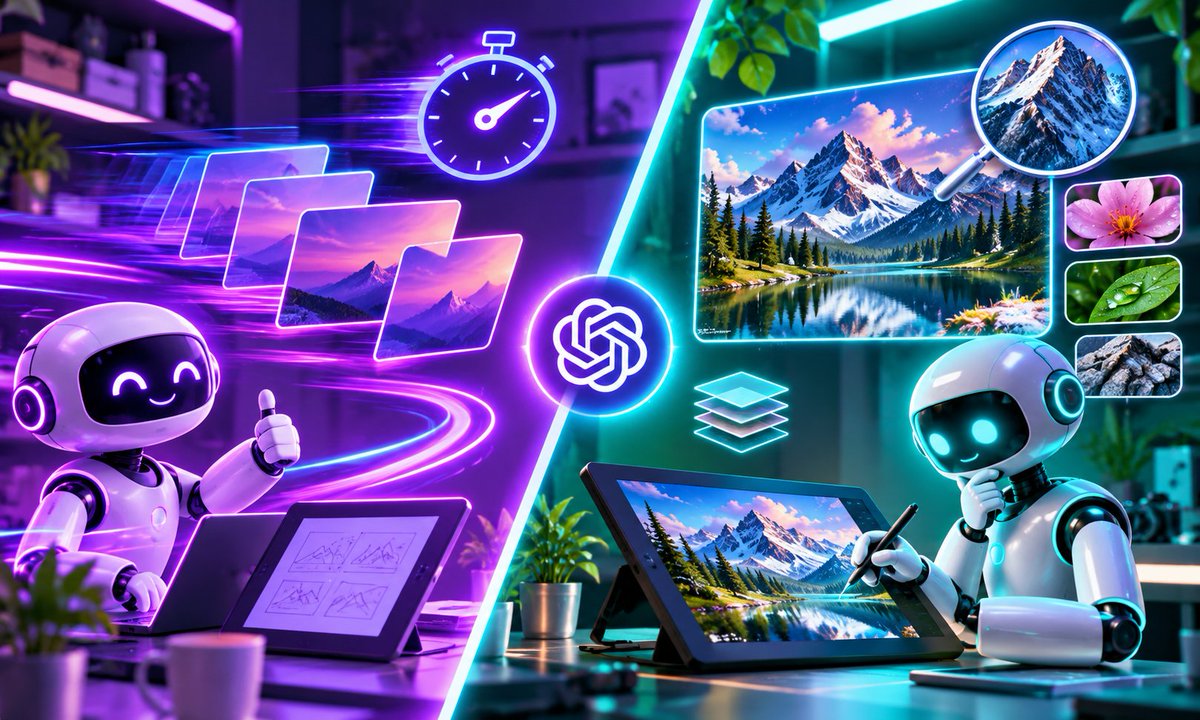
GPT Image 2.6 is interesting for a reason that has less to do with generating the first image.
It’s what happens when you try to edit it.
OpenAI added faster generation, improved consistency, GIF creation, saved references + new controls.
For creators, that could mean fewer “fix one thing, break three others” generations.
I broke down what changed + the workflows actually worth testing:
https://t.co/svaVtukVQ8
#GPTImage #ChatGPT #AI
Facebook
OpenAI’s new GPT Image 2.6 update looks impressive on paper, but I think creators should pay attention to something beyond raw image quality.
Can it help us get from an idea to a finished visual with fewer corrections?
That’s where features like improved editing consistency, faster generation, saved reference images, and animated GIF creation get interesting.
For example, instead of generating a character you like and essentially starting over every time you need a different scene, the goal is to preserve more of what already works while changing only what you asked to change.
I put together a full creator-focused breakdown covering:
⚡ Faster image generation
🎨 More controlled editing
🎞️ Animated GIF creation
🖼️ Saved reference images
🔥 Flare vs. Sunburst
🧪 Four tests I think creators should actually run
📈 Where this fits into content and SEO workflows
One thing I wouldn’t do is judge the update based only on a handful of impressive generations.
The better test is how many corrections it takes to produce something you’d actually publish.
Full article:
https://t.co/svaVtukVQ8
If you’ve tried GPT Image 2.6 already, I’d be interested in whether you’re seeing better consistency when editing existing images.
The Owala FreeSip 24 oz has become popular for a reason — the lid gives you two ways to drink.
You can sip through the built-in straw or tilt the bottle back and use the wider opening.
I took a closer look at the features, insulation, cleaning, drawbacks, and whether the 24 oz size is actually worth buying.
Read the full review:
https://t.co/4z7000qhnQ
#Owala #OwalaFreeSip #WaterBottle
Grok AI has changed a lot in 2026.
It’s no longer just “the AI inside X.”
I broke down:
• Current Grok features
• Pricing
• Grok Imagine
• Creator workflows
• Grok vs ChatGPT, Gemini & Claude
• Where Grok actually makes sense
I use X, ChatGPT, and I’ve tested Grok too. This guide focuses on the practical differences instead of another AI popularity contest.
https://t.co/ZWukTP0uHF
Want to launch a website for your AI business in 2026? 🚀
Here's a beginner-friendly https://t.co/k56QPcgjZA walkthrough covering hosting, domains, AI site building, SEO, and launch.
💻 Step-by-step guide:
https://t.co/rbPCDWQQj0
#WordPress#AI#WebsiteBuilding
🧹 5 cleaning gadgets worth considering in 2026.
Spin scrubbers, grout brushes, carpet spot cleaners, steam mops & extendable dusters.
Which ones are actually useful? We compare their pros, cons and best uses.
https://t.co/KrKQNgWNgD
#CleaningGadgets
AI assistants are evolving from answering questions to completing tasks.
Claude Duet explores an interesting idea: AI that keeps working while you're away.
What would you delegate first?
https://t.co/T78FIPfDq4
#ClaudeAI#AIAgents#Anthropic
Buying the “best monitor” is easier when you stop looking for one monitor that wins everything.
🖥️ 27" QHD for value
✨ 4K for sharper workspaces
🎨 ProArt/ColorPro for creators
⚡ 120–180Hz for smoother gaming
↔️ Ultrawide for multitasking
🔌 USB-C for laptop setups
We compared 10 monitors from LG, Samsung, ASUS, Dell, ViewSonic & Alienware and matched them to the people they actually make sense for.
https://t.co/cCVxqAVvtu
#Monitors #DeskSetup #GamingSetup #Tech
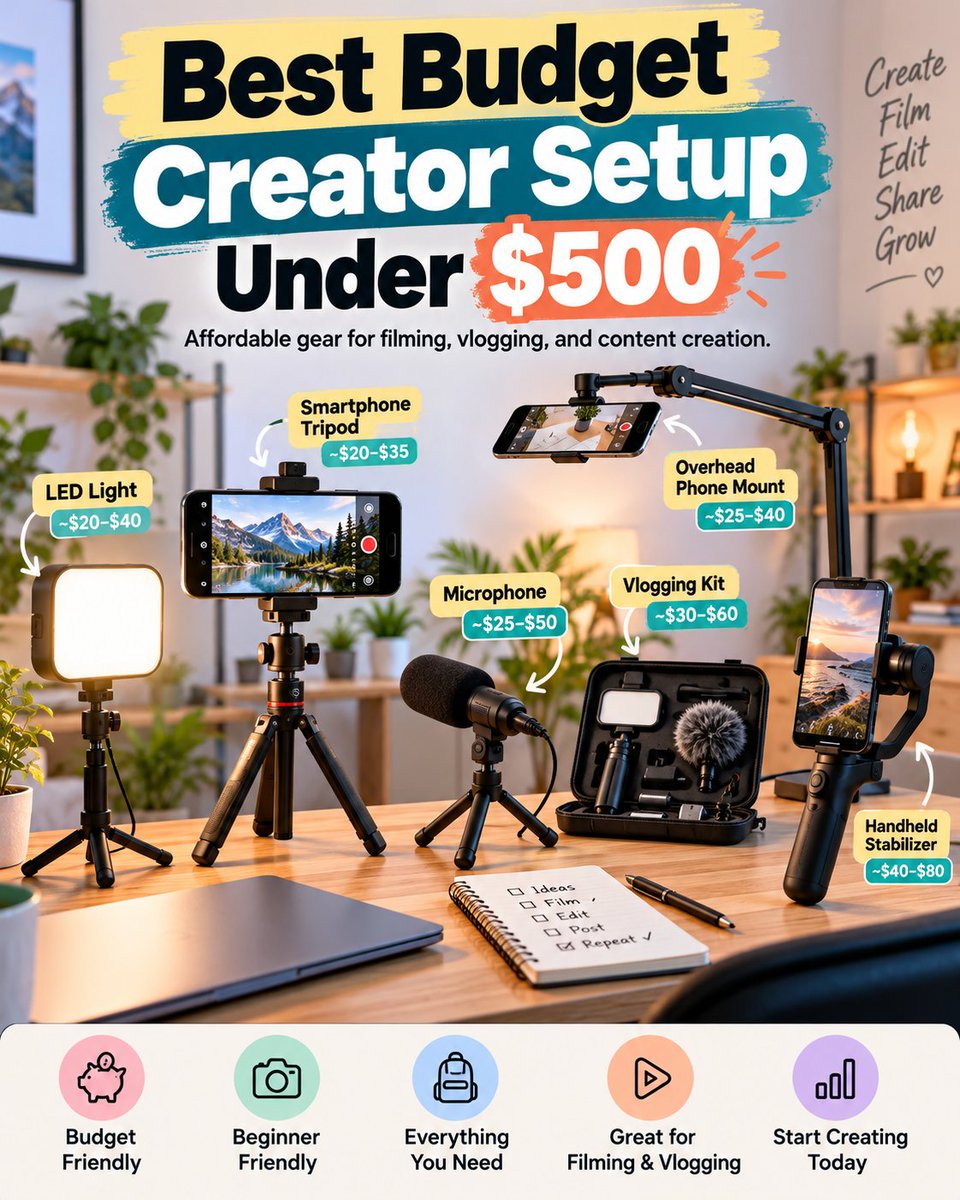
🎥 You don't need a $2,000 studio to create videos.
A smartphone, decent lighting, a microphone, and a tripod can get you started.
Our budget creator gear guide covers setups under $500.
https://t.co/canhjkjctz
#CreatorTools#ContentCreation
📱 iPhone 18 Pro starts at $1,199.
48MP variable-aperture camera.
A20 Pro chip.
New Siri AI.
Impressive upgrades—but worth replacing your current phone?
We broke down the specs, benefits, and drawbacks.
https://t.co/kFSPPyPIKu
#iPhone18Pro
Instagram doesn't have category folders for your profile grid.
So we made our own visual sections using ChatGPT. 👀
Fun ��� | Shopping 🛍️ | Entertainment 🎬
Here's how to create custom dividers for your Instagram grid:
https://t.co/gWaqJFjPoT
#InstagramTips #ChatGPT
Update — October 14, 2026: After exhausting our five-hour Work allowance, we attempted to access our private Tina Trends plugin from the standard ChatGPT interface using GPT-6.1 Sol Medium. The interface continued to display the Work usage-limit warning. This indicates that simply invoking the plugin from regular ChatGPT did not bypass the Work restriction in our test.
🚨 Custom GPTs are retiring. Will their replacement apps cost creators more?
We tested a private ChatGPT plugin on Plus. A short sales script reduced our remaining Work allowance from 9% to 5%. One HTML article later, we hit the limit.
Our findings 👇
https://t.co/3YGknBd1bD
#ChatGPT #AITools #CustomGPTs
🧽 Dovety vs. LIVINGPRO: Which electric spin scrubber should you buy?
We compare brush heads, battery features, extendable handles, and bathroom cleaning uses.
Read before you buy 👇
https://t.co/77NQsLNHWU
#CleaningGadgets#HomeTools
AI-generated videos getting low views? 🤖
Before blaming the algorithm, test your hook, retention, video length, format, and recommendation eligibility.
7 practical checks for AI creators:
https://t.co/zzRsWAHQ8D
#AIVideo#CreatorTips
Running out of TikTok ideas? 🚀
Here are 15 posting ideas for 2026—from product demos and quick tutorials to search-driven content.
Learn how Creator Search Insights can help you choose your next topic.
https://t.co/Zs0l9VSQq3
#TikTokTips#ContentCreators
🚀 Is your content showing up in AI search results?
Bing's AI Performance Report can help you discover content gaps, track AI citations, and find new opportunities for your website.
Here's how to put that data to work in 2026. 👇
https://t.co/8n3Pwwz5ss
#BingWebmasterTools #AISEO #GEO #ContentStrategy #TechnofluxAI
I tested ClickUp Brain against ChatGPT for a real content workflow.
The biggest difference?
ClickUp Brain is most useful when your work already lives inside ClickUp — tasks, Docs, project context, and workflow data.
I broke down the features that actually matter for creators, where Brain helps, and where ClickUp can become overkill:
https://t.co/yX0SPzCMKd