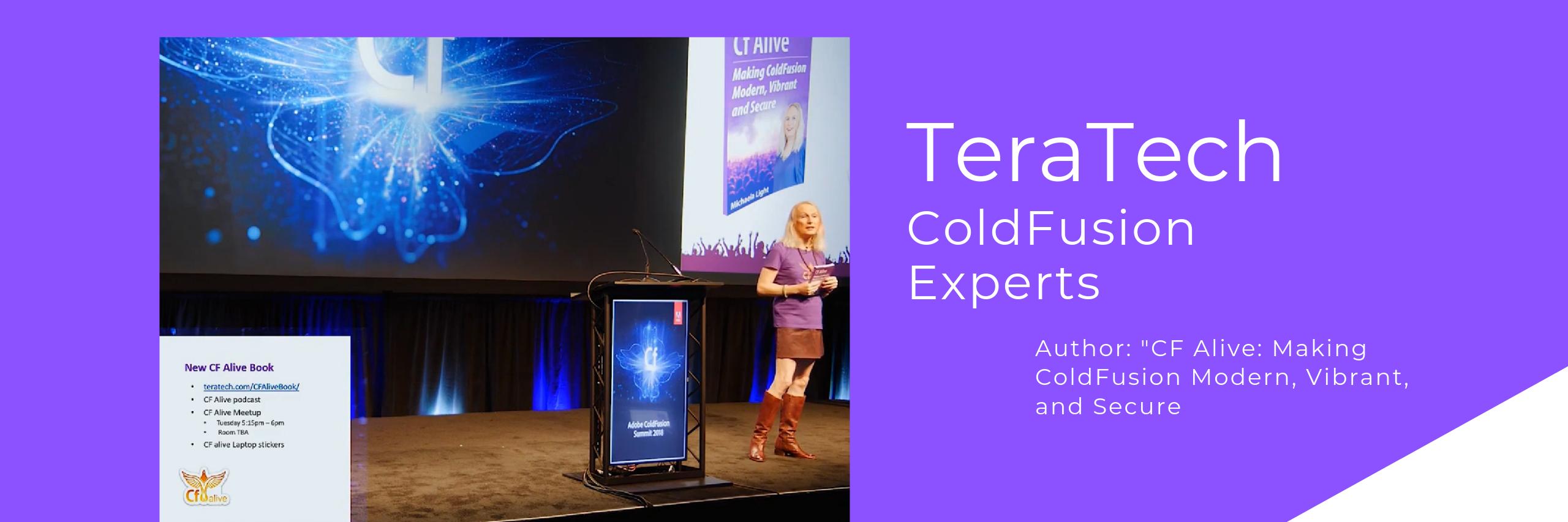
Get your free copy of my CF Alive book
Read on to see how to get your free copy of my CF Alive book. But first, what is the book about?
ColdFusion is a vibrant and modern language for complex, data-driven enterprise apps. While some companies have abandoned CF as dying, more farsighted dev teams have embraced CF. Learn how they are making it the most modern, secure and state-of-the-art web development ecosystem. Bar none.
The CF Alive book explains how you can:
* Modernize your legacy CF apps with 14 best practices for easy-to-maintain apps
* Discover 27 state-of-the-art tools from my hand-picked list that will make you more efficient at CF development
* Inspire others developers and young programmers with our proven 21 outreach methods
* Learn 8 keys to improve CF Marketing and be proud of using ColdFusion
* Contribute to making CF more alive this year
You can buy the book on Amazon or you can get a free copy by commenting on this post saying “I want CF Alive” and optionally saying why you want it.
What readers are saying about CF Alive:
"In CF Alive, the author explores best practices surrounding modern web development, recommending specific software tools and other resources for implementing these best practices for Adobe ColdFusion and other CFML application developers. What I liked best about the book (Kindle version), is that I could read about a recommended software tool, then link directly to a CF Alive Podcast between the author and a highly-experienced ColdFusion developer with expertise in using that tool." - G Cantor
"This book is taking on a tough challenge: convince the web development world that ColdFusion is worth investing in. There's a lot working against ColdFusion: its age, its decline in popularity, its perception as stagnant. What this book does, however, is line up all the many responses to those criticisms. It reaches out to new and former ColdFusion developers with the words of the very community that writes ColdFusion code today. It also speaks to existing ColdFusion developers and encourages them to embrace the latest techniques and technology that the ColdFusion community offers to help bolster and improve the name of ColdFusion in the development community.
If you are a current or former ColdFusion developer or simply curious about developing for ColdFusion, you should check this book out." - Miles Rausch
"I love the inspirational quotes throughout the book, and all the contributions from other CF community members. This reminds me of the Fusion Authority articles and the great sense of community support that they provided. The “Outreach” chapter is excellent in this regard — reading it brought back a lot of the feelings I got when I first met people in the CF community and shows how passionate the CFML community still is.
This is an excellent reference for people new to CMFL looking to get a jump start on recommended practices, and a great resource for anyone doing web development that just needs to be inspired again. (Full disclosure: I was interviewed for this book and also helped with the technical editing." - Nolan Erck
"We have all seen legacy developers stuck in their ways. It is time for ColdFusion developers to step up and modernize! CF Alive is a great resource written to provide the necessary tools and resources to update, secure, scale and deploy new and better applications with ColdFusion. This book helps from the newbie CF developer to the larger team of developers looking at ways to support and move forward with ColdFusion. Additional topics include containers, ways to bring more applications to the cloud, better security of our application source, testing environments, opportunities to use the open source Lucee engine and more.
It is time to bring more educational opportunities to developers with the rapid application development of ColdFusion. This book hits it straight on. CF is Alive!" - William Frankhouser
About the author
Michaela Light is the host of the CF Alive Podcast and has interviewed more than 60 ColdFusion experts. In each interview, she asks “What Would It Take to make CF more alive this year?” The answers inspired this book.
Michaela has been programming in ColdFusion for more than 25 years. She founded TeraTech in 1989. The company specializes in ColdFusion application development, security and optimization. She founded the CFUnited Conference and runs the annual State of the CF Union survey.
Get your copy of CF Alive now
You can buy the book on Amazon at
https://t.co/a1STU6yZHR
Or you can get a free copy by commenting below. Just say “I want CF Alive” and optionally why you want it. And I will PM you back with the book PDF and Mobi file. Easy!
EOL Watch: ColdFusion, BoxLang, and Lucee - Which Reaches End-of-Life Next?
End-of-life dates have a nasty habit of looking far away. Then one day, the deadline is two months out, and somebody asks, “Wait. We still run that?”
Adobe ColdFusion, BoxLang, and Lucee all handle support life cycles differently. If you run one of them, you should know where your version sits before the road suddenly ends.
👉 If your CF platform roadmap has started to look foggy, explore TeraTech’s ColdFusion consulting services https://t.co/odQrbRnyfL. We help teams sort out upgrades, support risk, and the safest path forward.
Adobe ColdFusion: The next hard deadline
Adobe’s official support matrix https://t.co/u3rq5kc91C shows that ColdFusion 2021 is nearing EOL. Its extended support ends on November 10, 2026. That means teams still running CF 2021 have very little road left.
ColdFusion 2023 has much more time. Core support runs until May 16, 2028, with extended support through May 16, 2029. ColdFusion 2025 runs even farther, with core support through February 26, 2030.
If CF 2021 still runs an important app, now is the time to plan the move. Waiting until the gates close tends to summon orcs from security, compliance, and management all at once.
BoxLang: A longer runway
BoxLang, made by the CF wizards at Ortus Solutions @ortussolutions, uses a different model.
Its official release and support lifecycle https://t.co/Bz4qagvAFS gives each major release three stages of support.
* Year one: active support.
* Year two: updates and security fixes.
* Year three: critical security fixes only.
After that, the version gets archived.
BoxLang v1 launched into active support in 2025. Its roadmap shows support through 2028. After that, v1 is archived.
It also means BoxLang users should still know which major version they run. The road may be longer, but eventually every fellowship needs a new map.
Lucee: Watch the release, not just the calendar
Lucee works a little differently again.
The Lucee 2026 roadmap https://t.co/6E6QUa7uwh confirms that Lucee 5.4 reached end of life at the end of 2025.
Today, Lucee 6.2 is the Long-Term Support release. Lucee 7 is the newer stable branch.
The Lucee team has not yet published a fixed EOL date for 6.2. That makes version tracking even more important.
Watch the Lucee roadmap. Stay on a supported release. Keep Java and Tomcat requirements in mind, too, since major Lucee upgrades can change what runs under the CFML engine.
You do not want to discover that your legacy CF app depends on an even more ancient bridge underneath it.
So which one reaches EOL next?
For teams running versions that still have support today, Adobe ColdFusion 2021 has the nearest firm deadline: November 10, 2026. That's the date I would circle in red.
After that, the picture depends on your engine and CF version.
Adobe ColdFusion gives you firm dates. According to Adobe’s EOL matrix https://t.co/u3rq5kc91C, ColdFusion 2023 gets core support through May 16, 2028, followed by extended support through May 16, 2029. ColdFusion 2025 has an even longer runway, with core support through February 26, 2030. Adobe currently lists no extended-support period for that release.
BoxLang gives you a published multi-year support cycle. Lucee gives you an active LTS path. But keep an eye on its roadmap. Future EOL dates may change.
The simple CIO move is to keep one small table.
Track:
* Platform and version.
* Current patch level.
* Support end date.
* Planned upgrade date.
That one page can save you a very unpleasant board meeting later.
Version support is boring right up until the day it becomes urgent. Even Gandalf knew you shouldn't ignore warnings written on old doors.
🌟Onward!
In the next issue of the CF Alive newsletter, we’ll look at how to modernize ColdFusion without rewrites.
P.S. If your ACF, BoxLang, or Lucee version is getting close to the end of its supported road, send us a message https://t.co/KnigL6cytg or DM. TeraTech’s ColdFusion team can help check compatibility, plan the upgrade, and keep your app from getting stranded on an old platform.
High Availability Patterns for ColdFusion: Building Apps That Never Sleep
Your CF app can run perfectly for months. Then one server dies at 10:14 on a Tuesday morning, and life becomes a trip to Mordor.
If the whole business goes down with it, you have learned something important about your setup. High availability gives your CF app another path when part of the system fails. It lets users keep working while your team deals with the problem behind the scenes.
👉 If one server failure could take down your CF app, explore TeraTech’s ColdFusion maintenance services https://t.co/ziJS0UqnuF. We help teams reduce single points of failure, improve uptime, and build safer CF environments.
Start with more than one CF server
The first pattern is the easiest to understand. Run more than one CF instance or server, then put a load balancer in front of them.
The load balancer sends traffic to healthy CF servers. If one stops responding, traffic moves to the others.
Your users may never know anything happened. That is much nicer than having the whole company gather around one dead server like the Council of Elrond.
Of course, adding another CF server creates a new question.
What happens to the user’s session?
Make sessions survive the trip
A user may start on Server A and land on Server B after a failure.
If the session lives only on Server A, that user may suddenly get logged out or lose work.
You have a few ways to handle this.
* Use sticky sessions so the load balancer keeps a user on one server when possible.
* Store important session data somewhere both CF servers can reach.
* Keep session data small so moving between servers creates less pain.
Test what happens when you pull one CF server out of service during a real session.
You want rollover to feel boring.
Protect the database too
Two CF servers will not save you if they both depend on one database that just fell over. Look at the whole path.
Your database may need replication, clustering, managed failover, or another high availability setup. The right choice depends on your database, traffic, and recovery needs.
The same rule applies to file storage, APIs, queues, and other services your CF app depends on.
Find the parts where one CF failure stops everything. Those are your pressure points.
Use health checks that mean something
A CF server can technically answer a request while the app behind it is having a terrible day.
Good health checks look deeper.
Can CF answer? Can it reach the database? Can a key service respond? Is the app healthy enough to receive real traffic?
Your load balancer needs enough information to stop sending users toward a broken path.
Practice the failure
High availability looks great on a diagram. The real test comes when something dies.
Take one CF node offline in a safe test. See whether traffic moves. Check active sessions. Watch logs and errors. Time how long recovery takes. Then try another piece.
What happens when the database fails over? What happens when shared storage disappears? What happens when one outside API stops responding?
Each test gives you a clearer map.
The CIO view
High availability comes down to one question:
How much of the business stops when one thing breaks?
If the answer is “all of it,” start there.
Add another CF node. Remove single points of failure. Test session rollover. Protect the database. Add useful health checks.
You do not need to build Minas Tirith in one sprint..
🌟Onward!
In the next issue of the CF Alive newsletter, we’ll see which will reach EOL next: ColdFusion, BoxLang, or Lucee.
P.S. If you are deciding whether your next API belongs inside CF or in a new service, send us a message https://t.co/VWgKnMBBs5 or DM. TeraTech’s ColdFusion team can help map the risks, protect the existing app, and find the cleanest path forward.
Is your ColdFusion app the one ring that rules them all at your company? Powerful, important and a bit dangerous... Back in 2018 everyone asked me “Is CF dying?”
144 podcast episodes later the answer is clear. CF is alive. Adobe keeps adding new features every year.
But a healthy platform does not mean a healthy legacy CF app.
Lots of CIOs I talk to run old code nobody has looked at in years. Every change feels like a long walk to Mordor. And only one developer knows the way.
So this Thursday Nov 5th I’m running a free webinar with Adobe: "ColdFusion Is Alive. Now What?"
In 60 minutes you’ll learn how to:
1)Find the hidden risks in your CF app
2) Pick your path: keep, upgrade, modernize or rewrite
3) Fix what matters first while the business keeps running
4) Stop relying on one lone unicorn developer
5) Add AI safely with CF 2026
I’ll also share real CIO stories. One college had its CF app crash every enrollment and finals week. We kept the app, fixed the cause and stopped the crashes in weeks.
It is Thursday Nov 5, 2pm PT / 5pm ET.
You don’t have to make this journey alone. Second breakfast is optional.
Link to save your seat and more details is in the first comment.
#ColdFusion #CFML #CIO #LegacyModernization
Ever wonder if you can add AI to your ColdFusion app? The answer is, as always, it depends.
If your app has security gaps, unclear data rules, or interfaces nobody wants to touch, adding AI may not be a good idea.
Join me, Michaela Light @TeraTechCF, TeraTech CEO, on Thursday, Nov. 5, for ColdFusion Is Alive. Now What?
We’ll walk through five checks before you connect AI to a business-critical app. You’ll also learn how to phase the work: fix now, improve next, plan later.
Give your team a plan they can discuss with leadership, with clear priorities behind the excitement.
Bring your questions. The awkward ones are welcome, too.
There’s a link to the registration page in the comments below. 👇
#ColdFusion #EnterpriseAI #CIO
CF vs Go for Secure Service APIs: An Honest 2026 Comparison
Say you need a new secure service API.
Your CF team can build it inside the app they already know. Or you can hand the job to Go and create a small service beside it.
Which path makes more sense in 2026?
The answer depends on the job, your team, and how much new complexity you want to own. Both can build secure APIs. They simply take different roads.
👉 If your CF app needs safer APIs or a clearer modernization path, explore TeraTech’s ColdFusion security services https://t.co/mtdA7ROthj. We help teams improve old CF systems without turning every new service into a trek through Mordor.
Where CF makes sense
CF has a big advantage when the API belongs close to an existing ColdFusion app.
Your business rules may already live in CFML. The database access already works. Your team knows the code. Building the API there can save a lot of time and avoid copying important logic into another service.
Modern ColdFusion also gives teams security tools around the app. Adobe has added stronger password hashing, passkeys, Security Analyzer updates, and regular security patches.
Plus the Adobe API Manager for monitoring and controlling API end points comes with CF.
That makes CF a strong choice for APIs tied closely to an existing business system.
The Shire already has roads. You should use them.
Where Go makes sense
Go shines when you want a small service with a narrow job.
It works well for standalone APIs, high traffic, background services, and systems that need lots of work running at once. Go produces a compiled service that can fit neatly into containers and modern cloud setups.
Its security toolchain also gives developers useful weapons. govulncheck checks for known vulnerable code. Native fuzzing can hammer strange inputs. The race detector helps find bugs caused by work happening at the same time.
That can make Go appealing when a new service needs a clean border around it.
You get a fresh little outpost instead of adding another room to Minas Tirith.
The hidden cost of adding Go
A second language adds a second set of things to own.
Someone needs to understand the Go code. Your CF team needs a build and release process. Monitoring must cover another service. Security patches now arrive from another ecosystem.
You may also copy business rules out of the CF app.
That creates a new question: which system owns the truth?
One pricing rule in CF and another in Go can lead to very interesting meetings six months later.
So factor the people into the choice. A beautiful Go service with no Go developer left on staff can become its own form of ancient code.
Security comes down to the work
Neither language hands you a magic mithril shield.
A secure API still needs tight access rules, input checks, safe secrets, useful logs, current patches, and limits on what each service can reach.
The CF team matters too.
A skilled CF team that knows the app can build a safer service than a rushed Go team learning on the job. The reverse can also happen.
For CIOs, that is the real comparison.
Look at the service you need. Look at the code it must touch. Look at the CF team that will own it three years from now.
Stick with CF when the new API depends on the business logic you already have.
Consider Go when the service can stand on its own and your team is ready to support it.
Sometimes the best architecture uses both.
Just make sure every new road leads somewhere you actually want to maintain.
🌟Onward!
In the next issue of the CF Alive newsletter, we’ll look at using high availability patterns to build ColdFusion apps that never sleep.
P.S. If you are deciding whether your next API belongs inside CF or in a new service, send us a message https://t.co/tPRIgJlugO or DM. TeraTech’s ColdFusion team can help map the risks, protect the existing app, and find the cleanest path forward.
Zero Trust for Legacy CF Web Apps: A Practical Starting Point
Your legacy CF app may have been built when “inside the network” meant “safe.”
That assumption has aged about as well as storing passwords in a spreadsheet.
People work from home. Vendors connect remotely. APIs talk to outside systems. Old service accounts hang around for years. One stolen login can open doors nobody remembers building.
The One Ring approach to permissions, where one account rules them all, creates a lot of trouble.
Zero Trust gives you a better approach. Check who wants access, confirm what they should reach, and limit how far they can go. And yes, you can start doing this around an old CF app.
👉 If your legacy CF app has access rules left over from another age, explore TeraTech’s ColdFusion security services https://t.co/Wl6plnrr28. We help teams tighten access, patch weak spots, and make older CF apps safer without sending the whole system into Mount Doom.
Start with the people who have the most power
Look at your CF Administrator access first. Who can log in? How many people have admin rights to your app admin? Are old employee accounts still active? Can an admin page be reached from the public internet?
Then look at the powerful users inside the CF app. A finance manager may need far more access than a customer. A support rep may need to view an account without changing payment data. Give each person the access their job requires.
Check the app’s hidden identities too
People are only part of the picture. Ancient code sometimes carries ancient secrets.
Your CF app may use database accounts, API keys, scheduled tasks, service accounts, mail credentials, and connections to other systems. Some of those credentials may have more power than the app needs.
Find them. Write down what they can reach. Reduce their permissions where you can.
Also, look for credentials sitting in CF source code, old config files, shared documents, and forgotten scripts.
Put walls around the important parts
A legacy CF app may need to stay online while you improve it. You can still make access harder for an attacker.
Limit access to the ColdFusion Administrator. Protect database servers from direct public access. Put sensitive internal tools behind stronger login controls. Separate test systems from production.
Think of Minas Tirith. One wall may fail. Several walls give you more chances to stop the visitor before they reach the throne room.
Apply the same idea inside the app. Sensitive actions should check the user’s rights every time they run.
Make access visible
Zero Trust works much better when you can see what people and systems are doing.
Log admin access. Track failed logins. Watch unusual account activity. Record sensitive actions. Review accounts when staff leave or change roles.
Your CF team should be able to answer simple questions after something strange happens.
Who logged in? What did they access? What changed? Which account made the request? Without those answers, an incident turns into an archaeological dig.
Start small
You do not need to rebuild the CF app before improving access.
Start with one important CF system. List the users, admins, service accounts, APIs, and databases connected to it. Remove access nobody needs. Tighten the most powerful accounts. Add stronger login controls and better logs.
Then walk the next part of the road.
Zero Trust works well as a series of small CF security moves. Each one gives an attacker fewer places to wander and your team a clearer view of the remaining paths.
Legacy CF can live behind modern gates.
You just need to know who has the keys.
🌟Onward!
In the next issue of the CF Alive newsletter, we’ll compare ColdFusion and Go when it comes to secure service APIs.
P.S. If too many people, accounts, or old integrations hold keys to your CF kingdom, send us a message https://t.co/UroJbqx7gZ or DM. TeraTech’s ColdFusion team can help tighten access, clean up old permissions, and build a safer path around your legacy app.
Your ColdFusion app runs the business. So everyone gets nervous when they hear, “We need to change something.”
Maybe only one developer knows how it works. Or updates keep slipping. And someone in leadership keeps asking whether you should rewrite the whole thing.
Before you approve that quest, you might need a wizard to help check the map. 🧙
Join me, TeraTech CEO and CF Alive author, on Thursday, Nov. 5, for ColdFusion Is Alive. Now What?
You’ll learn how to spot risks beyond your app’s age and choose a path: keep, upgrade, modernize, or rewrite.
Bring your questions, and let’s find a path forward.
There's a magical link to the registration page in the comments below. 👇
#ColdFusion #Modernization #CIO
"One does not simply let AI write your #ColdFusion code." - AI anxious CF dev Boromir. Or so a lot of CF devs tell me. They’ve heard the vibe-coded horror stories and now treat AI like the One Ring. Powerful, sure. But put it on and next thing you know you’re hissing “my preciousss” at a 4,000 line CFC nobody understands.
So I asked CF and AI coding expert Raymond Camden on the CF Alive podcast (ep 144) how to get past the fear. Yes I got a Star Wars guy onto a hobbit-themed post. Don’t tell him. ;-)
What Ray shared:
1) Skills are your Fellowship. Write down your coding style, your steps and your guardrails so the AI isn’t wandering off to Mordor on its own.
2) Not ready to let AI code? Fine. Use it to plan, test, review and break writer’s block. Even Frodo had help carrying the load.
3) Hallucinations are Gollum. Unit tests are Gandalf on the bridge. Bad code shall not pass.
4) Ask a different AI to critique the code. A second wizard never hurts.
5) Still read some of the generated code yourself. Trust but verify, Samwise style.
6) Ask your AI agent how you could use it better. It might surprise you.
We also got into Adobe’s CF MCP docs server, AI as a kind of super compiler for CFML, and what happens to entry-level dev jobs now.
Ray’s big point is that with good guardrails in place AI has gotten way easier to trust over the last year. Less Ringwraith, more Elven blade.
Shownotes, video, audio and transcript link in the first comment.
So where are you on this? Wearing the Ring or still hiding it in an envelope in the Shire?
#ColdFusion #CFML #AI #SoftwareDevelopment #CFAlive
Pen Testing Your CF App: What to Expect and How to Prepare
Hiring someone to attack your own CF app may sound strange. But that is what a penetration test does. And it does it for a good reason. A skilled security tester can find weak spots before a real attacker does. Think of it as sending a scout ahead before the orcs reach the gates.
For a CIO, the hard part often comes before the test. What will the tester touch? Could the test break production? What does the team need to do? What happens if the tester finds a serious problem hiding in the CF app?
👉 If your CF app needs a security check, explore TeraTech’s ColdFusion security services https://t.co/yIAJpSctIr. We help teams find weak spots, fix risky code, and prepare old CF apps for security testing.
First, agree on the test plan
A good pen test starts with a clear plan.
Decide which CF apps, APIs, websites, and servers the tester can test. Set the test dates. List any systems that are off-limits. Even a fellowship needs to know where it is going before the journey begins.
You also need clear rules for production.
Some tests are safe to run there. Other deeper pen tests should run in on your staging server. Important systems may need limits on traffic, data changes, or user access.
Write down the rules before the test starts.
Give testers enough access
A tester should see more than your login page.
Create test accounts for the main user types. These may include regular users, managers, and admins. If your CF app has APIs, give the tester test keys and basic instructions. Even Gandalf had trouble with locked doors.
This helps the tester find problems that only appear after login.
They may find broken access rules, weak sessions, or data that regular users should not see. They may also find old CF admin tools that no one uses anymore.
Tell the tester about your most important business tasks, too. A checkout page needs more care than an old staff list.
Expect more than a scan
A security scanner can find useful problems. A good CF pen test goes further. In other words, a scanner can point at the shadows. A good tester finds out what is hiding in them.
The tester may check:
* Login controls
* User sessions
* File uploads
* API access
* Old web pages
* User input
* User permissions
The tester may also see if small problems can work together.
One small problem may not seem serious. But two or three problems together may let an attacker get deep into the CF app.
Your team should watch the app during the test. Logs can show what the tester reached and how the app handled the test.
Prepare for the report
The final report should help your team fix problems.
It should explain:
* What the tester found
* Proof of the problem
* How the problem could hurt the business
* How soon you should fix it
Your CF developers should know where each problem is and what they need to do.
Fix the most serious problems first. These may include open admin access or leaks of private data.
Put lower-risk work into your normal maintenance plan. Some fixes may need code changes. Others may need a CF update, server setting, or access rule.
Do not let the report sit unread in a folder.
Test the fixes again
A CF fix needs to be checked. After your team fixes the main problems, ask the tester to test them again. This check can find weak fixes and new problems caused by the changes. It also gives the CIO a clear answer when the board, an auditor, or a customer asks what happened.
You can say:
The app was tested. The CF team fixed the serious problems. The fixes were tested again.
That is much better than saying, “We ran a scan last year. Steve may have the report.”
Pen testing works best as part of regular CF security work.
Update the CF platform. Review the code. Remove old access points. Then ask a skilled tester to try the locks.
You may not like everything they find.
That is why you hired them.
🌟Onward!
In the next issue of the CF Alive newsletter, we’ll explore how to keep your legacy apps secure with the Zero Login principle.
P.S. If your CF app is heading toward a pen test, send us a message https://t.co/io4pXerSgX or DM. TeraTech’s ColdFusion team can help prepare the app, fix the findings, and close unsafe access points.
Cybersecurity Awareness Month: Your ColdFusion Patching and EOL Playbook
Cybersecurity Awareness Month is a good time to ask: How old is the CF version running our critical apps?
Old ColdFusion can run for years. That is part of its charm. It is also how a server quietly drifts past support.
Until one day, a security issue pops up. Suddenly, the C-suite wants answers. What version of CF are we running? Is it still supported? Is it patched? How fast can the team act? It's exactly the wrong time to be asking those questions. Here's how to get ahead of the orcs trying to crash down your gates.
👉 If your CF patching or upgrade plan has gathered dust, explore TeraTech’s ColdFusion security services https://t.co/IjVRoYuANV. We help teams patch, secure, and maintain legacy CF apps before a security issue turns into a full quest.
Step 1: Know what you are running
Make a list of what you use. Include your ColdFusion version, updates, Java version, operating system, web server, database drivers, and key third-party libraries. Then check what still has support.
A CF server can look healthy while sitting on old software underneath. Java may have moved on. The operating system may face its own end-of-life date. A forgotten library may carry a known flaw.
One old stone in the wall can still leave a gap for an orc.
Step 2: Treat patches as normal maintenance
Have a clear plan for every security patch. Test it first. Use a short checklist. Pick someone to own the work. And have a rollback plan.
Test the real parts of the CF app. Logins. Payments. Reports. Scheduled tasks. APIs. File uploads. Whatever keeps your business moving. Then patch production while the test results still mean something.
Waiting six months can make the next patch harder. Several changes pile up. Java versions drift. Dependencies change. Nobody remembers why Gandalf left a note saying, “Do not upgrade this driver.”
Small, regular moves make the road much easier.
Step 3: Know your end-of-life dates
Once a CF version reaches end of life, the risk starts to grow. New security fixes may no longer arrive. Old Java and operating systems can add more risk. Your security team may also start asking harder questions.
Note: ColdFusion 2021: Core support ended last year. Final extended support concludes in November 2026. If you need help to upgrade then explore TeraTech’s ColdFusion security services https://t.co/IjVRoYuANV
A useful plan begins months before the deadline. Test the newer CF version. Check old code and integrations. Fix weak spots. Practice the deployment. Make sure you can roll back.
Step 4: Protect the app around CF too
CF is only one part of the app. Check Java, the web server, and database access. Check operating system patches, TLS settings, admin access, and third-party packages too. Also remove things you no longer use. Old test sites, forgotten admin pages, unused datasources, and abandoned code create extra doors to guard.
Mordor does not need the front gate if somebody left a side door open in 2017.
Give the CIO one simple view
Your CIO should be able to answer four questions without calling three developers.
1. What CF versions do we run?
2. Are they fully patched?
3. When does support end?
4. What is our upgrade plan?
Patch often. Track support dates. Test upgrades early. Give old apps the care that lets them keep doing useful work without becoming ancient ruins. Cybersecurity Awareness Month lasts one month. Your CF patch plan needs to work all year.
🌟Onward!
In the next issue of the CF Alive newsletter, we’ll explore pen testing CF apps.
P.S. If your CF patch backlog looks like something buried beneath Moria, send us a message https://t.co/p3OYEXEq5d or DM. TeraTech’s ColdFusion team can help review your versions, patch the weak spots, and build a safer upgrade path.
What if your new #ColdFusion dev could just ask your legacy CF code a question? And get a real answer. No more three hours of grep or asking colleagues.
One does not simply walk into a legacy CF app.
So Monte Chan built a tool for it. He calls it a poor man's JARVIS (h/t to Ironman's AI assistant). It is written in CF. And you don't need an Arc Reactor budget to run it!
On the new CF Alive podcast episode 143, Monte shows how he coded it.
1) Walk the repo and cut the code into chunks. Use whole functions, not random bits of text.
2) Write a short summary of each chunk. Say what it does, where it lives, and what calls it.
3) Store it in a vector DB like Qdrant.
4) Ask in plain English. The LLM answers from your real code, not from a guess.
Adobe CF 2026 has the AI, vector store and MCP parts built in now. So you don't need Python on the side. This open-source project is a great demo of how to use these new ColdFusion AI features. :-)
For CIOs the big win is not just the tech. New hires learn the code faster. Audit questions take minutes, not days. And you are less stuck when your one CF guru heads off to Mordor on a One Ring quest. Or just on vacation.
You can also run it on Ollama on your own box. Your precious (code) never leaves the building.
Montes's sample code is on his GitHub. The link is in the show notes. See the first comment for those and to watch the episode.
Would you trust a JARVIS AI to show a new hire around your old CF app?
#ColdFusion #CFML #AI #LegacyModernization
We lost a #ColdFusion legend in David Watts last week. He died a few weeks after an accident. He was very helpful to other CFers right from the early days on CF-talk list, through Adobe forums and other channels. He was a great speaker at CFUnited, Adobe MAX, CF Summits and more.
He was a coauthor on the early CF Web Application Construction Kit books that many of us learned CF from.
He cofounded FigLeaf with Steve Drucker and spoke at many of the DCCFUG meetings at their office. Steve wrote a moving eulogy of Dave on Facebook - link in comments.
If you have memories or pix of Dave, please share in the comments.
CF Summit East 2026: The ColdFusion Fellowship Heads Back to the DC area
Pack the laptop. Find your conference shoes. The ColdFusion fellowship is gathering again.
Adobe ColdFusion Summit East 2026 lands in Reston, Virginia, on October 29th. Just outside Wash DC and on the metro, it is easy to find. There is also an onsite workshop on October 28th. If you work with CF, this is a great chance to step away from your code and see what's next.
And yes, there will be humans there. Real ones. Not just AI agents.
👉 If Summit East gets you thinking about what your CF app needs next, explore TeraTech’s ColdFusion development services https://t.co/YcQph9cY4V. We help teams turn good ideas into CF apps that are safer, faster, and easier to maintain.
Two tracks, two different quests
This year, Summit East splits into two tracks.
The Adobe ColdFusion Core track covers the CF work teams do every day. Think performance, security, language updates, and ways to keep old apps healthy.
The AI in Web Development track looks at the newer side of CF. You'll learn about native AI, Retrieval-Augmented Generation (RAG), and Model Context Protocol (MCP). You'll also see how AI can work in real apps.
That mix makes sense. Most CF teams live in both worlds now. You may work on a 15-year-old billing app on Monday and test a new AI idea on Tuesday. Middleware-Earth contains multitudes.
One day ColdFusion AI workshop
Spend six hands-on hours learning how to turn your current applications into intelligent systems using the native power of ACF 2026. Totally without cost.
You also get the roadmap
One big reason to attend comes straight from Adobe.
The team plans to share where ColdFusion goes next.
That matters if you are a CIO planning an upgrade. It matters if you are a developer learning new skills. And it matters if your company keeps asking if CF has a future.
You can hear the answer from the people building it.
Adobe speakers include Mark Takata, Charvi Dhoot, and Vivek Kumar. You'll also hear from CF experts like Charlie Arehart, Dan Wilson, Justin Scott, and Nolan Erck.
That is a lot of CF mileage in one room. Rivendell would charge admission.
Production stories beat shiny demos
The other big draw comes from the people who work on real CF apps.
A clean demo always behaves. Production has other plans.
CF Summit East lets you hear what worked and what didn't. You'll also hear about the strange things CF can do after years in the wild.
Those lessons can save your own team weeks of wandering.
Ask about performance problems. Ask about security. Ask how people handle AI without handing the keys to the kingdom to a model. Ask what broke during an upgrade.
Someone in that room has probably fought the same orc.
And talk to people
This may be the most useful part. The event includes free breakfast and lunch. Great chance to mingle with other CFers!
CF has a smaller community than many tech stacks. That makes the people in it more valuable.
You can meet developers who have worked with CF for decades. You can talk to Adobe staff. And you can meet other teams dealing with old code and new demands.
There is also a happy hour after the Summit. Because some architecture problems get easier after everybody reaches the Prancing Pony.
Should you go?
If CF still runs important parts of your business, yes.
Send the developer who owns the app. Send the CIO trying to plan its future. Better yet, send both and compare notes afterward.
You will come home with ideas. Pick two or three that solve real problems and put them on the roadmap.
The conference gives you the map.
You still have to walk the road.
Adobe ColdFusion Summit East 2026 Reston, Virginia
* October 29th, 2026 (free)
* Onsite workshop: October 28th 2026 (free)
Register here! https://t.co/HFEoKvk13p
🌟Onward!
In the next issue of the CF Alive newsletter, we’ll kick off cybersecurity awareness month with a patching and EOL playbook.
P.S. If CF Summit East leaves you with a page full of CF ideas and no time to tackle them, send us a message https://t.co/NwnBsXVxaZ or DM. TeraTech's ColdFusion team can help you pick the best ideas and make a plan.
The Best CF Recruitment Tool Isn't LinkedIn. It's Your Codebase
Let's say the perfect CF developer job exists. It offers fair pay, flexible hours, and fun work. Let's say that job is snagged by an ideal candidate. All seems alright.
Then they see the codebase and lack of improvement roadmap. Their eyes go wide like Gollum's. And poof, they're gone. All the pay in the world won't bring them back.
An old CF app tells a story. Tidy folders, useful comments, tests, source control, and clear steps all say, "People care." A jungle of copied code, mystery files, and manual steps says, "Fly, you fools!"
👉 Need more CF development help? Explore TeraTech’s https://t.co/mHcxStzWdE ColdFusion development services. We help teams care for old CF apps, clean up messy code, and add skilled CF developers.
Developers are interviewing your app
Good developers know old apps come with baggage. No one expects a 15-year-old CF app to look brand new. But they do want to see that your team can make it better.
Think about two CF jobs with the same pay. The first app has source control, a working local setup, code reviews, basic tests, useful docs, and a plan for old code.
The second has a shared drive called “final_final2,” a production password known only by Steve, and a deployment process that begins with “Okay, whatever you do…”
Which fellowship would you join?
Messy code makes the job harder to sell
Messy CF code makes life harder for a new developer. Before they can fix real problems, they have to work out how the old code works. They need to find hidden links and learn which parts are safe to change.
That can turn a small ticket into a rough trip through Moria.
And the problems don't stop there. Training takes longer. Work is harder to plan. Releases have more risk. Senior developers spend more time explaining why the code works this way.
A new hire may start to wonder: Will I spend my time building new things? Or will I spend it digging through old code?
Clean up the welcome mat
Start with the parts a new developer will use first.
Make the app easy to run on their computer. Put the code in source control. Write down how to deploy it. Explain the key business steps.
Add tests around risky code. Clean up the most messy part of the app.
Then show new hires what you're working to improve. Even write down a roadmap for the app.
You're not just filling a job. You're showing them why they should work with you.
An old app with a plan can be a great place to work. CF developers can solve real problems and make the system better.
Even ancient ruins look better when someone hands you a map and a torch.
Your codebase helps you keep them too
Recruitment does not end on the developer’s first day. Keep making the CF code better after they join. Let them clean up bad code when they find it. Give them time to fix old problems, not just fix bugs.
And reward that work.
The person who fixes an old problem is just as useful as the person who ships a shiny new feature.
An old CF app can still be a great place to work. The key is giving developers the time and support to make it better.
So before you spend another month hunting LinkedIn for the perfect CF developer, look at your codebase. Is it a place they will want to work?
Even Aragorn probably would have passed on a job where the onboarding plan was a shrug.
🌟Onward!
In the next issue of the CF Alive newsletter, we’ll look at CF Summit East, which promises to be as good as any gathering at the prancing pony.
P.S. If your CF codebase is making hiring and onboarding harder than it needs to be, send https://t.co/FPYSrcsE6v us a message or DM. TeraTech’s ColdFusion team can help clean up the rough edges, share the workload, and make your app a better place for good developers to work.