A pop-up says your computer is hacked. A "security company" calls. Then someone official says the only safe place for your savings is gold bars. That's the scam.
Last week the NYPD asked for help identifying a person sought in a $9 million gold bar scam. Police say a 67-year-old Manhattan man got a fake alert on his computer from someone claiming to work for a security company, was told his assets were compromised, bought gold bars over several transactions, and handed them to someone near West 81st and Broadway. That was spring 2025, and police are still trying to identify the person who took the gold.
It isn't one case. The New York Attorney General says the NYPD has investigated more than 100 gold bar scams in two years, with losses over $100 million. Victims are told to keep it from their bank and family.
Red flags: a pop-up with a phone number. A request for remote access. Anyone telling you to move money to keep it "safe," or to keep it quiet.
What to do:
Close the pop-up. Don't call the number.
Never give remote access to someone who contacted you first.
Call your bank at the number on your statement.
Talk to family before you move money.
Source: https://t.co/ay4xd5JJSp
NY AG alert: https://t.co/8I1BNKRaNP
https://t.co/TwmxDKgjBJ
Scam alert: a fake security warning led to a $9 million loss. NYPD says a 67-year-old Manhattan man was told his money was at risk, bought gold bars, and handed them over.
No real agency holds your savings. Hang up. Call your bank.
More: @TheChrisHilton
https://t.co/ShR5YYbeIn
Fellow vets, a solid checklist came out of New York last week, and it works no matter where you live.
New York Attorney General Letitia James put out a guide on scams aimed at service members and veterans. Her office calls out fees to "help" with VA claims, pension poaching (pressure to move pension money for quick cash), fake veteran charities, romance scams, and people posing as government agencies.
Her office boils it down to PATROL:
Protect your data, including your VA and DFAS myPay logins.
Avoid answering unexpected emails, texts, calls, or social media messages.
Test anything about your benefits against your own VA account or an official hotline.
Reject high-pressure sales.
Obtain and review your credit report regularly.
Locate someone you trust before you hand over information or money.
Free help with a VA claim is out there through your county veteran service office or an accredited VSO. If someone wants a fee to "speed it up," walk away.
Source: https://t.co/LQaAVHZkgv
Holiday markets and craft fairs are a big deal for small makers. Scammers know it.
Main Street Hanover, a nonprofit that promotes local shops in Hanover, Pennsylvania, warned this month that someone is impersonating it and asking people to pay for vendor spaces at its real Hot Chocolate & Cookie Stroll on Dec. 12. The emails came from a Gmail address, under a name that isn't one of the nonprofit's two staff members. The nonprofit says it doesn't sell vendor spaces at its events at all.
That's the trick. Real event, real date, real organization. Only the invoice is fake.
If you run an event (a church bazaar, a school fair, a downtown stroll):
Post on your own website and pages how vendors actually sign up.
Say plainly that you never take payment through a personal email address.
If you're a vendor:
Confirm with the organizer through their official site before you pay anything.
Be wary of payment by app, gift card, or wire to an individual.
Source: https://t.co/j06Qp49jBO
https://t.co/Wrf3OGxlhm
Scam alert: someone emailed people selling vendor spaces at a Hanover, PA nonprofit's real holiday stroll. The nonprofit doesn't sell vendor spaces.
Craft fair or market invite? Confirm with the organizer directly before you pay.
More: @TheChrisHilton
https://t.co/XYfjaT5aEN
If you handle the money at your church, this one is for you.
Last week Alan Carr, special agent in charge of the FBI's Milwaukee office, told WTMJ his office is seeing more business email compromise aimed at local governments, nonprofits and churches. Criminals pose as people you already trust so they can redirect money.
His example: the person who handles a church's finances gets an email that looks like it's from the pastor, asking for a money transfer. The address is changed just a little. "They will give banking instructions," Carr said. "They will ask for a change in money."
Red flags:
An address that's one letter or one word off from the real one
New banking instructions or a new account number
A request that skips your normal process because it's "urgent"
What to do:
Read the full email address, not just the name.
Call the person on a number you already have before any money moves.
Carr's own advice: "It's never a bad idea if you get an email like that, make a phone call to the bank."
Source: https://t.co/ZI612p6uB2
https://t.co/klXda9MBLD
Scam alert: FBI Milwaukee sees more email scams aimed at churches, nonprofits and local governments. Example: an email "from the pastor" asks the church bookkeeper for a transfer. The address is a bit off.
Call before money moves.
More: @TheChrisHilton
https://t.co/uwF2qX1usZ
If you've lost money to a scam, the next message you get may be the second scam.
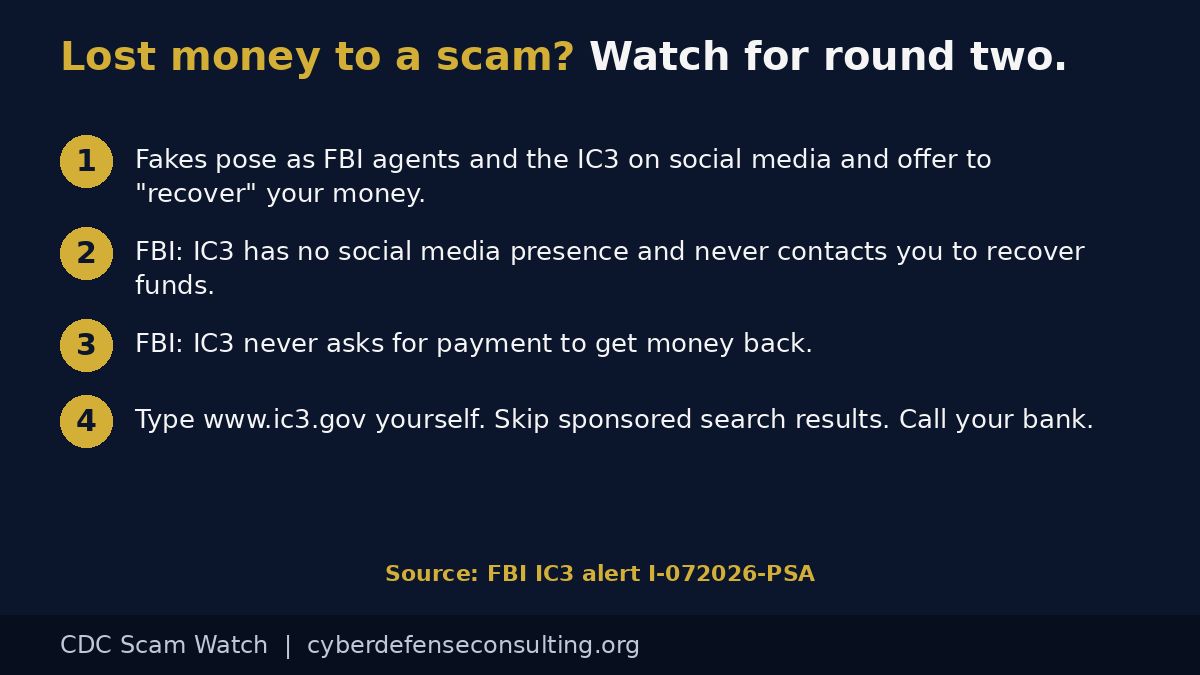
The FBI warns that criminals are posing as FBI agents and as its Internet Crime Complaint Center (IC3) on social media. They reach out to people who already lost money, offer to "recover" it, and send a link to "update" their IC3 report. Some use AI-generated videos of FBI leaders that point people to a fake IC3 site.
Earlier this month, Kurt Knutsson reported fake recovery ads and profiles on Facebook. One post claimed people who lost more than $4,000 may qualify for "federal review." The FBI's guidelines have no such rule, per his reporting.
What the FBI says:
IC3 has no social media presence.
IC3 will never contact you by phone, email, chat or social media to recover money.
IC3 never asks for payment to get money back.
What to do: type https://t.co/ubyHVWegHK into your browser yourself and skip sponsored search results. If someone offers to get your money back for a fee, stop replying and call your bank.
FBI alert: https://t.co/uQp9B19DoH
A school district with a finance team and a CFO still lost about $450,000 to one fake bank.
Earlier this month, Milwaukee Public Schools said an outside party impersonated U.S. Bank, where the district keeps some of its money. The district lost about $450,000. U.S. Bank had recovered $255,000 by Nov 3, and the district is working on the other $195,000.
The district hasn't said how the impersonation worked. What it has said is telling. The superintendent reminded the finance team to verify payment requests made "outside of normal business hours" or with unusual urgency. The district also moved its CFO out of the role while it investigates.
The lesson for any church, school, or small business: your bank is the easiest name for a scammer to borrow, because you already trust it.
What to do:
Any request to move money gets verified on a number you already have, like the one on your statement or the back of your card.
Two people sign off on transfers. No exceptions for "urgent."
Late Friday or right before a holiday? Slow down.
Source: https://t.co/Y7lqc1dRMA
https://t.co/CT6ix0rdRf
Scam alert: someone impersonated Milwaukee Public Schools' bank, and the district lost about $450,000. U.S. Bank got $255,000 back by Nov 3.
A call or email "from the bank" to move money? Hang up. Call the number on your statement.
More: @TheChrisHilton
https://t.co/pJaJkvivWC
Heads up, vets. If you've got a sleep apnea or tinnitus claim in your future, this one's worth a few minutes.
The VFW was on Capitol Hill Nov 9 and 10 pushing back on Section 108 of the Take Care of America's Veterans Act (TCAVA). Per the VFW, Section 108 would change how VA rates certain conditions, including tinnitus and sleep apnea, and write those changes into law instead of leaving them to VA's normal process.
The VFW says veterans already getting compensation would be protected from reductions. Future veterans could get less for the same condition.
The House passed TCAVA (H.R. 9237) by voice vote on Nov 11, per the VFW. It now goes to the Senate. It's still a bill, not law. Read the VFW alert, then tell your senators where you stand.
Not a doctor, certainly not your doctor. I don't even play one on the internet. Not a lawyer either. Just one vet passing along what the VFW put out.
Source: https://t.co/kQXpLhT1Ae
Also: https://t.co/w0f6ttFCNv
And remember, we don't leave our own behind. God willing, I'll see you in the next one.
I keep warning people that phishing doesn't always look like a fake bank email. Now the lure is a free AI event.
Push Security (Nov 5) caught fake registration pages for OpenAI, SpaceX, and Anthropic events. The bait is free ChatGPT Pro, three months of Grok Heavy, or a "SpaceX share." The page asks you to sign in with your work Microsoft or Google account to claim it.
Two paths, same outcome:
- Microsoft: the page shows a device code and sends you to Microsoft's real device-login page. You paste the code and approve. The attacker gets your Microsoft login tokens. Then a second page tries to steal password and session cookie too.
- Google: a live proxy sits in front of the real Google sign-in. You type your password, complete two-step, and the attacker walks away with the session.
That session reaches mail, files, and connected apps. Two-step login does not save you when the attacker is watching the sign-in live.
What to do:
1. Treat unexpected "free AI event" invites like unexpected wire requests. Don't click.
2. Never enter a Microsoft device code that came from a website you don't already trust.
3. Never sign in with a work account to claim a marketing reward from a cold link.
4. Prefer security keys or passkeys over SMS codes where your stack allows it.
Primary research: https://t.co/Zdy6zWjIgV
Also: https://t.co/oZFfW8Xal7
https://t.co/fWkPZr2w4L
Scam alert: Fake OpenAI, SpaceX, Anthropic event pages steal work Microsoft and Google logins. Free ChatGPT/Grok is the bait. You approve a real sign-in. Attacker keeps the session.
Don't sign in to claim event rewards.
Full breakdown on @TheChrisHilton
https://t.co/MvX5mfAmXk
@CyberSpartanII Yep, that's the one I worry about most. If they didn't apply for the job, they shouldn't open the file or click the link. Real part-time work doesn't arrive as a surprise email with an attachment.
Parents, a heads-up from a school district back east.
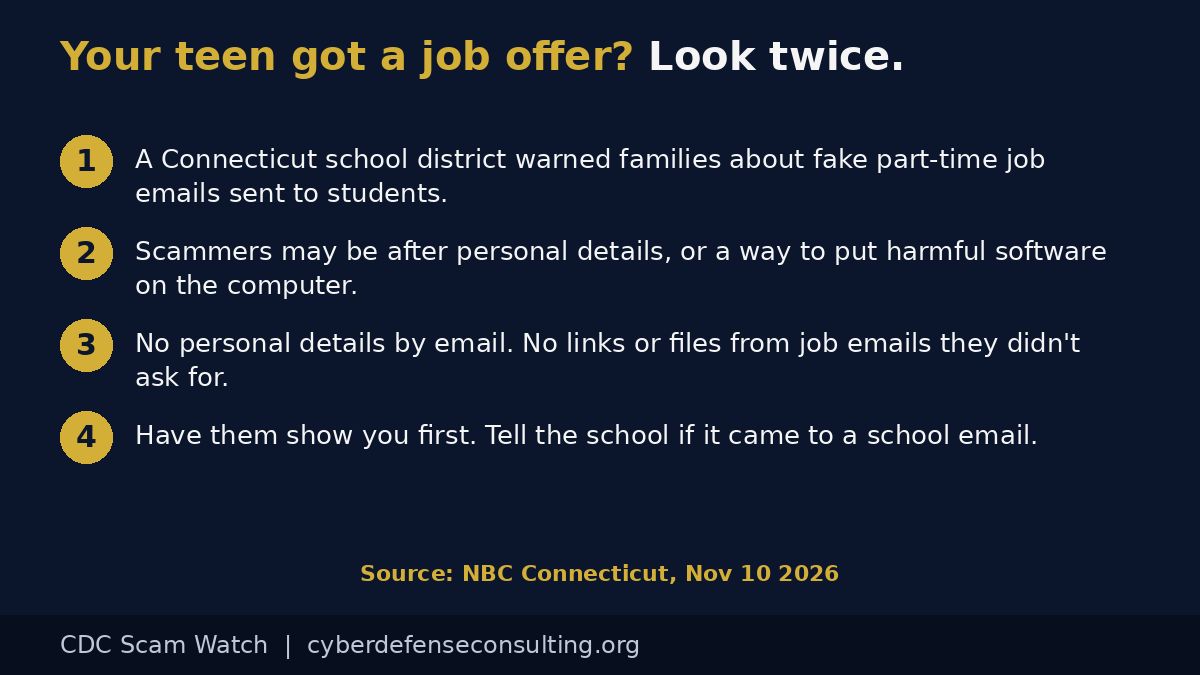
Simsbury Public Schools in Connecticut warned families last week about phishing emails sent to some students offering "fake part-time work opportunities." NBC Connecticut covered it.
A cybersecurity professor at Quinnipiac told them fake job offers can be a way to collect personal information, or to get harmful software onto a computer. If that's a computer your kid uses for school, the school can be exposed too.
Talk to your teen tonight:
No personal details, like a Social Security number, by email.
No clicking links or opening files in job emails they didn't ask for.
Show you first. If it came to a school email, tell the school.
Source: https://t.co/ujoFP6sLPo
That "nationwide blackout on November 17" post going around? It's not real.
Here's the deal. On Tuesday, Nov 17 at 2:20 PM ET (11:20 AM PT), FEMA and the FCC run a nationwide Emergency Alert System test. You may hear it on TV, radio, or cable, in English and Spanish. The message says it plainly: "This is only a test. No action is required by the public." If the test gets pushed, the backup date is Dec 3.
No power shutoff. No internet kill switch. No bank freeze.
The rumor got stirred up by a Simpsons clip, 72-hour preparedness advice taken out of context, and the Nov 13 FAA ground stop. None of that adds up to a blackout.
The real risk is scammers cashing in on the fear:
• "Emergency kit" and generator deals from sites you've never heard of
• Texts pretending to be FEMA or your utility, asking for info or payment
• "Blackout map" links that lead to phishing pages
If a text like that shows up, don't click and don't pay. Go to the official website or call the number on your bill.
En español: No habrá apagón el 17 de noviembre. Es solo una prueba del Sistema de Alerta de Emergencia. No se requiere ninguna acción.
FCC notice:
https://t.co/jLckTocSAS
https://t.co/RVSIdu4dEE
No, the U.S. isn't going dark on Nov 17. It's a FEMA and FCC Emergency Alert System test on TV, radio, and cable at 11:20 AM PT. "This is only a test." Power, internet, and banks are fine.
Watch for fake FEMA texts and "blackout map" links.
No habrá apagón. Es solo una prueba.
Got a text, call, or email that feels off? Try the free checker I built.
Paste the number, the link, or the message into The Scam Tracker. It looks through reviewed reports. No score and no guess.
https://t.co/BJiXmhlZh4
A password manager getting breached is scary. It is not a reason to go back to sticky notes.
On November 3, mSeven Software warned current and former mSecure customers about suspicious activity. Customer support replies shared publicly say an encrypted vault database was taken from mSecure Cloud. mSeven has said it has no evidence the attacker opened the vault contents.
Encrypted still matters. If the master password is weak, it can be cracked offline. That is how the 2022 LastPass theft turned into real account takeovers for some people.
If you used mSecure with cloud sync:
1. Change the master password.
2. Rotate high-value stored logins (email, bank, payroll, admin panels).
3. Reset two-step login methods on the vault and on the accounts inside it.
Use a strong, unique master password you never reuse. A password manager is still the right tool. The weak link is almost always the master password and who can sync the vault.
Source: https://t.co/yHWY48pD0Q
https://t.co/VAxN6FU7U7
mSecure warned users after a cloud breach. Support replies: encrypted vault database stolen. Weak master passwords can still be cracked offline.
Used mSecure Cloud? Change master password, rotate logins, reset two-step.
Full breakdown on @TheChrisHilton
https://t.co/J9ZkirTj5Z
If a caller says they're with law enforcement and bail has to be paid right now in gift cards or crypto, hang up.
Last week the Huron County Sheriff's Office in Michigan warned that scammers posing as law enforcement made multiple calls over two days asking for bail money in gift cards or cryptocurrency. The sheriff's office says multiple residents fell for it and are out nearly $10,000 total, and that no law enforcement agency will call asking for money that way.
Caller ID doesn't settle it either. Earlier this month the FBI warned that scammers are spoofing the real phone numbers of federal law enforcement offices and using real or made-up agent names, so the call looks official.
Red flags: payment on the spot, by gift card, crypto, prepaid card, or courier. A caller ID that "proves" it's the real office.
What to do:
Hang up. Look up the agency's number yourself and call it.
Already paid? Call your bank or the gift card company right away, then report it to local police and at https://t.co/5ysaHgYjLJ.
Source: https://t.co/A3AOZMMlTn
FBI warning on spoofed numbers: https://t.co/JPdQzPubh2
https://t.co/pMhHzz7mUU
Scam alert: fake law enforcement callers demand bail money in gift cards or crypto. A Michigan sheriff's office says residents have lost nearly $10,000.
No police agency collects money that way. Hang up. Call the agency yourself.
More: @TheChrisHilton
https://t.co/ts7jKYVYYs
@DrBilaliftkhar Thanks, that's helpful context. Rare either way, and I agree on both points: sudden vision loss in one eye is a same-day call to your provider, and nobody should stop their medication without talking to their prescriber first.
If you're on a GLP-1, the FDA just required drug makers to add an eye warning to the label. Worth knowing. Not worth panicking over.
On Nov 9 the FDA said every GLP-1 medication, Zepbound, Mounjaro, Wegovy, and Ozempic included, has to add a warning about NAION. It's a rare condition that can cause sudden, painless vision loss in one eye, sometimes permanent.
The number: across 126 clinical trials, FDA counted 6.4 cases per 100,000 person-years on GLP-1s and 3.8 in the comparison groups (placebo or other diabetes drugs). Rare. Real enough for the label.
What caught my eye: FDA lists sleep apnea as one of the risk factors. A lot of us have that.
Watch for sudden vision loss in one eye (often noticed on waking), blurry or missing spots, or colors that look off. If it happens, call your provider right away.
Not a doctor, certainly not your doctor. I don't even play one on the internet.
Source: https://t.co/tq9uPdPuCz
And remember, we don't leave our own behind. God willing, I'll see you in the next one.
If a WhatsApp contact sends you a ZIP that looks like an invoice or statement of account and tells you to open it on your computer, pause.
MyCERT warned on Oct 29 about an active campaign doing exactly that. Broadcom's Nov 3 bulletin covers the same pattern: an account-statement ZIP that hides a genuine Microsoft-signed program that side-loads malware (Overlord / TankRat style remote access). The lure sometimes comes from a friend or coworker whose WhatsApp was already taken over, so the name feels safe.
Running the program inside can give attackers remote control of a Windows PC: screen, files, and a path into whatever else that machine can reach.
What to do:
1. Do not download, extract, or run the ZIP to "see what it is."
2. Call the sender on a phone number you already have and ask if they meant to send it.
3. Turn on WhatsApp two-step verification. Check Linked Devices and remove anything you don't recognize.
4. If you already ran it, disconnect that PC from the internet, get IT help, and change passwords from a clean device.
Source: https://t.co/vjkeN7iSD7
Also: WeirdKaya summary of MyCERT Oct 29 advisory and MCMC Nov 4 notice: https://t.co/FpHRMT1UoV
https://t.co/ho1EQrwVaP
Scam alert: Malware rides WhatsApp as invoice or account-statement ZIPs, sometimes from a contact whose account was taken over. Message says open it on a PC.
Don't extract it. Call the sender on a number you already have.
Full breakdown on @TheChrisHilton
https://t.co/MVRa9nDi2z
If your office uses Outlook, put this update at the top of today's list.
On Nov 10, CISA added an Outlook flaw (CVE-2026-124194) to its list of weaknesses being used in real attacks. Microsoft fixed it in this month's updates.
How it works: someone gets a person on your team to open a specially made message file. Outlook then connects to the attacker's server without its usual warning, and can hand over a piece of that person's Windows login data. That can be used to pose as them.
Who it hits: Microsoft lists Microsoft 365 Apps for Enterprise, Office LTSC 2021, and Office LTSC 2024. Microsoft rates it moderate. It's being used anyway.
Red flag: a message file you weren't expecting, even from someone you know.
What to do:
In Outlook or Word: File > Office Account > Update Options > Update Now.
No update button on a work computer? Ask your IT provider to confirm it's done.
Source: https://t.co/afry2y34wJ
https://t.co/WK2LRxMdDi
CISA: an Outlook flaw is being used in attacks now. Open a booby-trapped message file and Outlook can leak login data that lets someone pose as you.
Fix today: File > Office Account > Update Options > Update Now.
Full breakdown on @TheChrisHilton
https://t.co/aLr23uQMzP
@NimadFlow Good catch on the shared blueprint ID. One tenant spotting it hands everyone else a block key, which is about the only upside here. Until then, requiring admin consent for agent apps is the safest move for small shops.
Run your business on Microsoft 365? Know this one.
Proofpoint researchers showed how a scammer could slip a fake AI agent into a company using Microsoft's own approval screen. Proofpoint calls it "BluePhishing."
Here's how it works. The scammer builds an AI agent in their own Microsoft account. Then they send someone at your company a link by email, social media, or chat. The link goes to a real Microsoft page. It asks you to approve the agent and its permissions.
Once someone with enough access says yes, the agent is inside. It can then create more agent accounts, up to 250 from one approval, each able to reach company data. The higher up the person who approves, the bigger the damage.
Red flags:
A link asking you to approve an AI agent or app you never asked for
An agent that comes from an outside organization
An agent asking to create more agents
What to do: don't approve agents or apps from a link. Send it to whoever runs your IT. If you own the business, ask them to limit who can approve outside apps and agents, give agents only the access they need, and watch for new agents showing up.
Source: https://t.co/v4aCjTjWU8
https://t.co/V0Sez6LFVK
Scam alert: a link opens a real Microsoft page asking you to approve an AI agent. Researchers showed one yes can let in a fake agent that adds up to 250 bot accounts.
Red flag: an agent you didn't ask for.
Don't approve. Ask IT.
More: @TheChrisHilton
https://t.co/QDjg293k1f
@CyberSpartanII Great point. Entra shows the consent and the token, but the connected app's own sign-in and audit history is where you see what it actually did. Check both, and trim that app's permissions while you're in there.
Your email can send phishing without anyone ever logging in to it.
Cyber Unit published a case on Nov 11. An attacker signed in to a small-business owner's CRM (customer database) with only a password. That CRM was connected to the owner's Microsoft 365 mailbox. Using the CRM's own email scheduling, the attacker sent about 200 phishing emails to the owner's contacts in under two hours, all from the real mailbox.
Two-step login on Microsoft 365 never came into play, because the attacker never signed in there. The emails passed the usual checks because they really did come from the owner's account.
The weak spot was the connected app. CRMs, scheduling tools, e-signature tools, help desks and AI assistants all ask to read or send mail for you.
This week:
1. List every app that can read or send email as someone on your team.
2. Put two-step login on each one. Everyone gets their own login.
3. Disconnect what nobody uses.
4. A sudden pile of bounces or out-of-office replies? Treat it as an alarm.
Source: https://t.co/ofLARMrGPA