🫤 Git can be very difficult to understand if you are a beginner.
So here are some simple explanations for commonly used git commands that every beginner developer should know.
🧵Thread👇
🧐Did you know that you can query through the git project history with "sql like" syntax?
Well, there is a project called GitQL and it let's you to do exactly that. Learn how to use it on here👇
https://t.co/iKsYrCY4fo
1/6 ChatGPT can write code faster and seemingly better than many programmers.
So will it replace software engineers anytime soon?
The answer is no. Here are 4 reasons why: 👇
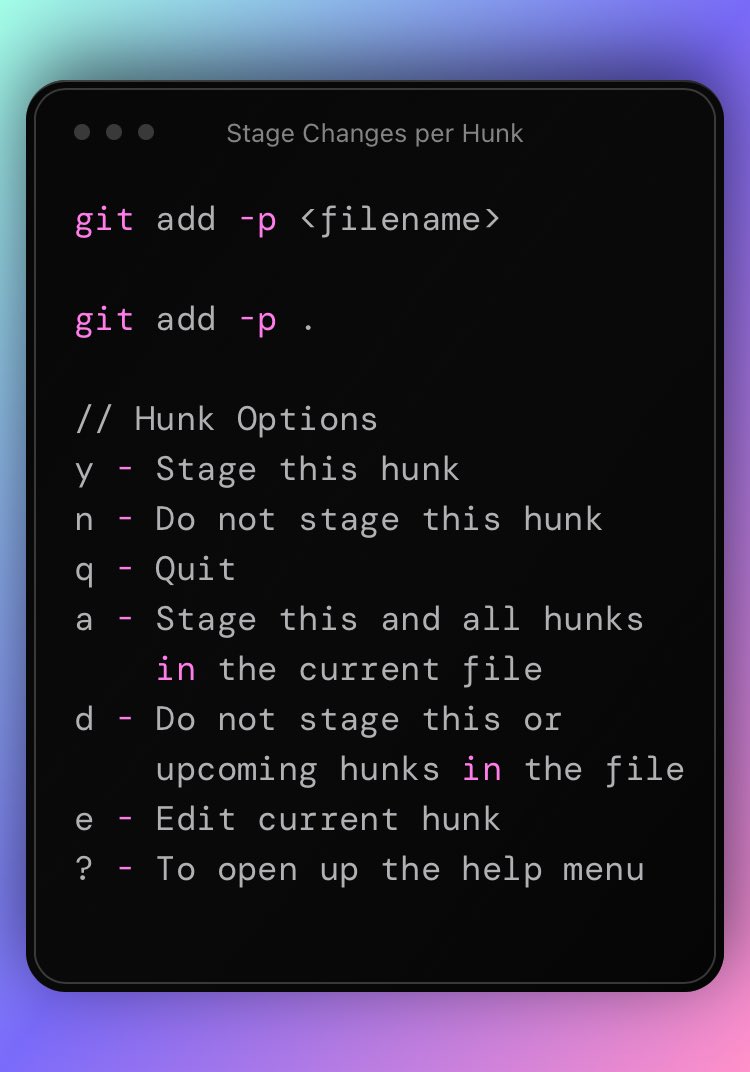
Also, at a first glance options "q" and "d" might be confusing. As they might look like they do the same thing.
However it is not the case. Take a look at the example below to understand.
Here is a quick git tip.
If you want to stage part of a file, you can append "-p" flag to the add command.
It will narrow down the scope per hunk basis.
Solid applicable tips. To add on top, take one step at a time and don't skip over Data Structures & Algorithms like most beginners do.
Understanding them and building up your foundational skills is just as important.
@simonholdorf It depends on a lot of things. Especially on your app, options and requirements. For example, on a Next.js Project, I went with AWS Cognito, Vercel, Railway and Plausible analytics. This stack helps me to minimize the dev ops work without compromising factors like scalibility.
@ameyer_tech 1. Do hands on
2. Do hands on
3. Do hands on
…
Solving practice test do help, but after few iterations you’ll memorize answers and stop thinking. So to truly learn things, doing hands on is crucial in my opinion.
@InfiniDream1 Set daily objectives. Be as precise and as technical with them as possible. Also techno or heavy metal in the background helps to tune into a brutal productivity mode 😄