Install… activate… work faster! The browser extension that adds a command palette - and more! - to (almost) ALL your WordPress sites. By @magicroundabout
My new plugin developer job has me working in the wp-admin dashboard a lot more of late. So I've really been working hard on Turbo Admin in my spare time to make life easier. And it's SO much easier using the keyboard to drive WordPress...
@TurboAdmn is a brilliant command UI for WordPress. No need to install plugins on each site, just instant navigation anywhere. Clean, fast, and really well thought out.
@1ce_upon_a_ It’s really kind that you want to. Thanks! 😃 You can always buy the Extension but not install it if you want to support me. But you’re missing out on the best bits! 😉
Really appreciate your support. If you have any other thoughts on what I can do better then I’m all ears.🙏
@UaMV @mishterkurth Nothing known. I suspect there's a conflict with some plugin. Could you send a screenshot of the admin in a site that's not working?
If you can check the JavaScript console for errors that would be helpful too. Thanks.
Send to: [email protected]
Update today. v1.16.0 fixes a bug found by @mishterkurth (🙏) and introduces a new menu-hiding feature.
This is great if you have a busy admin menu. You can alt/option-click items to move them to a new expandable section, then access those items using the command palette! Yay!
...
Hopefully you'll notice it's just better and works like you expect. And it won't have broken anything for anyone.
But let me know if you come across issues.
With thanks for all the support and new customers this week. Y'all are awesome!
Turbo Admin extension update!
v1.18.0 is out now, you should get an auto update in 12 hours, or you can manually update if you know how.
This fixes up a weird issue I had with the command palette, but ALSO it changes the search method I'm using for commands...
@christianmagill@srikat Thank for the idea.
This would be pretty tricky to get working consistently across all the screens that might have a save/update button.
I'll have a think and see what I can do. But no promises.
I made Turbo Admin for me, because I wanted to remove friction. It hides many notices, auto-closes loads of annoying UI, gives an actually-helpful command palette for the "classic" dashboard, and now has loads of keyboard shortcuts too. I made it, and *I* think it's magic!! ✨
My new plugin developer job has me working in the wp-admin dashboard a lot more of late. So I've really been working hard on Turbo Admin in my spare time to make life easier. And it's SO much easier using the keyboard to drive WordPress...
See how much Turbo Admin lets you do with no mouse!! (I used my trackpad once in this recording - see if you can spot it!)
I don't really know how to talk about the benefits of this if you're in the Dashboard a lot. So just watch the video.
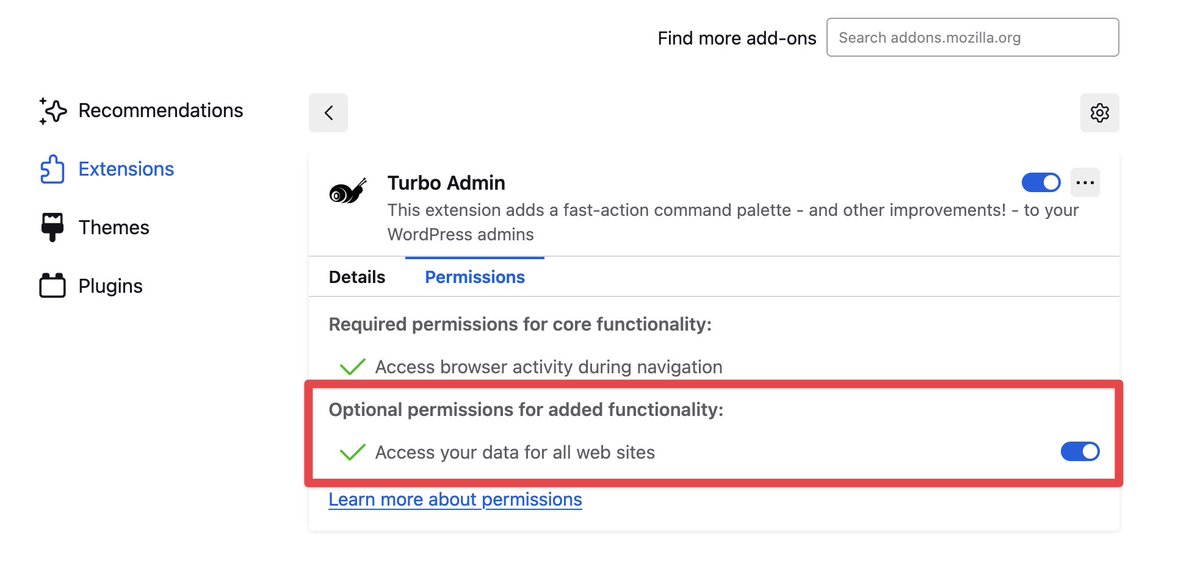
If you're wondering, Turbo Admin needs this permission to:
- Figure out if sites are using WordPress (by inspecting HTTP headers)
- Inject the script onto page that makes Turbo Admin work