I got the basic game play working with a bunch of placeholder objects. It needs a lot of fine tuning, but I'm glad to see things finally come together.
Baby steps.
I set this up so that I can have a selection of tracks and vehicles. Next up; adding the controls for the vehicle, and different objects to the track.
At my last job we were getting reports of random errors from some customers that no one could repro. Turned out it was from the decision to put everything in localStorage (not my idea). The app just started randomly failing with vague error messages. So, yes, I believe someone would actually do this.
Next step on my current project: generate a track from a selected song.
this is a very small PoC with three goals:
- Build the track shape from the music
- Pull colors from the cover art when it's in the metadata
- Have the shader respond to the music
Also spent some time learning TSL in Three.js.
I always wanted to make a rhythm game. The first step was to build this analyzer app. I know there are libraries that will do much of the work for me, but I figured it was important to understand the process myself.
Also, multithreading in TypeScript is...interesting.
Introducing Threejs Awesome Graphics Agent Skills
npx threejs-awesome-graphics-agent-skills install --agent codex
I collected some of the best looking graphic @threejs open source projects on X and distilled them into an agent skills pack, AAA game graphics right out of the box so anyone can create games that don't look like cheap demos
These are just examples included in the agent skills. All projects referenced are noted as source materials. I will continuously update this to include new projects with epic graphics
https://t.co/mxLtHm3ema
Interesting choice of words when closing an AI window. When the robots take over, will they remember that I did this? How many times have I casually terminated Claude without even thinking about it? Am I a terrible person?
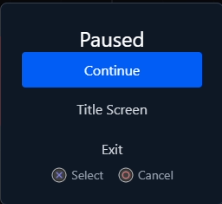
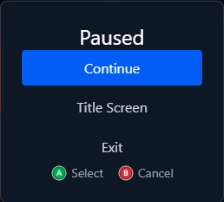
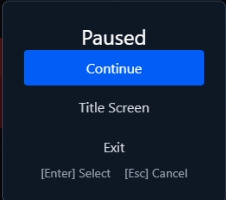
This is a feature I really wanted to include in Input Forge, and I'm happy I got working. It doesn't provide the graphics, but it does report what input is being used. Well, it reports Keyboard, PlayStation, Xbox or "other". And it has an observable to keep track of changes to the input device.
I have noticed Phaser or Three.js tutorials always use hard coded, single input - such as using the arrow keys or WASD. This practice also finds its way into real world projects; Web games with the inputs hard coded.
Meanwhile Unity and Unreal have dynamic input systems that can handle multiple inputs for single actions (keyboard/controller/touch) and can even be used to allow players to customize inputs.
This is what led me to create Input Forge. It started as a simple idea to allow multiple inputs that can be customized, and it evolved from there. It will continue to evolve as I use it in more projects, but I think it's to a point where I can show it off.
https://t.co/tGo9Nv8t5V
I spent the last couple days doing a complete redesign of my website. I have other plans for this site, but this was just the first step
https://t.co/PzKEUOx6LD
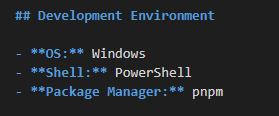
I probably should have thought of this sooner, but I've started adding this to claude.md in my projects. Claude Code tends to assume you're working in a Unix terminal (Mac or Linux) and always uses npm.
I have two libraries I created that I was using for my own projects. This week I used Claude Code to polish them up and get them added to the NPM repository. I have never added anything to NPM before - never thought my stuff was good enough TBH.
But here they are:
https://t.co/GPcGQmM7hy
https://t.co/U6ax1HtEHU