Hey yall! Join me for Sunday funday with @CAPT_BOHICA tonight at 8PM CST! We'll be starting with some fall guys and then maybe some GGD?! Can't wait!
#sundayfunday#longweekend
Hey yall! Join me for Sunday funday with @CAPT_BOHICA tonight at 8PM CST! We'll be starting with some fall guys and then maybe some GGD?! Can't wait!
#sundayfunday#longweekend
Some would say “just add audio filters in OBS” …some would be wrong 😂
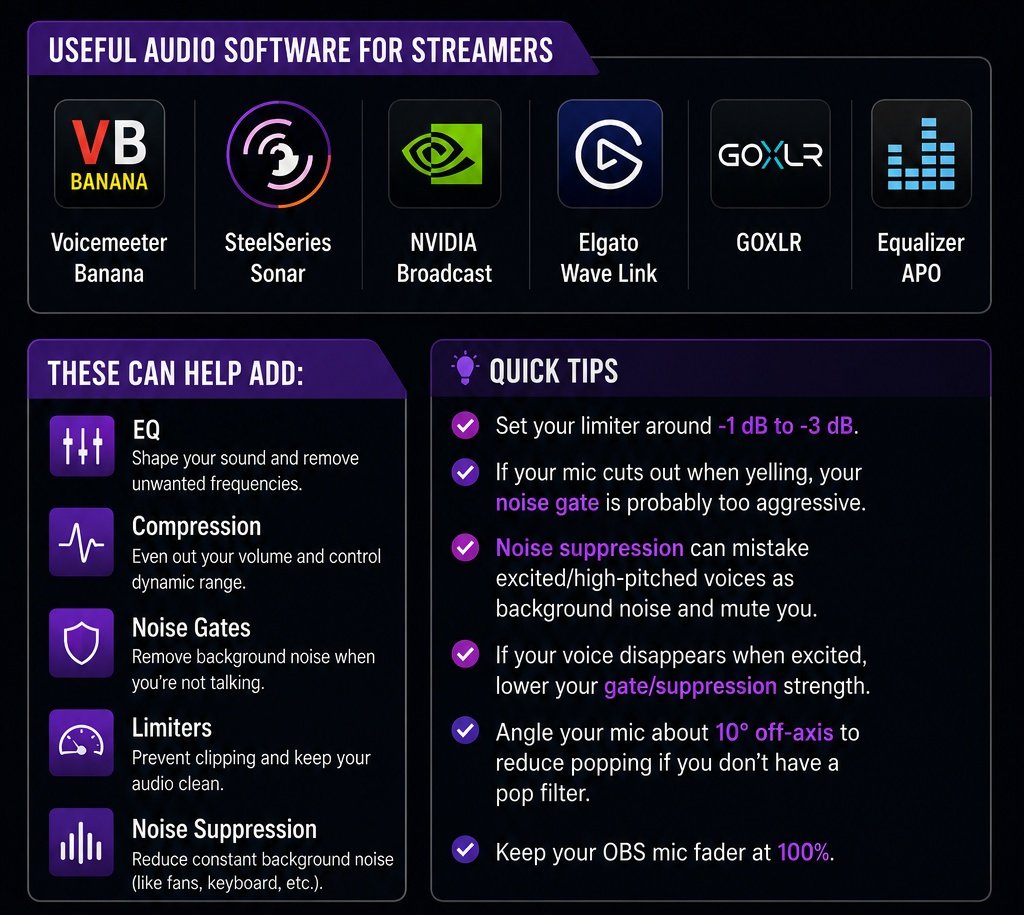
For the best audio, you want your EQ, compression, noise gate, and limiter handled BEFORE your audio reaches OBS.
Useful audio software for streamers:
• Voicemeeter Banana
• SteelSeries Sonar
• NVIDIA Broadcast
• Elgato Wave Link
• GOXLR
• Equalizer APO
Quick tips:
• Set your limiter around -1 dB to -3 dB
• If your mic cuts out when yelling, your noise gate is probably too aggressive
• Noise suppression can mistake excited/high-pitched voices as background noise and mute you
• If your voice disappears when excited, lower your gate/suppression strength
• Angle your mic about 10° off-axis to reduce popping if you don’t have a pop filter
• Keep your OBS mic fader at 100%
Once your mic is properly configured, feel free to use your OBS faders for balancing game, discord, music, and alerts audio
Hope this helps!
Highlight that no matter what your experience is in the game, you can ALWAYS HAVE FUN! So if you're interested or know someone who would be, let me know! 💜
Hey yall! Im wanting to plan a fun dbd charity event. I have some ideas of how I want it to go however I need some peeps who main killer and would be willing to team up with someone who's new/learning killer in dbd. I have a lot of ideas! Lol I want this event to (thread)
Some audio terms that may help you in your streams or audio editing in post:
- Limiters: Stops your audio from going above a set volume so you don’t accidentally blast your viewers with loud peaks or screams.
- EQ: Lets you adjust specific sound frequencies to make your voice clearer, fuller, or less muddy.
- Compressors: Smooths out volume differences so quiet moments are easier to hear and loud moments are less harsh.
- True Peak: Measures the actual loudest point of your audio to help prevent distortion after uploading or streaming.
- RMS: Shows the average loudness of your audio so you can keep your stream volume consistent.
- Distortion / Peaking / Clipping: Happens when audio is too loud and starts sounding crunchy, crackly, or blown out.
- Faders: Volume sliders used to control how loud different audio sources are in your mix.
- Audio Meters: Visual bars that show your audio levels in real time so you can avoid being too quiet or too loud.
- LUFS: A loudness standard used to keep your audio balanced and comfortable for viewers to listen to.
The goal is to not change audio on OBS/recording software but instead apply everything on your mic software itself. Hope this helps!
If your follow list is looking a little empty, come check out our team! ✨️👀 We've got all kinds of streamers and a whole variety of games being played right now!
#twitch#lotusalliance#latenight