🖤 BLACK FRIDAY – 50% OFF
To thank the Maya community, all our plug-ins are now half price for a few days. Valid from now until November 27.
Use code: BLACKTEXTURE2025
Offer available on:
https://t.co/MfE7dIcDkq
The plug-ins are now available for Maya 2026, compatible with both Windows and Linux platforms.
Please note that the macOS version is not yet supported at this stage.
Download the tools from your Gumroad Account.
"Excited to announce the latest versions of my Maya 2025 tools! Packed with new features and enhancements to boost your workflow. Check them out now!
Just log-in to your Gumroad account to download it.
#zirail#zispread#vertexture
It can sometimes be challenging to install a Maya plug-in. For this reason, we have considered your feedback and implemented an installer for each plug-in.
#zirail#vertexture
A new ziRail update(v0.961) is available on Gumroad
-MacOS compilation
-Undo/redo mechanism has a better support.
-Relax and move Brushes used to work only with a surface under the mouse, fixed
-More detailed head-up display
-Minor bug fixes
https://t.co/DcomiaD7cq
Most of the shorcuts are displayed in the zirail UI between parenthesis. Feel free to increase your workflow by using them. They can be customised if needed as well.
https://t.co/eKcgozsjmD
Users send emails describing how they manipulate ziRail, and I was impressed by their ability to diverge from the original concept. Their method is actually a combination of several sub-tools that can be explored and played with.
Zirail is vast and include a great collection of features. Take your time to visit all the functionnalities. You will be able to find some videos on the youtube channel.
https://t.co/YryZtDU6aK
We've been inspired by Zbrush for some functions like the LazyMode option and the brush display. The idea is to make the modeler feel like at home while using ziRail.
https://t.co/DcomiaD7cq
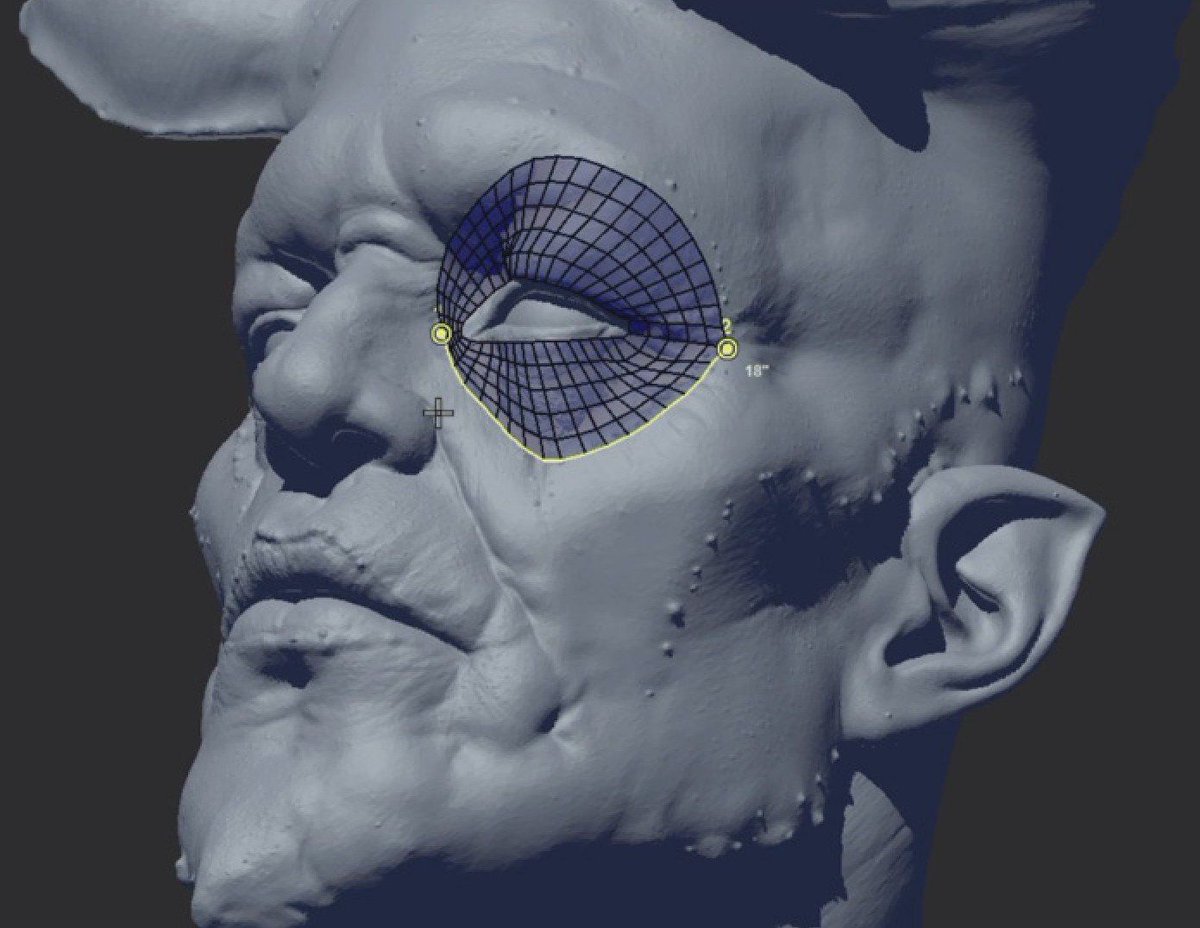
When we say "rail" or "patch" it means rows of poly in-between strokes. With that being said you can draw more than 2 strokes to create one rail.
https://t.co/DcomiaD7cq
You would rather generate smaller patches to gain more accuracy. Unless it is necessary, a larger patch is more complex to deal with.
https://t.co/DcomiaD7cq
Likewise, if you work with thin surfaces (belts, claws, eyelids, ...) you may adjust the projection distance value with the slider in the ziRail UI. This will make sure that the patch is snapped on the right the proper surface.
I noticed that most of the people know barely half of the ziRail potential. We have some video tutorials uploaded on the youtube channel
https://t.co/cnP7l6M93f
The ziRail compilation for Maya 2024 is now available in your Gumroad account. 😹
Version 0.956
Changelog:
-2024 compilation for Windows and Linux
-Toggle buttons were broken, fixed
-"BackFace culling" button renamed for "Brush on Backface"
dock control re-write
I know you guys are busy, that's why we've made ziRail, ziSpread and the other tools. We want to save you time so you can you can meet your deadline. Providing more efficiency/productivity is our main goal
https://t.co/DcomiaD7cq