I used the Astrotalk app today and spoke on a call for about 10 minutes, during which approx ₹200 were deducted.
My main agenda was to understand the business model of the app.
In India, I have not seen a better Startup India business model than this.
#astrology#astrotalk
How does Google Maps detect traffic congestion?
Let’s break it down.
Google Maps detects traffic congestion using a combination of techniques:
GPS data from Android phones
The main signal comes from anonymized location and speed data from millions of Android devices. When many phones slow down on the same road, Google detects congestion by comparing current speeds with historical averages for that road at that time.
Crowdsourced real-time data
Google also gathers anonymized speed and location data from all Google Maps users during navigation, across devices.
Machine Learning
Years of traffic history help Google learn normal patterns like rush hours. It can compare the expected traffic with real-time conditions to spot accidents or unusual congestion.
User-reported incidents
In addition to GPS data, Google uses user-reported information on accidents, construction, and road closures. Google acquired Waze and also integrates incident reports from Waze users to enhance traffic insights.
All this data is processed in near real time using scalable distributed systems, a great system design at scale.
That's it for now.
Android App Starts: Hot, Warm & Cold
Cold Start:
App process not running -> full initialization + class loading.
Warm Start:
App process exists, but activity not in memory -> partial initialization, faster than cold.
Hot Start:
Activity in memory -> near-instant launch.
ProGuard vs R8 in Android
Both do:
• Shrink → remove unused code
• Obfuscate → rename classes, fields, etc.
• Optimize → e.g., inline functions
Reduces APK size & makes reverse engineering harder.
R8 = Google’s modern replacement, built into the Android Gradle Plugin.
• Single-step shrink/obfuscate/optimize during build.
• 10–20% faster builds vs ProGuard, with equal/better code size reduction.
• Same rule syntax, but R8 has better defaults & less manual config.
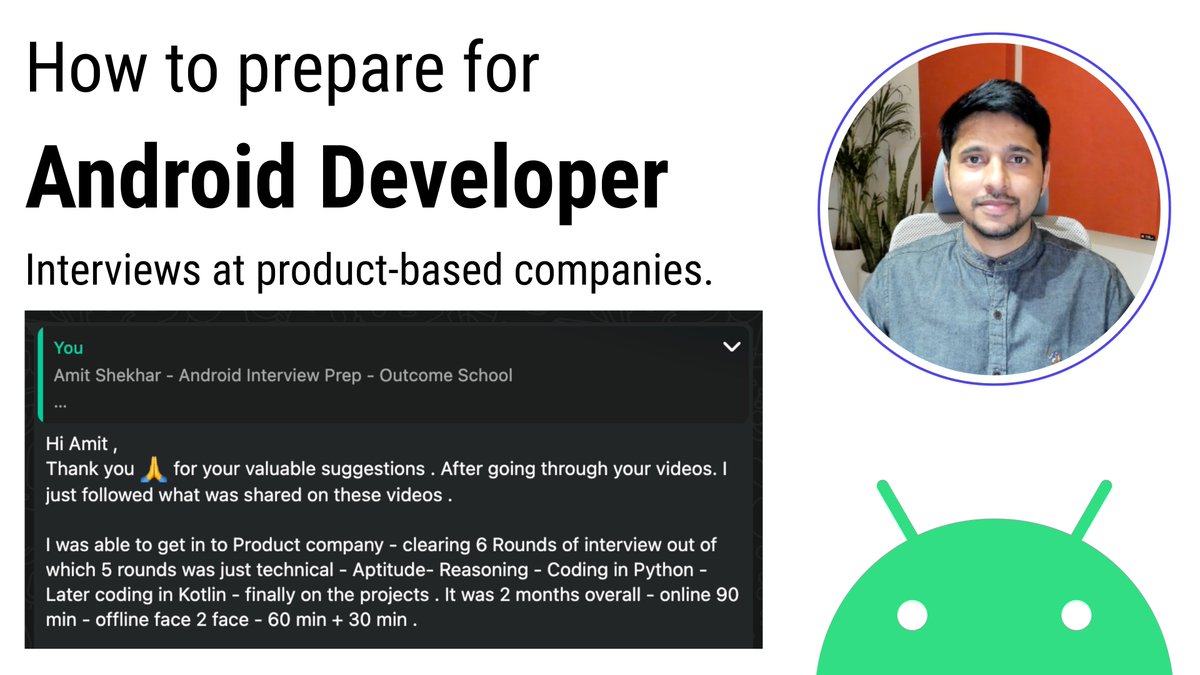
I recently conducted a live session on “Android Developer Interview Preparation for Product-Based Companies.”
Guided, motivated, and inspired them to aim higher and achieve more.
Recording Link: https://t.co/xxlFvRcqXG
Document Link: https://t.co/CRX4DeY9o0
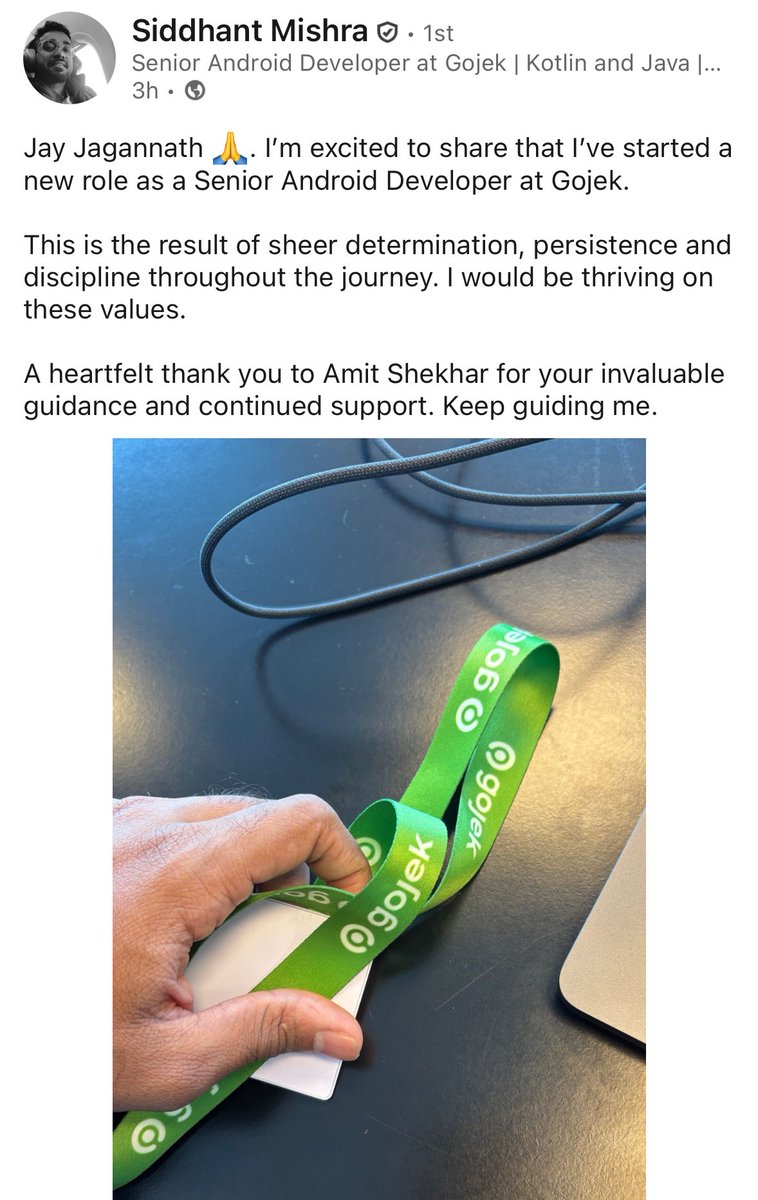
Many developers reached out to share the positive outcomes they’ve been achieving.
-
Hi Amit ,
Thank you 🙏 for your valuable suggestions . After going through your videos. I just followed what was shared on these videos .
I was able to get in to Product company - clearing 6 Rounds of interview out of which 5 rounds was just technical - Aptitude- Reasoning - Coding in Python - Later coding in Kotlin - finally on the projects . It was 2 months overall - online 90 min - offline face 2 face - 60 min + 30 min .
-
Share this post with fellow developers so we can help even more developers.
#AndroidDev #Kotlin #Impact #Interview
Question: Explain the internal visibility modifier in Kotlin with the use case.
Answer: Discussed in the video.
Watch here: https://t.co/TIgv1O8PBE
#AndroidDev#Kotlin
Guaranteed Ways to Fail in Android Interviews:
• Ignoring Data Structures and Algorithms: for example, failing to code "LRUCache".
• Not practicing for the Machine Coding Round, thinking, "I already work on a big project in my company."
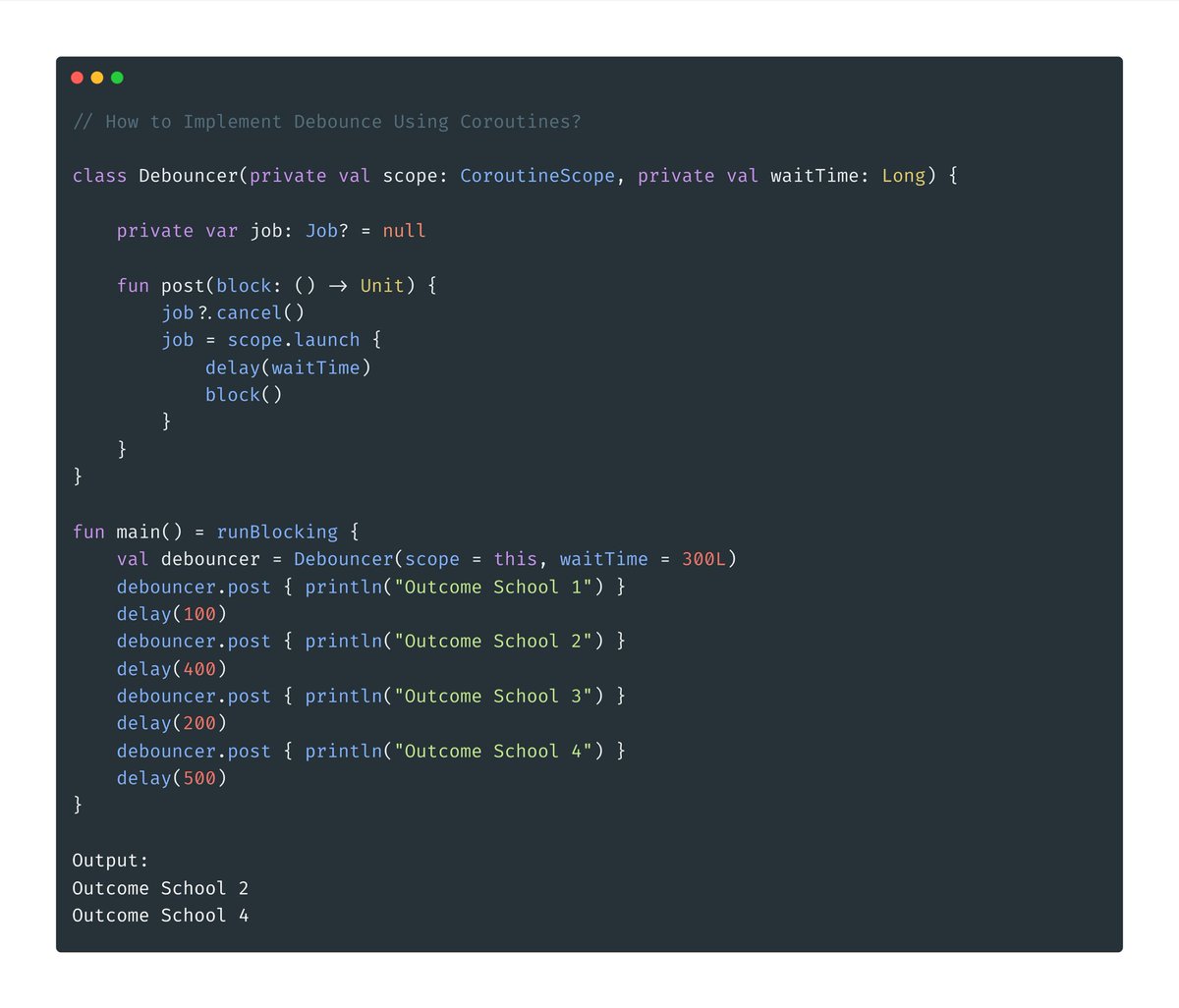
• Ignoring the internals: for example, failing to code "How to implement debounce using Coroutines."
• Not practicing how to explain concepts: for example, failing to explain "How ViewModel works internally".
#AndroidDev #Kotlin #Interview #Android
StateFlow vs LiveData in Android Development
StateFlow and LiveData are observable data holder classes mainly used with MVVM Architecture in Android.
StateFlow
• Part of Kotlin Coroutines Flow API.
• Always has a value (requires initial value).
• Not Lifecycle-aware by default, but can be made.
• Only emits when value actually changes (distinctUntilChanged behavior).
• A full range of Flow operators like map, flatMapConcat, zip, etc are available.
LiveData
• Part of Android Architecture Components.
• Can have null values.
• Lifecycle-aware by default.
• Emits updates to active observers even if the value hasn't changed.
• Only basic transformations like map, etc are available.
Should I use StateFlow or LiveData?
For new Kotlin-only Android projects: There’s no need to use LiveData. Opt for StateFlow (It comes with Kotlin, so there is no need to add an extra dependency) and make it lifecycle-aware by using the repeatOnLifecycle scope. StateFlow is Kotlin-specific.
For Java-only Android projects: Use LiveData by adding the dependency. LiveData is lifecycle-aware by default.
Impact of AI: Software Developers should be concerned; Software Engineers should not.
In its current state, AI is good at generating code for individual components, which aligns closely with the responsibilities of a Software Developer.
However, AI struggles with understanding how all those components come together efficiently, long-term impact, etc, the tasks that fall under the domain of a Software Engineer.
Software Developers: Primarily write code. AI can already do this quite well.
Software Engineers: Do much more. They write code, review it, design systems, work on performance, consider long-term impact, and ensure everything works cohesively. They think about the entire system architecture, not just code. This is what takes apps to production.
Can you imagine launching complex apps like those involving payment systems without software engineers?
The answer is no.
Looking ahead, a tech team that currently has 10 people might shrink to just 4:
• 2 leveraging AI to write code quickly.
• 2 focused on making the app production-ready, and they will be the ones highly valued and highly paid.
These highly valued and highly paid individuals will need deep knowledge of system internals and strong engineering skills.
Final advice: Don’t aim to be just a Software Developer, strive to be a Software Engineer.
Kotlin Interview Question: What happens if an exception is thrown inside an async coroutine, but await() is never called?
Answer: Unlike launch, which throws exceptions right away, async holds exceptions in its Deferred result. If you don’t call await(), the exception will go unnoticed.
• async returns a Deferred, which captures the exception and only throws it when you call await().
• If await() is never called, the exception sits silently in the Deferred and is effectively ignored.
val deferred = async {
throw RuntimeException("Something went wrong")
}
// No await() here, so the exception is never seen.
#Kotlin #AndroidDev
Interviews are very different from your day-to-day work, that's the reality of the interview process.
So, you need to prepare accordingly. I have been teaching and mentoring many developers, and their efforts are helping them secure high-paying tech jobs. I have seen some developers excel in interviews and achieve salary hikes of 2X (from 22 LPA to 44 LPA) or even 3X (from 20 LPA to 60 LPA).
Here’s what they did differently:
• Became good at explaining by giving mock interviews and regularly teaching those concepts to their colleagues.
• Practiced DSA consistently for 6 months - there’s no skipping DSA.
• Gained knowledge typically acquired after 10 years of experience by putting in extra effort.
• Focused more on preparation than the job market, concentrating on what they could control.
Keep Learning, Keep Sharing, and Keep Growing.
Have you ever used StrictMode in your Android project? Watch this quick video to learn about it. You can use StrictMode during development.
#AndroidDev
16 KB page size for Android Apps
As per Google, switching to 16 KB pages brings performance benefits:
• App launch speed improved by 3–30%
• Battery savings of around 4.5%
• Camera starts accelerated 4.5–6.6%
• System boots up faster by roughly 8%
The first thing that we need to understand is that this 16 KB page size optimization applies only to native code (NDK code) in Android apps, that is, the code written in C or C++ and compiled into .so libraries.
So, if you have code written in C or C++ or using some libraries that have C or C++ code compiled into .so libraries, then you will have to consider this 16 KB page size for the optimization.
There is NO impact on Java/Kotlin Code.
What you need to do if you have native code:
• If using NDK, use the latest NDK with support for 16 KB pages.
• If using prebuilt native SDKs, update them with support for 16 KB pages.
• Avoid hardcoding page size. Use sysconf(_SC_PAGESIZE) to get page size at runtime.
• Test on both 4 KB and 16 KB devices.
Keep Learning, Keep Sharing, and Keep Growing.
#SoftwareEngineer #Tech #AndroidDev #Android #Kotlin
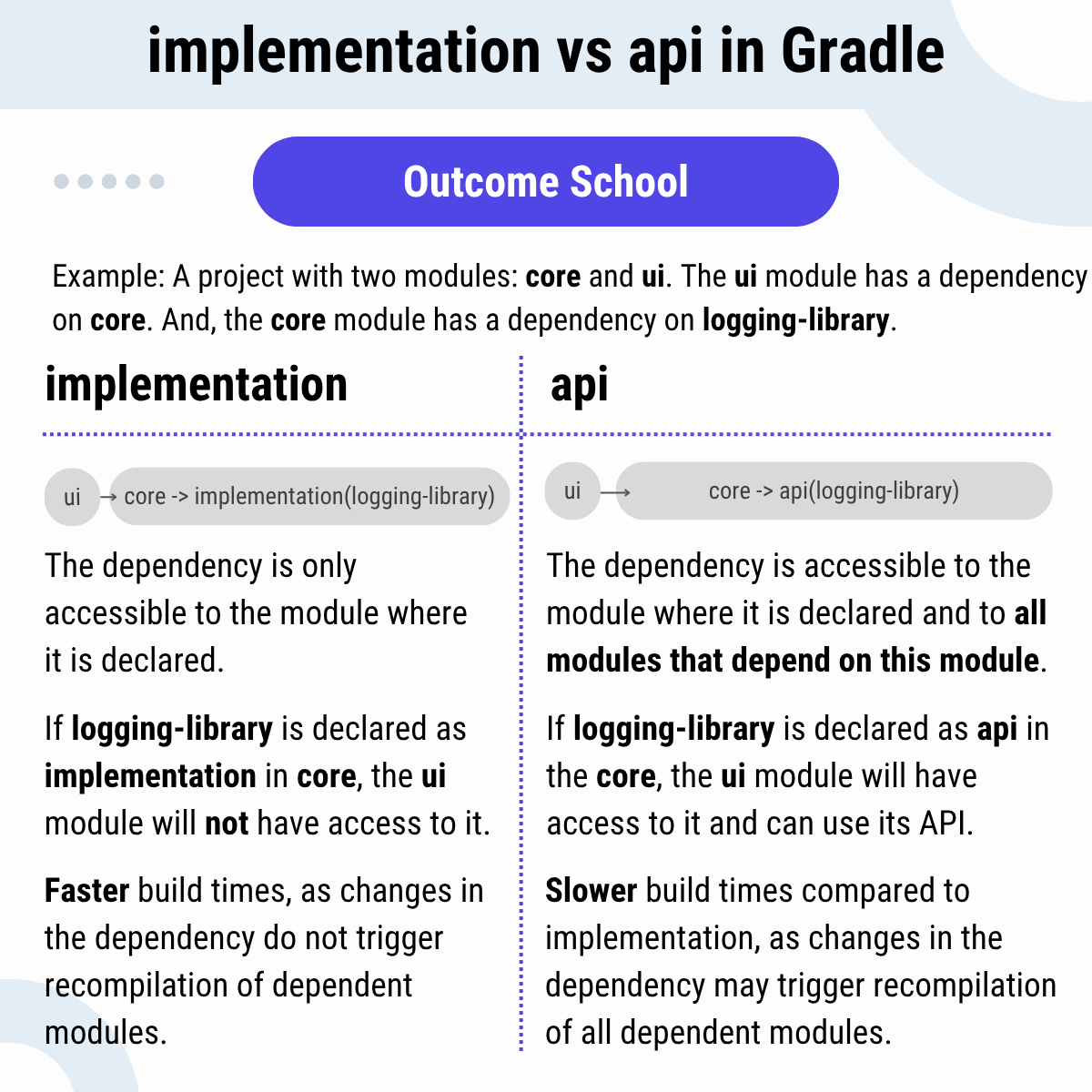
Android Interview Question: implementation vs api in Gradle
Answer: Example: A project with two modules: core and ui. The ui module has a dependency on the core. And, the core module has a dependency on logging-library.
implementation
• The dependency is only accessible to the module where it is declared.
• If logging-library is declared as implementation in the core, the ui module will not have access to it.
�� Faster build times, as changes in the dependency do not trigger recompilation of dependent modules.
api
• The dependency is accessible to the module where it is declared and to all modules that depend on this module.
• If logging-library is declared as api in the core, the ui module will have access to it and can use its API.
• Slower build times compared to implementation, as changes in the dependency may trigger recompilation of all dependent modules.
Keep Learning, Keep Sharing, and Keep Growing.
#OutcomeSchool #SoftwareEngineering #Tech