I built my girlfriend a birthday website instead of buying a gift.
Vanilla JS. No frameworks. 48 hours. Deployed free on GitHub Pages.
She cried. Then she put the link in her story.
Best project I've ever shipped.
#SoftwareDevelopment#CodingMilestone#BuildingInPublic#TechJour
The audio bug took longer to fix than the entire quiz feature. It worked perfectly on localhost, then broke the moment it hit GitHub Pages.
If you've ever had the "works on my machine" moment, tell me yours below I need to know I'm not alone.
The confetti is hand rolled CSS animations, the envelope opening is CSS clip paths, and the music button auto pauses when her video plays. Sometimes the boring stack is the right stack
I’ve officially joined @TechSphereAcad for my software development journey in her ongoing phonenix cohort. This will enhance my journey and my learning pace as I embrace what's coming in the journey.
I will keep showcasing my learning here.
#TechsphereAcad#SoftwareDevelopment
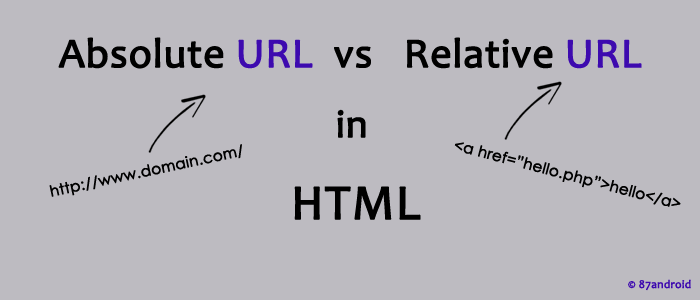
- Use absolute when linking to external resources.
- Use relative for internal files to keep things modular.
Both have their place—choose wisely depending on your project needs!
Follow me and @PercorsoTech@ProsperoApril and @E_0xP for more dev insights
#percorsoTech
4/4
Understanding Relative vs Absolute Referencing in HTML media sources (src):
When embedding images, videos, or audio files in your webpage, the way you reference their location matters. Let's break it down 👇
A Thread
1/4
@PercorsoTech@E_OXD#percosoTech
Relative referencing uses a path relative to the current HTML file.
Example:
`html
<img src="./images/photo.jpg">
`
✅ Great for local development and portability.
❌ Can break if folder structure changes or if used incorrectly.
3/4
Absolute referencing uses the full path to the file, including the domain.
Example:
`html
<img src="https://t.co/njwuUH7P2A">
`
✅ Always works, no matter where the HTML file is located.
❌ Less flexible if you move your site or change domains.