@Harvesterify You were 100% right on this. I already had a scheduled task checking on Event ID 3102. So I just had to send a signal to the tray app now and therefore PS only runs this check immediately after refresh completes. Thank you.
Need help with App Control policy refresh indication:
What is the most efficient way to determine if any App Control policies have been refreshed on a machine?
Currently, I am parsing the output of the old Get-CimInstance... command via PS every X amount of seconds.
@Harvesterify Yes, there are a few of them that I could monitor. As long as I can do efficiently.
Link: Understanding App Control event IDs | Microsoft Learn
However, I would prefer to not hit up PowerShell every X amount of seconds. I would rather only do that if/when policy refresh has occurred.
Something similar to a window message code (eg. WM_POLICYCHANGE?) to monitor.
If anyone has suggestions, please let me know. Thank you.
Excited to announce my first public Rust crate!
A wrapper lib for Windows AppContainer/LPAC sandbox. Create profiles, compose capabilities, low-priv processes, ACLs & more. Great for security-sensitive automation and AI Agents.
https://t.co/JLlVeyL8ft https://t.co/AKTqnmpGmg
Excited to announce my first public Rust crate!
A wrapper lib for Windows AppContainer/LPAC sandbox. Create profiles, compose capabilities, low-priv processes, ACLs & more. Great for security-sensitive automation and AI Agents.
https://t.co/JLlVeyL8ft https://t.co/AKTqnmpGmg
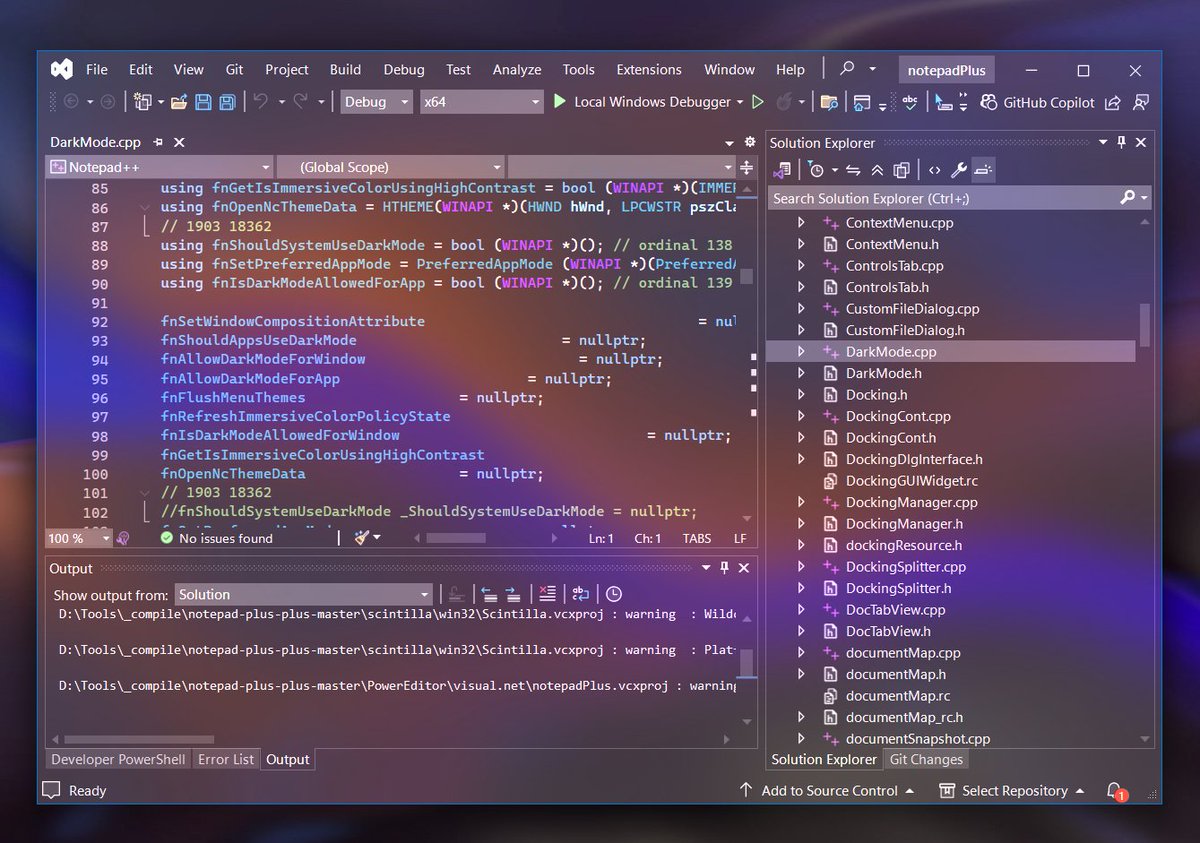
I created a small, portable program for applying Windows 11 materials (Mica, Acrylic, etc.) to Windows Terminal, VSCode, Visual Studio and more. It also has blur behind with color blending and custom opacity levels.
Download: https://t.co/niDpBHbFx1
@NathanMcNulty You put forth a tremendous effort in sharing tooling, knowledge and current insight with the community and the community is a million times better for it.
Also, you're a shining role model for ALL community members to look up to while your positivity/creativity is contagious.
I had some time recently to put some work into my win32-appcontainer-tools project. Most of the work went into rewriting the ETW trace tool. Improved AppContainer sandbox creation time. Performance improvements for all tools.
Link: https://t.co/L7SbZ4axJz
App Control Policy Manager 6
- Completely rewritten
- Redesigned GUI with focus on policies
- Ownerdrawn menu bar and status bar
- EFI Partition policies can be viewed in filter
- Added Export to CSV
- System tray icon indicates blocked events
Link: https://t.co/gZRCKm9Gfl
@dev_252 I agree with you 100%. The tools and information for getting started in the beginning is definitely lacking. Creating your first policies has a lot of room for error with quite unforgiving consequences. Definitely room for improvement, for sure.
@NathanMcNulty@mattifestation@TheWMIGuy@M_haggis@CyberCakeX FWIW, App Control Policy Manager was my first GUI app. It was cluttered with buttons and controls. In a few days, a new update will be ready which makes the policies front and center. Simplicity. Custom ownerdrawn menu status bar to reduce clutter and keep focus on policies.
@CyberCakeX @dev_252 @NathanMcNulty@mattifestation@TheWMIGuy@M_haggis By the way, @CyberCakeX your documentation is some of the best out there and the easiest to navigate and digest. Also, your docs cover the latest and greatest OS changes that are generally not documented elsewhere yet.