How do you track permit renewals across locations today?
A) Spreadsheet
B) Calendar reminders
C) Someone remembers
D) Software
(Stellar's answer: one compliance register, sorted by what's expiring first.)
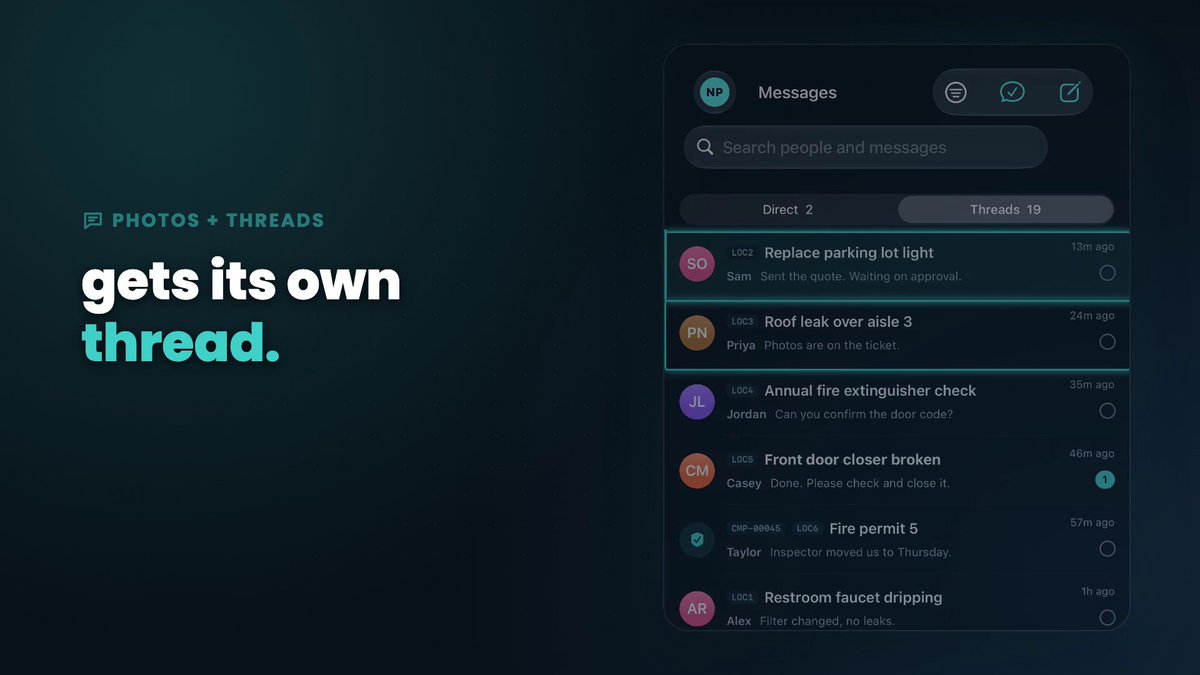
Each Stellar work order has its own email address.
Cc it on your message to an outside technician and their reply lands in the work order's thread. No more digging through inboxes.
https://t.co/N6eAhjds6Q
2 expired, 3 expiring soon, all on one register. Who warns you before the inspector?
Stellar's Compliance screen keeps permits and certificates for every location in one list, sorted by date.
Real app, sample company. https://t.co/uBJsSs4Xv6 #PermitTracking
8 locations, 25 open work orders, 3 permits expiring.
In Stellar that's one live board for the work orders and a permit register that shows what's due. Your team gets their own work orders on iPhone.
Real app, sample company. https://t.co/uBJsSs4Xv6
Friday question: what's most likely to break at a location this weekend: the walk-in, the HVAC, or the restroom? Whichever it is, anyone whose role allows it can log the work order in the https://t.co/cxgChkJV5J iPhone app, so it's on record before Monday. #FacilitiesManagement
If a maintenance request only lives in a text thread, it isn't a work order yet.
Give it a location, a status and an owner. That's what Stellar does.
https://t.co/N6eAhjds6Q
Work orders lost in group texts?
Stellar puts every work order, location and permit on one live board, on iPhone, Apple Watch and the web.
https://t.co/N6eAhjds6Q
#FacilityManagement
Connect the AI you already use to https://t.co/cxgChkJV5J and give it a role. It can log work orders and update equipment and permits, only what its role allows. A person still approves and closes the work, and every change shows on the record under the agent's name.
No hardware required.
https://t.co/cxgChkJV5J: work orders, permits and certificates, and every unit, per location. Ask for a demo at the https://t.co/cxgChkJV5J site.
Food manager certificate at one location. Sign permit at another. Different agencies, different dates.
See each expiry date per location, side by side, in https://t.co/cxgChkJV5J.
Start Monday with what's open at every location, not a pile of texts and emails.
https://t.co/cxgChkJV5J puts work orders for every location in one place. Ask for a demo at the https://t.co/cxgChkJV5J site.
Your own AI doesn't need a master key.
In https://t.co/cxgChkJV5J you assign it a role, and it sees only what that role can see.
Bring your own AI. Ask for a demo at the https://t.co/cxgChkJV5J site.
Repair or replace the ice machine?
Open the unit in https://t.co/cxgChkJV5J: install date, warranty expiry, and every work order that names it. Decide with the history in front of you.
Verification is where a person checks the work before a work order is Completed.
Not a bot. Someone on your team looks, then signs it off.
https://t.co/cxgChkJV5J, every location in one place.
Which permit expires next at each of your locations?
Health permit, fire permit, food manager certificate. https://t.co/cxgChkJV5J keeps permits and certificates per location, each with its expiry date in view.
On the wrist: Start on work orders that haven't begun. Ready for review on the ones in progress.
Dictate an update without pulling out your phone. https://t.co/cxgChkJV5J on Apple Watch.
The tech asks for the model and serial on the rooftop unit.
Nobody wants to climb back up to read it.
Make, model, serial and photos on the work order are already on the unit in https://t.co/cxgChkJV5J, with specs like tonnage and refrigerant.