🚨 Anthropic just showed a 24-minute workshop on how to actually do prompts for Claude.
Taught by the people who built it.
Free. No registration. No paywall.
I've seen $300 courses that don't cover what they teach in the first 8 minutes.
Watch it and bookmark it now.
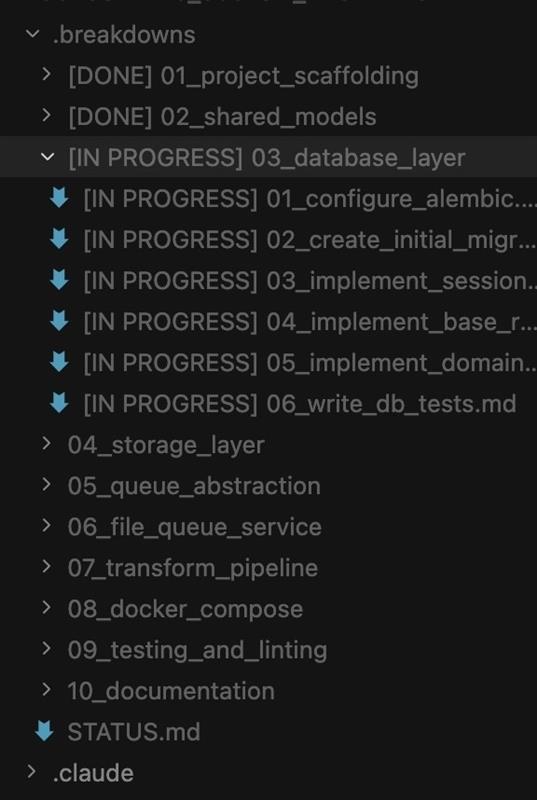
The guy who BUILT Claude Code is running 10–15 parallel AI agents like an engineering team.
Not prompts.
Systems.
His secret isn’t some hidden feature.
It’s a simple file:
CLAUDE.md
And it changes everything.
Every time Claude makes a mistake → it writes a rule.
Every correction → permanent memory.
Every session → smarter than the last.
> “Update your CLAUDE.md so you don’t make that mistake again.”
That’s the loop.
No repeated errors.
No wasted tokens.
No babysitting.
Just compounding intelligence inside your own codebase.
While most people:
Rewrite the same prompts
Fix the same bugs
Start from zero every time
He’s building a self-improving engineering system.
And it gets crazier:
• 10+ agents running in parallel
• Research, coding, testing — all split into sub-agents
• Clean context, zero clutter
• Complex problems = more agents, not more thinking
He hasn’t written SQL in 6+ months.
Claude just pulls from BigQuery via CLI.
This isn’t “AI-assisted coding.”
This is AI orchestration.
And the gap is already showing.
Claude Code is now contributing to ~4% of all public GitHub commits.
If you’re still using AI like a chatbot…
You’re not behind.
You’re playing a completely different game.
🚨 The creator of Claude Code just shared a full walkthrough on how to actually use it the right way.
30 minutes. Free. Straight from the person who built it.
Watch the workshop and save it for later.
You’ll likely get more practical value from this than from most expensive coding courses online.
Most people are only scratching the surface of what Claude Code can do.
Then check out the guide below.
Most people think using Claude Code is about writing better prompts.
It’s not.
The real unlock is structuring your repository so Claude can think like an engineer.
If your repo is messy, Claude behaves like a chatbot.
If your repo is structured, Claude behaves like a developer living inside your codebase.
Your project only needs 4 things:
• the why → what the system does
• the map → where things live
• the rules → what’s allowed / forbidden
• the workflows → how work gets done
I call this:
The Anatomy of a Claude Code Project 👇
━━━━━━━━━━━━━━━
1️⃣ CLAUDE.md = Repo Memory (Keep it Short)
This file is the north star for Claude.
Not a massive document.
Just three things:
• Purpose → why the system exists
• Repo map → how the project is structured
• Rules + commands → how Claude should operate
If CLAUDE.md becomes too long, the model starts missing critical signals.
Clarity beats size.
━━━━━━━━━━━━━━━
2️⃣ .claude/skills/ = Reusable Expert Modes
Stop repeating instructions in prompts.
Turn common workflows into reusable skills.
Examples:
• code review checklist
• refactoring playbook
• debugging workflow
• release procedures
Now Claude can switch into specialized modes instantly.
Result:
More consistent outputs across sessions and teammates.
━━━━━━━━━━━━━━━
3️⃣ .claude/hooks/ = Guardrails
Models forget.
Hooks don’t.
Use hooks for things that must always happen automatically.
Examples:
• run formatters after edits
• trigger tests after core changes
• block sensitive directories (auth, billing, migrations)
Hooks turn AI workflows into reliable engineering systems.
━━━━━━━━━━━━━━━
4️⃣ docs/ = Progressive Context
Don’t overload prompts with information.
Instead, let Claude navigate your documentation.
Examples:
• architecture overview
• ADRs (engineering decisions)
• operational runbooks
Claude doesn’t need everything in memory.
It just needs to know where truth lives.
━━━━━━━━━━━━━━━
5️⃣ Local CLAUDE.md for Critical Modules
Some areas of your system have hidden complexity.
Add local context files there.
Example:
src/auth/CLAUDE.md
src/persistence/CLAUDE.md
infra/CLAUDE.md
Now Claude understands the danger zones exactly when it works in them.
This dramatically reduces mistakes.
━━━━━━━━━━━━━━━
Here’s the shift most people miss:
Prompting is temporary.
Structure is permanent.
Once your repository is designed for AI:
Claude stops acting like a chatbot...
…and starts behaving like a project-native engineer. 🚀
Most developers are using Claude Code wrong.
They treat it like a coding assistant:
Prompt → Output → Repeat.
That works… until it doesn’t.
Because real AI development isn’t about prompts.
It’s about systems.
Here’s the Claude Code setup that changes everything 👇
• CLAUDE.md → the brain (context, rules, instructions)
• /skills → reusable workflows (review, refactor, release)
• /hooks → guardrails + automation
• /docs → architecture decisions (the “why”)
• /src → actual product logic
This isn’t just folder structure.
It’s how you:
• stop repeating instructions
• get consistent outputs
• scale across features + teams
• turn AI into a predictable system
Most devs keep rewriting prompts.
Better ones design systems where AI doesn’t need reminders.
That’s when Claude stops guessing…
…and starts acting like an engineering partner.
Save this. ♻️
#AI #Claude #AIAgents #LLM #GenAI #DevTools
Really nice paper - "LLM Maybe LongLM: Self-Extend LLM Context Window Without Tuning" 🔥
📌 Extend existing LLMs’ context window without any fine-tuning
📌 One feasible way to avoid the O.O.D. ( out-of-distribution) problems by caused unseen relative positions is to map new relative positions into those seen during pretraining.
📌 The basic idea is to construct bi-level attention information:
👉 The group level and the neighbor level.
👉 The 2 levels are computed by the original model’s self-attention, which means this method does not require any training
👉 Everything is the same as the original self-attention mechanism except that before the inner product, the FLOOR operation is applied to each token’s original position.
---------
📌 Evaluation Results - Even compared to methods requiring further fine-tuning, SelfExtend achieves comparable or the best performance.
Considering that Self-Extend only takes effect during inference and does not do any fine-tuning or training.
---------
📌 Installation
Clone the repository to your machine and copy your modeling files into the cloned repo directory.
`modify_method_of_instance` method in the above code modifies the method of an instance of a model class, and currently, used to modify the attention method of a model.


![_IUofficial's tweet photo. [📷]
✨・゚✧・゚🎄 𝑴𝒆𝒓𝒓𝒚 𝑪𝒉𝒓𝒊𝒔𝒕𝒎𝒂𝒔 🎄・゚✧・゚✨
징산타가 준비한 보너스 크리스마스 선물🎁
모두 행운과 행복 가득한 크리스마스 보내세요❣
#아이유 #IU
#Christmas_Special_Photo https://t.co/HAUMD7kZYE](https://pbs.twimg.com/media/Gfjh_FKbIAAqFeM.jpg)
![_IUofficial's tweet photo. [📷]
✨・゚✧・゚🎄 𝑴𝒆𝒓𝒓𝒚 𝑪𝒉𝒓𝒊𝒔𝒕𝒎𝒂𝒔 🎄・゚✧・゚✨
징산타가 준비한 보너스 크리스마스 선물🎁
모두 행운과 행복 가득한 크리스마스 보내세요❣
#아이유 #IU
#Christmas_Special_Photo https://t.co/HAUMD7kZYE](https://pbs.twimg.com/media/Gfjh9kwbYAAXidt.jpg)


![_IUofficial's tweet photo. [📷]
✨・゚✧・゚🎄 𝑴𝒆𝒓𝒓𝒚 𝑪𝒉𝒓𝒊𝒔𝒕𝒎𝒂𝒔 🎄・゚✧・゚✨
징산타가 준비한 보너스 크리스마스 선물🎁
모두 행운과 행복 가득한 크리스마스 보내세요❣
#아이유 #IU
#Christmas_Special_Photo https://t.co/HAUMD7kZYE](https://pbs.twimg.com/media/GfjiAnMbQAALAMP.jpg)