my first LP integration with webflow, done ✅
Project: LP Allo
Duration: 10 days
Included: Client-First, Animations, Variables, SEO
Stack: Figma & Webflow (a little .js)
Lighthouse: 66 → 97 (average)
Responsive: Desktop/Tablet/Mobile
link: [in comments]
my Sunday dopamine hit: increased Lighthouse score from 43 to 91.
→ Images converted to .avif and .webp
→ Hero image loaded with priority (Eager)
→ SEO optimized (Title, Meta Description, Open Graph)
result: 91/100.
the site loads 17x faster.
it's so good, I feel like I'm in a game.
no Figma mock-up for this project? no problem.
i just had the live Aircall website.
My solution:
→ HTML to Figma plugin.
→ Extracting the structure from the live site.
→ Back and forth between live site and Figma .
→ Full integration.
Result:
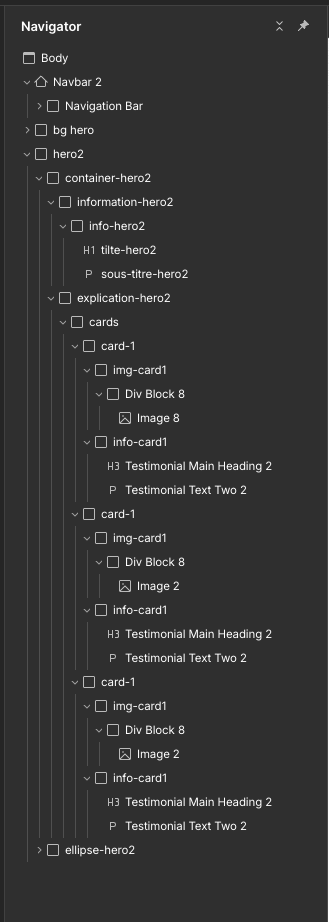
→ Clean, client-first structure
→ Smooth responsiveness on all breakpoints
→ Smooth animation
the video shows the entire process:
live site → html to Figma →extracted mock-up → Webflow → final rendering + breakpoint testing
opportunities arise. either I seize them. or I let them pass me by.
I decided to seize it.
15 days ago, i was scrolling through linkedin to connect with agencies.
i came across anas qudaih's profile (kuartz studio).
i visited his profile.
he saw my visit.
he checked my profile.
he added me.
he dm'd me: ‘yo, i saw you visited my profile. are you getting into webflow?’
i replied yes and that my goal is to become a real Webflow Goat:
- Client-First
- Pixel Perfect
- Gsap animations
- Seo optimised
- Responsive smooth
he asked me if I had the skills to integrate this type of LP.
he showed me Aircall LP.
i say, ‘yes, i can do it in 7 days.’
he suggests we call each other.
we call each other.
we get along really well.
he says, ‘ok, at the end of october we'll do a test, i'll send you a mock-up.’
i decide not to wait.
after the call, i rebuild the landing page to see if i have the skills.
→ 8 days non-stop.
→ Html to figma.
→ Client-First method.
→ Pixel Perfect.
→ Responsive smooth.
→ Image optimisation (.avif).
once the mock-up is integrated, i post a preview of it on Linkedin.
anas saw it and sent me a dm.
after a quick chat, he said:
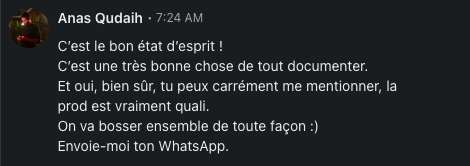
'The production is really high quality. We're going to work together anyway.'
15 days ago, i was just browsing his profile.
today, we're collaborating.
that's what learning in public is all about.
The opportunities came. I was ready.
Lp live: [link in comment]
My first professional landing page, built from scratch in 8 days.
It was such a pleasure working on this project.
I learned so much!
I will share everything in the next few days 🔥
message received after delivering the test mock-up for Dorian.
"J'ai pu check c'est lourd."
(translation: I checked it, it's fire.)
we had the call.
tomorrow I start the full integration.
this is exactly what I was looking for: learning to integrate agency-level mock-ups.
a few weeks ago I failed a test.
I decided to rebuild the mock-up in public to learn.
result: I learned + an opportunity came.
i start tomorrow.
i'll struggle again.
i'll learn again.
and I'll document it all here.
thanks to my posts on Veazyble, a designer contacted me for a test
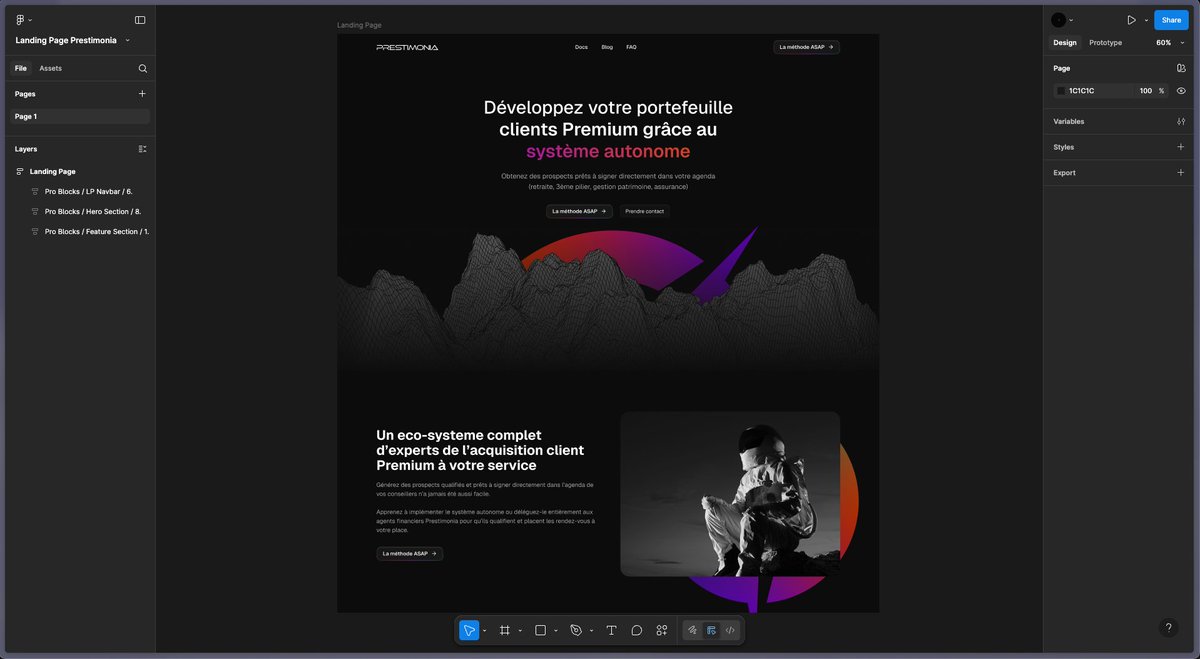
figma mock-up received
navbar, hero, keypoints
let's go
day 1: foundations
variables + style guide before touching the design
font-size, spacing, colours, everything configured
i used to skip this step to go faster
now i understand why it's crucial
it takes 2h more at the beginning
it saves you days in maintenance
day 2: integration
navbar: no problem
hero_section: this is where it gets complicated
the wireframe mountain at the bottom moves randomly depending on screen size
the gradient circle behind doesn't follow
i spent 2h on this
the problem: my hero wasn't at 100vh
result: unpredictable behaviour in responsive
the solution: hero at 100vh, now the mountain and circle move together
always at the bottom
what i learned:
when two elements need to be dependent in responsive, first set the parent container with a stable height
another hassle: the button with border gradient
the border wasn't displaying correctly
solution: add a div behind the CTA for the light effect
day 3: keypoints + delivery
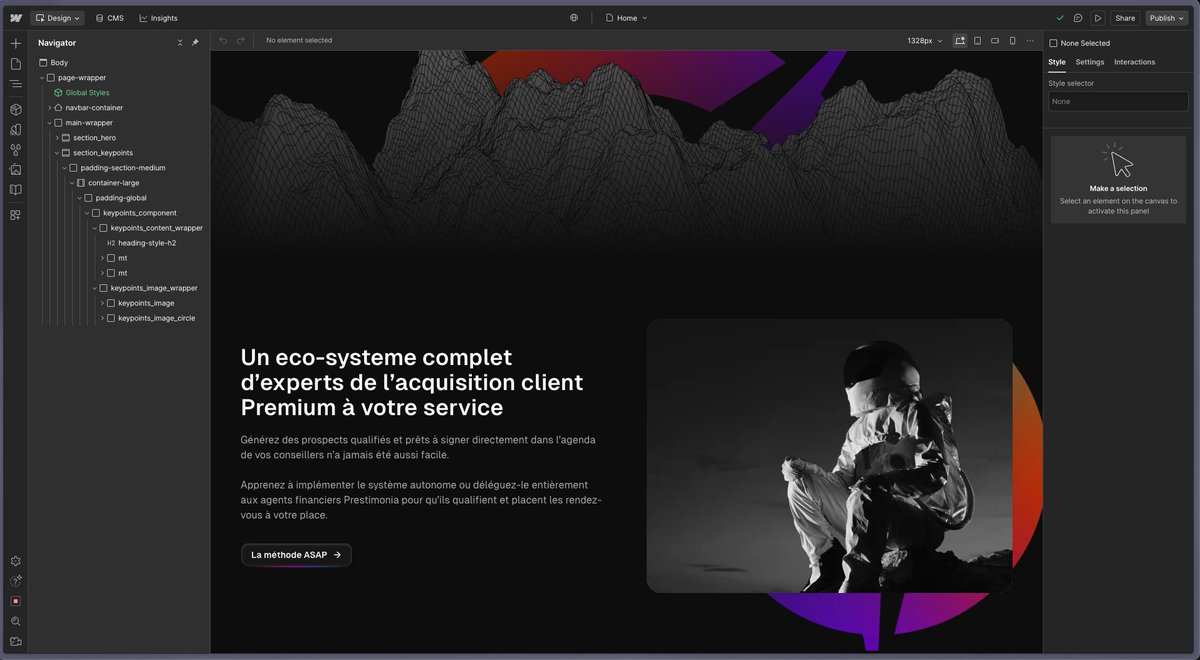
grid + keypoints_item
everything inherits automatically
section completed in a few hours
delivery
-------------
What this test taught me:
→ take your time on the foundations (variables, style guide)
→ set your parent container before managing dependent elements
→ use the right webflow elements from the start
→ learning in public creates real opportunities
agency don't pay for code that works. They pay for code that scales.
i tested something for the first time:
grid + structured items.
result: zero rebuilds.
before: 3 identical elements?
copy and paste.
need to change something?
edit all 3. A pain
now: Grid + problem_item. Change one, the others follow.
that's when it clicked 🤯
a dev builds a website.
a good dev builds a maintainable website.
learn First Client → work with agencies.
stick with messy code → limit opportunities.
the choice is mine.