MSI Afterburner 4.6.7 Beta 4 is out with some pretty wild monitoring upgrades.
-New V/F hit map shows the last 256 voltage/clock points your GPU actually used
-Makes undervolting + OC tuning easier
-GPUProbe returns from the RivaTuner era
-Can expose hidden hotspot + VRAM sensors
-Can even monitor individual 12VHPWR pins on supported GPUs
-RTSS updated to 7.3.8 Beta 1
#tokon_carnage full screen conversion, works off almost any spacing from the starter
5M 2M 2H j214M jH/j6H j214L Assist 2U 214M 5M 214L [22H] [5H] 22M Assist [5H] 22M super
Carnage has so many weird routing options that I was struggling to find something that felt consistent and strong, but Im happy with this routing for now. 1 Assist, and 4-6 meter after meter gain for 45k+ damage and can be routed to work anywhere on the screen!
#tokon_carnage
Carnage combo inspired by this guy inspired by Fenritti
but for slightly more damage and corner carry with options for wallsplat/break :D
#tokon_carnage#tokon_CNG
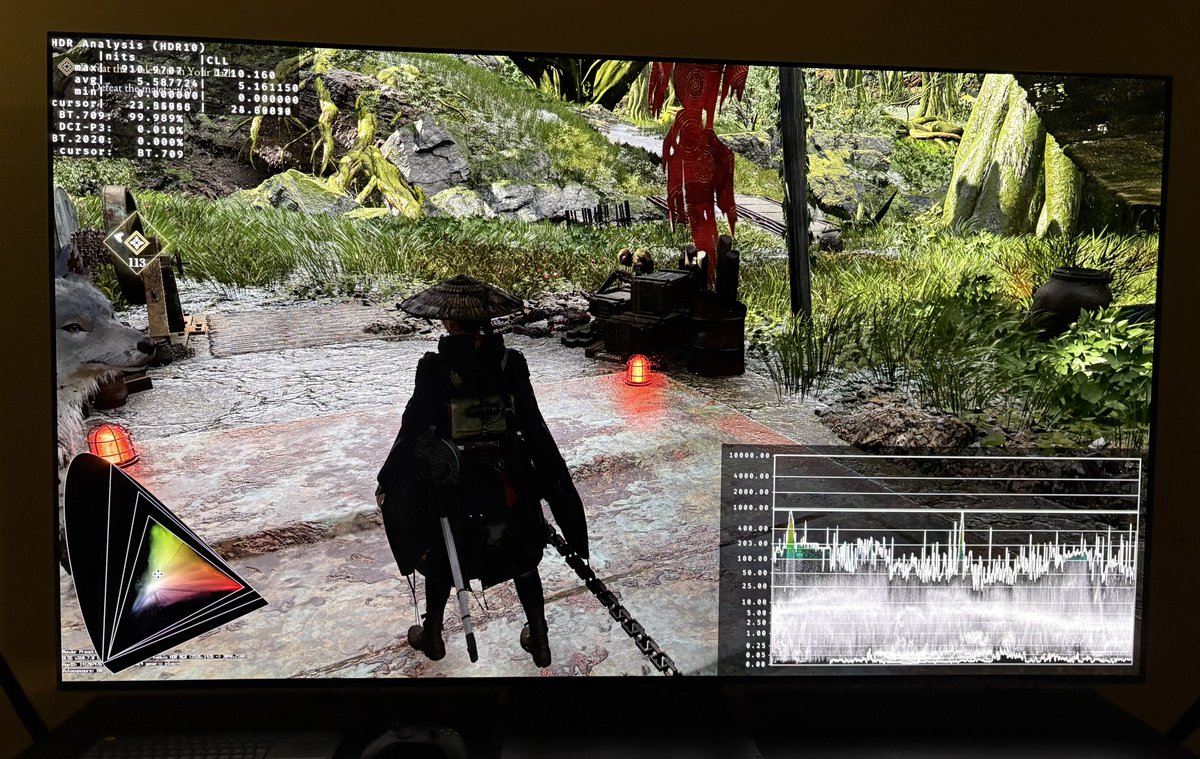
Quick HDR analysis and setup guide for Beast of Reincarnation on PC and SX (and PS5).
HDR is implemented the same way on PC and a Xbox consoles. I did not try it on PS5, but it’s most likely the same.
PC Gamers:
See my separate setup and settings guide that will show how to fix the blurry visuals (turn of chromatic aberration and other effects) and how to fix the HDR using RenoDX Extended version.
Console gamers:
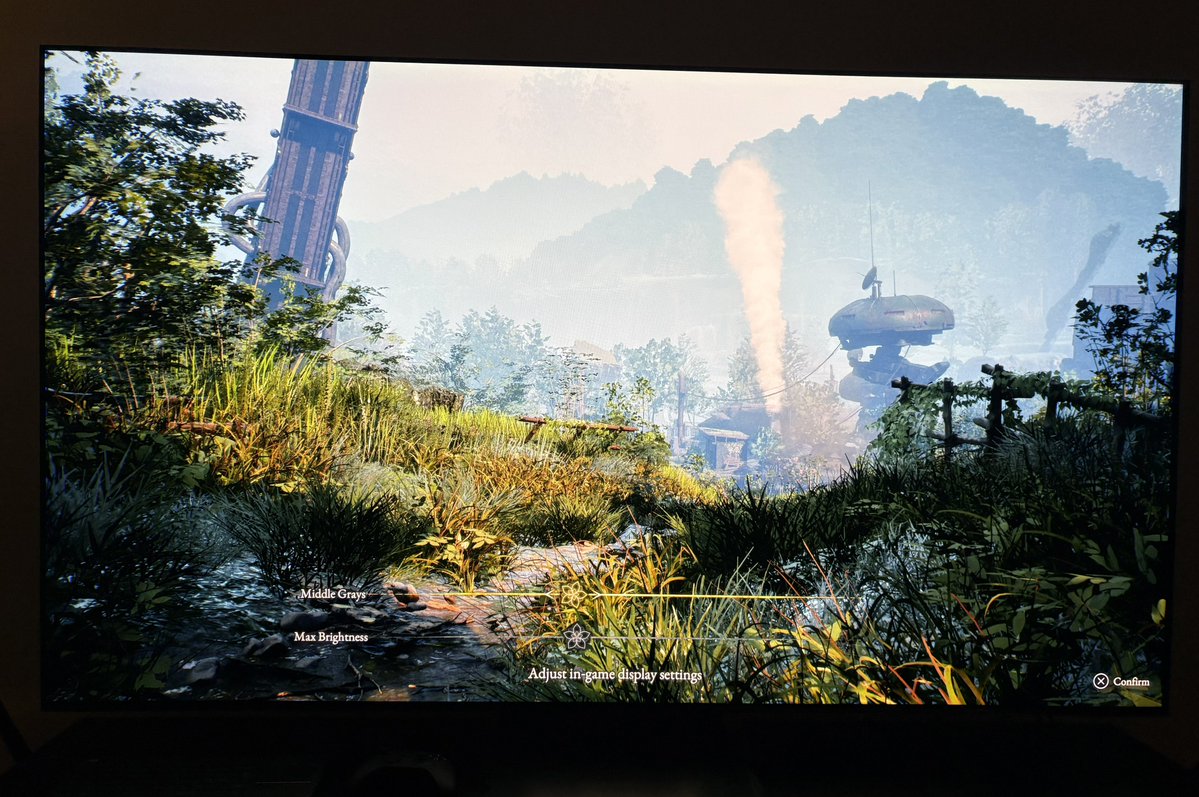
We have two in-game sliders. Middle Grays and Max Brightness.
Peak brightness:
The Max brightness slider adjusts peak brightness. There is no indication on the slider to what brightness in nits the game outputs, so I show it here:
10 clicks - 520 nits
20 clicks - 625 nits
30 clicks - 736 nits
40 clicks - 830 nits (default setting)
50 clicks - 930 nits
60 clicks - 1100 nits
70 clicks - 1246 nits
80 clicks -1380 nits
90 clicks -1530 nits
100 clicks - 1660 nits
Setup to what your display can max output.
Brightness / paper white:
The games overall brightness is adjusted via the Middle Grays slider. It adjusts everything inbetween peak brightness and black level floor.
Set it up to get the overall brightness you want.
Black levels:
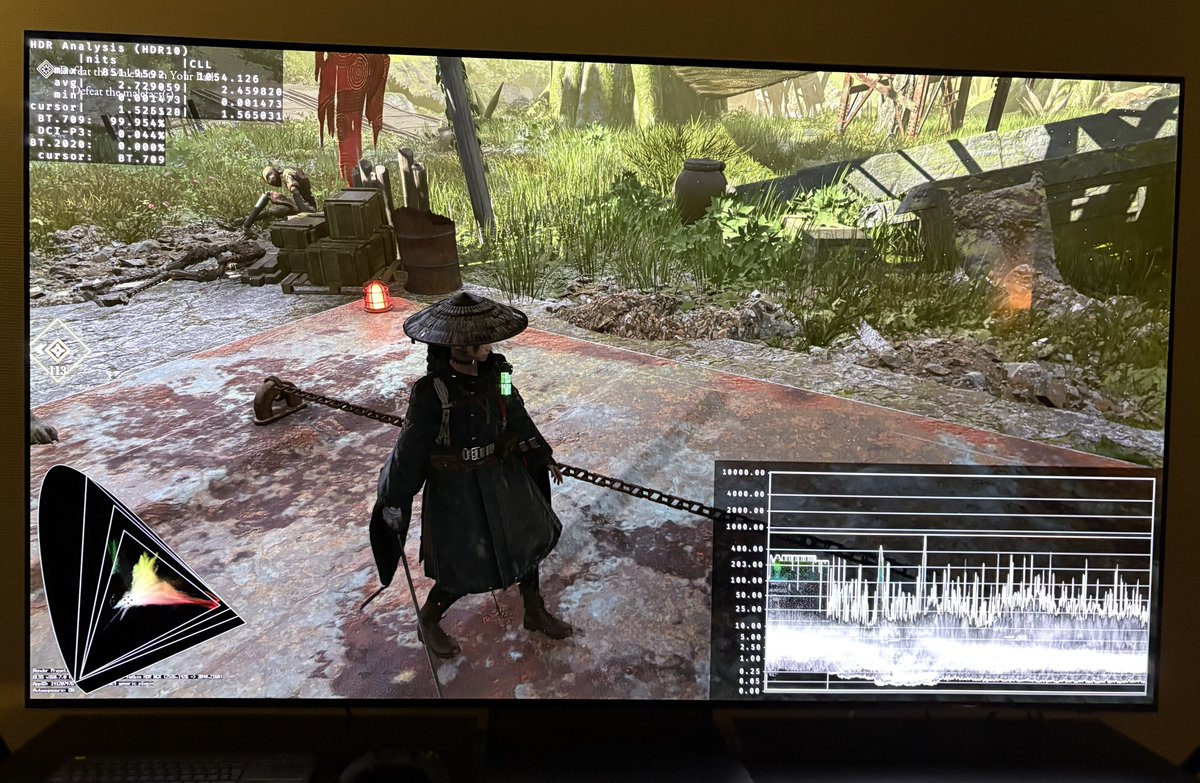
The game does not have a black level raise caused by HDR. We see that if we compare the waveform in picture 3 and 4. In picture 3 I have removed all the games fog (via engine.ini commands on OC) and black levels look fine. In picture 4 we see a black level raise.
The game heavily uses a tiny layer of fog in the first area of the game. I have not seen the later areas.
So much fog effectively raises black levels, reduces contrast and detail in the distance. I hate when games uses it so much, even indoors.
Increasing the middle grays slider increases upper shadows. Be aware of that. It further decreases contrast and thats probably not what many wants in a game that uses so much fog.